python Why Network Engineers Need Python Manual network configuration doesn't scale beyond a few devices. This post demonstrates why Python automation is essential for modern network engineers by comparing manual VLAN configuration across 10 switches versus a simple Python script that does the same job faster and error-free.
CCNA What is a Network? Why Networks Exist This post explains what computer networks are, why we need them for resource sharing and communication, and covers the main types including PAN, LAN, MAN, and WAN with practical examples.
Wildcard BGP for Beginners: How the Internet Picks Routes BGP is the internet's routing protocol that determines how data travels between networks worldwide. This beginner-friendly explanation covers Autonomous Systems, peering relationships, and why BGP misconfigurations can cause massive internet outages.
Deep Dive Building a Home Lab for Network Engineering A complete guide to building network engineering home labs, comparing GNS3, EVE-NG, and Packet Tracer platforms. Covers hardware requirements, legal image sources, and integrating virtual labs with real networks for hands-on learning.
CCNA What Does a Router Actually Do? This post explains the fundamental role of routers in networking, covering how they forward packets between networks using routing tables, and distinguishes between home WiFi routers and enterprise routers like Cisco's ISR series.
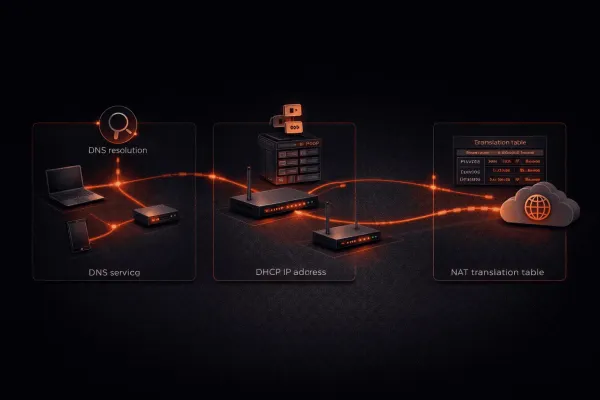
Deep Dive How a Packet Travels Across the Internet: End to End Follow a packet's complete journey from clicking a link to loading a webpage, covering DNS resolution, ARP, switching, routing, NAT, and TCP connections. This ties together fundamental networking concepts into one coherent story.
AI Tools AI for IT Professionals: Where to Start A comprehensive guide for IT professionals on how to start using AI tools like ChatGPT, Claude, and GitHub Copilot in daily work. Covers when to use each tool, practical examples, and best practices for integrating AI into IT workflows.
CCNA Subnetting Vocabulary Decoded: Understanding the Language of IP Addressing Hey CCNA learners! š One of our community members asked a great question about subnetting terminology, you know, those words we throw around that can feel confusing at first. Let's break down what each term actually means and how they relate to each other. The Essential Terms Mask / Subnet
News I Thought This Blog Was Dead ā Turns Out I Was Very Wrong Itās been a long time since I last wrote a post here. So long, in fact, that I genuinely assumed this blog had quietly faded away into the depths of the internet ā something I once poured a lot of time into, but that no one was really reading anymore.
Access-Lists Static NAT overloaded??? Static NAT is a one-to-one mapping between a local address and a global address. But, what if you have 2 local addresses that map to the same global address? Well, you would have an overloaded static NAT, which doesn't make much sense because the router wouldn't
CCNA Configuring PAT on Cisco Routers (NAT Overload) What is PAT (Port Address Translation)? PAT (Port Address Translation), also known as NAT Overload, is a form of Network Address Translation that allows multiple devices on a private network to share a single public IP address. Unlike one-to-one NAT, PAT uses port numbers to differentiate between multiple internal connections,
Access-Lists Configuring Dynamic NAT on Cisco Routers Welcome to another tutorial on Network Address Translation (NAT). In this post we'll be looking at how to configure Dynamic NAT on Cisco routers. I highly recommend that you first read through my previous post on configuring static NAT before continuing with this one. What is Dynamic NAT?
CCNA Configuring Static NAT on Cisco Routers In my previous post onĀ NAT, I explained the difference between the 3 different types of NAT that can be configured. In this tutorial Iām going to cover the configuration steps to configure static NAT. Static NAT is a one-to-one mapping. It allows us to translate a single IP
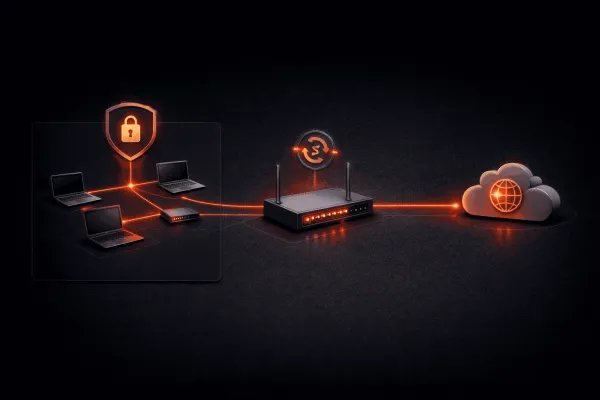
CCNA NAT (Network Address Translation) NAT (Network Address Translation) NAT stands for Network Address Translation. It's one of those concepts that you need to understand if you want to pass your CCNA. Not only do you need to understand how it works, but you also need to know how to configure it. First
CCNA Creating Layer 2 and Layer 3 Ether Channels EtherChannel technology allows network administrators to bundle multiple physical links into a single logical link. This bundling provides increased bandwidth and redundancy between network devices. There are two primary types of EtherChannels: Layer 2 (for switched networks) and Layer 3 (for routed networks). Layer 2 EtherChannel Configuration Layer 2 EtherChannels
WAN ISDN and Multilink with load-threshold Configuration Steps: 1. Configure the BRI interfaces Router(config)# interface bri 0/0/0 Router(config-if)# ip address 10.0.0.1 255.255.255.0 Router(config-if)# encapsulation ppp Router(config-if)# isdn spid1 0835866101 8358661 Router(config-if)# isdn spid2 0835866301 8358663 Router(config-if)# dialer string 8358662 Router(config-if)# dialer-group
WAN Floating Static Routes Floating static routes are static routes that are not installed in the routing table until the primary path fails. They are configured with a higher administrative distance (AD) than the primary route, which prevents them from being installed in the routing table. When the primary route fails, the floating static
WAN Configuring Basic ISDN with Interesting Traffic When configuring ISDN with interesting traffic, itās important to first understand how Cisco defines āinterestingā and what this means in terms of the connection been formed. Interesting traffic is traffic that we define in the form of anĀ access-listĀ that is allowed to cause the ISDN to dial. This
WAN ISDN Switch-type In order for any ISDN lines to establish Layer-1 connectivity the switch-type has to be defined correctly. The switch-type is very much country dependant so itās also important to memorize the switch-type that applies to where you do most of your installations. If Layer-1 is showing āDeactivatedā when using
Security+ DoS TCP SYN Attack Mitigation A DoS (Denial of Service) attack is an attempt to make a machine or network resource unavailable to its intended users. One common type of DoS attack is the TCP SYN flood attack, which exploits the TCP three-way handshake process. Understanding TCP SYN Flood Attacks In a normal TCP connection
Security+ Mitigating SubSeven attacks SubSeven ā aka: Sub7 and Sub7Server is a backdoor program, in the form of a Trojan, used mostly for causing trouble on computer networks. It can be used for simple attacks such as hiding the mouse cursor and opening applications, but it can also be used for more serious attacks including
Security+ Decrypting Type 7 Passwords (enable password) Cisco passwords are often stored in hashed or encrypted format in the configuration. The different types of password encryption supported by Cisco devices are: * Type 0 (Cleartext) - The password is stored in plain text and is easily readable. * Type 5 (MD5 hash) - The password is hashed using MD5.
Security+ Mitigating Smurf DoS Attacks A smurf attack is a form of denial of service (DoS) attack that takes advantage of IP broadcasting and ICMP ping requests to overwhelm a target host with traffic. The attack works by sending ICMP echo requests (ping packets) to a network's broadcast address, with the source IP
Security+ IP Address Spoofing Mitigation with Access Control Lists (ACL) Understanding IP Spoofing IP spoofing is a technique used by attackers to disguise their identity by modifying the source IP address in packet headers. This makes it appear as if the traffic is coming from a trusted source when it's actually originating from a malicious host. Common attack
Security+ Restricting access to Telnet and SSH By default, when you configure Telnet or SSH on a Cisco router or switch, any device that can reach the management IP address can attempt to connect. This poses a security risk, as unauthorized users could potentially gain access to your network equipment. To enhance security, you can restrict which