
How Queuing and Congestion Management Work in QoS
This post explains how queuing and congestion management work as part of QoS, covering FIFO, WFQ, CBWFQ, and LLQ strategies. It also introduces WRED as a congestion avoidance tool and includes a practical CLI configuration example. Aimed at CCNA learners who want to understand how routers prioritiz

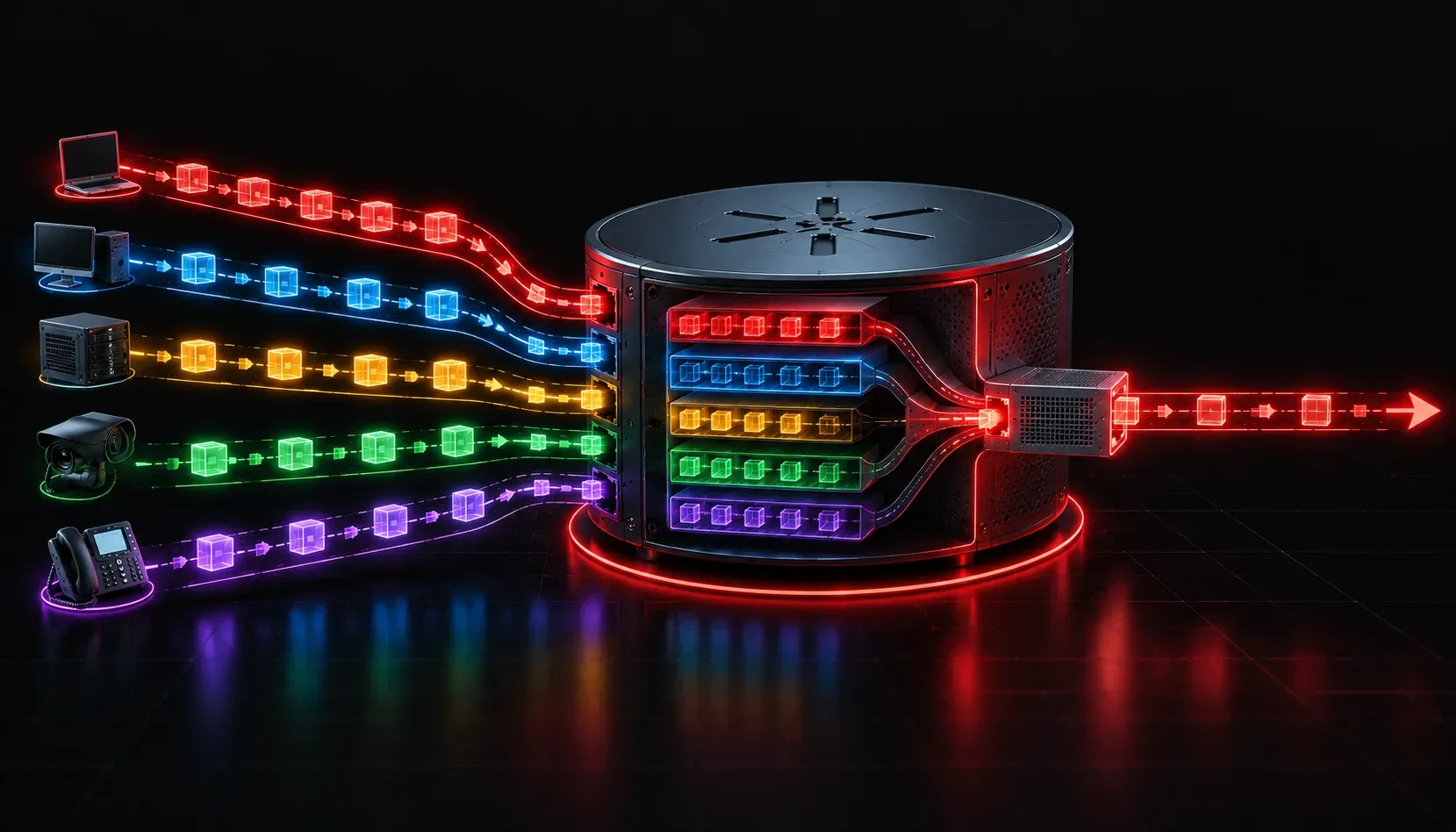
When more traffic arrives at a router interface than can be sent out, the router has to make decisions. Which packets go first? Which packets wait? Which packets get dropped? This is exactly what queuing and congestion management solve, and it is a core piece of QoS you will need to understand for the CCNA exam.
What Is Congestion and Why Does It Happen?
Congestion occurs when the rate of incoming traffic exceeds the available outbound bandwidth on an interface. Think of it like a four-lane highway merging into a single lane: traffic backs up. On a network, that "backup" fills up the interface's output queue. Once the queue is full, packets start getting dropped, and that is when real problems begin for applications like VoIP or video conferencing.
Queuing congestion management gives the router a way to organize that traffic intelligently rather than just dropping packets on a first-come, first-served basis.
The Role of Queuing in QoS
A queue is simply a holding area for packets waiting to be transmitted. Without QoS, routers use a basic FIFO (First In, First Out) queue. Every packet waits in line equally, regardless of how important it is. That works fine when the link is not congested, but the moment traffic spikes, FIFO has no way to prioritize critical traffic like voice over regular web browsing.
Queuing strategies give the router rules for how to organize and schedule packets during congestion. The three most common strategies you need to know for the CCNA are:
- FIFO (First In, First Out): The default behavior. No prioritization. Packets are sent in the order they arrive.
- WFQ (Weighted Fair Queuing): Automatically classifies traffic into flows and gives each flow a fair share of bandwidth. Lower-bandwidth flows (like a VoIP call) get proportionally better treatment than bulk data transfers.
- CBWFQ (Class-Based Weighted Fair Queuing): An extension of WFQ that lets you manually define traffic classes and assign minimum bandwidth guarantees to each class. This gives administrators fine-grained control.
- LLQ (Low Latency Queuing): Adds a strict priority queue to CBWFQ. Traffic placed in the priority queue (typically voice) is always sent first, before any other class. This is the recommended strategy for voice and video traffic.
LLQ in Action: A Practical Example
The most common real-world deployment combines LLQ with CBWFQ. Here is a simplified configuration example showing how you might classify and queue traffic:
! Define traffic classes
class-map match-any VOICE
 match dscp ef

class-map match-any CRITICAL-DATA
 match dscp af31

! Define policy with LLQ priority for voice
policy-map WAN-POLICY
 class VOICE
  priority 512
 class CRITICAL-DATA
  bandwidth 1024
 class class-default
  fair-queue

! Apply to outbound interface
interface GigabitEthernet0/1
 service-policy output WAN-POLICY
In this example, the priority command places voice traffic into the strict priority queue, ensuring it is always sent first. The bandwidth command guarantees a minimum of 1024 Kbps for critical data, and the class-default gets fair queuing for everything else. This is a classic network congestion strategy for ensuring smooth data flow across a WAN link.
Tail Drop vs. Congestion Avoidance
Queuing manages what happens during congestion, but there is another layer worth knowing: congestion avoidance. By default, when a queue fills completely, the router uses tail drop, simply dropping any new packet that arrives. This can cause TCP global synchronization, where many TCP sessions back off and then restart at the same time, creating waves of congestion.
WRED (Weighted Random Early Detection) solves this by randomly dropping packets before the queue is completely full, signaling TCP sessions to slow down gradually. WRED is queue-aware, meaning it can drop lower-priority traffic more aggressively while protecting higher-priority traffic. For the exam, know that WRED prevents global synchronization and is smarter than tail drop.
Key Takeaways
- Queuing congestion management becomes active only when an interface is congested.
- FIFO is the default but offers no prioritization.
- LLQ is the go-to strategy for voice and video because it guarantees low latency.
- WRED helps avoid congestion before queues completely fill, preserving smooth data flow.
What's Next
Now that you understand how routers manage congestion with queuing, the next topic to explore is traffic shaping and policing. These tools work upstream of the queue to control how much traffic enters or exits the network in the first place. Together with queuing, they form a complete QoS toolkit that you will see covered in the CCNA 200-301 exam objectives.
Tools and resources for this topic
- CCNA Official Cert Guide (Wendell Odom) — The definitive CCNA study resource. Both volumes cover the 200-301 exam blueprint in full.
- Wendell Odom CCNA Vol 1 — Covers networking fundamentals, switching, and routing basics.
- Wendell Odom CCNA Vol 2 — Covers advanced routing, WAN, infrastructure services, and security.