
Bash Exit Codes and Error Handling
Every Bash command returns an exit code — 0 for success, non-zero for failure. This post covers how to read exit codes with $?, use them in conditional logic, set them in your own scripts, and use set -euo pipefail to make scripts fail safely and early.

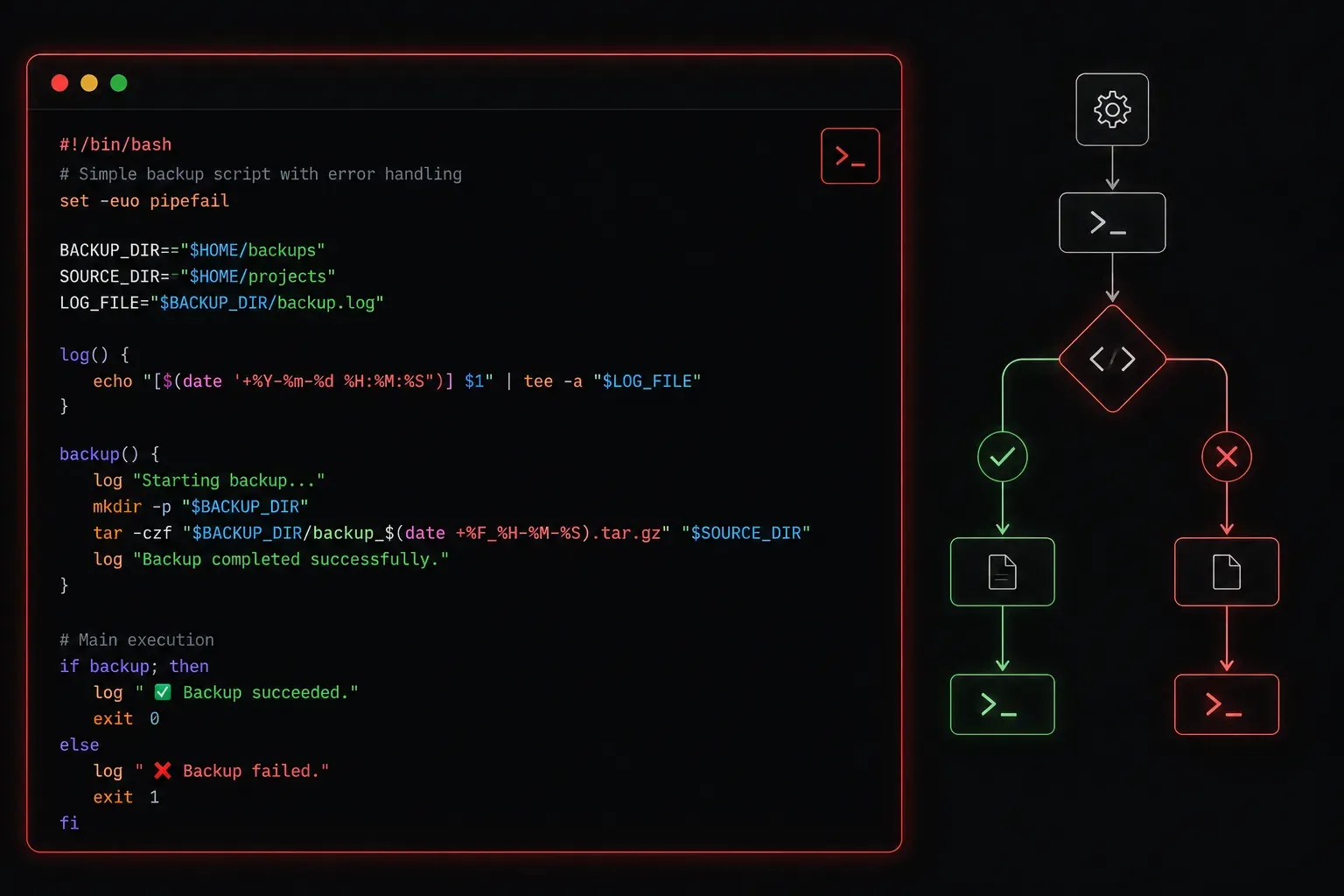
If you are completely new to the command line, Bash is the default shell on most Linux systems and macOS; it is the program that reads the commands you type in a terminal and runs them. As you start writing scripts to automate tasks, one of the most important concepts to understand is how Bash reports success and failure. This report is called an exit code, and understanding it is the foundation of writing reliable Bash scripts.
What Is an Exit Code?
Every command that runs in Bash returns a number when it finishes. This number is the exit code (sometimes called a return code or exit status). In most cases the value falls between 0 and 255, though commands killed by a signal can produce values outside that range in some circumstances. The core rule is simple:
- 0 means success
- Any non-zero value means something went wrong
You can check the exit code of the last command that ran using the special variable $?:
ls /etc/hosts
echo $?
If the file exists, you will see 0. Now try a command that fails:
ls /this/does/not/exist
echo $?
This time you will see 2, which is the exit code ls uses when a file or directory is not found. Different tools use different non-zero codes to signal different types of failure, so the specific number can tell you more about what went wrong.
Using Exit Codes in Scripts
The real power of exit codes comes when you use them to make decisions in your scripts. The if statement in Bash is built around exit codes; it literally checks whether a command returned 0 (true) or non-zero (false).
#!/bin/bash

ping -c 1 8.8.8.8 > /dev/null 2>&1

if [ $? -eq 0 ]; then
    echo "Network is reachable"
else
    echo "Network check failed"
fi
A cleaner way to write the same thing is to test the command directly in the if condition:
#!/bin/bash

if ping -c 1 8.8.8.8 > /dev/null 2>&1; then
    echo "Network is reachable"
else
    echo "Network check failed"
fi
Both approaches work, but the second is considered better Bash style.
Setting Exit Codes in Your Own Scripts
When you write a script, you should also return meaningful exit codes so that other scripts or systems can react to your script's success or failure. You do this with the exit command:
#!/bin/bash

if [ ! -f "/etc/myapp/config.conf" ]; then
    echo "Error: Config file not found"
    exit 1
fi

echo "Config loaded successfully"
exit 0
Using exit 1 when something fails means any parent script or monitoring system can detect that your script did not complete successfully.
The set -e Option
One of the most useful tools for error handling in scripts is adding set -e near the top of your script. This tells Bash to stop executing immediately if any command returns a non-zero exit code, rather than blundering forward through errors.
#!/bin/bash
set -e

echo "Creating backup directory..."
mkdir /backups/daily

echo "Copying files..."
cp /var/log/syslog /backups/daily/

echo "Backup complete"
If mkdir fails for any reason, the script stops right there. Without set -e, it would continue to the cp command and potentially cause more damage or produce misleading output.
A common combination you will see in professional scripts is:
set -euo pipefailEach option adds a different layer of protection:
-e: exit immediately if any command returns a non-zero exit code-u: treat any reference to an unset variable as an error and exit, rather than silently substituting an empty string-o pipefail: when commands are chained together in a pipeline (for examplecmd1 | cmd2), return a failure if any command in the chain fails, not just the last one
Here is a short script that demonstrates all three options working together:
#!/bin/bash
set -euo pipefail

BACKUP_DIR="/backups/daily"

echo "Creating backup directory..."
mkdir -p "$BACKUP_DIR"

echo "Copying log file..."
cp /var/log/syslog "$BACKUP_DIR/"

echo "Backup complete"
If BACKUP_DIR were accidentally unset, -u would catch it before the empty variable caused unexpected behaviour. If any step in a pipeline failed silently, -o pipefail would surface it. Together this trio catches a wide range of common mistakes that would otherwise silently produce wrong results.
Quick Reference
$?holds the exit code of the last command0always means success- Non-zero means failure (the specific number depends on the tool)
exit 0orexit 1sets your script's own exit codeset -euo pipefailmakes scripts fail loudly and early
What's Next
Now that you understand how commands report success and failure, the next logical step is learning how to work with Bash functions. Functions let you organise your scripts into reusable blocks of logic, and they work hand-in-hand with exit codes to make your scripts cleaner and easier to maintain. We will cover that in the next post in this series.