
CCNA Labs
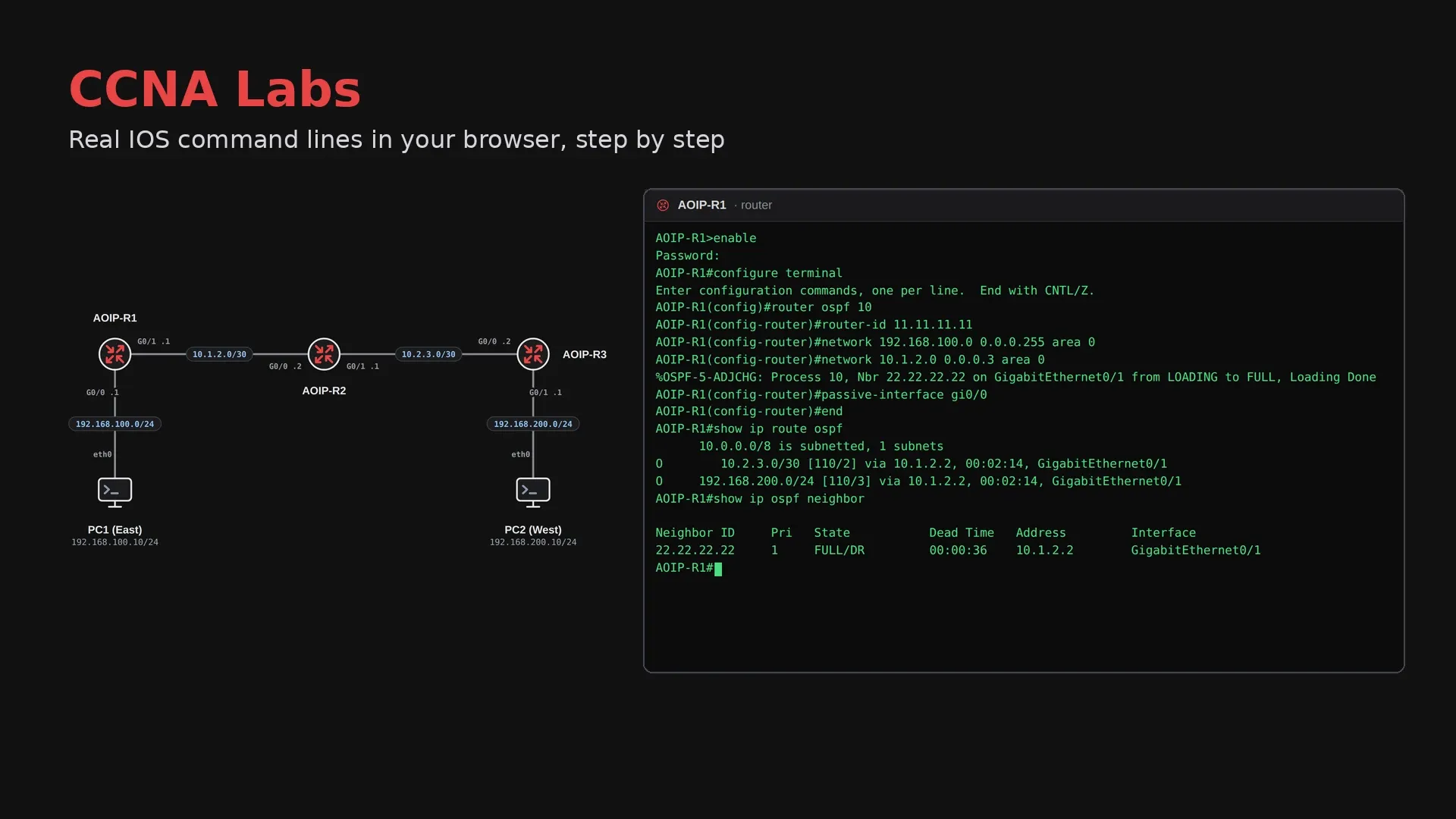
Hands-on CCNA labs that run in your browser: real IOS-style command lines on routers, switches and PCs, with no software to install. Each lab walks you through one exam topic step by step and checks your work as you go.
- Real command linesConfigure routers, switches and PCs with IOS commands, show output and pings, right in the page.
- Checked as you goEvery step ticks itself off when the network is really configured, and "Show me the commands" is there when you are stuck.
- Then prove it in the examEach lab has a matching timed simulation in the CCNA practice exams, without the guide.
Freeneeds a free account Membersincluded with membership
 CCNA-L01
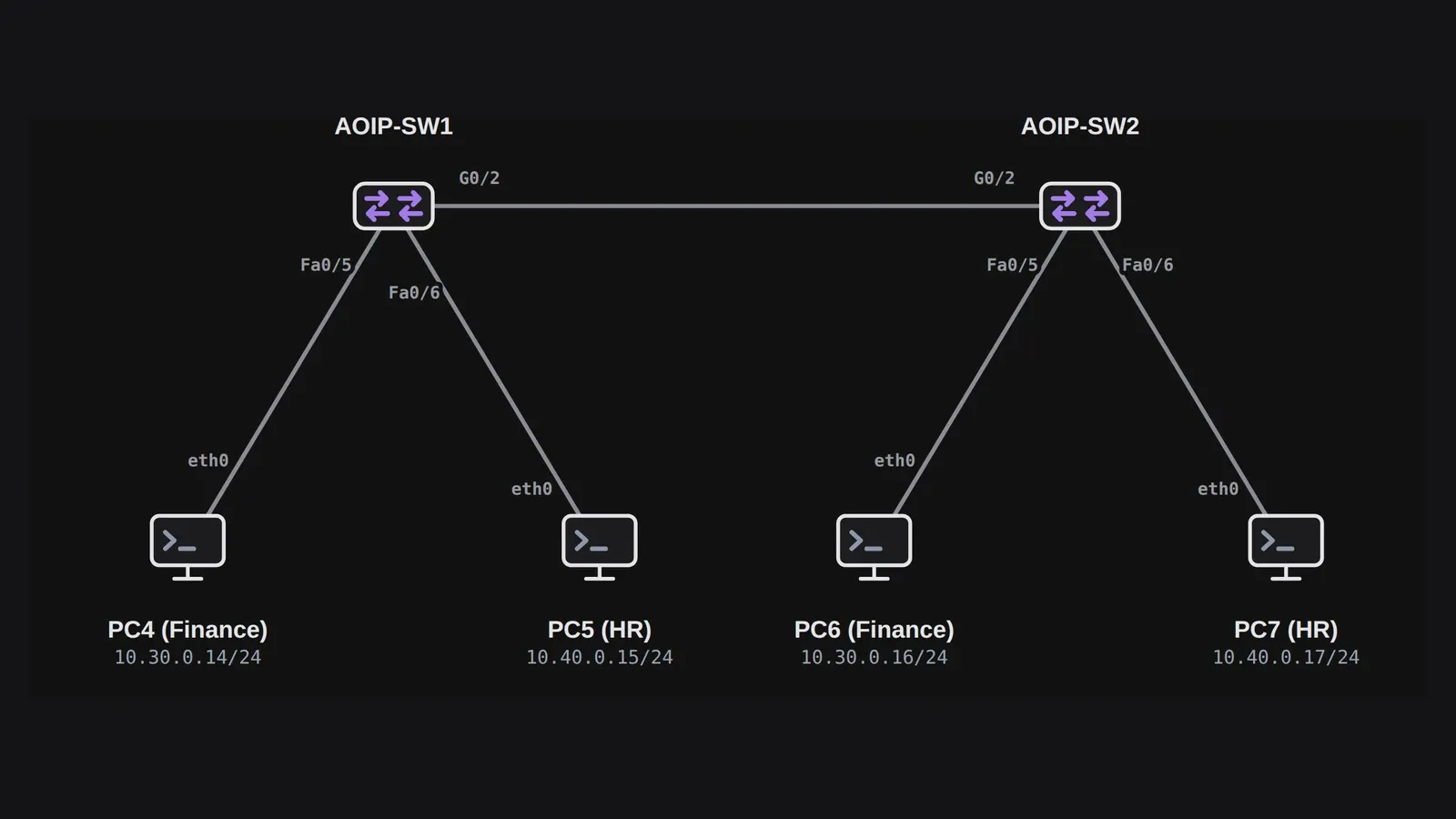
VLANs and 802.1Q trunks
Create VLANs on both switches, build a static 802.1Q trunk with a dedicated native VLAN, restrict the allowed VLANs and prove it with a ping across the trunk.
FreeAbout 20 minExam sim CCNA-S01Start lab →
 CCNA-L02
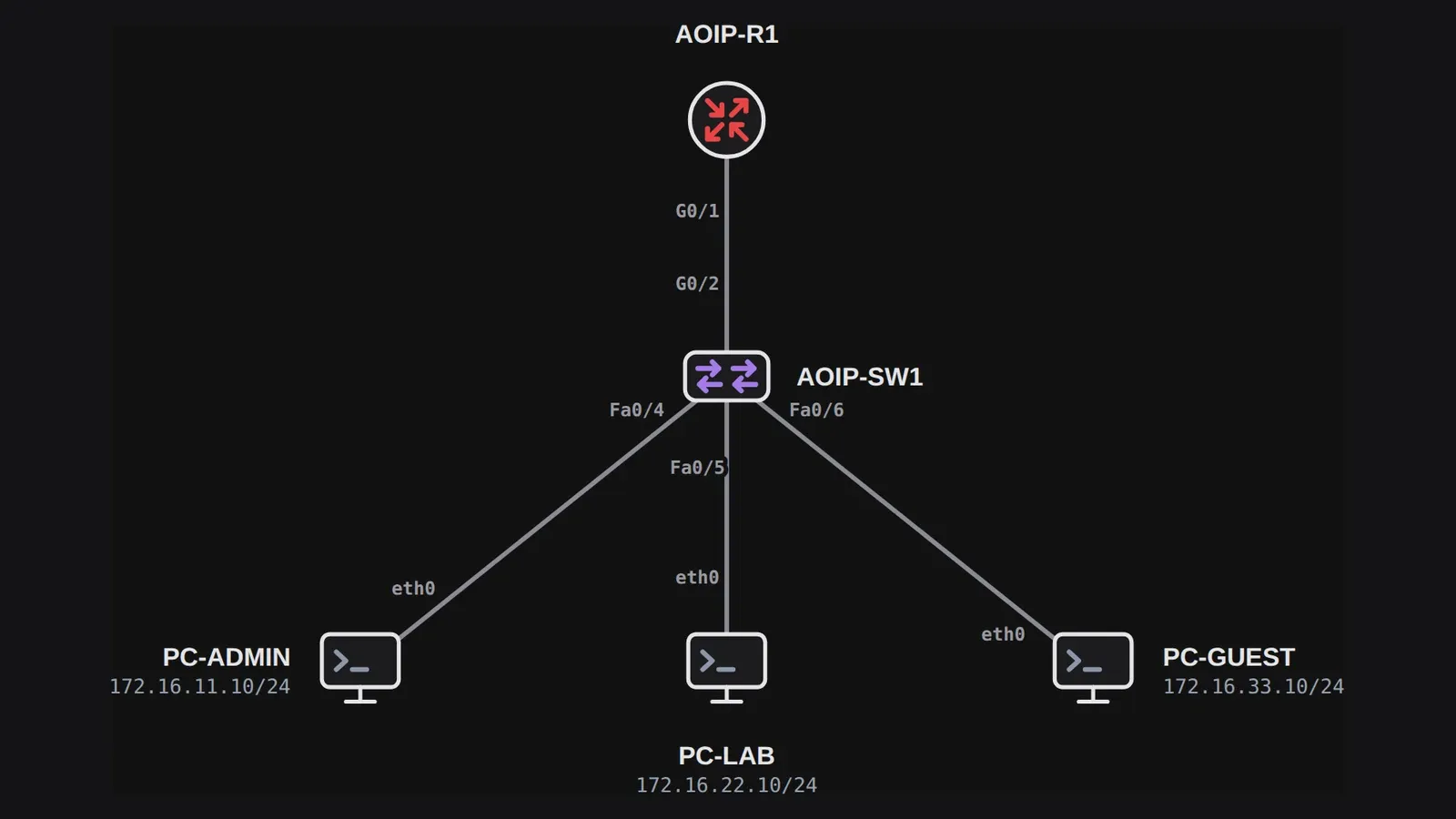
Router-on-a-stick inter-VLAN routing
Enable a router port, build one 802.1Q subinterface per VLAN, trunk the switch port to the router and route between three VLANs.
MembersAbout 20 minExam sim CCNA-S02Start lab →
 CCNA-L03
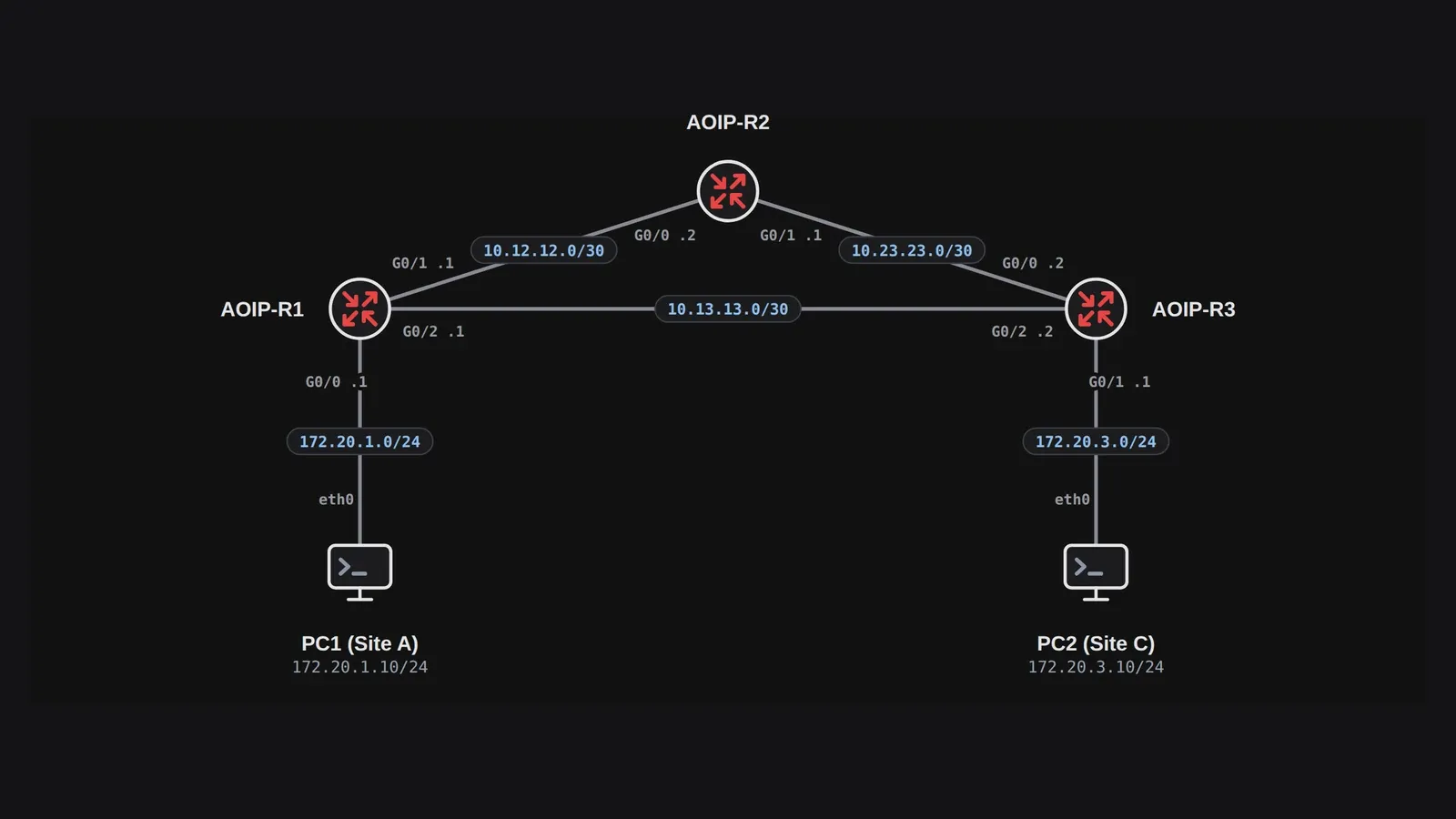
Static, default and floating routes
Add next-hop static routes in both directions, a default route for a stub site and floating backup routes at both ends, then fail a router and watch traffic switch to the backup.
FreeAbout 20 minExam sim CCNA-S03Start lab →
 CCNA-L04
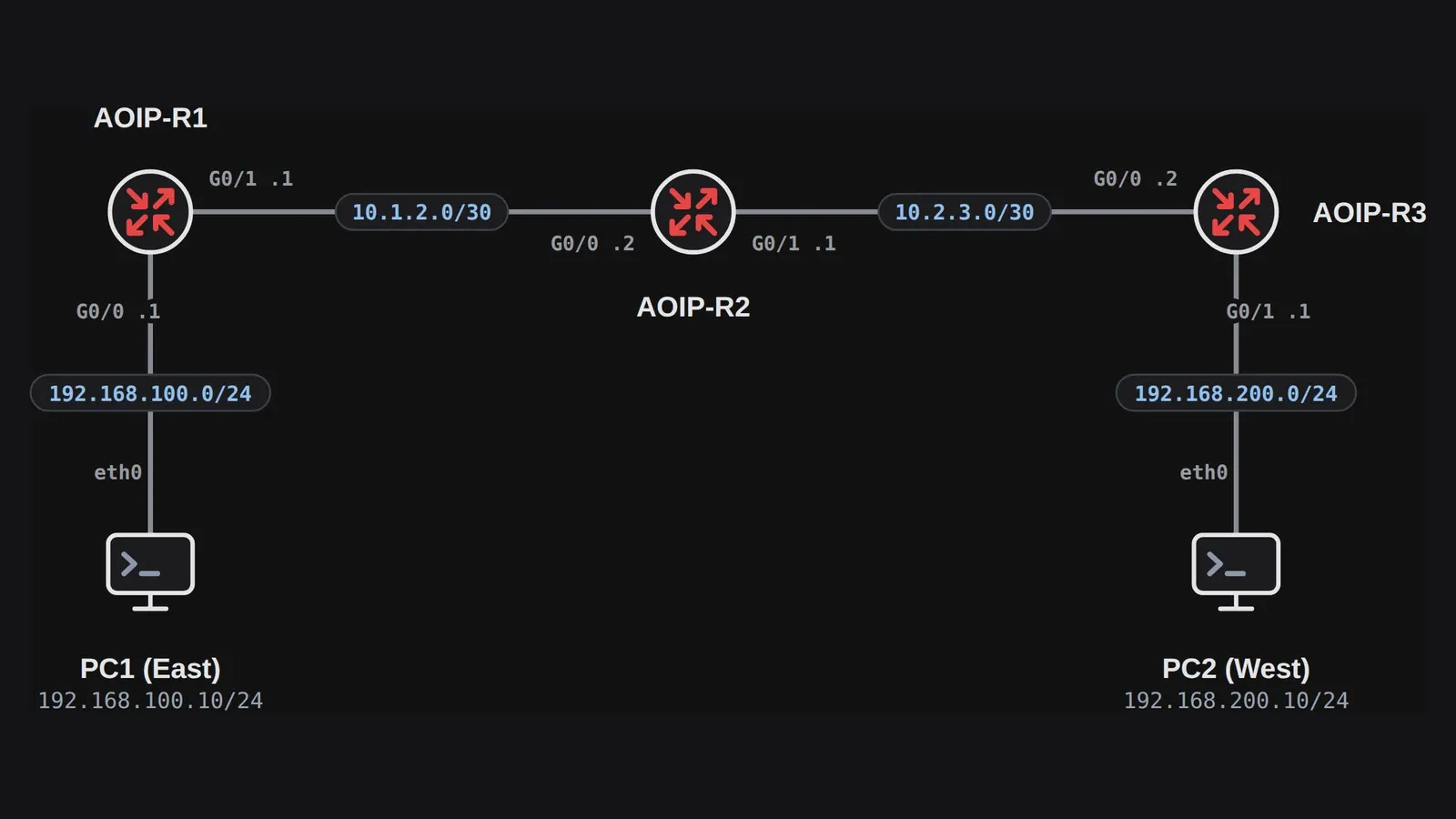
Single-area OSPFv2
Start OSPF with an explicit router ID, advertise networks in area 0, use passive interfaces and read neighbors and OSPF routes.
MembersAbout 25 minExam sim CCNA-S04Start lab →
 CCNA-L05
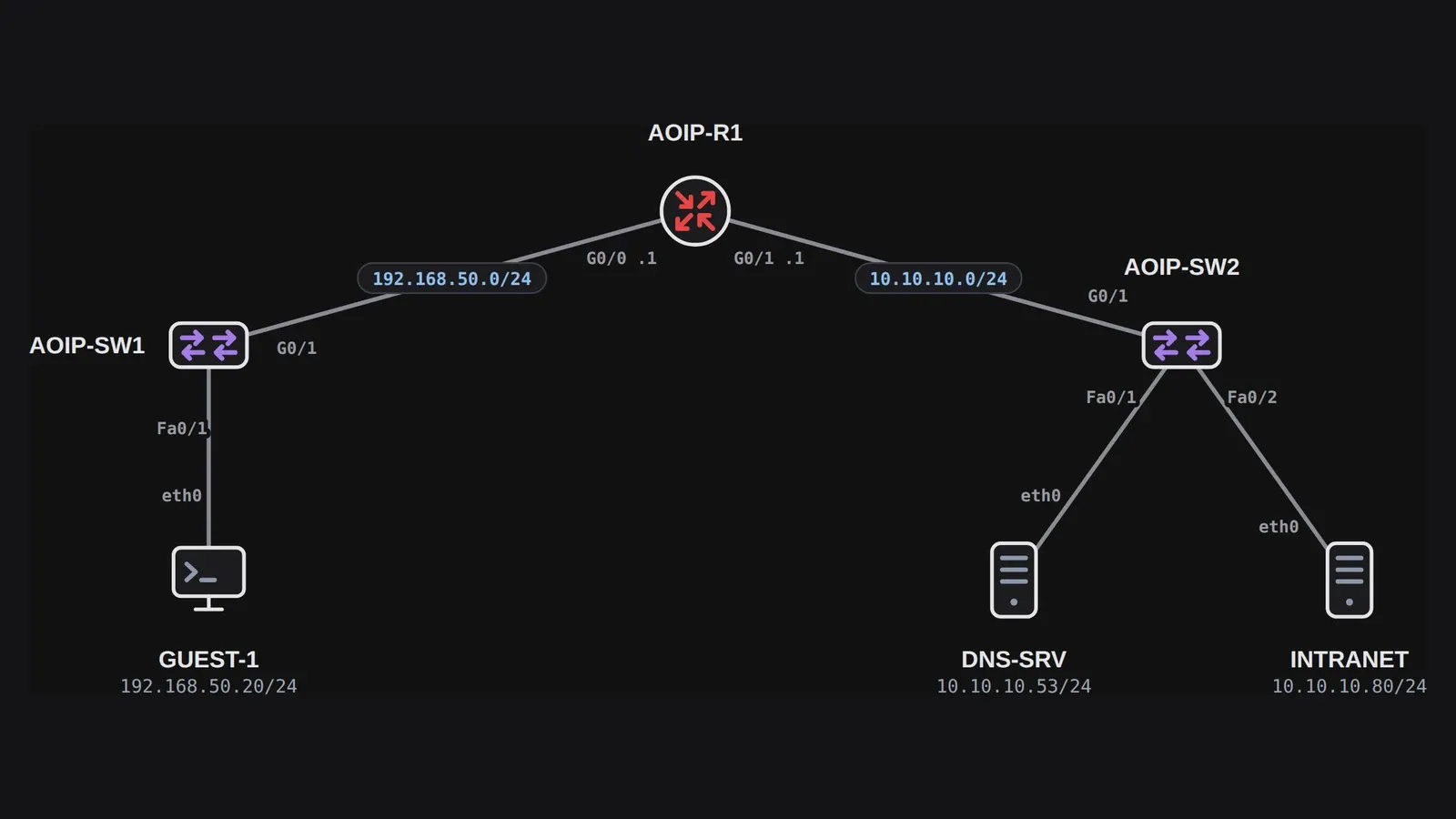
Named extended ACLs
Build a named extended ACL rule by rule, apply it in the right place and direction, and test exactly what it allows and blocks.
MembersAbout 25 minExam sim CCNA-S05Start lab →
 CCNA-L06
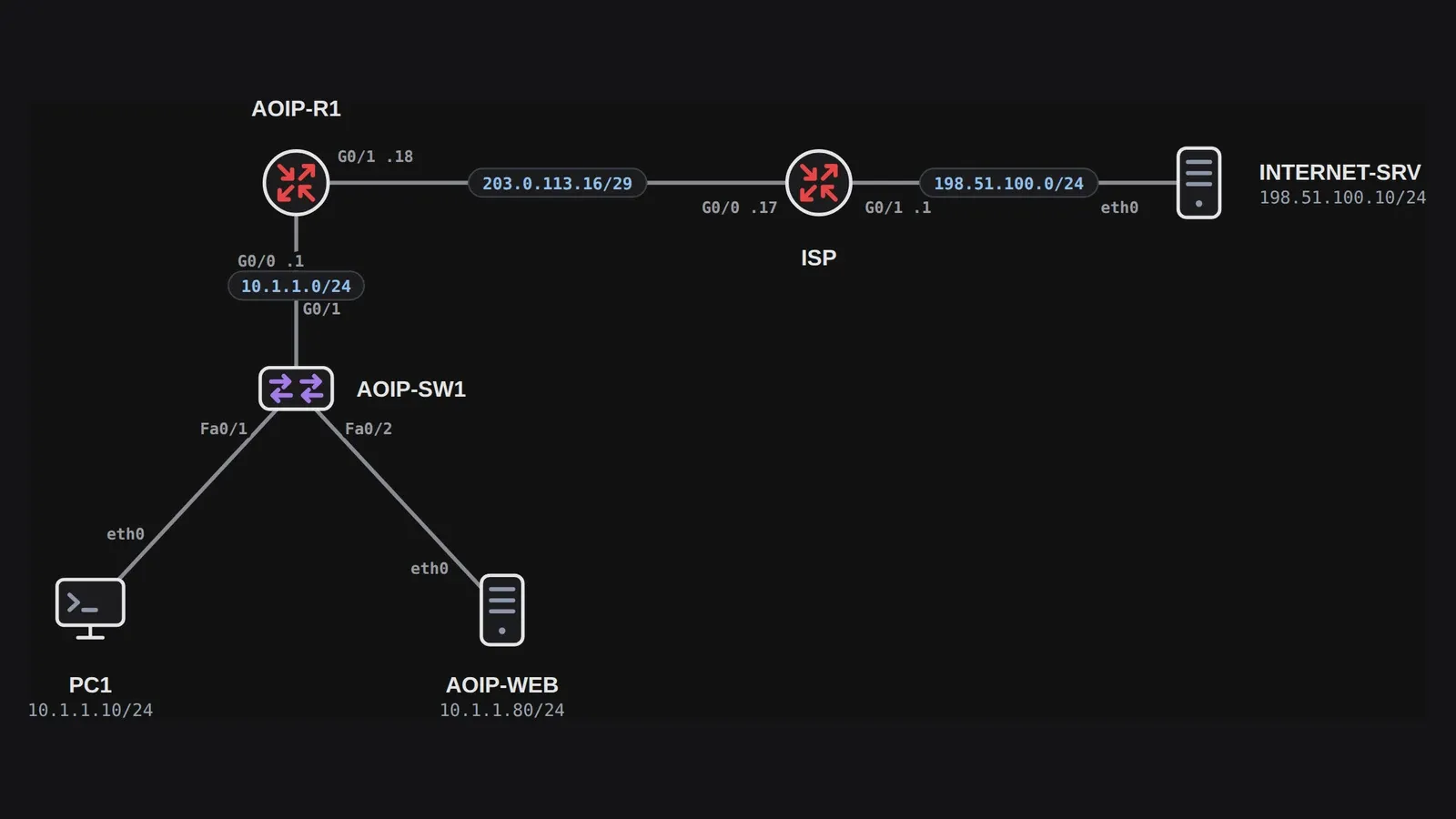
NAT and PAT to the Internet
Add a default route, mark NAT inside and outside, configure PAT for the users and publish a server with static NAT.
MembersAbout 25 minExam sim CCNA-S06Start lab →
 CCNA-L07
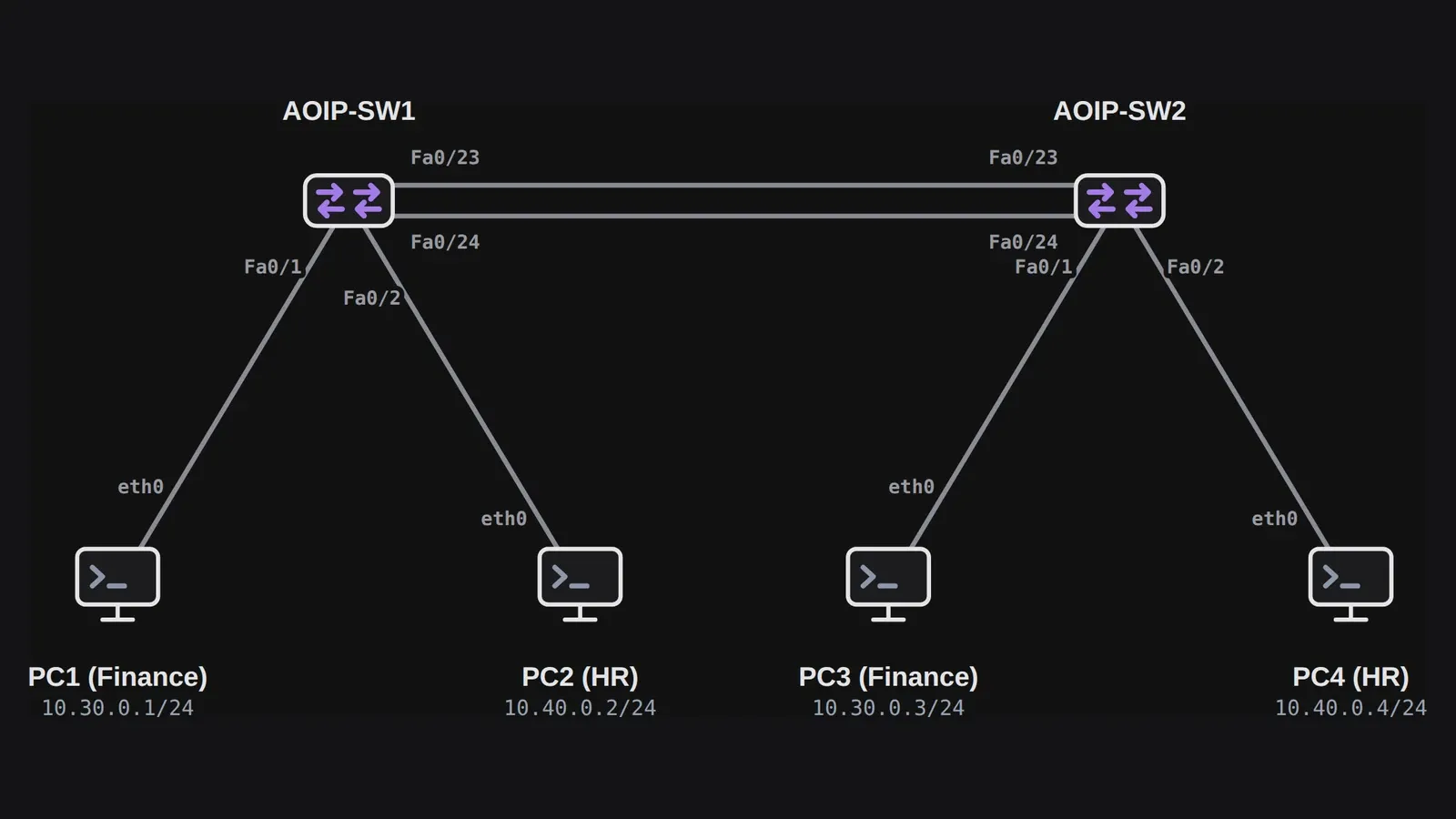
LACP EtherChannel
Bundle two links into a port-channel with LACP, move the trunk settings onto the port-channel and check the bundle.
MembersAbout 20 minExam sim CCNA-S07Start lab →
 CCNA-L08
SSH management and port security
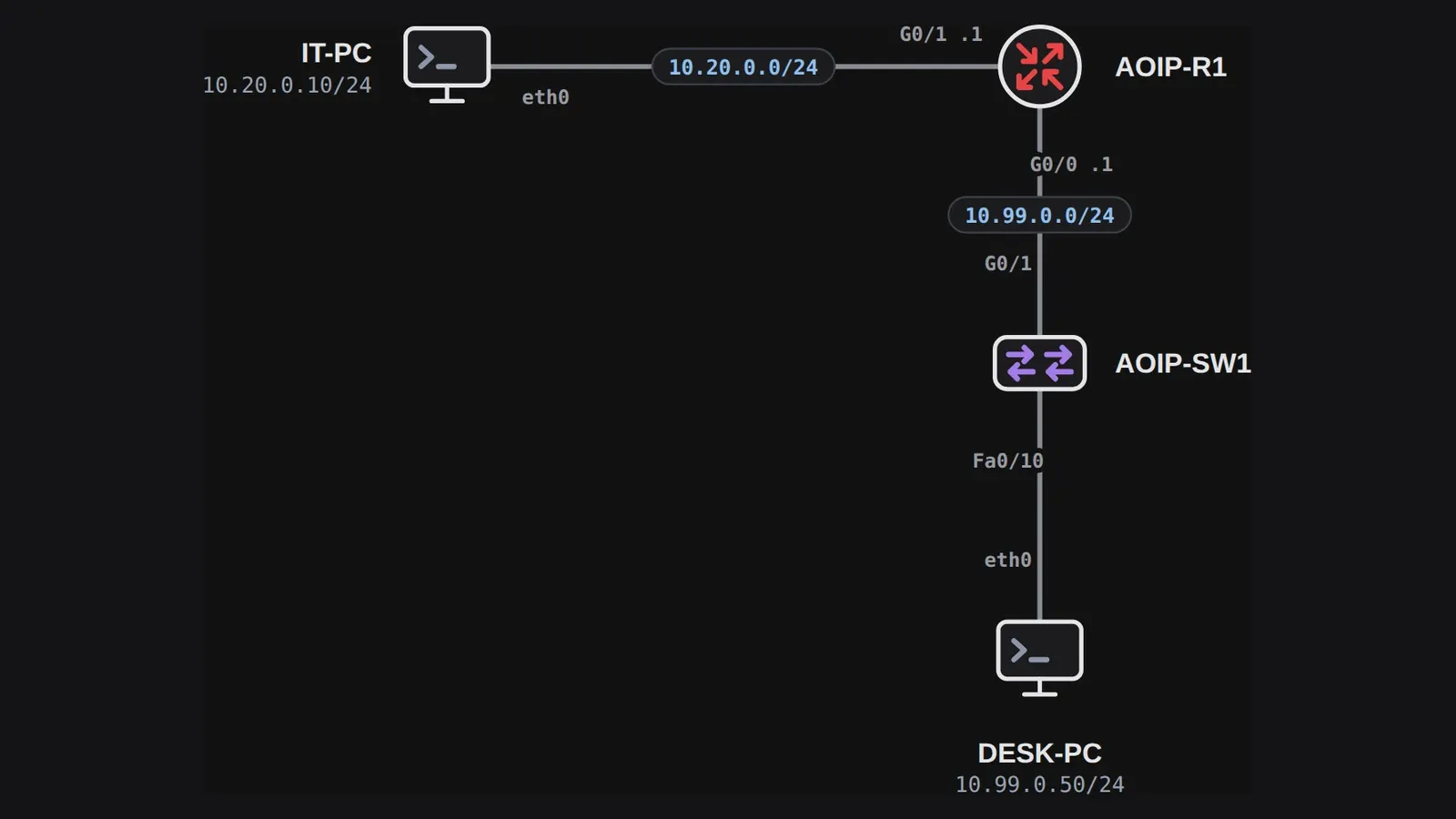
Give a switch a management address and gateway, enable SSH version 2 with a local user, lock the vty lines and secure a desk port.
MembersAbout 25 minExam sim CCNA-S08Start lab →