
How to Implement Human-in-the-loop AI in Your Workflow
This post explains how to implement Human-in-the-Loop (HITL) AI in IT automation workflows. It covers where to insert HITL checkpoints, includes a practical Python example, and offers tips for tuning oversight levels as AI confidence grows.

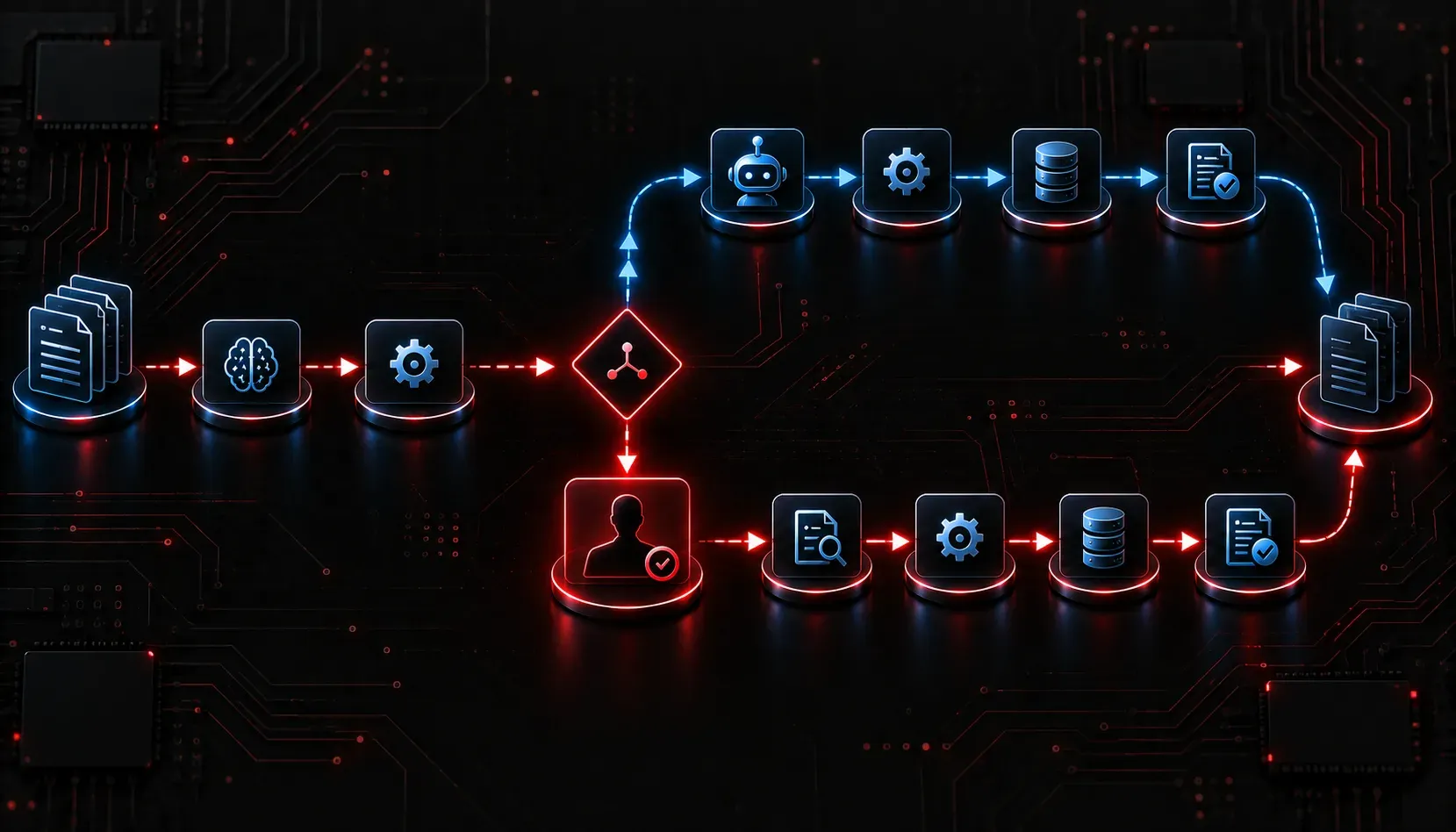
Automation is powerful, but handing full control to an AI system without any human oversight is a recipe for costly mistakes. That is where Human-in-the-Loop (HITL) design comes in. HITL is a pattern where a human is kept in the decision-making process at strategic points in an AI workflow, ensuring that high-stakes or uncertain outputs get reviewed before action is taken.
HITL is especially valuable in two situations: when AI models are not yet fully mature or have limited training data for your specific environment, and when workflows involve sensitive data such as personally identifiable information, financial records, or regulated infrastructure. In both cases, human oversight closes the gap between what the model can reliably do and what the situation actually demands.
If you are working in IT automation and starting to integrate AI agents into your environment, understanding how to implement HITL AI is one of the most practical skills you can develop right now.
What Is Human-in-the-Loop?
HITL integration means your AI system does not act autonomously on every decision. Instead, it flags specific situations for human review. Think of it as a confidence filter: when the AI is highly confident and the task is low-risk, it proceeds automatically. When confidence drops or the stakes rise, a human gets involved.
This is not a weakness in your automation. It is an intentional design choice that makes your AI workflow more reliable, auditable, and trustworthy.
Where Does HITL Fit in an IT Workflow?
Before you can implement HITL AI effectively, you need to identify the right insertion points in your existing processes. Not every step needs human oversight, but certain categories almost always do:
- High-impact changes: Deploying firewall rule updates, modifying routing policies, or pushing configuration changes to production devices.
- Low-confidence predictions: When an AI model returns a result below a defined confidence threshold, a human should verify before acting.
- Irreversible actions: Deleting records, terminating services, or closing tickets permanently.
- Compliance checkpoints: Any action that touches regulated data or requires an audit trail.
- Immature or domain-specific models: When a model has limited exposure to your specific environment or edge cases, human review compensates for gaps in training coverage.
A Simple HITL Pattern in Python
Here is a complete, functional example showing how to implement a HITL checkpoint in a Python-based IT automation script. This pattern checks the confidence score of an AI response and pauses for human approval if the score falls below a threshold. If the human does not respond within a time limit, the script defaults to a safe fallback action.
import sys

CONFIDENCE_THRESHOLD = 0.80
APPROVAL_TIMEOUT_SECONDS = 30


def ai_analyze_alert(alert_data):
    # Simulated AI response with a confidence score below the threshold
    return {
        "recommendation": "Block source IP 192.168.10.55",
        "confidence": 0.62
    }


def human_approval_required(result, threshold=CONFIDENCE_THRESHOLD):
    return result["confidence"] < threshold


def request_human_approval(result):
    print("\n[HITL CHECKPOINT]")
    print(f"AI Recommendation : {result['recommendation']}")
    print(f"Confidence Score  : {result['confidence']:.0%}")
    print(f"(Timeout after {APPROVAL_TIMEOUT_SECONDS} seconds defaults to rejection)\n")
    try:
        decision = input("Approve this action? (yes/no): ").strip().lower()
    except EOFError:
        # Non-interactive environment: default to rejection
        decision = "no"
    return decision == "yes"


def take_action(recommendation):
    print(f"Executing: {recommendation}")


def log_rejection(recommendation, reason):
    print(f"Action rejected: '{recommendation}' | Reason: {reason} | Logged for audit.")


# Main workflow
alert = {"source": "IDS", "event": "Suspicious traffic detected"}
result = ai_analyze_alert(alert)

if human_approval_required(result):
    approved = request_human_approval(result)
    if approved:
        take_action(result["recommendation"])
    else:
        log_rejection(result["recommendation"], "Human reviewer declined or timed out")
else:
    print("Confidence sufficient. Proceeding automatically.")
    take_action(result["recommendation"])
This is a minimal but functional HITL integration. The AI performs the analysis, and the human only gets involved when the system is not confident enough to act alone. The script also handles non-interactive environments gracefully by defaulting to rejection when no input is available, which is the safer conservative fallback.
Practical Tips for HITL Integration
Getting HITL right in a real IT automation workflow takes more than just adding an input prompt. Keep these principles in mind:
- Set clear thresholds: Define what confidence score or risk level triggers a human review. Document these and revisit them regularly.
- Give the reviewer context: A human cannot make a good decision without enough information. Always surface the AI reasoning, not just the recommendation.
- Time-box approvals: If a human does not respond within a set window, have a default action; either proceed conservatively or escalate.
- Log every decision: Whether the human approves or rejects, record the outcome. This data improves your AI model over time and satisfies audit requirements.
- Start with more checkpoints: When deploying a new AI workflow, build in more HITL gates than you think you need. Remove them gradually as you gain confidence in the system.
HITL Is Not All-or-Nothing
One common mistake is treating HITL as a binary choice: either the AI is fully autonomous or a human approves everything. In practice, the best AI workflows are layered. Low-risk, high-confidence tasks run automatically. Medium-confidence tasks get a soft alert or summary review. High-risk or low-confidence tasks get a full human approval gate.
As your team collects more data and your models improve, you can tune those thresholds and gradually expand the AI autonomous operating range without sacrificing oversight.
What's Next
Now that you understand how to implement HITL AI at the workflow level, the next step is learning about agentic AI orchestration: how multi-step AI agents coordinate tasks, call tools, and escalate decisions in more complex pipelines. That is where HITL integration becomes even more critical, and more nuanced.