
JSON vs XML: What Is the Difference
JSON and XML are both data formats for storing and transmitting structured data, but JSON offers simpler syntax, smaller file sizes, and better performance for modern applications. XML provides more robust document structure and validation capabilities, making it suitable for enterprise systems and

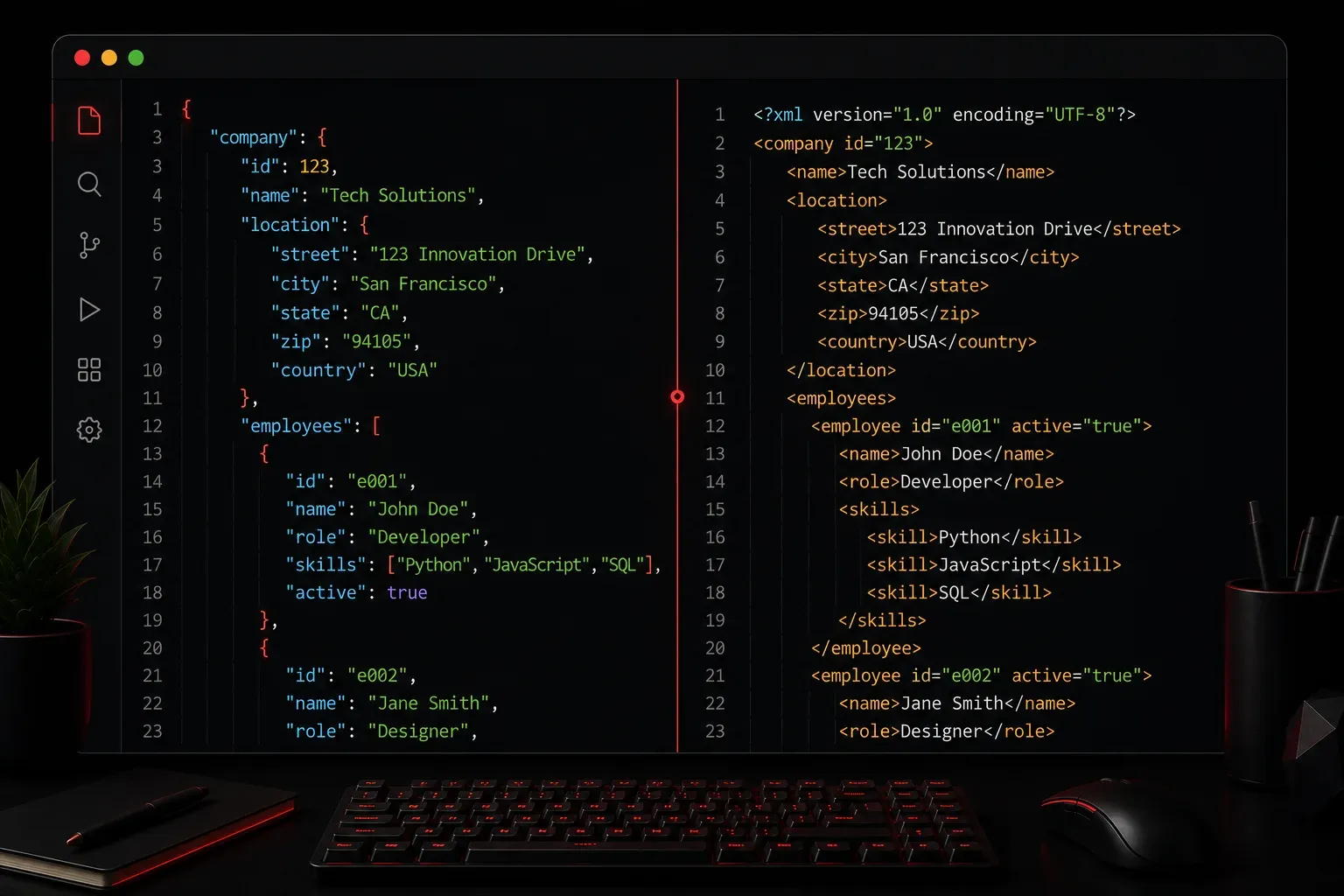
When you start working with APIs, web development, or data exchange, you'll quickly encounter two popular data formats: JSON and XML. Both serve the same fundamental purpose (storing and transmitting structured data) but they take very different approaches. Understanding when to use each format will make you a more effective programmer.
What is JSON?
JSON (JavaScript Object Notation) is a lightweight, text-based data format that's easy for humans to read and write. Despite its name suggesting a connection to JavaScript, JSON is language-independent and supported by virtually every modern programming language.
Here's what a simple JSON structure looks like:
{
  "name": "Alice Johnson",
  "age": 28,
  "skills": ["Python", "JavaScript", "SQL"],
  "active": true,
  "department": {
    "name": "Engineering",
    "location": "Building A"
  }
}
JSON uses key-value pairs and supports several data types: strings, numbers, booleans, arrays, objects, and null values. The syntax is minimal and closely resembles how objects are written in many programming languages.
What is XML?
XML (eXtensible Markup Language) is a markup language that defines rules for encoding documents in a format that's both human-readable and machine-readable. XML uses tags to define elements and can include attributes for additional metadata.
The same data from our JSON example would look like this in XML:
<person>
  <name>Alice Johnson</name>
  <age>28</age>
  <skills>
    <skill>Python</skill>
    <skill>JavaScript</skill>
    <skill>SQL</skill>
  </skills>
  <active>true</active>
  <department name="Engineering" location="Building A" />
</person>
Key Differences
Syntax and Readability
JSON wins hands down for readability and simplicity. Its clean syntax makes it easy to scan and understand at a glance. XML requires opening and closing tags for every element, making it more verbose and harder to parse visually.
File Size and Performance
JSON files are typically 20-30% smaller than equivalent XML files due to less markup overhead. This translates to faster network transmission and reduced bandwidth usage, crucial factors for web applications and mobile apps.
Data Types
JSON natively supports common data types like strings, numbers, booleans, arrays, and objects. XML treats everything as text by default, requiring additional processing to interpret data types properly.
Parsing and Processing
Most programming languages can parse JSON with built-in libraries or simple functions. For example, in Python:
import json
data = json.loads('{"name": "Alice", "age": 28}')
print(data["name"])  # Output: Alice
XML parsing typically requires more complex libraries and additional code to navigate the document structure.
When to Use Each Format
Choose JSON when:
- Building web APIs or mobile applications
- Working with JavaScript applications
- Prioritizing simplicity and performance
- Exchanging data between modern systems
Choose XML when:
- Working with legacy systems that require XML
- Need complex document structures with metadata
- Require schema validation and strict data formatting
- Building SOAP web services
Real-World Usage
JSON dominates modern web development. REST APIs overwhelmingly use JSON, and it's the standard format for configuration files in many tools. Popular APIs from companies like Twitter, GitHub, and Stripe all use JSON.
XML still plays important roles in enterprise systems, configuration files (like Maven's pom.xml), and document formats (like Microsoft Office files). Many established protocols and systems continue to rely on XML's robust structure and validation capabilities.
What's Next
Now that you understand the fundamental differences between JSON and XML, the next step is learning how to work with JSON data in your programming language of choice. We'll explore JSON parsing, manipulation, and common patterns that every developer should master.