
Understanding DHCP Relay: Extending Network Reach
DHCP relay solves the problem of DHCP broadcasts not crossing router boundaries by using the ip helper-address command to forward client requests to a centralized DHCP server on a different network. The relay agent converts broadcasts to unicast packets and adds the giaddr field so the server knows

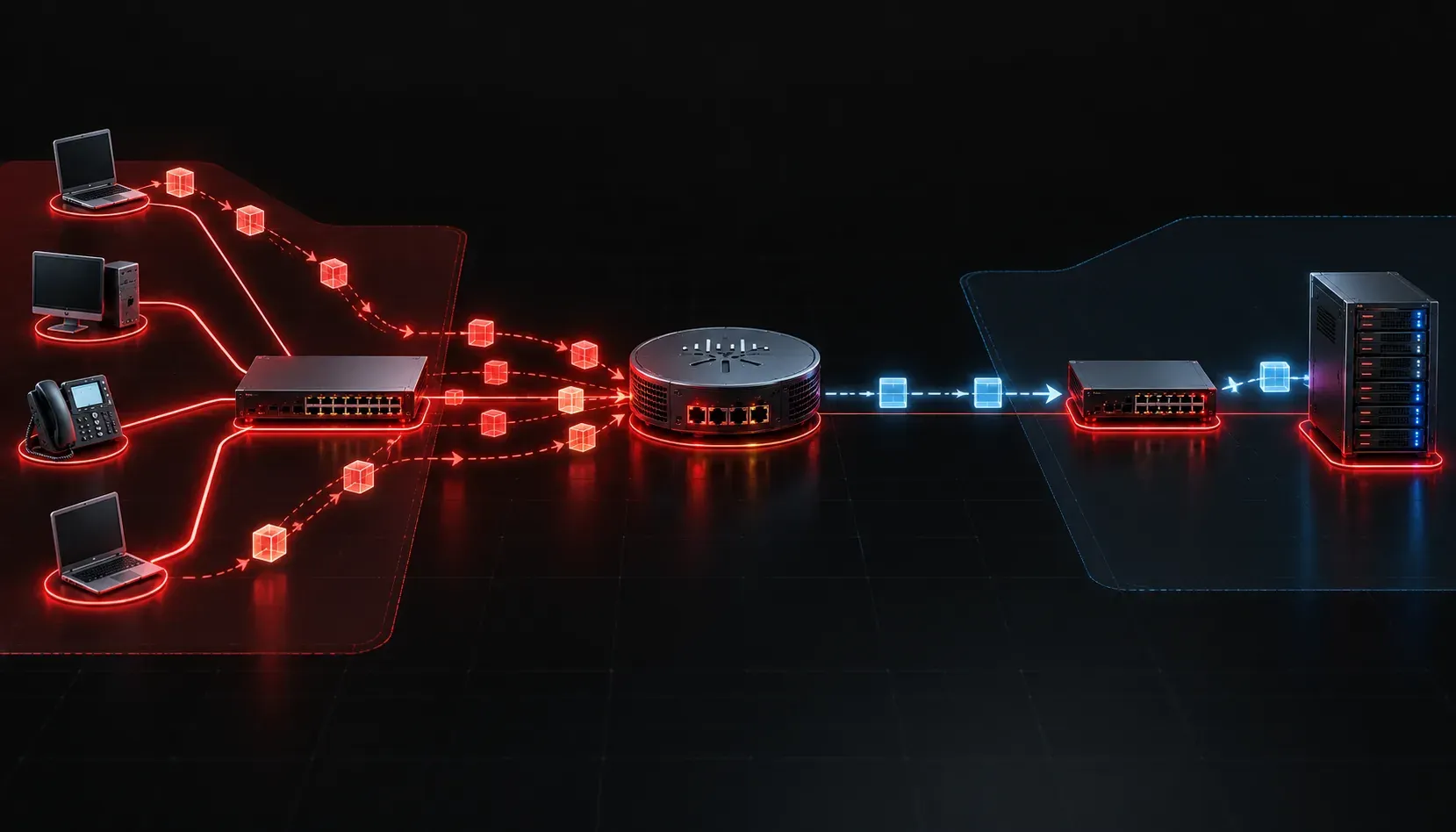
When you first learn about DHCP, the concept is straightforward: a client broadcasts a request, the server hears it, and an IP address gets assigned. Simple. But there is a catch. Broadcasts do not cross router boundaries. So what happens when your DHCP server lives on a different network than your clients? That is exactly where DHCP relay comes in.
The Problem with Broadcasts
By default, a DHCP client has no IP address. To get one, it sends a broadcast message called a DHCPDISCOVER. That broadcast floods the local subnet looking for a DHCP server. If the server happens to be on the same subnet, great. But in most real-world networks, you will have a single centralized DHCP server serving many different VLANs or subnets. Since routers block broadcasts, those DHCP requests never make it across.
Without a solution, every subnet would need its own dedicated DHCP server. That is inefficient, hard to manage, and completely unnecessary once you understand how DHCP relay works.
What DHCP Relay Actually Does
A DHCP relay agent is typically a router or Layer 3 switch that sits between the client and the server. When a DHCP broadcast arrives on an interface, instead of dropping it, the relay agent converts it into a unicast packet and forwards it to the DHCP server's IP address on a different network.
The relay agent also adds important information to the forwarded packet, specifically the IP address of the interface it received the request on. This is called the giaddr (Gateway IP Address) field. The DHCP server reads this field to determine which subnet the client belongs to, so it can assign an IP address from the correct pool.
Here is the flow, step by step:
- Client sends a
DHCPDISCOVERbroadcast on its local subnet. - The relay agent receives the broadcast on its local interface.
- The relay agent inserts its interface IP into the
giaddrfield and forwards the packet as a unicast to the DHCP server. - The DHCP server reads the
giaddr, selects the right address pool, and sends aDHCPOFFERback to the relay agent. - The relay agent forwards the offer back to the client.
Configuring DHCP Relay on a Cisco Router
The configuration is surprisingly simple. You apply the ip helper-address command to the router interface that faces the clients, pointing it toward the DHCP server's IP address.
Here is an example where clients are on the 192.168.10.0/24 network and the DHCP server is at 10.0.0.5:
Router(config)# interface GigabitEthernet0/0
Router(config-if)# ip address 192.168.10.1 255.255.255.0
Router(config-if)# ip helper-address 10.0.0.5
That single ip helper-address command is all it takes. The router will now forward DHCP broadcasts received on GigabitEthernet0/0 to the server at 10.0.0.5. If you have multiple subnets, apply the same command on each client-facing interface, pointing to the same or different DHCP servers as your design requires.
You can verify relay operation with the following commands:
Router# show ip interface GigabitEthernet0/0
Router# debug ip dhcp server events
The show ip interface output will display the configured helper address under that interface's details, confirming the relay is in place.
A Quick Note on ip helper-address
Worth knowing for the exam: ip helper-address does not exclusively forward DHCP traffic. By default, it forwards several UDP-based broadcast services, including TFTP, DNS, BOOTP, and others. For the CCNA, the focus is on DHCP, but understanding that broader behavior shows you have a solid grasp of the feature.
Why This Matters for IP Address Allocation
DHCP relay is a foundational design element in any multi-subnet network. It enables centralized IP address allocation across different networks without requiring a dedicated DHCP server on every segment. In enterprise environments with dozens of VLANs, this keeps management clean and your address space organized from a single point of control.
What's Next
Now that you understand how DHCP relay extends DHCP across different networks, the next logical step is exploring how DHCP servers themselves are configured, including address pools, exclusions, and lease times. We will cover DHCP server configuration on Cisco IOS in the next post in this series.
Tools and resources for this topic
- CCNA Official Cert Guide (Wendell Odom) — The definitive CCNA study resource. Both volumes cover the 200-301 exam blueprint in full.
- Wendell Odom CCNA Vol 1 — Covers networking fundamentals, switching, and routing basics.
- Wendell Odom CCNA Vol 2 — Covers advanced routing, WAN, infrastructure services, and security.