
What is a REST API and How Does it Work?
This post explains what a REST API is using simple analogies and practical examples. It covers the basic principles of REST, how API calls work with network devices, and why APIs are essential for modern network automation.

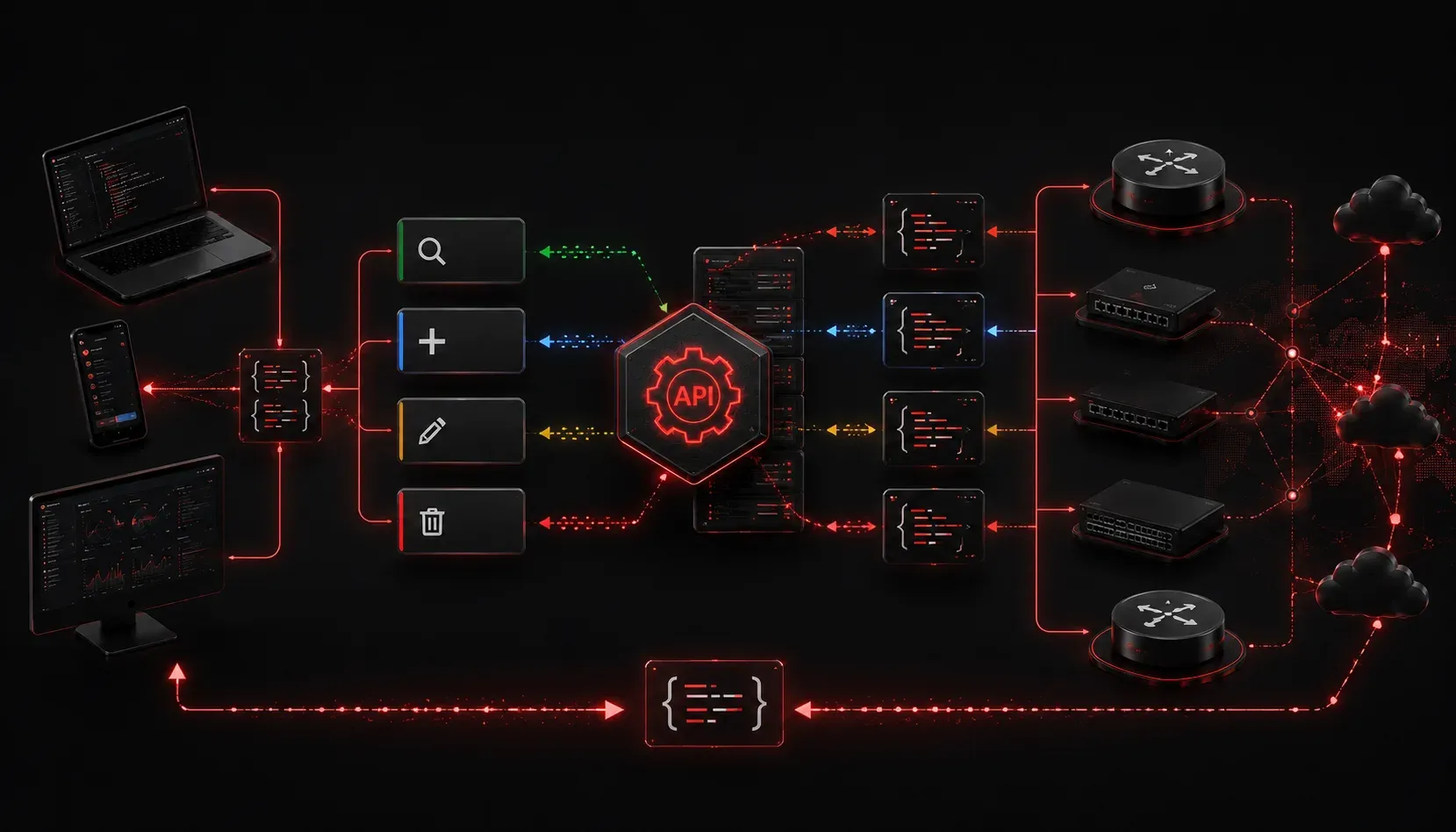
If you've started exploring network automation or modern application development, you've probably encountered the term "REST API" everywhere. But what is a REST API exactly, and why does everyone talk about them? Let's break this down with clear explanations and practical examples.
Understanding APIs with a Real-World Analogy
Before diving into REST specifically, let's understand what an API (Application Programming Interface) actually is. Think of an API like a waiter in a restaurant. You (the client) want to order food from the kitchen (the server), but you can't just walk in and start cooking. Instead, you tell the waiter what you want, the waiter takes your order to the kitchen, and then brings back your food.
An API works the same way, it's the messenger that takes your request, tells the system what you want, and brings back the response. In networking terms, when you want to configure a Cisco router programmatically, you send an API request to the device, and it responds with the information or confirms the change.
What Makes REST Special?
REST stands for Representational State Transfer. Don't worry about memorizing that - what matters is understanding that REST is simply a set of rules for how APIs should behave. Think of it as good manners for APIs.
A REST API explained in simple terms follows these key principles:
- Stateless: Each request contains all the information needed to process it
- Uses standard HTTP methods: GET (retrieve), POST (create), PUT (update), DELETE (remove)
- Resource-based: Everything is treated as a resource with a unique URL
- Returns data in a standard format: Usually JSON or XML
How REST APIs Work in Practice
Let's look at a practical example using a Cisco device. Suppose you want to get information about network interfaces. Here's how a REST API call might look:
GET https://192.168.1.1/restconf/data/ietf-interfaces:interfaces/interface
Authorization: Basic YWRtaW46cGFzc3dvcmQ=
Accept: application/yang-data+json
Breaking this down:
GETis the HTTP method (we're retrieving data)- The URL points to the specific resource (interfaces)
- Authorization provides credentials
- Accept tells the server we want JSON data back
The device would respond with JSON data containing interface information:
{
  "ietf-interfaces:interfaces": {
    "interface": [
      {
        "name": "GigabitEthernet0/0",
        "type": "iana-if-type:ethernetCsmacd",
        "admin-status": "up",
        "oper-status": "up"
      }
    ]
  }
}
Why REST APIs Matter for Network Automation
Understanding API basics is crucial for modern networking because REST APIs enable:
- Automation: Configure hundreds of devices with a single Python script
- Integration: Connect network devices with monitoring tools, databases, and other systems
- Scalability: Manage large networks programmatically instead of manually
- Consistency: Standardized way to interact with different vendors' equipment
Common HTTP Methods in REST APIs
This beginner API guide wouldn't be complete without covering the main HTTP methods you'll use:
- GET: Retrieve information (like checking interface status)
- POST: Create something new (like adding a VLAN)
- PUT: Update existing data (like changing an IP address)
- DELETE: Remove something (like deleting a route)
These methods are intuitive once you think about them - they match actions you already perform manually on network devices.
Getting Started with REST APIs
The best way to understand REST APIs is to try them. Many network devices now support RESTCONF or vendor-specific REST APIs. You can start experimenting with tools like:
- Postman: A user-friendly tool for testing API calls
- curl: A command-line tool available on most systems
- Python requests library: For writing automation scripts
Don't worry if this seems overwhelming at first. REST APIs follow logical patterns, and once you understand the basics, you can apply the same concepts across different devices and platforms.
What's Next
Now that you understand what REST APIs are and how they work, the next step is learning how to make your first API calls using tools like Postman and curl. We'll walk through practical examples of retrieving data from network devices and see exactly how these requests and responses look in real scenarios.