
AI Workflow Design Principles for IT Professionals
This post covers essential AI workflow design principles for IT professionals, focusing on creating modular, scalable workflows with proper error handling, fallback mechanisms, and performance monitoring to successfully integrate AI into existing systems.

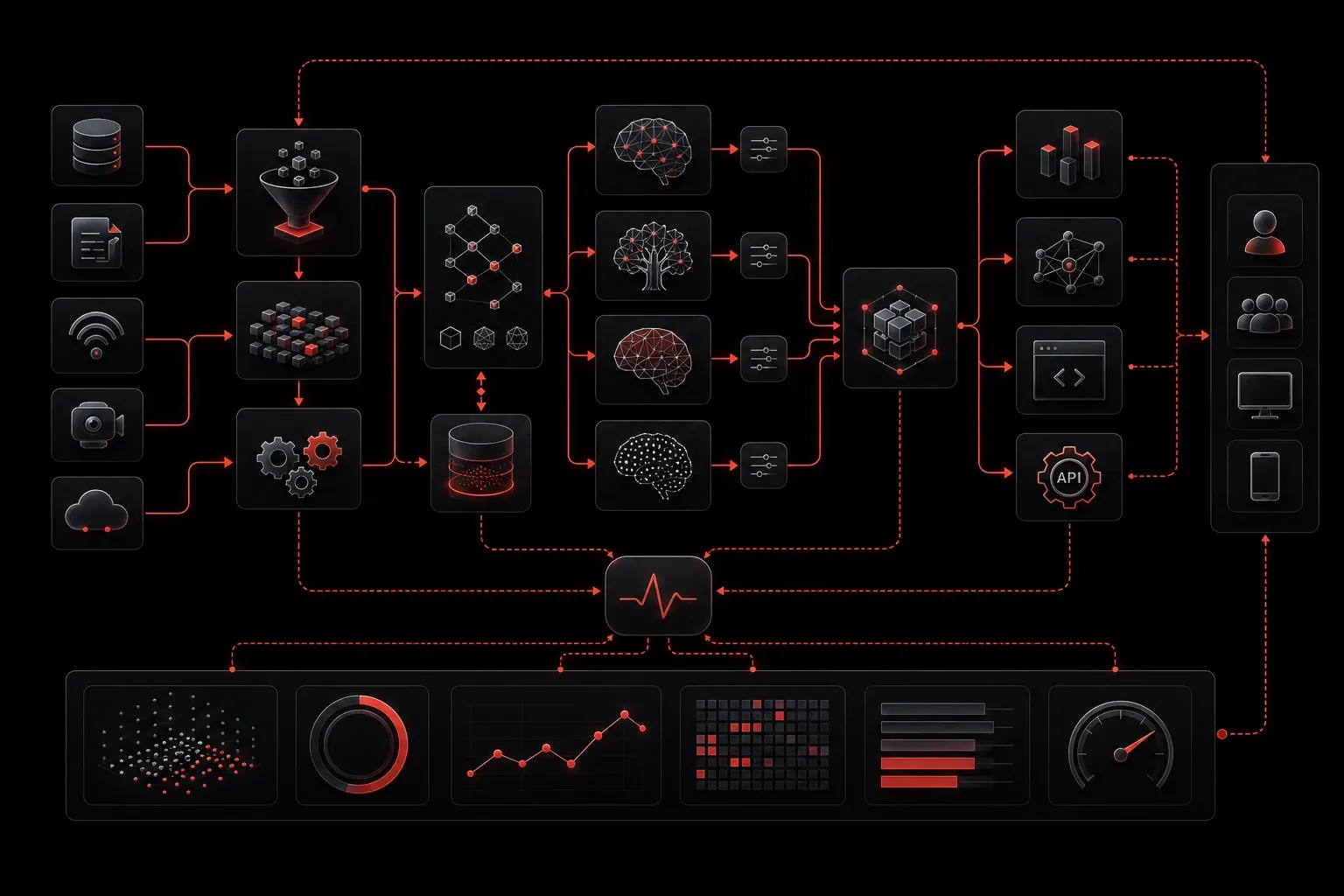
When implementing AI into existing IT systems, success often comes down to how well you design your workflows. Poor workflow design leads to bottlenecks, unreliable results, and frustrated users. Good AI workflow design creates systems that are maintainable, scalable, and actually useful to your organization.
Core Design Principles for AI Workflows
Effective AI integration starts with understanding that AI components are just one part of a larger system. Your workflow needs to handle data preparation, AI processing, result validation, and human oversight seamlessly.
Start with Clear Input and Output Definitions
Before writing any code, define exactly what data goes into your AI system and what comes out. For example, if you're building a network troubleshooting assistant, your input might be log files and network topology data, while your output could be ranked lists of potential issues with confidence scores.
Input: Network logs, device configurations, topology data
Processing: AI analysis for pattern recognition
Output: Prioritized issue list with confidence scores (0-100)
Human Action: Review top 3 recommendations before implementation
Build in Error Handling from Day One
AI systems fail in unique ways. Unlike traditional software that fails predictably, AI might return plausible-sounding but incorrect results. Design your workflows to catch these failures early.
Include validation steps that check if AI outputs make sense within your business context. For instance, if your AI suggests a network change that would disconnect critical servers, flag it for human review regardless of the confidence score.
Creating Scalable Workflows
Scalable workflows handle increasing workloads without breaking. This means designing for both computational scaling (processing more requests) and operational scaling (managing more use cases).
Modular Component Design
Break your AI workflow into discrete, reusable components. Each component should have a single responsibility and well-defined interfaces. This approach lets you update, test, and scale individual pieces without affecting the entire system.
Data Ingestion Module → Data Preprocessing → AI Model → Post-Processing → Output FormattingEach arrow represents a standardized interface where you can swap components as needed. Maybe you start with a simple rule-based preprocessor and later upgrade to a more sophisticated AI-powered one.
Queue-Based Processing
Implement asynchronous processing using queues for any AI workflow that doesn't need immediate results. This prevents system overload during peak usage and provides natural retry mechanisms when AI services are temporarily unavailable.
Performance and Reliability Considerations
Efficient AI design balances accuracy, speed, and resource consumption. Not every task needs the most powerful AI model available.
Tiered Processing Strategy
Use fast, lightweight models for initial filtering and more sophisticated models only when necessary. For example, a simple keyword filter might handle 80% of support tickets, with complex AI analysis reserved for ambiguous cases.
Fallback Mechanisms
Always have a plan when AI components fail. This might mean falling back to traditional rule-based systems, routing tasks to human operators, or using cached results from previous similar requests.
Primary: AI-based analysis
Fallback 1: Rule-based heuristics
Fallback 2: Route to human expert
Fallback 3: Return "unable to process" with contact info
Monitoring Your AI Workflows
Traditional monitoring tools miss AI-specific issues. Monitor not just system performance but also output quality, model drift, and user satisfaction with AI recommendations.
Track metrics like response accuracy over time, user acceptance rates of AI suggestions, and correlation between confidence scores and actual correctness. Set up alerts when these metrics drift outside acceptable ranges.
Starting Small and Iterating
Begin with a narrow, well-defined use case where you can measure success clearly. Prove value before expanding scope. This approach builds organizational confidence in AI systems and provides real feedback for improving your workflow design.
Document what works and what doesn't. AI workflow design is still evolving rapidly, and your documentation becomes valuable organizational knowledge for future AI projects.
What's Next
Now that you understand the fundamental principles of AI workflow design, the next step is learning how to monitor these workflows in production. We'll cover specific monitoring strategies, key performance indicators for AI systems, and tools for tracking AI workflow health in real-time environments.