
How Cisco Wireless Networks Work: Real-World Examples
This post explains how Cisco wireless networks operate in real-world scenarios like coffee shops, corporate offices, and campuses. It uses practical analogies to help beginners understand centralized architecture, FlexConnect, roaming, and guest network isolation.

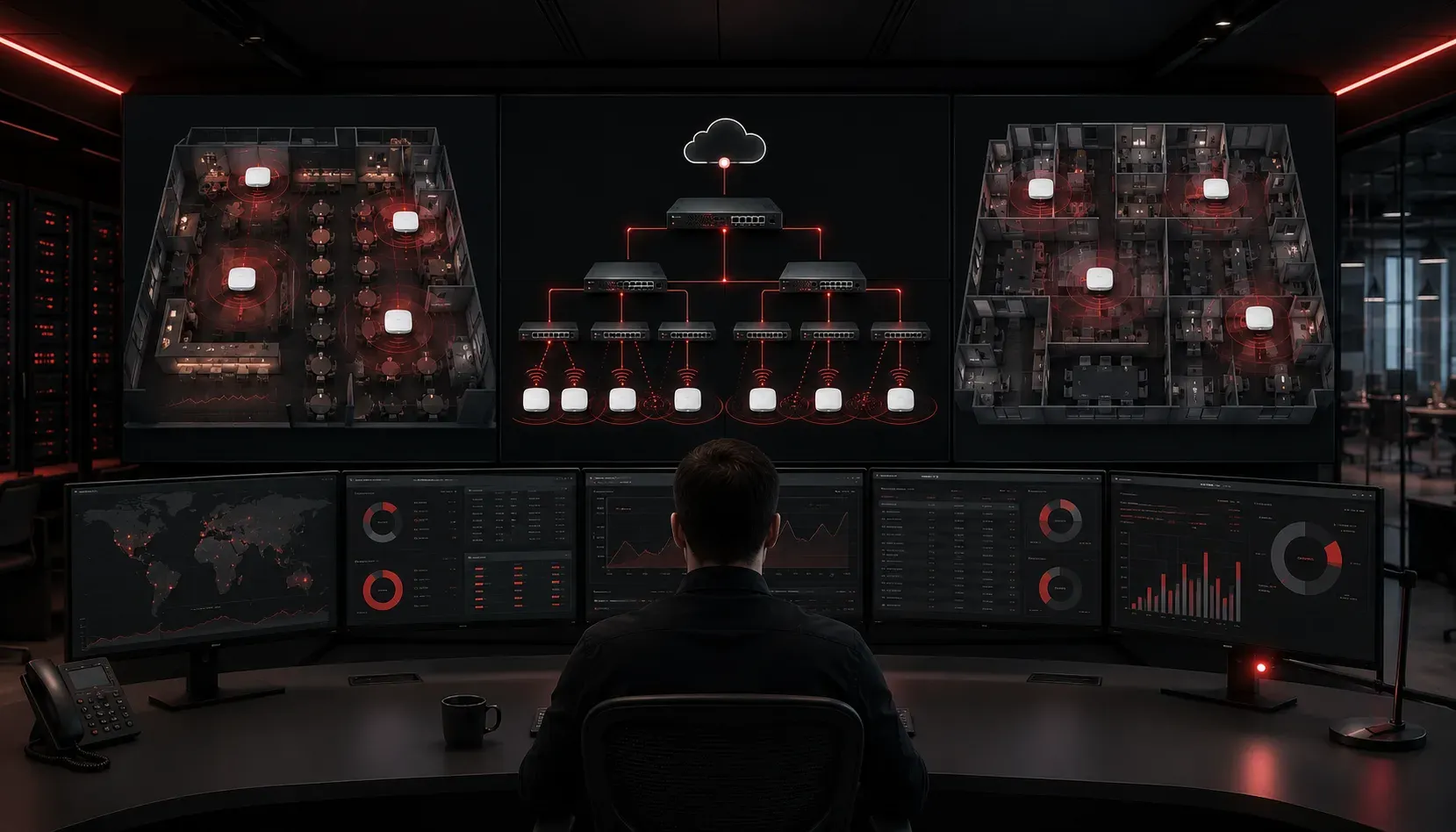
Understanding Cisco wireless networks can feel overwhelming when you're staring at technical diagrams and protocol specifications. Let's break down how these systems actually work by looking at real-world scenarios you encounter every day.
The Coffee Shop Scenario: Centralized Wireless Architecture
Imagine walking into your favorite coffee shop and connecting to their Wi-Fi. Behind the scenes, you're experiencing Cisco's centralized wireless architecture in action.
The access point (AP) mounted on the ceiling handles initial client connections and basic radio management, but forwards most control decisions to a Wireless LAN Controller (WLC) located in the shop's back office or data center. While the AP manages local radio functions like beaconing and initial 802.11 frame processing, the WLC makes the major networking decisions through secure CAPWAP (Control and Provisioning of Wireless Access Points) tunnels.
Coffee Shop Network Flow:
Your Device → Access Point (local radio processing) → WLC → Internet
The WLC handles centralized functions like authentication, security policy enforcement, and client mobility decisions. This Cisco network scenario allows the coffee shop to manage dozens of locations from a single controller, updating security settings and monitoring usage across all stores simultaneously.
Why This Architecture Works
Think of the WLC as the coffee shop's manager and the APs as skilled employees. The employees (APs) handle customer interactions and routine tasks independently, but consult the manager (WLC) for policy decisions and complex issues. This centralization means:
- Consistent security policies across all locations
- Easy troubleshooting from a central location
- Seamless roaming between access points using protocols like 802.11r
The Corporate Office: FlexConnect in Action
Now picture a large corporation with branch offices worldwide. Not every location can afford a dedicated WLC, so Cisco developed FlexConnect mode for these real-world wireless examples.
FlexConnect APs offer versatile operation modes. When connected to the central WLC, they can perform local switching for data traffic while still receiving centralized management and authentication services. This hybrid approach reduces WAN bandwidth usage by keeping local traffic local. When disconnected from the WLC, FlexConnect APs can operate in standalone mode using pre-configured local policies.
FlexConnect Operation Modes:
Central Switching: AP → WLC → Local Network (all traffic through WLC)
Local Switching: AP → Local Network (data local, control to WLC)
Standalone Mode: AP operates independently when WLC unavailable
A branch office AP might use local switching for employee internet traffic during normal operation, while authentication requests still go to the central WLC over the WAN. If the WAN link fails, the AP automatically switches to standalone mode, continuing to serve local users using preconfigured authentication methods such as local user databases or cached credentials.
The Campus Network: Seamless Roaming
University campuses showcase another crucial aspect of wireless network operation: seamless roaming via protocols such as 802.11k, 802.11r, and 802.11v. When a student walks from the library to the cafeteria while on a video call, their device maintains connectivity and does not drop the call.
This happens because all campus access points are managed by the same WLC using inter-controller mobility protocols. As the student moves, their device's signal strength to the library AP weakens while the cafeteria AP's signal strengthens. The WLC orchestrates this handoff:
- WLC monitors signal strength and client statistics from all nearby APs
- 802.11k provides neighbor reports to help clients find better APs
- 802.11r enables fast BSS transition with pre-authentication
- WLC updates the client location in its mobility database
- Video call continues uninterrupted with sub-50ms handoff times
Guest Network Isolation: The Hotel Model
Hotels provide excellent examples of wireless security in action using dynamic VLAN assignment and firewall policies. When you connect to hotel Wi-Fi, you're placed on a guest network that's completely isolated from other guests and hotel management systems.
The Cisco WLC creates multiple VLANs (Virtual LANs) and applies dynamic interface mapping:
Guest-VLAN 100: Internet access only, inter-client blocking enabledStaff-VLAN 200: Access to hotel PMS and internal systemsManagement-VLAN 10: Network infrastructure access with 802.1X authentication
Each SSID maps to a different VLAN using WLAN-to-VLAN mappings, with access control lists (ACLs) ensuring guests can't access hotel operations or communicate with other guests' devices.
Understanding the Control and Data Planes
In all these Cisco network scenarios, two types of traffic flow through the network using specific protocols:
Control Traffic (CAPWAP Protocol): Management communications between APs and WLC including:
- 802.11 configuration and radio management
- Client authentication via 802.1X/EAP
- Mobility anchor announcements
- AP image downloads and configuration updates
Data Traffic: Your actual internet browsing, video streaming, and file downloads
For CCNA students, it's important to understand that data traffic handling depends on the WLAN configuration. In centralized switching, client data tunnels through the WLC via CAPWAP data tunnels (UDP port 5247). In local switching (FlexConnect local switching), data flows directly from the AP to the local network while control traffic still uses CAPWAP tunnels to the WLC.
What's Next
Now that you understand how Cisco wireless networks operate in real-world environments, you're ready to dive deeper into the technical configuration. Our next post will cover the specific CLI commands for configuring wireless LAN controllers and access points, including CAPWAP discovery, WLAN creation, and security policy implementation, giving you hands-on experience with the concepts you've learned here.
Tools and resources for this topic
- CCNA Official Cert Guide (Wendell Odom) — The definitive CCNA study resource. Both volumes cover the 200-301 exam blueprint in full.
- Wendell Odom CCNA Vol 1 — Covers networking fundamentals, switching, and routing basics.
- Wendell Odom CCNA Vol 2 — Covers advanced routing, WAN, infrastructure services, and security.