
Creating JSON from Python Dictionaries
This post explains how to convert Python dictionaries to JSON using the built-in json module. It covers json.dumps() for creating JSON strings, json.dump() for writing to files, and handling nested data structures with practical code examples.

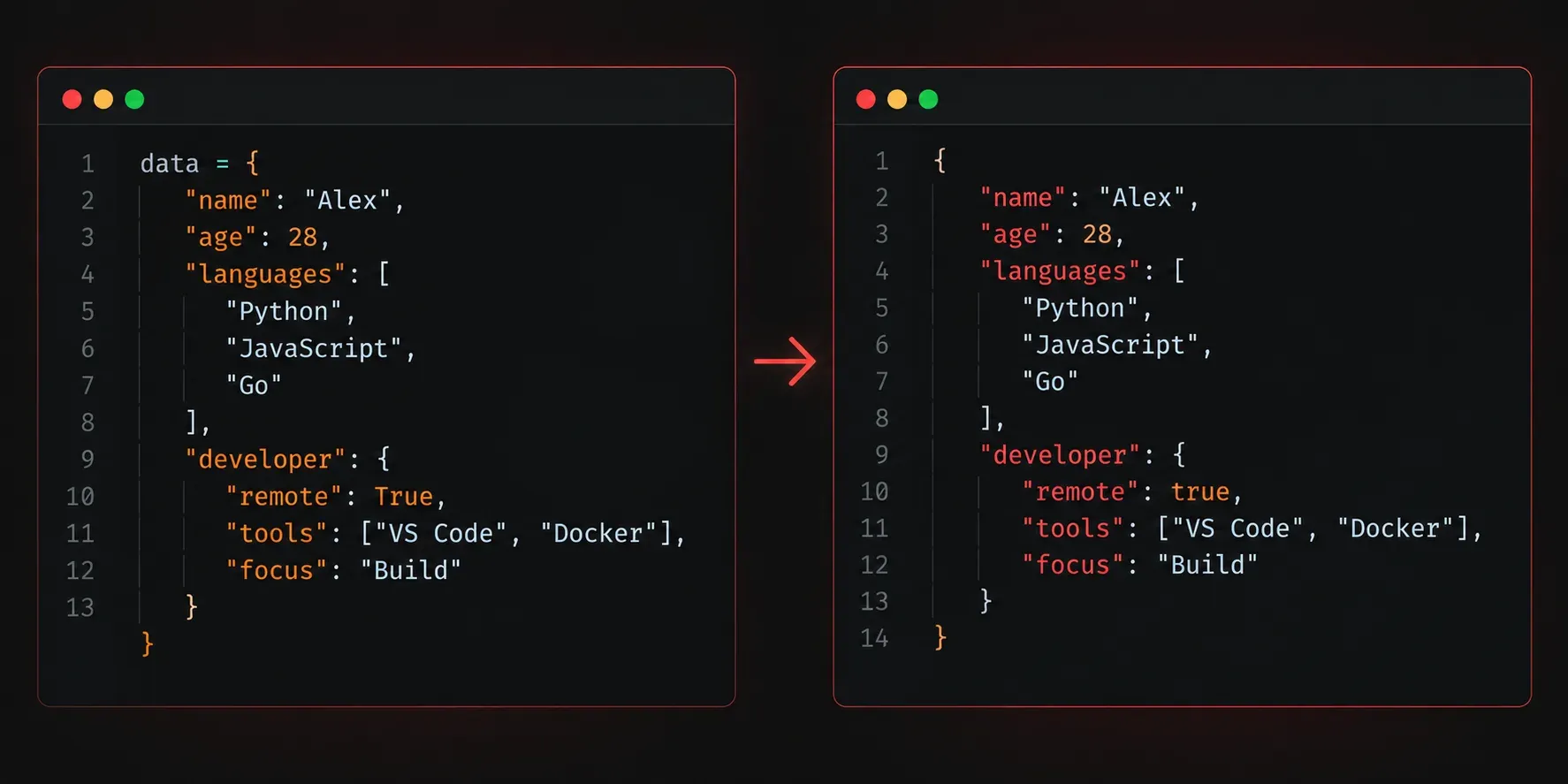
If you have spent any time working with Python, you have probably come across dictionaries. They are one of the most useful data structures in the language, and they map directly onto a format called JSON that powers much of the modern web. Understanding how to convert between the two is a foundational skill for any developer working with APIs, configuration files, or data pipelines.
What Is JSON, and Why Does It Matter?
JSON stands for JavaScript Object Notation. Despite the name, it is language-agnostic and has become the standard data interchange format across the internet. When you query an API, send data to a web server, or read a configuration file, there is a good chance you are dealing with JSON.
Here is what a simple JSON object looks like:
{
  "hostname": "router01",
  "vendor": "Cisco",
  "uptime_days": 42,
  "is_active": true
}
If that looks familiar, it should. A Python dictionary with the same data would look almost identical:
device = {
    "hostname": "router01",
    "vendor": "Cisco",
    "uptime_days": 42,
    "is_active": True
}
The structure is nearly the same, but there are subtle differences. Python uses True and False with capital letters; JSON uses lowercase true and false. Python also allows None, which becomes null in JSON. Python's built-in json module handles all of these conversions for you automatically.
Converting a Dictionary to a JSON String
Python ships with a built-in json module, so there is nothing to install. You just import it and call json.dumps(). The "s" stands for "string", because the function returns a JSON-formatted string.
import json

device = {
    "hostname": "router01",
    "vendor": "Cisco",
    "uptime_days": 42,
    "is_active": True
}

json_string = json.dumps(device)
print(json_string)
print(type(json_string))
Running this produces:
{"hostname": "router01", "vendor": "Cisco", "uptime_days": 42, "is_active": true}
<class 'str'>
Notice that True became true. The output is a plain Python string, formatted as valid JSON.
Making the Output Readable with indent
The default output is compact, which is great for sending over a network but painful to read. Pass the indent parameter to json.dumps() to get a nicely formatted result:
print(json.dumps(device, indent=4)){
"hostname": "router01",
"vendor": "Cisco",
"uptime_days": 42,
"is_active": true
}Using indent=4 is the most common convention and makes your output much easier to debug or share with others.
Writing JSON Directly to a File
Often you will want to save your JSON data to a file rather than just printing a string. Use json.dump() (without the "s") and pass an open file object as the second argument:
import json

device = {
    "hostname": "router01",
    "vendor": "Cisco",
    "uptime_days": 42,
    "is_active": True
}

with open("device.json", "w") as f:
    json.dump(device, f, indent=4)
This creates a file called device.json in your current directory with properly formatted JSON content. The with statement ensures the file is closed cleanly after writing, even if an error occurs.
Handling Nested Dictionaries
Real-world data is rarely flat. Python handles nested dictionaries and lists just fine:
import json

network = {
    "site": "HQ",
    "devices": [
        {"hostname": "router01", "role": "core"},
        {"hostname": "switch01", "role": "access"}
    ]
}

print(json.dumps(network, indent=4))
{
"site": "HQ",
"devices": [
{
"hostname": "router01",
"role": "core"
},
{
"hostname": "switch01",
"role": "access"
}
]
}Python lists become JSON arrays, and nested dictionaries become nested JSON objects. The conversion is clean and predictable.
Quick Reference: json.dumps() vs json.dump()
- json.dumps(): Converts a dictionary to a JSON-formatted string in memory
- json.dump(): Writes JSON directly to a file object
A simple way to remember: the extra "s" means "string".
What's Next
Now that you can convert Python dictionaries into JSON, the natural next step is reading JSON back into Python. The next post covers json.loads() and json.load(), which let you parse JSON strings and files back into native Python dictionaries and lists. Once you have both directions covered, you will be ready to work confidently with real-world APIs.