
Troubleshooting Dynamic Neighbors in DMVPN
This post provides a structured troubleshooting methodology for DMVPN dynamic neighbor failures, covering NHRP registration issues, tunnel interface validation, EIGRP and BGP adjacency problems, and IPsec integration checks. It targets experienced engineers preparing for the CCNP ENARSI exam or sol

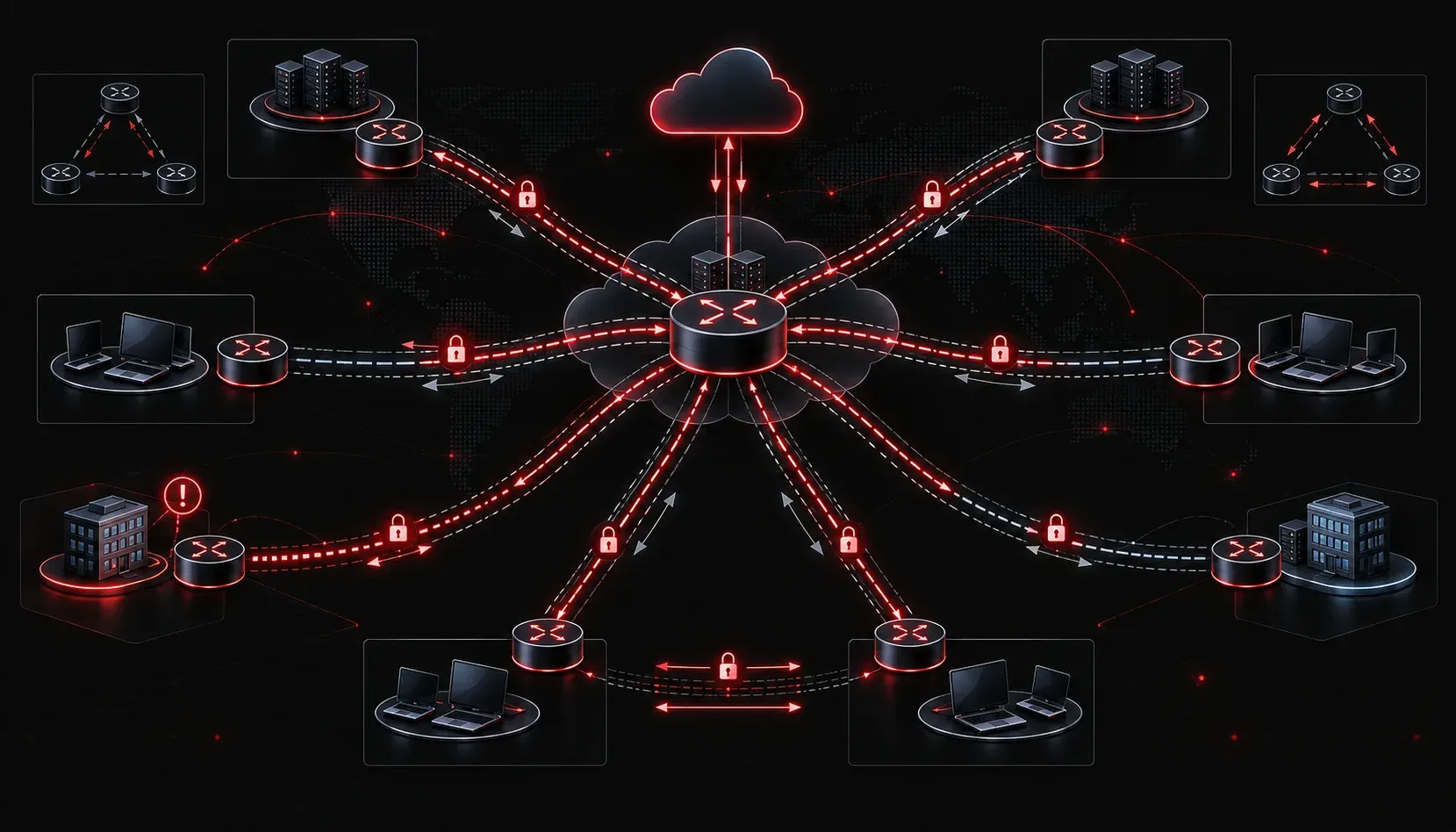
DMVPN dynamic neighbor failures are some of the most frustrating issues to diagnose in enterprise environments because the control plane, data plane, and encryption plane all interact in ways that can mask the actual root cause. When a spoke loses its tunnel or routing adjacency with the hub, engineers often chase the wrong layer first. This post cuts through that noise and walks through a structured methodology for DMVPN dynamic neighbor troubleshooting, from NHRP resolution failures to routing protocol flaps.
Understanding the Dependency Chain
Before running a single show command, internalize the dependency chain. Dynamic neighbors in DMVPN only form when all three layers are healthy:
- NHRP registration: The spoke must register its NBMA (physical) address with the hub's NHS.
- Tunnel interface state: The mGRE or GRE tunnel must be line protocol up on both ends.
- Routing protocol adjacency: EIGRP or BGP peering forms dynamically over the tunnel interface, dependent on NHRP resolving the hub's tunnel address.
A failure at layer one of this chain (NHRP) will silently prevent routing adjacencies from ever forming, even if the physical underlay is completely healthy. This is the most common source of VPN connectivity issues that get misdiagnosed as routing problems.
Phase 1: Verify NHRP Registration
Start at the hub. The hub's NHRP cache is your source of truth for whether spokes are successfully registering.
Hub# show ip nhrp
10.0.0.2/32 via 10.0.0.2
   Tunnel0 created 00:05:23, expire 01:54:37
   Type: dynamic, Flags: registered used nhop
   NBMA address: 203.0.113.10
10.0.0.3/32 via 10.0.0.3
   Tunnel0 created 00:02:10, expire 01:57:50
   Type: dynamic, Flags: registered used nhop
   NBMA address: 203.0.113.20
If a spoke's tunnel IP is missing from this output, registration has failed. Common causes include:
- NHRP authentication mismatch: The
ip nhrp authenticationstring must match exactly on hub and spoke. This fails silently with no syslog unless debug is enabled. - Incorrect NHS address: Verify the spoke is pointing to the hub's tunnel IP, not the NBMA IP, with
ip nhrp nhs. - Network ID mismatch: The
ip nhrp network-idvalue must be consistent across all tunnel interfaces in the same DMVPN cloud. A mismatch causes registration to be rejected. - MTU issues on the underlay: NHRP registration packets that are too large will be silently dropped. Check
ip mtuandip tcp adjust-msson tunnel interfaces.
To catch authentication and registration failures in real time, run debug nhrp on the hub while the spoke attempts to register. Look for "Authentication Failed" or "Registration Request Rejected" messages.
Phase 2: Validate the Tunnel Interface
With NHRP registration confirmed, verify the tunnel is fully operational on both ends.
Spoke# show interface Tunnel0
Tunnel0 is up, line protocol is up
  Hardware is Tunnel
  Internet address is 10.0.0.2/24
  MTU 17916 bytes, BW 100 Kbit/sec, DLY 50000 usec,
  Tunnel source 203.0.113.10 (GigabitEthernet0/1), destination UNKNOWN
  Tunnel mode is multi-point GRE
  Tunnel TTL 255, Fast tunneling enabled
  Tunnel transport MTU 1476 bytes
Key things to verify here for DMVPN stability:
- Tunnel source interface: Confirm the source IP is reachable from the hub. If the spoke is behind NAT, the source IP in the config and the actual NBMA IP seen by the hub will differ. NHRP handles this, but only if the spoke is sending registration from the correct interface.
- Tunnel mode: Phase 1 and Phase 2 use
tunnel mode gre multipointon both hub and spoke. A misconfigured spoke using point-to-point GRE will not participate in the NHRP process correctly. - Keepalives: Do not configure keepalives on mGRE tunnels. Keepalives on multipoint interfaces cause the tunnel to bounce because mGRE cannot verify a single NBMA destination for keepalive responses.
Phase 3: Troubleshoot Dynamic Routing Adjacencies
Once NHRP is healthy and tunnels are up, focus on the routing protocol. EIGRP is the most common choice for DMVPN due to its neighbor discovery behavior over multipoint interfaces, but it requires specific tuning.
EIGRP Dynamic Neighbor Issues
EIGRP uses multicast hellos, which work natively over mGRE. However, the hub must be configured to handle spoke-to-spoke traffic correctly based on your DMVPN phase. The most common dynamic routing problem in DMVPN Phase 2 and Phase 3 is split horizon.
Hub(config-if)# no ip split-horizon eigrp 100Without disabling split horizon on the hub's tunnel interface, routes learned from one spoke will not be advertised to other spokes. This creates a topology where all spokes can reach the hub but cannot reach each other through the hub, which looks like a partial routing failure and is frequently misidentified during DMVPN dynamic neighbor troubleshooting exercises.
Also verify that EIGRP neighbor relationships are forming over the correct source address:
Hub# show ip eigrp neighbors
EIGRP-IPv4 Neighbors for AS(100)
H   Address         Interface       Hold  Uptime   SRTT   RTO  Q  Seq
0   10.0.0.2        Tu0               14  00:10:22  180  1080  0  15
1   10.0.0.3        Tu0               11  00:08:45  204  1224  0  12
If neighbors are forming and dropping repeatedly, check for hello/hold timer mismatches between hub and spoke configurations. In DMVPN, the spoke's hello and hold timers should match the hub's, particularly when the hub is serving many spokes and CPU load causes hello processing delays.
BGP Dynamic Neighbor Issues
If you're running BGP over DMVPN using dynamic neighbor capabilities (bgp listen range), verify the peer group and listen range match the tunnel subnet exactly. A subnet mismatch means BGP open messages from spokes will be dropped without error.
Hub# show bgp ipv4 unicast summary | include 10.0.0
10.0.0.2        4      65002       150      148       40    0    0 01:22:10        5
10.0.0.3        4      65003       148      146       38    0    0 01:19:55        7
For BGP, also confirm that next-hop-self is applied on the hub to spokes, or that route reflector client relationships are properly configured. Missing next-hop reachability is a common BGP-over-DMVPN failure mode that does not generate an obvious error message.
Phase 4: IPsec Integration Checks
In production DMVPN deployments, tunnels are almost always protected by IPsec. A common source of DMVPN stability issues is the ISAKMP/IKE phase failing without impacting the tunnel interface state, since GRE comes up before IPsec completes.
Spoke# show crypto isakmp sa
dst             src             state          conn-id status
203.0.113.1     203.0.113.10    QM_IDLE          1001 ACTIVE
If the state is stuck in MM_NO_STATE or AG_NO_STATE, the IKE negotiation is failing. Verify that ISAKMP policies match between hub and spoke, that pre-shared keys match (including any key-id for wildcard keys), and that UDP 500 and 4500 are not blocked between the underlay addresses.
Structured Verification Checklist
- Confirm NHRP registration with
show ip nhrpon the hub - Verify tunnel interface is up/up and using the correct mode and source
- Check for keepalives on mGRE interfaces and remove them if present
- Validate NHRP authentication string, network-id, and NHS address on each spoke
- Disable EIGRP split horizon on the hub tunnel interface for Phase 2/3
- Confirm IPsec SA is ACTIVE if using DMVPN with IPsec profile
- Verify MTU and MSS settings to prevent fragmentation-related registration failures
What's Next
With dynamic neighbor troubleshooting covered, the next logical step is understanding DMVPN performance optimization, specifically how to tune QoS policies that interact correctly with DMVPN's dynamic tunnel model. Applying QoS to DMVPN requires understanding how the tunnel interface, the physical interface, and spoke-to-spoke paths interact, which has its own set of configuration pitfalls worth exploring in depth.
Tools and resources for this topic
- CCNP ENARSI 300-410 Official Cert Guide — The definitive ENARSI study resource by Raymond Lacoste. Covers advanced routing, services, and troubleshooting.