
Troubleshooting Common MPLS LSP Issues
This post provides a structured MPLS LSP troubleshooting methodology for experienced network engineers, covering LDP session failures, label binding issues, PHP behavior, MTU black-holing, and inconsistent label paths. Each failure scenario includes relevant CLI commands and output interpretation t

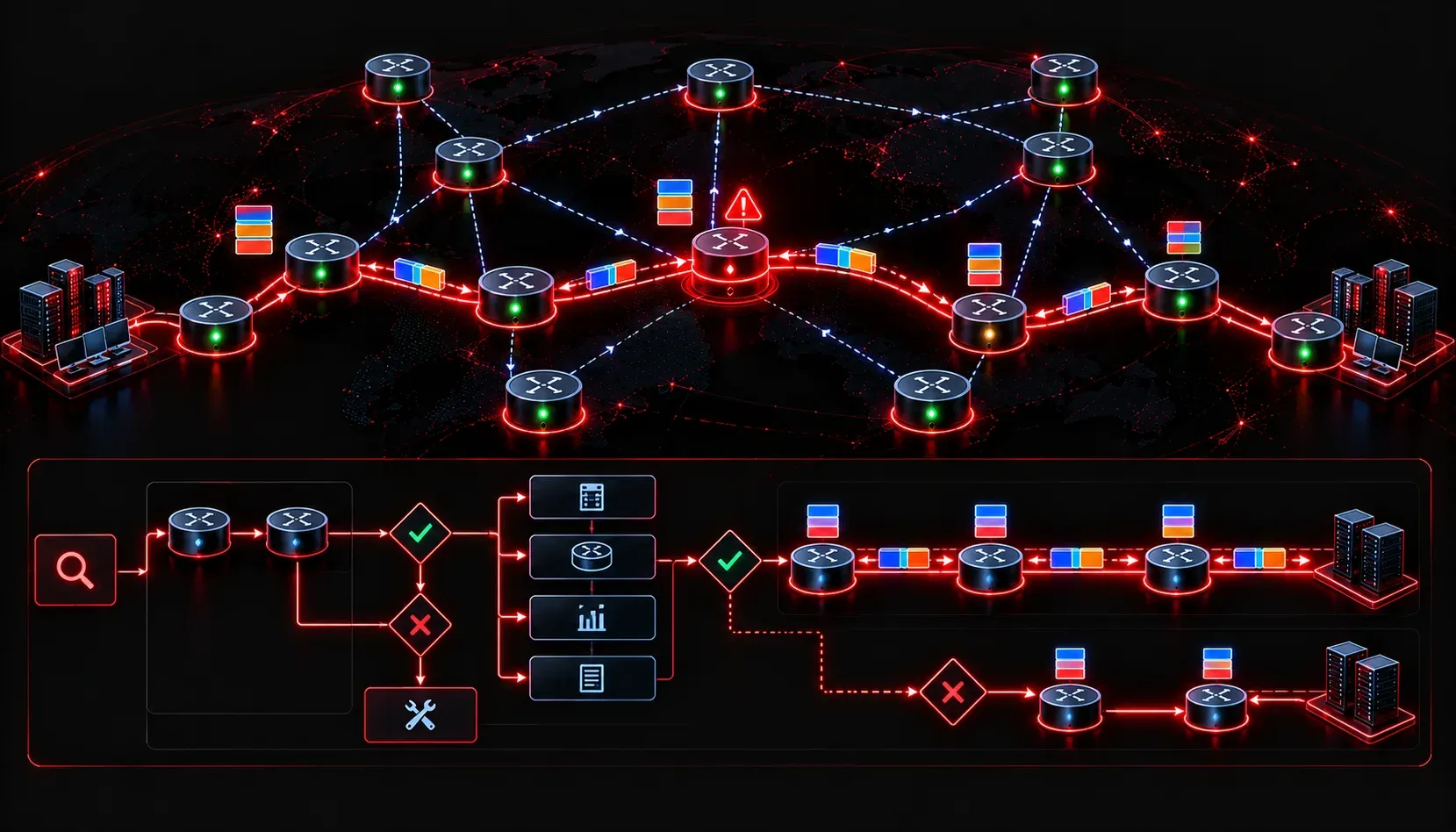
Understanding the MPLS Control and Data Plane Before You Troubleshoot
Before diving into specific failure scenarios, establish a mental model of where things can go wrong. An LSP has two planes to consider: the control plane, where LDP or RSVP-TE signals labels and builds the Label Information Base (LIB), and the data plane, where the Forwarding Equivalence Class (FEC) gets matched, labeled, and forwarded through the Label Forwarding Information Base (LFIB). Most MPLS LSP troubleshooting failures fall into one of three buckets: label distribution failure, FEC mismatch, or forwarding plane inconsistency. Know which bucket you are in before you start changing things.
Essential Verification Commands
Start every MPLS LSP troubleshooting session with these commands to build a baseline picture of the control and data planes:
show mpls ldp neighbor
show mpls ldp bindings
show mpls forwarding-table
show mpls ldp discovery
show ip cef [prefix] detail
show mpls ldp neighbor detail
The show mpls ldp neighbor output tells you immediately whether LDP sessions are up. If you see a neighbor stuck in NON EXISTENT or cycling through states, your problem is at the LDP session level, not the LSP level. The show mpls forwarding-table command shows you what the data plane is actually doing with labeled packets. Cross-reference this with show ip cef to confirm the control plane agrees with the forwarding plane.
Common Issue 1: LDP Session Not Establishing
This is the most fundamental LSP failure. No LDP session means no label bindings, which means no LSP. The most common causes are:
- Router ID mismatch: LDP uses the router ID to identify itself. If the LDP router ID does not match what the neighbor expects, the TCP session for LDP will not form correctly.
- Access list blocking TCP 646: LDP uses TCP port 646 for session establishment. A misconfigured interface ACL or infrastructure ACL will silently drop this traffic.
- MTU mismatch: LDP hello packets are UDP and relatively small, but the TCP session carrying label bindings can be affected by MTU issues along the path.
- MPLS not enabled on the interface: LDP sessions require
mpls ipon the interface. Missing this on one side produces an asymmetric neighbor table.
Verify LDP discovery is working before worrying about session state:
show mpls ldp discovery detail

 Local LDP Identifier:
     192.168.1.1:0
     Discovery Sources:
       Interfaces:
         GigabitEthernet0/1 (ldp): xmit/recv
           LDP Id: 192.168.1.2:0; no route to transport addr
The phrase "no route to transport addr" in that output is a critical clue. LDP uses a separate transport address for TCP session establishment, and if the route to that address is missing from the routing table, the session will never come up. Fix the routing issue first.
Common Issue 2: Label Bindings Present but LSP Still Broken
This scenario is more subtle. You can see neighbors up and label bindings in the LIB, but traffic is still not label-switched. The first thing to check is whether the binding has been accepted into the LFIB:
show mpls ldp bindings 10.1.1.0 24

  lib entry: 10.1.1.0/24, rev 18
    local binding:  label: 100
    remote binding: lsr: 192.168.1.2:0, label: 200
show mpls forwarding-table 10.1.1.0 24 detail
Local Outgoing Prefix Bytes Label Outgoing Next Hop
Label Label or Tunnel Id Switched interface
100 200 10.1.1.0/24 0 Gi0/1 10.0.0.2If show mpls ldp bindings shows a remote binding but show mpls forwarding-table shows no entry or shows No Label in the outgoing label column, the FEC is not being installed into the LFIB. Common reasons include the prefix not being in the IP routing table at all, or the next-hop for the prefix not being the LDP neighbor. LDP performs a recursive lookup, and if CEF and LDP next-hops diverge, label switching breaks.
Common Issue 3: PHP and Label Disposition Problems
Penultimate Hop Popping (PHP) is enabled by default in Cisco IOS. The egress LSR advertises the implicit null label (label 3) to its upstream neighbor, signaling it to pop the label one hop early. If your troubleshooting shows traffic arriving at the egress router with no label when you expect one (or vice versa), PHP behavior is usually involved.
show mpls forwarding-table

Local      Outgoing   Prefix           Bytes Label   Outgoing   Next Hop
Label      Label      or Tunnel Id     Switched      interface
102        Pop Label  10.2.2.0/24      12543         Gi0/0      10.0.12.2
The Pop Label output is normal PHP behavior. If you need to disable PHP for QoS or traffic engineering reasons, configure explicit null on the egress router:
mpls ldp explicit-nullThis causes the egress LSR to advertise label 0 (explicit null) instead of label 3, preserving the label stack all the way to the egress router.
Common Issue 4: MPLS MTU and Black-Holing
MPLS adds a 4-byte label to each packet per label stack entry. A standard Ethernet MTU of 1500 bytes means your MPLS MTU needs to be at least 1504 bytes for single-label stacks, and 1508 for two-label stacks (common in L3VPN). Failure to account for this causes large packets to be silently dropped, creating intermittent connectivity that is difficult to correlate to MPLS without knowing to look there.
show interfaces GigabitEthernet0/1
  MTU 1500 bytes

show mpls interfaces GigabitEthernet0/1 detail
  MTU = 1500
Fix this with:
interface GigabitEthernet0/1
 mpls mtu 1512
Alternatively, increase the physical interface MTU and let MPLS inherit it. Confirm with end-to-end ping using the ping extended command with specific sizes and the df-bit set to identify the MTU ceiling.
Common Issue 5: Inconsistent Labels Across the LSP Path
In larger networks, label bindings from multiple neighbors can exist in the LIB, but only one gets selected for the LFIB based on the best-path next-hop. If there is a routing asymmetry (traffic going one direction over one path and returning over another), you can end up with label switching in one direction and IP forwarding in the other. Use traceroute with MPLS extensions to visualize this:
traceroute mpls ipv4 10.1.1.1/32 verboseThis will show you each hop, the outgoing label at each LSR, and whether PHP occurred early. Any hop showing ! or Q in the output indicates a problem with label forwarding at that node. Correlate with show mpls forwarding-table on the suspected LSR to identify where the LFIB is not populated correctly.
LSP Maintenance: Keeping Things Stable
Beyond reactive troubleshooting, LSP maintenance includes proactive monitoring. Enable MPLS LDP logging to catch session resets:
mpls ldp logging neighbor-changes
mpls ldp logging session-protection
LDP session protection is particularly valuable in production environments. It maintains label bindings even when the LDP session drops, provided there is still an alternate path. This prevents a brief IGP reconvergence event from wiping out the LFIB and causing a traffic outage:
mpls ldp session protectionCombine this with targeted LDP graceful restart to further reduce the impact of process restarts or route processor failovers on active LSPs.
What's Next
With MPLS LSP troubleshooting methodology covered, the next logical step is understanding how MPLS Layer 3 VPNs (L3VPN) are built on top of these LSPs. This includes VRF configuration, MP-BGP VPNv4 peering between PE routers, and the import/export route target model that controls VPN topology. That combination of MPLS forwarding and BGP control plane is the foundation of most enterprise and service provider MPLS deployments and carries significant weight on the ENARSI exam.
Tools and resources for this topic
- CCNP ENARSI 300-410 Official Cert Guide — The definitive ENARSI study resource by Raymond Lacoste. Covers advanced routing, services, and troubleshooting.