
Parsing JSON in JavaScript
This post covers how to parse JSON in JavaScript using the built-in JSON.parse() method, including how to handle nested data, manage errors with try/catch, and convert objects back to JSON strings with JSON.stringify(). It's aimed at beginners who need a solid, practical foundation in working with

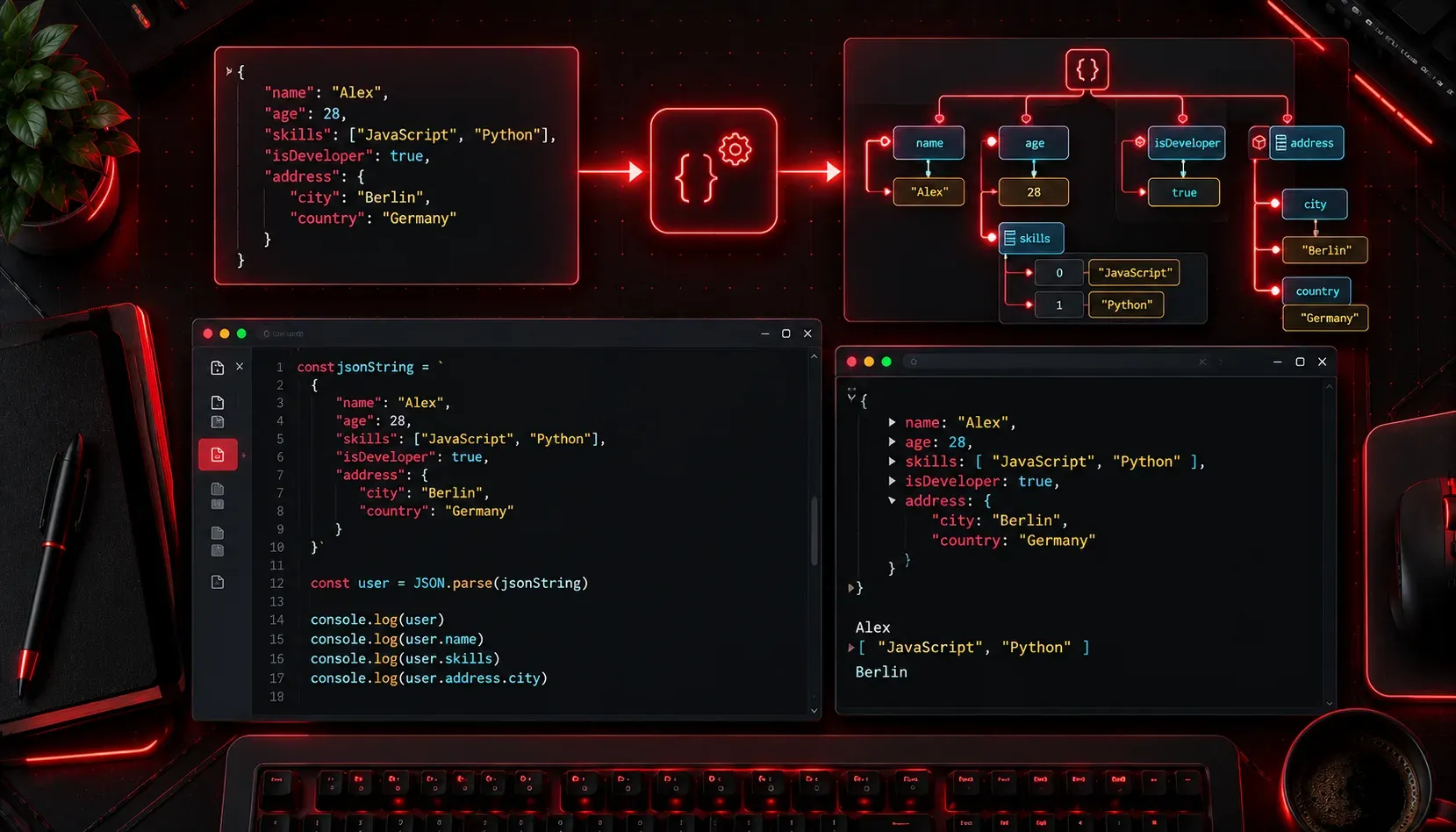
If you've worked with any kind of web API or configuration file, you've almost certainly encountered JSON. It's everywhere. And one of the most common tasks in JavaScript is taking a JSON string and turning it into something you can actually work with in your code. That process is called parsing, and JavaScript makes it refreshingly straightforward.
What Is JSON?
JSON stands for JavaScript Object Notation. It's a lightweight text format for storing and exchanging data. Despite the name, JSON is used across almost every programming language today, not just JavaScript. A typical JSON string looks like this:
'{
  "hostname": "router-01",
  "vendor": "Cisco",
  "interfaces": ["GigabitEthernet0/0", "GigabitEthernet0/1"],
  "active": true
}'
Notice it's just text, wrapped in quotes as a string. Your JavaScript code can't directly access hostname or loop through interfaces while the data is in this raw string form. You need to parse it first.
Parsing JSON with JSON.parse()
JavaScript has a built-in global object called JSON that gives you two key methods. For parsing, you'll use JSON.parse(). Pass it a JSON string, and it returns a JavaScript object or array you can interact with normally.
const jsonString = '{"hostname": "router-01", "vendor": "Cisco", "active": true}';

const device = JSON.parse(jsonString);

console.log(device.hostname); // router-01
console.log(device.vendor);   // Cisco
console.log(device.active);   // true
After parsing, device is a plain JavaScript object. You access its properties using dot notation or bracket notation, exactly like any other object.
Working with Nested Data and Arrays
Real-world JSON is rarely flat. You'll often have nested objects and arrays inside your JSON string. JSON.parse() handles all of that automatically.
const jsonString = `{
  "hostname": "router-01",
  "interfaces": [
    {"name": "GigabitEthernet0/0", "ip": "192.168.1.1"},
    {"name": "GigabitEthernet0/1", "ip": "10.0.0.1"}
  ]
}`;

const device = JSON.parse(jsonString);

// Access the first interface name
console.log(device.interfaces[0].name); // GigabitEthernet0/0

// Loop through all interfaces
device.interfaces.forEach(iface => {
  console.log(`${iface.name}: ${iface.ip}`);
});
The result in your console would be:
GigabitEthernet0/0: 192.168.1.1
GigabitEthernet0/1: 10.0.0.1
Handling Errors Gracefully
If you pass invalid JSON to JSON.parse(), it throws a SyntaxError. This is common when you're working with API responses or user input that might be malformed. Wrapping your parse call in a try...catch block is considered best practice:
const badJson = '{hostname: "router-01"}'; // Invalid: keys must be quoted

try {
  const device = JSON.parse(badJson);
  console.log(device.hostname);
} catch (error) {
  console.error("Failed to parse JSON:", error.message);
}
This prevents your entire script from crashing if something unexpected arrives in the data.
Going the Other Direction: JSON.stringify()
The reverse operation is equally useful. JSON.stringify() converts a JavaScript object back into a JSON string. You'll use this when sending data to an API or writing to a file.
const device = {
  hostname: "router-02",
  vendor: "Juniper",
  active: false
};

const jsonString = JSON.stringify(device, null, 2);
console.log(jsonString);
The third argument 2 is the indentation level, which makes the output human-readable:
{
  "hostname": "router-02",
  "vendor": "Juniper",
  "active": false
}
Key Things to Remember
- JSON keys must be strings: always wrap them in double quotes, not single quotes.
- JSON values can be: strings, numbers, booleans, arrays, objects, or
null. Functions are not valid JSON. - Trailing commas are not allowed:
{"key": "value",}will throw an error. - Always use try/catch: especially when parsing data from external sources.
What's Next
Now that you can parse and stringify JSON in JavaScript, the next logical step is fetching JSON from a real API using the fetch() function. That's where these skills really come to life: you'll make an HTTP request, receive a JSON response, parse it, and display the data dynamically. We'll cover that in the next post in this series.