
What is PortFast and Why is it Important?
PortFast allows switch ports to immediately forward traffic by bypassing spanning tree states, reducing network startup time from 30 seconds to just a few seconds. It should only be enabled on ports connected to end devices like computers and printers, never on inter-switch links.

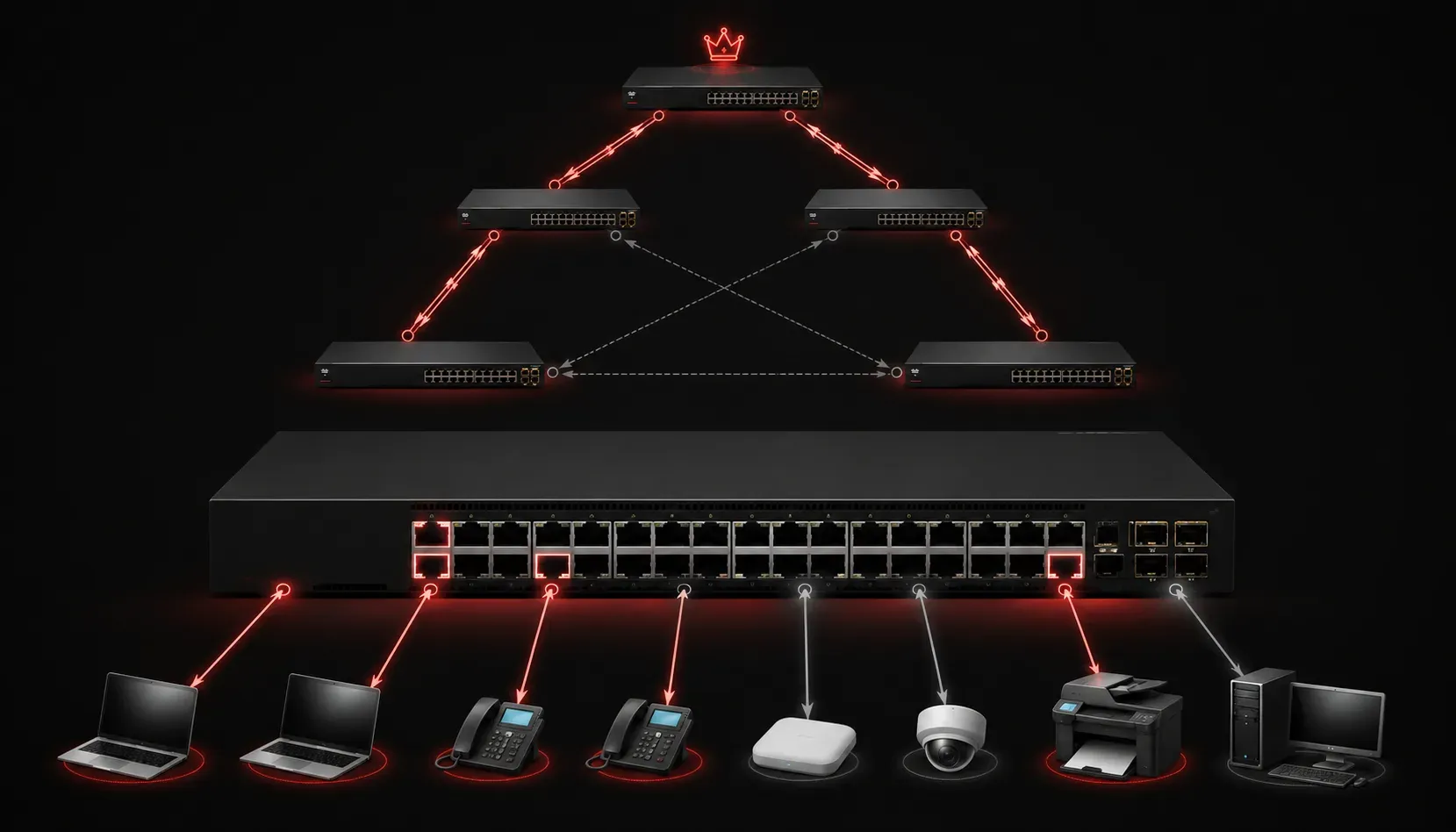
When devices connect to your network, they need to wait before they can start sending traffic. This delay is caused by the Spanning Tree Protocol (STP), which prevents network loops by carefully controlling when ports become active. But what if you could skip this waiting period for certain ports? That's exactly what PortFast does.
Understanding the Problem
In a normal spanning tree environment, when you connect a device to a switch port, that port goes through several states before it can forward traffic:
- Blocking - Port receives frames but doesn't forward them
- Listening - Port participates in spanning tree calculations (15 seconds)
- Learning - Port learns MAC addresses (15 seconds)
- Forwarding - Port can send and receive traffic normally
This process takes about 30 seconds by default. Imagine plugging in your laptop and waiting half a minute before you can access the network. For end devices like computers, printers, and servers, this delay is unnecessary and frustrating.
What is PortFast?
PortFast is a Cisco feature that allows switch ports to bypass the normal spanning tree states and immediately transition to the forwarding state. When PortFast is enabled on a port, that port skips the listening and learning phases, allowing for immediate network connectivity instead of the typical 30-second delay.
Here's the key point: PortFast should only be enabled on ports connected to end devices, never on ports connected to other switches or bridges. This is because end devices don't create network loops, so the spanning tree delay serves no purpose.
PortFast in Rapid PVST+
With Rapid PVST+ (Per VLAN Spanning Tree Plus), PortFast becomes even more important. While Rapid PVST+ already improves convergence times compared to traditional spanning tree, PortFast provides immediate forwarding for edge ports.
In Rapid PVST+, PortFast ports are classified as "edge ports." These ports are assumed to be connected to end devices and can immediately forward traffic without participating in spanning tree calculations.
Configuring PortFast
You can enable PortFast on individual ports or globally for all access ports. Here are the commands:
For a specific interface:
Switch(config)# interface fastethernet0/1
Switch(config-if)# spanning-tree portfast
Globally for all access ports:
Switch(config)# spanning-tree portfast defaultTo verify PortFast configuration:
Switch# show spanning-tree interface fastethernet0/1 portfastImportant Safety Features
Cisco includes several safety mechanisms with PortFast:
- BPDU Guard - If a PortFast port receives a Bridge Protocol Data Unit (BPDU), the port is automatically placed in an error-disabled state
- Automatic PortFast disabling - If spanning tree detects another switch connected to a PortFast port through BPDU reception, it automatically disables PortFast functionality on that port
These features prevent network loops that could occur if PortFast is mistakenly enabled on inter-switch links.
Real-World Benefits
PortFast provides immediate practical benefits:
- Instant connectivity - Computers can obtain IP addresses and access network resources immediately upon connection
- Better user experience - No waiting period when connecting devices
- Improved network efficiency - Reduces unnecessary spanning tree traffic on edge ports
In modern networks where users expect instant connectivity, PortFast is essential for maintaining productivity and user satisfaction.
What's Next
Now that you understand PortFast, the next logical step is learning about BPDU Guard and Root Guard - additional spanning tree security features that work alongside PortFast to protect your network topology from misconfigurations and attacks.
Tools and resources for this topic
- CCNA Official Cert Guide (Wendell Odom) — The definitive CCNA study resource. Both volumes cover the 200-301 exam blueprint in full.
- Wendell Odom CCNA Vol 1 — Covers networking fundamentals, switching, and routing basics.
- Wendell Odom CCNA Vol 2 — Covers advanced routing, WAN, infrastructure services, and security.