
Python Data Types: An Overview
This post introduces Python's core built-in data types, including integers, floats, strings, booleans, lists, dictionaries, tuples, and None. Each type is explained with practical code examples to help beginners understand how Python handles and categorises data. A clear reference summary ties ever

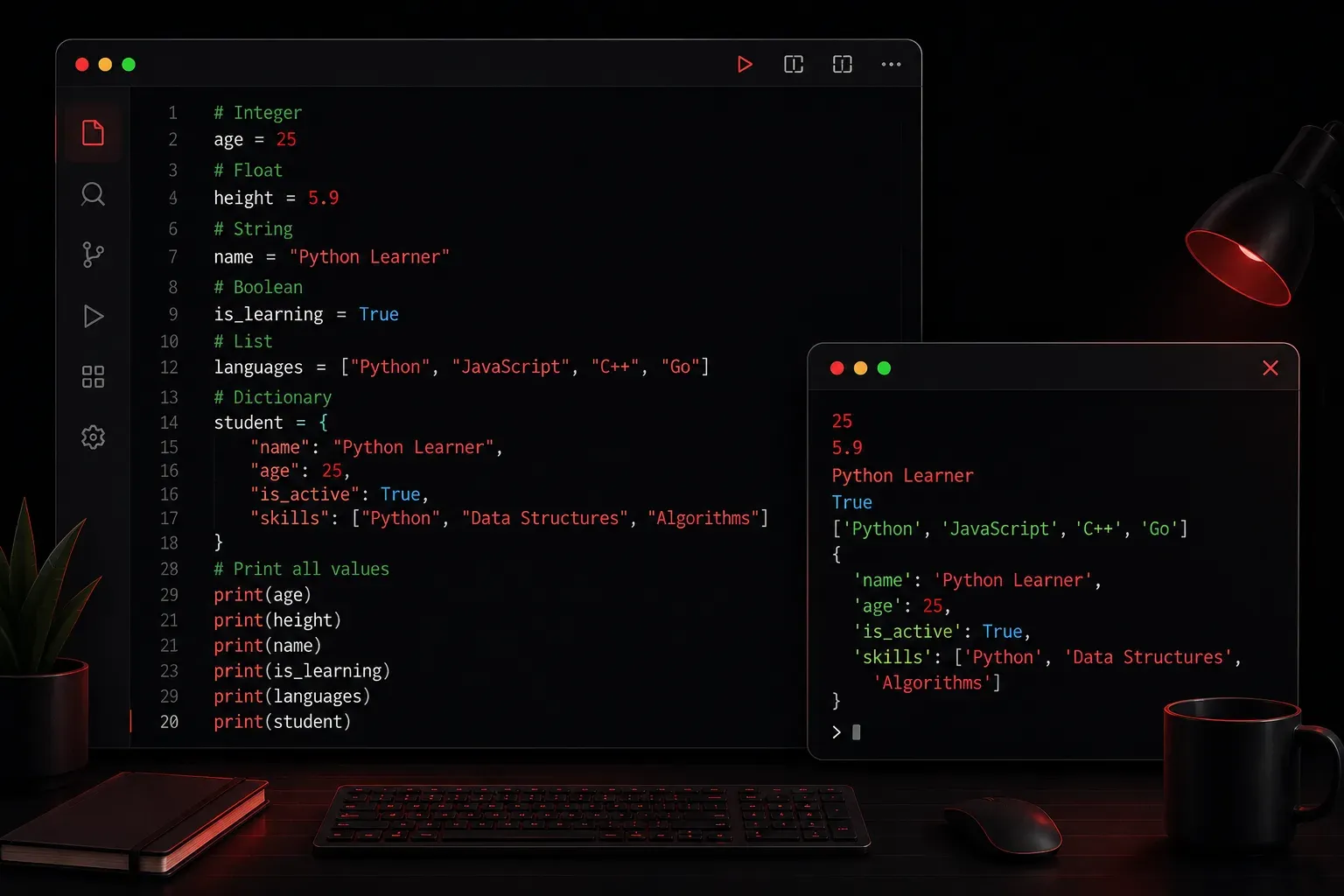
When you write a Python program, you work with data constantly. Numbers, text, lists of items, true/false values: all of this data has a type, and Python uses that type to understand what operations make sense. Trying to add a number to a piece of text, for example, will cause an error because those types are incompatible. Understanding Python's built-in data types is one of the most important foundations you can build as a beginner.
Why Data Types Matter
Python is a dynamically typed language, which means you do not need to declare a variable's type before using it. Python figures it out automatically. However, the type still exists behind the scenes, and it governs how your data behaves. You can always check the type of any value using the built-in type() function.
x = 42
print(type(x))

y = "hello"
print(type(y))
Output:
<class 'int'>
<class 'str'>
The Core Python Data Types
Integers (int)
Integers are whole numbers, positive or negative, with no decimal point. They are used for counting, indexing, and arithmetic.
age = 30
temperature = -5
print(age + temperature)   # Output: 25
Floating-Point Numbers (float)
Floats represent numbers with a decimal point. They are commonly used in calculations involving precision, such as measurements or percentages.
price = 9.99
tax_rate = 0.07
total = price + (price * tax_rate)
print(total)   # Output: 10.6893
Strings (str)
Strings are sequences of characters enclosed in single or double quotes. They are used to represent text, such as names, messages, or file paths.
hostname = "router01"
greeting = 'Hello, world!'
print(hostname.upper())   # Output: ROUTER01
Strings support a huge range of built-in methods like .upper(), .lower(), .split(), and .replace(). You will use these constantly.
Booleans (bool)
Booleans represent one of two values: True or False. They are the foundation of conditional logic and flow control in any program.
is_connected = True
has_errors = False

if is_connected:
    print("Device is online")
Lists (list)
A list is an ordered, mutable collection of items. Items can be of any type, and you can change the list after creating it.
interfaces = ["GigabitEthernet0/0", "GigabitEthernet0/1", "Loopback0"]
interfaces.append("GigabitEthernet0/2")
print(interfaces[0])   # Output: GigabitEthernet0/0
Dictionaries (dict)
Dictionaries store data as key-value pairs. They are incredibly useful for representing structured data, such as device configurations or API responses.
device = {
    "hostname": "router01",
    "ip": "192.168.1.1",
    "vendor": "Cisco"
}
print(device["hostname"])   # Output: router01
Tuples (tuple)
Tuples are similar to lists but are immutable, meaning you cannot change them after creation. They are useful for storing data that should remain constant, like a set of coordinates or a fixed configuration pair.
coordinates = (40.7128, -74.0060)
print(coordinates[0])   # Output: 40.7128
NoneType (None)
The value None represents the absence of a value. It is often used as a default or placeholder when a variable has not yet been assigned meaningful data.
result = None

if result is None:
    print("No result yet")
A Quick Reference Summary
- int: Whole numbers, e.g.
10,-3 - float: Decimal numbers, e.g.
3.14,-0.5 - str: Text, e.g.
"hello",'router01' - bool: True or false logic,
TrueorFalse - list: Ordered, changeable collection, e.g.
[1, 2, 3] - dict: Key-value pairs, e.g.
{"key": "value"} - tuple: Ordered, unchangeable collection, e.g.
(1, 2, 3) - None: Represents no value,
None
What's Next
Now that you have a solid overview of Python's core data types, the next step is learning how to work with them more deeply. The next post in this series dives into Python strings specifically: how to manipulate text, format output, and use string methods that you will rely on every single day as a programmer and network engineer.