
Troubleshooting Common NTP and PTP Issues in Networks
A comprehensive guide to troubleshooting NTP and PTP time synchronization issues in enterprise networks. Covers systematic diagnosis of association problems, authentication failures, PTP profile mismatches, and network infrastructure requirements for accurate time distribution.

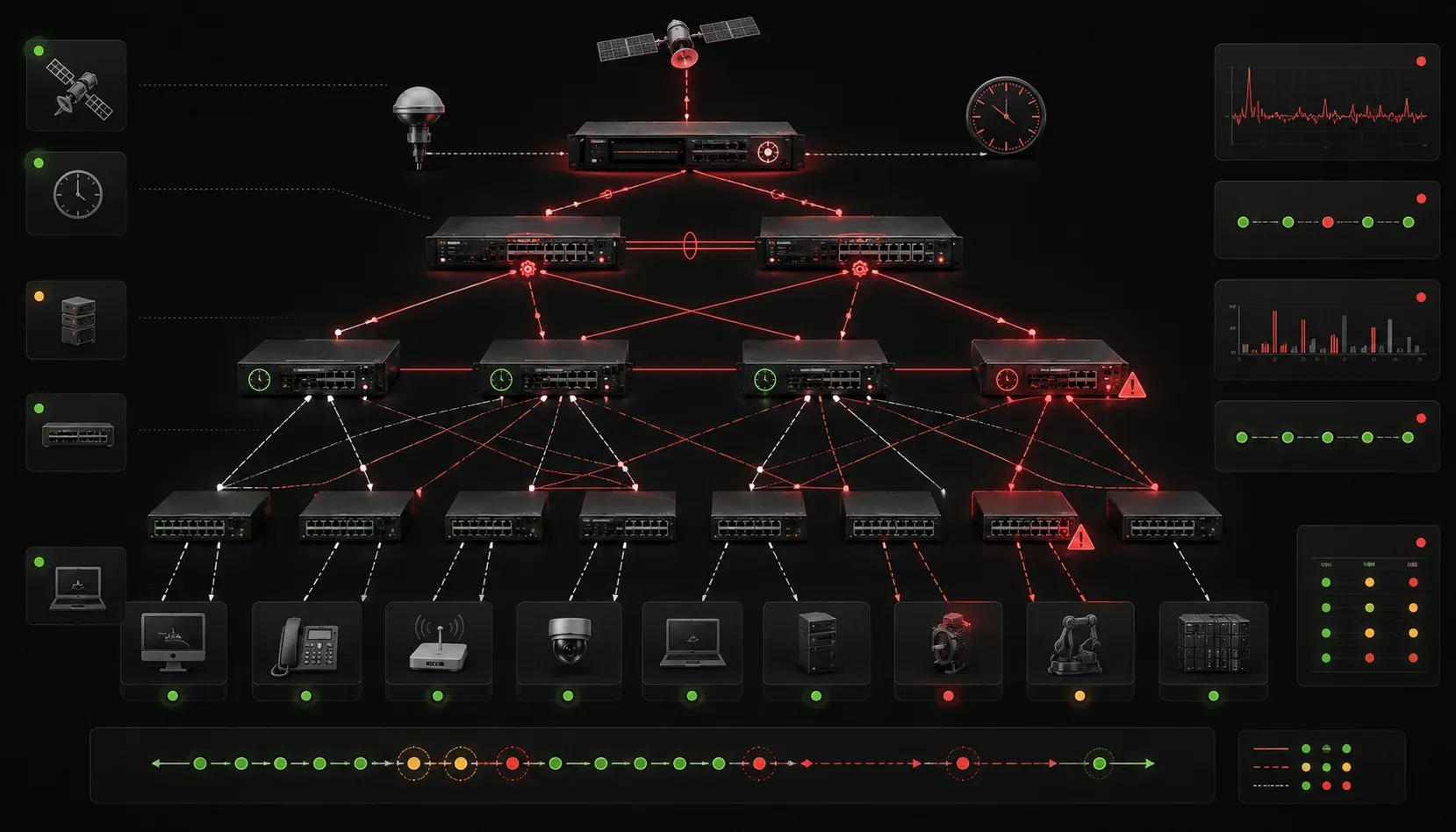
Time synchronization failures can cripple network operations, from breaking authentication protocols to causing log correlation nightmares. When NTP and PTP implementations go wrong, the symptoms often appear as seemingly unrelated issues across your infrastructure. Let's dive into the systematic troubleshooting approach that separates experienced engineers from those still chasing phantom problems.
Understanding the Problem Space
Before diving into commands, recognize that time sync issues manifest differently depending on your environment. NTP problems typically surface as gradual drift, authentication failures, or complete time desynchronization. PTP accuracy issues are more subtle; microsecond-level deviations that affect financial trading systems, industrial automation, or broadcast equipment.
The key diagnostic principle: always verify the entire time chain, not just the local device. A client showing *~127.127.1.1 in show ntp associations indicates it's using its internal clock as the authoritative source - a red flag that upstream synchronization has failed.
NTP Troubleshooting Methodology
Understanding Stratum Levels
NTP organizes time sources in a hierarchical structure using stratum levels. Stratum 0 represents atomic clocks or GPS receivers, which are the ultimate time reference. Stratum 1 servers directly connect to stratum 0 sources, stratum 2 servers synchronize to stratum 1, and so forth up to stratum 15. Stratum 16 indicates an unsynchronized state.
Lower stratum numbers indicate closer proximity to authoritative time sources, but network conditions often matter more than pure stratum for server selection. A local stratum 3 server with stable network paths typically performs better than a distant stratum 1 server with variable latency.
Association State Analysis
Start with show ntp associations detail to understand relationship health. The association states tell the complete story:
Router# show ntp associations detail
127.0.0.1 configured, ipv4, our_master, sane, valid, stratum 2
ref ID .GPS., time E4A2F123.D4C5E678 (15:23:31.831 EST Mon Nov 27 2023)
our mode active, peer mode active, our poll intvl 64, peer poll intvl 64
root delay 0.00 msec, root disp 1.50, reach 377, sync dist 0.020
delay 0.50 msec, offset -0.123 msec, dispersion 0.12
precision 2**18, version 4
org time E4A2F123.D1234567 (15:23:31.818 EST Mon Nov 27 2023)
rec time E4A2F123.D4567890 (15:23:31.831 EST Mon Nov 27 2023)
xmt time E4A2F123.D789ABCD (15:23:31.842 EST Mon Nov 27 2023)
filtdelay =     0.50    1.20    0.80    0.90    1.10    0.70    0.60    0.85
filtoffset =   -0.12   -0.18   -0.15   -0.20   -0.14   -0.16   -0.13   -0.17
filterror =     0.02    0.98    1.95    2.92    3.89    4.86    5.83    6.80
Critical indicators in this output:
- Reach value: 377 (octal) means all 8 polls succeeded. Lower values indicate packet loss or reachability issues
- Stratum level: Higher values suggest longer reference chains or potential loops
- Root dispersion: Values over 1000ms indicate poor synchronization quality
- Offset patterns: Consistent directional drift suggests systematic clock issues
Common NTP Configuration Pitfalls
Authentication mismatches cause silent failures. When ntp authenticate is enabled globally but specific servers lack key parameters, those associations will show reachability 0 without obvious error messages:
ntp authentication-key 1 md5 SecureKey123
ntp trusted-key 1
ntp authenticate
ntp server 192.168.1.100 key 1
ntp server 192.168.1.101  ! Missing key - will fail silently
Access-list filtering creates another common pitfall. NTP uses UDP port 123 for both source and destination, but many engineers forget about the bidirectional nature:
access-list 100 permit udp host 192.168.1.100 eq 123 any eq 123
access-list 100 permit udp any eq 123 host 192.168.1.100 eq 123
Clock Source Priority Issues
Multiple time sources can create selection conflicts. Use show ntp associations to decode selection status symbols:
*- System peer (current time source)+- Candidate for synchronization-- Discarded due to clustering algorithm~- Configured but not synchronizedx- Designated false ticker
When no server shows an asterisk (*), investigate with show ntp status to understand why synchronization isn't occurring. Often, all servers exceed the maximum dispersion threshold due to network instability.
Common Network Topology Challenges
Different network topologies present unique synchronization challenges. In hub-and-spoke networks, spoke sites often experience synchronization issues when the central site's NTP server fails, as they lack alternate paths to external time sources. Configure multiple NTP servers across different network paths to avoid single points of failure.
Data center environments with leaf-spine architectures benefit from deploying NTP servers in multiple spine locations, ensuring leaf switches can maintain synchronization even during network partitions. Load balancers in front of NTP server farms require careful configuration to maintain session persistence, as NTP clients expect consistent communication with the same server.
PTP Implementation Challenges
Profile Compatibility and Use Cases
PTP accuracy issues often stem from profile mismatches between devices. IEEE 1588-2008 supports multiple profiles optimized for specific applications:
- Default Profile: General-purpose synchronization with microsecond accuracy
- Power Profile (IEEE C37.238): Designed for electrical power systems requiring sub-microsecond accuracy
- Telecom Profile (ITU-T G.8275.1/2): Optimized for frequency synchronization in telecom networks
- Enterprise Profile: Simplified configuration for office environments
Financial trading systems typically use the default profile with hardware timestamping for nanosecond precision. Industrial automation networks often implement the power profile to meet strict timing requirements for protection relays. Broadcasting equipment requires the default profile with specific domain configurations to isolate timing domains.
Switch# show ptp clock
PTP Clock Info:
Clock Identity: 0x001122fffe334455
Clock Class: 6, Clock Accuracy: 0x20
Offset Scaled Log Variance: 0x436A
Priority1: 128, Priority2: 128
Domain: 0, Slave Only: FALSE
Number Ports: 2
Priority1 and Priority2: 128, 128

Clock quality:
Clock class: 6
Clock accuracy: Within 250 ns
Offset scaled log variance: 17258
Clock class mismatches indicate fundamental configuration errors. A clock advertising class 6 (holdover) when it should be class 4 (GPS-locked) suggests upstream synchronization problems.
Network Infrastructure Requirements
PTP demands specific switch capabilities. Boundary clock functionality requires hardware timestamp support, without which accuracy degrades to millisecond levels instead of sub-microsecond precision:
Switch# show ptp port GigabitEthernet1/0/1
PTP Port Dataset:
Port identity: 0x001122fffe334455, Port number: 1
Port state: SLAVE
Delay request interval(log mean): 0
Peer mean path delay: 450 nanoseconds
Announce receipt time out: 3
Path delay measurements exceeding expected physical propagation delays indicate switch queueing or processing delays that compromise PTP accuracy.
Systematic Troubleshooting Workflow
Layer-by-Layer Verification
Start at the physical layer. Cable delays, switch forwarding behavior, and interface utilization all affect time packet delivery. Use show interfaces to identify congestion or errors that could impact time synchronization accuracy.
Network layer verification involves confirming routing paths remain stable. Asymmetric routing particularly impacts PTP calculations, as delay measurements assume symmetric paths:
Router# traceroute 192.168.1.100
Type escape sequence to abort.
Tracing the route to 192.168.1.100
VRF info: (vrf in name/id, vrf out name/id)
  1 10.1.1.1 4 msec 4 msec 4 msec
  2 192.168.1.100 8 msec *  8 msec
Time Source Validation
External reference validation requires understanding your time source hierarchy. GPS receivers can lose lock, creating stratum 16 (unsynchronized) advertisements. WWVB receivers face geographic limitations. Internet-based sources introduce variable latency.
For critical environments, implement multiple diverse reference sources with proper priority configuration to ensure failover reliability.
What's Next
With time synchronization troubleshooting mastered, the next critical infrastructure service to examine is DHCP and its enterprise deployment patterns. Understanding DHCP relay behavior, option configurations, and failover mechanisms builds upon the systematic troubleshooting approach we've established with time services.
Tools and resources for this topic
- CCNP ENCOR 350-401 Official Cert Guide — The definitive ENCOR study resource by Brad Edgeworth. Covers enterprise infrastructure, virtualisation, and automation.