
Verifying BFD Functionality in Multi-Vendor Environments
This post covers BFD verification methodology in multi-vendor environments, including core Cisco IOS-XE and IOS-XR show commands, timer negotiation checks, authentication compatibility, and controlled failure testing techniques. It targets CCNP ENARSI exam objective 1.8 and addresses real-world sce

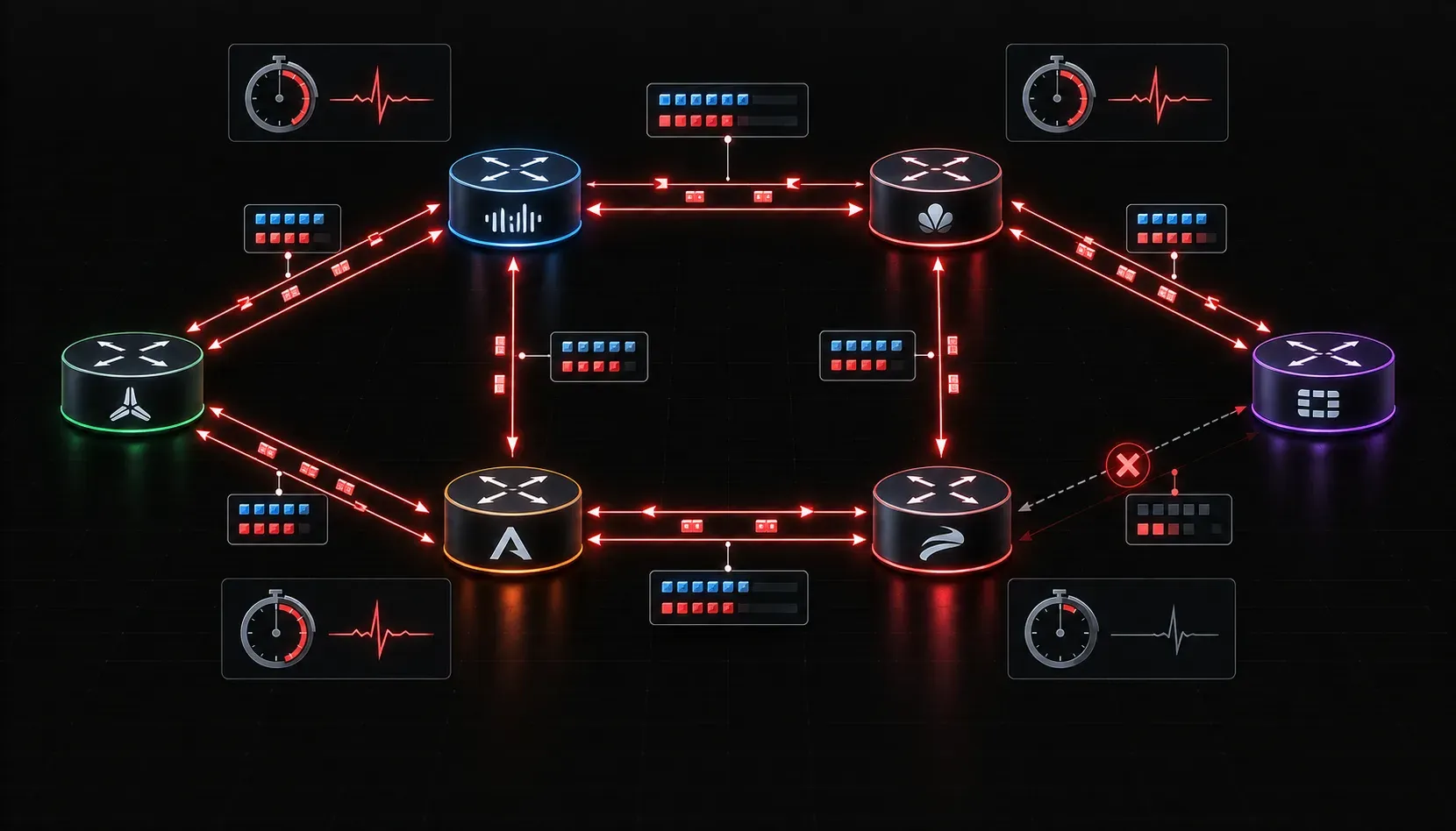
BFD verification is straightforward on a homogeneous Cisco network. The challenge arrives when you introduce Juniper, Arista, Nokia, or other vendor equipment into the same failure-detection domain. BFD sessions that look healthy on one side can mask subtle timer mismatches, authentication failures, or discriminator conflicts that only surface during an actual failure event. This post covers the verification methodology and test commands you need to confirm BFD is genuinely operational across a mixed-vendor topology.
Understanding What You Are Actually Verifying
BFD operates as an independent protocol. It does not inherit session state from the routing protocol it supports. A routing protocol adjacency can be fully established while the underlying BFD session is in a Down or AdminDown state, meaning you have lost your fast failure detection without knowing it. Your verification workflow must confirm three things independently: the BFD session state, the negotiated timers, and the protocol-to-BFD binding.
Core Cisco IOS-XE and IOS-XR Verification Commands
Session State and Negotiated Parameters
Start with the summary view to identify any sessions that are not in Up state:
show bfd neighborsFor detailed timer negotiation and discriminator values, which are critical for multi-vendor troubleshooting:
show bfd neighbors detailsSample output you should parse carefully:
OurAddr        NeighAddr      LD/RD         RH/RS     State     Int
10.0.12.1      10.0.12.2      1/2           Up        Up        Gi0/0/1

NeighAddr       LD/RD         TX Interval   RX Interval  Mult  State
10.0.12.2       1/2           300           300          3     Up
Registered protocols: OSPF
The fields to cross-reference with the remote vendor device:
- LD/RD: Local Discriminator / Remote Discriminator. The local LD on your Cisco device must match the RD reported by the peer, and vice versa. A mismatch here indicates a session that never fully completed the handshake.
- TX Interval / RX Interval: These are the negotiated values after the BFD handshake, not the configured minimums. Verify they match what the remote vendor reports as active timers.
- Mult: The detect multiplier. This must be agreed upon. Some vendor implementations default to a multiplier of 3 while others default to 5. The effective failure detection time is Rx Interval x Mult, so a mismatch creates asymmetric detection windows.
- Registered protocols: This line confirms that the routing protocol has actually registered with BFD. If this line is absent, the protocol is not using BFD even if the session is up.
IOS-XR Specific Commands
On IOS-XR, BFD session visibility uses a slightly different syntax and provides additional counters that are useful for detecting packet loss between vendors:
show bfd session
show bfd session detail
show bfd counters packet interface GigabitEthernet0/0/0/1
The counter output will show transmitted and received control packets. In a healthy session, both counters increment at the expected interval. A transmit counter incrementing while receive stays flat is a one-way BFD failure, which often points to a firewall or ACL blocking UDP port 3784 (single-hop BFD) or 4784 (multi-hop BFD) in one direction.
Multi-Vendor Compatibility Checks
Timer Negotiation Across Vendors
BFD negotiates the actual tx/rx interval using the higher of the two configured minimums. If your Cisco device is configured for 300ms minimum intervals and the Juniper peer is configured for 1000ms, the negotiated interval will be 1000ms. This is expected behavior, but it must be verified explicitly. Do not assume the configured value is the operational value.
On a Juniper device (for reference when working with your network operations counterpart):
show bfd session detailJuniper output includes Detect time which is the calculated failure detection threshold. Compare this against the value you derive from your Cisco output (Rx Interval x Mult). They should be equivalent or very close.
Authentication Compatibility
BFD supports multiple authentication modes: Simple Password, MD5, and SHA-1. When authentication is configured on one side but not the other, the session will not establish. When authentication types differ between vendors, the same result occurs. The symptom is a session stuck in Init state rather than reaching Up.
Verify authentication configuration on Cisco:
show bfd neighbors details | include AuthIf authentication is required, confirm both vendors support the same type. SHA-1 with sequence numbers (Meticulous SHA-1) provides the strongest protection but has the least universal support across older vendor firmware versions.
BFD Test Commands and Controlled Failure Testing
Verifying that BFD triggers routing protocol convergence is a separate test from verifying the session is up. A BFD session can be up, the routing protocol can be registered, and the failover can still fail to trigger if the protocol-to-BFD binding is misconfigured. The only authoritative test is a controlled failure.
Simulating BFD Failure on Cisco
The cleanest method for controlled testing without physically pulling a cable is to administratively shut down the BFD session. This triggers a BFD AdminDown notification to the peer, which should immediately bring down the routing protocol adjacency:
interface GigabitEthernet0/0/1
 bfd interval 300 min_rx 300 multiplier 3
 shutdown
Monitor convergence on the peer side while doing this. Measure the actual convergence time against your design target. In a well-configured BFD deployment, convergence should occur in under one second for 300ms timers with a multiplier of 3 (900ms detection window).
An alternative that does not require interface shutdown is to use BFD echo mode disruption. Disabling echo mode changes the session behavior and can expose timer sensitivities without fully dropping the session:
no bfd echoThis is particularly useful when testing multi-vendor interoperability because echo mode is implemented differently across vendors. Some vendors do not support echo mode at all, and the session must fall back to asynchronous mode. Verify with show bfd neighbors details that the echo function is disabled if the remote vendor does not support it.
Logging and Event Verification
Enable BFD event logging to capture session state changes during testing:
debug bfd event
debug bfd packet
Use debug bfd packet sparingly in production. In high-scale environments with many BFD sessions, this will generate significant output. Limit scope using access-lists if your IOS version supports conditional debugging:
debug condition interface GigabitEthernet0/0/1Common Multi-Vendor BFD Failures and Their Signatures
- Session stuck in Init: One side is sending BFD control packets but not receiving valid responses. Check discriminator values, authentication mismatch, and UDP port filtering.
- Session flapping: Timers too aggressive for the physical path or CPU contention on either device. Check whether the negotiated interval is being honored under load.
- Session Up but no protocol failover: The routing protocol is not registered with BFD. Verify the
bfdkeyword is present in the routing protocol neighbor configuration and confirmRegistered protocolsin the BFD neighbor detail output. - Asymmetric detection window: Different multipliers configured on each side. Standardize on a common multiplier value across all vendors in your environment.
What's Next
With BFD verification methodology and multi-vendor compatibility checks covered, the next logical area to tackle within ENARSI Layer 3 technologies is OSPF advanced features: specifically, how OSPF leverages BFD for its own fast convergence, and how you configure and verify OSPF authentication, summarization, and route filtering across complex enterprise topologies.
Tools and resources for this topic
- CCNP ENARSI 300-410 Official Cert Guide — The definitive ENARSI study resource by Raymond Lacoste. Covers advanced routing, services, and troubleshooting.