
What is DHCP and How Does It Work?
This post explains what DHCP is and how it automates IP address assignment on a network. It covers the four-step DORA process (Discover, Offer, Request, Acknowledge) and explains key concepts like lease time. It's written for CCNA beginners studying the IP Services domain.

What is DHCP?
If you've ever connected your laptop to a Wi-Fi network and immediately had internet access without typing in a single IP address, you have DHCP to thank. DHCP (Dynamic Host Configuration Protocol) is a network protocol that automatically assigns IP addresses and other network configuration settings to devices on a network. It's one of those behind-the-scenes workhorses that most people never think about, but it makes modern networking significantly easier to manage.
Before DHCP, network administrators had to manually configure every single device with a static IP address, subnet mask, default gateway, and DNS server. On a network with hundreds or thousands of devices, that becomes a management nightmare fast. DHCP solves this by automating the entire process.
What Information Does DHCP Provide?
When a device receives a DHCP assignment, it typically gets more than just an IP address. A DHCP server hands out a complete set of network configuration parameters, including:
- IP address: a unique address assigned to the device on the network
- Subnet mask: defines which part of the IP address identifies the network
- Default gateway: the router the device uses to reach other networks
- DNS server(s): the servers used to resolve domain names like google.com into IP addresses
- Lease time: how long the device is allowed to use the assigned IP address
How Does DHCP Work? The DORA Process
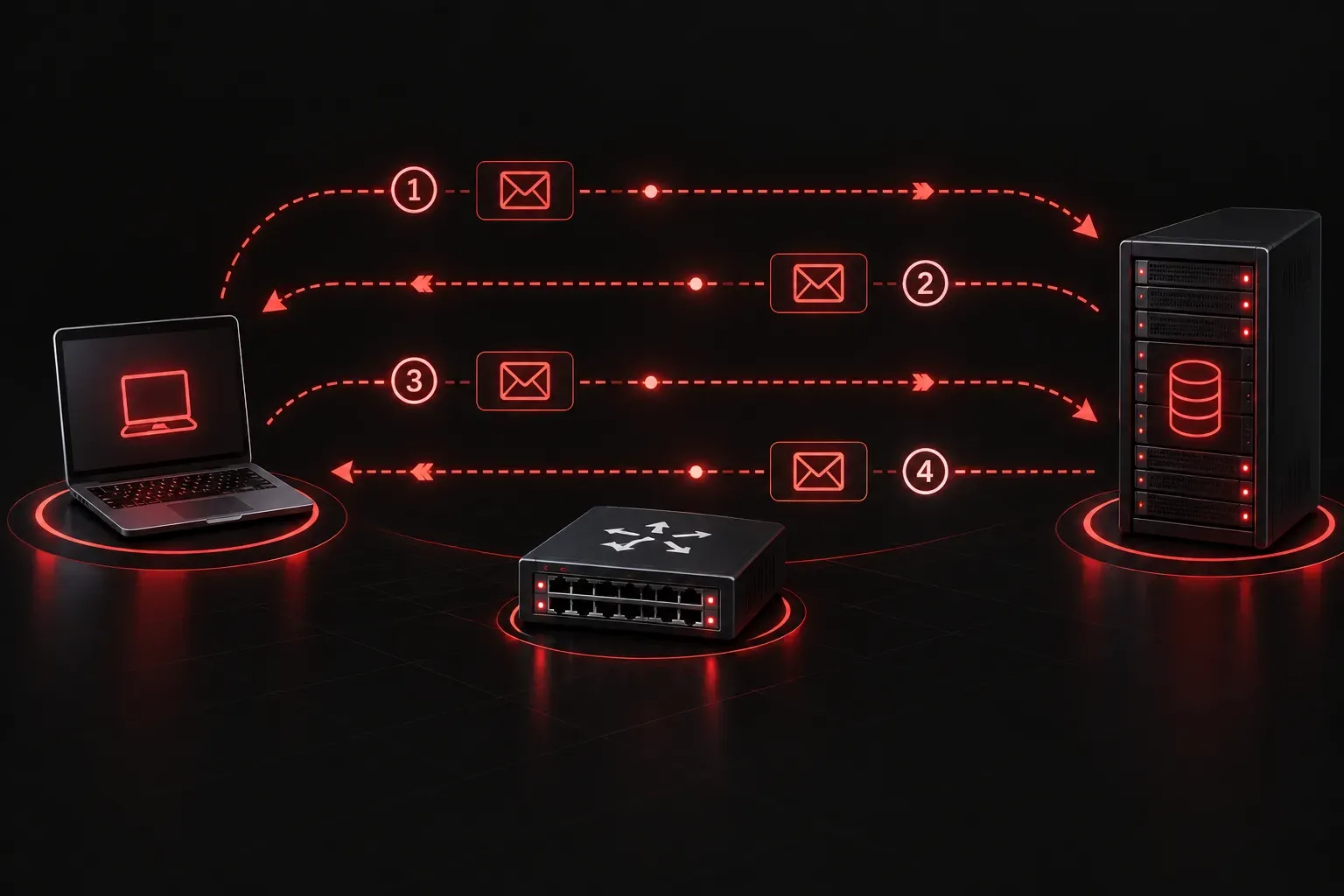
DHCP operates through a four-step exchange between the client (your device) and the DHCP server. Network engineers often call this the DORA process, which stands for Discover, Offer, Request, and Acknowledge.
Step 1: Discover
When a device first connects to a network, it doesn't have an IP address yet. It broadcasts a DHCP Discover message across the network, essentially shouting: "Is there a DHCP server out there?" Since the device has no IP address, this message is sent from 0.0.0.0 to the broadcast address 255.255.255.255.
Step 2: Offer
The DHCP server receives the Discover message and responds with a DHCP Offer, proposing an available IP address along with all the other configuration details. If multiple DHCP servers exist on the network, the client may receive multiple offers.
Step 3: Request
The client selects one of the offers and sends a DHCP Request back to the server, confirming which offer it wants to accept. This message is still broadcast so that any other DHCP servers on the network know their offer was not selected.
Step 4: Acknowledge
Finally, the DHCP server sends a DHCP Acknowledge (ACK) message to confirm the lease. The client now has a valid IP address and can communicate on the network.
Here's what that exchange looks like at a high level:
Client         DHCP Server
  |                 |
  |--- Discover --->|   "Anyone have an IP for me?"
  |                 |
  |<---- Offer -----|   "Yes! How about 192.168.1.50?"
  |                 |
  |--- Request ---->|   "I'll take 192.168.1.50, please."
  |                 |
  |<---- ACK -------|   "It's yours for 24 hours."
  |                 |
What is a DHCP Lease?
IP addresses assigned by DHCP are not permanent. They come with a lease time, which is a countdown timer. When the lease expires, the device must either renew it (which typically happens automatically at the halfway point) or release the address back to the pool. This mechanism allows the DHCP server to reclaim unused addresses and reassign them, which is especially important on large networks with lots of devices coming and going.
Why DHCP Matters for the CCNA
Understanding DHCP basics is a core part of the CCNA exam under IP Services. You'll need to know the DORA process, understand how leases work, and also know how to configure a Cisco router to act as a DHCP server, and what a DHCP relay agent does when the server is on a different network segment than the client. Those topics build directly on what you've learned here.
What's Next?
Now that you understand how DHCP works conceptually, the next step is getting hands-on. In the next post, we'll look at how to configure a Cisco router as a DHCP server, including how to exclude static addresses from the pool and verify your configuration with show ip dhcp binding and related commands. If you want a deeper written reference, check out the Cisco Press CCNA 200-301 Official Cert Guide by Wendell Odom, which covers DHCP thoroughly in the IP Services domain.
Tools and resources for this topic
- Wendell Odom CCNA Vol 1 — Covers networking fundamentals, switching, and routing basics.
- Wendell Odom CCNA Vol 2 — Covers advanced routing, WAN, infrastructure services, and security.