
What is a VLAN and Why is it Important?
VLANs (Virtual Local Area Networks) create logical network segments within physical infrastructure, providing security, performance, and management benefits. This beginner-friendly introduction explains VLAN concepts using real-world analogies and covers the fundamental purpose of network segmentat

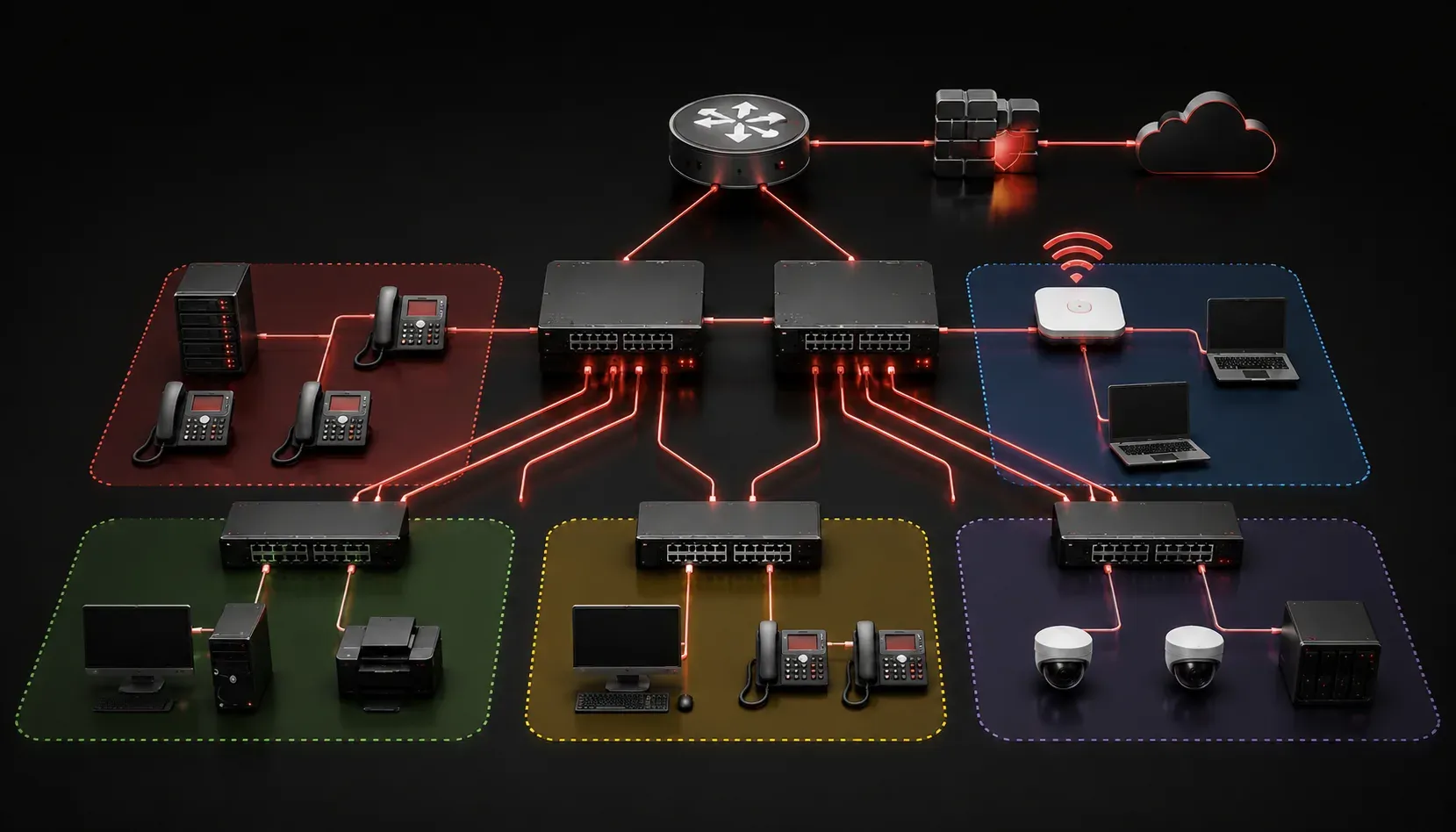
If you've ever wondered how large networks manage to keep different types of traffic separate and organized, you're about to discover one of networking's most powerful tools. A VLAN (Virtual Local Area Network) is a logical grouping of devices on a network, regardless of their physical location. Think of it as creating separate "rooms" within a building, where each room serves a specific purpose and the people in each room can only talk to others in the same room—unless you specifically open a door between them.
Understanding VLANs with a Real-World Analogy
Imagine a large office building with one massive open floor. Without walls or departments, it would be chaotic, with accounting staff hearing sales calls, executives overhearing HR discussions, and visitors wandering into secure areas. VLANs act like invisible walls, creating separate departments within your network, even when all devices are connected to the same physical switches.
In traditional networking, each physical network segment required its own switch. With VLANs, a single switch can host multiple virtual networks, each isolated from the others. A computer in VLAN 10 cannot directly communicate with a computer in VLAN 20, even if they're plugged into the same switch.
Key VLAN Benefits
Understanding VLAN benefits helps explain why they've become essential in modern network design:
- Security Enhancement: VLANs provide network segmentation that limits broadcast domains and restricts access between different groups of users
- Improved Performance: By reducing broadcast traffic and limiting collision domains, VLANs help networks run more efficiently
- Simplified Management: Network administrators can logically group users by function rather than physical location
- Cost Reduction: Multiple logical networks can share the same physical infrastructure
- Flexibility: Users can be moved between VLANs through configuration changes rather than physical cable moves
How VLANs Work in Practice
Each VLAN is identified by a VLAN ID, typically ranging from 1 to 4094. VLAN 1 is the default VLAN on most Cisco switches, and all ports belong to it initially. Here's a simple example of how you might see VLANs configured:
Switch(config)# vlan 10
Switch(config-vlan)# name Sales
Switch(config-vlan)# exit
Switch(config)# vlan 20
Switch(config-vlan)# name Engineering
Switch(config-vlan)# exit
Once VLANs are created, you assign switch ports to specific VLANs:
Switch(config)# interface fastethernet 0/1
Switch(config-if)# switchport mode access
Switch(config-if)# switchport access vlan 10
This configuration assigns port Fa0/1 to VLAN 10 (Sales), meaning any device connected to that port becomes part of the Sales VLAN.
VLAN Purpose in Network Design
The primary VLAN purpose extends beyond simple network segmentation. VLANs enable network administrators to implement security policies, quality of service (QoS) rules, and access controls based on logical groupings rather than physical connections. This means your accounting department can have strict security policies applied to their VLAN, while the guest network can have limited internet access, all managed through the same physical infrastructure.
VLANs also support network scalability. As organizations grow, adding new users to appropriate VLANs is straightforward, and changes can be made centrally without physically rewiring the network.
Types of VLAN Connections
Switch ports can be configured in two ways when working with VLANs:
- Access Ports: Connect to end devices (computers, phones) and carry traffic for only one VLAN
- Trunk Ports: Connect switches together and can carry traffic for multiple VLANs simultaneously
Understanding these concepts is crucial because they form the foundation of how VLANs span across multiple switches in larger network deployments.
What's Next
Now that you understand what VLANs are and their importance in network design, the next step is learning how to configure and verify VLANs on Cisco switches. In our next post, we'll walk through the hands-on process of creating VLANs, assigning ports, and verifying your configurations with show commands; essential skills for both real-world networking and CCNA exam success.
Tools and resources for this topic
- CCNA Official Cert Guide (Wendell Odom) — The definitive CCNA study resource. Both volumes cover the 200-301 exam blueprint in full.
- Wendell Odom CCNA Vol 1 — Covers networking fundamentals, switching, and routing basics.
- Wendell Odom CCNA Vol 2 — Covers advanced routing, WAN, infrastructure services, and security.