
Advanced Policy-Based Routing Configuration Techniques
This post explores advanced Policy-Based Routing configuration techniques including complex match conditions, object tracking for reliability, local policy routing, and performance optimization strategies for enterprise networks.

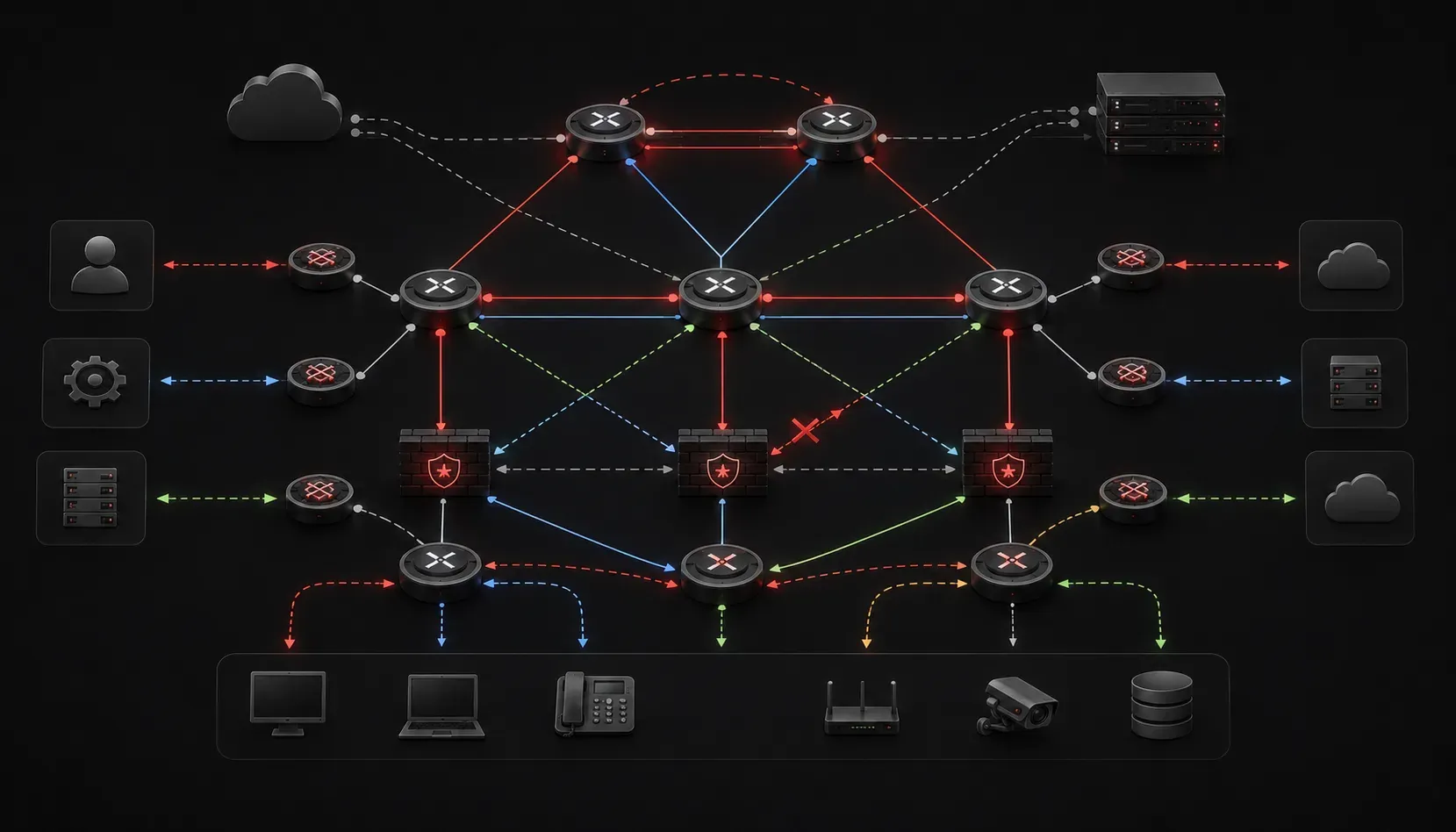
Policy-based routing (PBR) enables you to override standard destination-based routing decisions by applying custom routing policies based on source addresses, protocols, or other packet characteristics. While basic PBR implementations route traffic based on simple access lists, advanced configurations leverage sophisticated matching criteria and multiple next-hop scenarios to address complex enterprise requirements.
Enhanced Route Maps with Complex Match Conditions
Advanced PBR implementations utilize multiple match criteria within route maps to create granular traffic control policies. Consider this enterprise scenario where you need different routing behavior based on both source network and application type:
access-list 101 permit tcp 192.168.10.0 0.0.0.255 any eq 80
access-list 101 permit tcp 192.168.10.0 0.0.0.255 any eq 443
access-list 102 permit tcp 192.168.20.0 0.0.0.255 any eq 1433
access-list 103 permit ip 192.168.30.0 0.0.0.255 any

route-map PBR-ADVANCED permit 10
 match ip address 101
 match length 64 1500
 set ip next-hop verify-availability 203.0.113.1 1 track 1
 set ip next-hop verify-availability 203.0.113.2 2 track 2

route-map PBR-ADVANCED permit 20
 match ip address 102
 set ip next-hop verify-availability 198.51.100.1 1 track 3
 set ip precedence 5

route-map PBR-ADVANCED permit 30
 match ip address 103
 set interface GigabitEthernet0/1
 set ip df 1
This configuration demonstrates several advanced techniques. The match length command filters packets based on size, useful for handling fragmented traffic differently. The set ip next-hop verify-availability command provides redundancy with tracking objects and is available in Cisco IOS versions 12.4(6)T and later, while set ip precedence marks traffic for QoS processing downstream.
Implementing Reliable PBR with Object Tracking
Enterprise networks require PBR policies that adapt to link failures automatically. Object tracking integration ensures your policy routes remain functional even when primary paths become unavailable. This implementation uses IP SLA (Service Level Agreement), Cisco's network monitoring technology that continuously measures network performance metrics:
track 1 ip sla 1 reachability
track 2 ip sla 2 reachability
track 3 interface GigabitEthernet0/2 line-protocol

ip sla 1
 icmp-echo 203.0.113.1 source-interface GigabitEthernet0/0
 threshold 2000
 timeout 5000
 frequency 10

ip sla 2
 icmp-echo 203.0.113.2 source-interface GigabitEthernet0/0
 threshold 2000
 timeout 5000
 frequency 10

ip sla schedule 1 life forever start-time now
ip sla schedule 2 life forever start-time now

route-map PBR-FAILOVER permit 10
 match ip address 110
 set ip next-hop verify-availability 203.0.113.1 1 track 1
 set ip next-hop verify-availability 203.0.113.2 2 track 2
 set ip next-hop 10.1.1.1
This configuration creates a three-tier failover mechanism. IP SLA probes monitor the reachability of next-hop addresses by sending ICMP echo requests every 10 seconds. If the primary next-hop 203.0.113.1 becomes unreachable (tracked via IP SLA), traffic automatically fails over to the secondary next-hop. If both tracked addresses fail, traffic routes to the default next-hop 10.1.1.1.
Local Policy Routing for Router-Generated Traffic
Standard PBR only affects transit traffic, but local policy routing enables PBR for traffic originated by the router itself. This proves essential in scenarios where management traffic must follow specific paths:
access-list 120 permit tcp any any eq 22
access-list 121 permit udp any any eq 161
access-list 122 permit tcp any any eq 443

route-map LOCAL-PBR permit 10
 match ip address 120
 set ip next-hop 192.0.2.10

route-map LOCAL-PBR permit 20
 match ip address 121 122
 set ip next-hop 192.0.2.20

ip local policy route-map LOCAL-PBR
The ip local policy route-map command applies the route map to locally generated packets, ensuring SSH sessions and SNMP traffic follow designated management paths while HTTPS traffic uses alternative routing.
Advanced Troubleshooting and Verification
Comprehensive verification requires multiple diagnostic approaches. Start with route map hit counters and policy routing statistics:
show route-map PBR-ADVANCED
show ip policy
show ip route policy
debug ip policy
The show route-map output displays match and set clause hit counters, helping identify which policies are actively processing traffic. For deeper analysis, examine the policy routing cache:
show ip cache policy
clear ip route cache
When troubleshooting PBR failures, verify that ip route-cache is enabled on the interface and check for conflicting routing configurations. The set ip default next-hop command only applies when no explicit route exists in the routing table, while set ip next-hop always overrides routing table decisions.
Performance Optimization Techniques
Large-scale PBR deployments require careful optimization to maintain forwarding performance. Use the most specific access lists possible and order route map sequences based on traffic volume patterns. The router evaluates route map entries sequentially, so place high-traffic matches early in the sequence.
Consider using set interface instead of set ip next-hop when the next-hop resides on a directly connected network, as this eliminates recursive route lookups. For environments with frequent topology changes, implement route map optimization through periodic hit counter analysis and reordering based on actual traffic patterns.
route-map PBR-OPTIMIZED permit 5
 match ip address HIGH-VOLUME-TRAFFIC
 set interface GigabitEthernet0/1

route-map PBR-OPTIMIZED permit 10
 match ip address MEDIUM-VOLUME-TRAFFIC
 set ip next-hop verify-availability 203.0.113.1 1 track 1

route-map PBR-OPTIMIZED permit 15
 match ip address LOW-VOLUME-TRAFFIC
 set ip next-hop 198.51.100.1
PBR in MPLS VPN Environments
In MPLS VPN deployments, PBR operates within the customer VRF context, allowing service providers to implement customer-specific routing policies. Here's an example of PBR configuration within a VRF:
ip vrf CUSTOMER-A
 rd 65001:100
 route-target export 65001:100
 route-target import 65001:100

interface GigabitEthernet0/1
 ip vrf forwarding CUSTOMER-A
 ip address 10.1.1.1 255.255.255.0
 ip policy route-map CUSTOMER-A-PBR

route-map CUSTOMER-A-PBR permit 10
 match ip address 130
 set vrf CUSTOMER-A next-hop 10.2.2.1

access-list 130 permit ip 192.168.100.0 0.0.0.255 any
The set vrf command ensures that next-hop resolution occurs within the specified VRF context, maintaining proper MPLS VPN isolation while enabling policy-based forwarding decisions.
What's Next
With advanced PBR techniques mastered, the next logical progression involves integrating these policies with BGP communities for large-scale service provider implementations and exploring PBR interactions with SD-WAN overlay networks. The combination of PBR with MPLS traffic engineering provides powerful tools for traffic optimization in complex networks.
Tools and resources for this topic
- CCNP ENARSI 300-410 Official Cert Guide — The definitive ENARSI study resource by Raymond Lacoste. Covers advanced routing, services, and troubleshooting.