
AI Code Completion: A Guide for IT Professionals
Learn how AI code completion works and best practices for IT professionals to leverage smart code suggestions for improved coding efficiency and accuracy in network automation and development tasks.

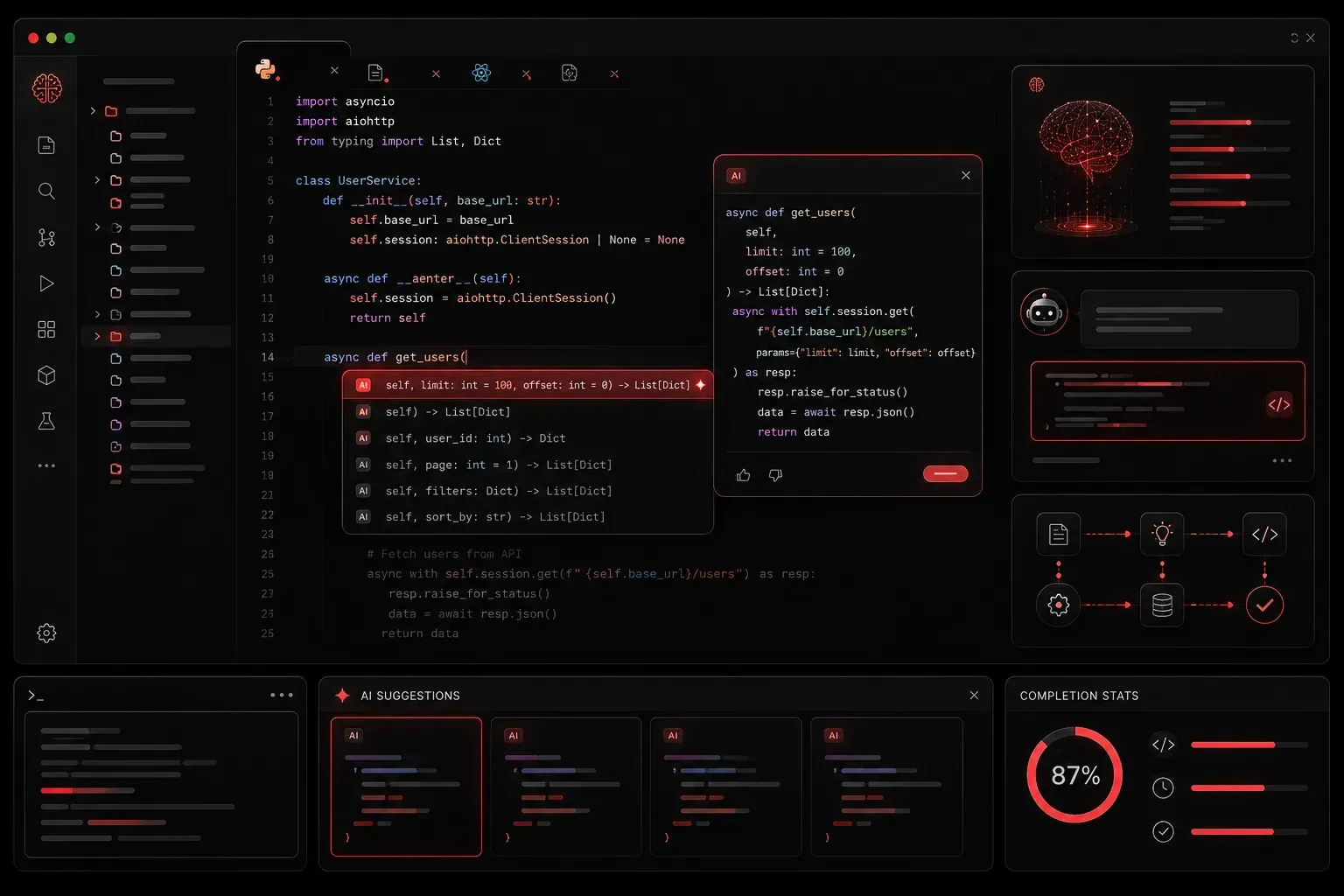
AI code completion has revolutionized how developers and IT professionals write code. Instead of typing every character manually, AI-powered tools analyze your code context and suggest completions in real-time. Understanding how these systems work and how to use them effectively can dramatically improve your coding efficiency and reduce errors.
How AI Code Completion Works
AI code completion tools use large language models trained on millions of lines of code from public repositories. When you start typing, the AI analyzes your current code context, including variables, functions, and patterns, to predict what you're likely to write next.
The process happens in milliseconds:
- Context Analysis: The AI examines your current file, imported modules, and surrounding code
- Pattern Recognition: It identifies coding patterns and conventions you're following
- Suggestion Generation: The model generates multiple completion options ranked by probability
- Real-time Display: The most likely suggestions appear as you type
Popular AI Code Completion Tools
Several powerful tools provide AI coding support across different environments:
- GitHub Copilot: Integrated into VS Code, provides context-aware suggestions for multiple languages (requires paid subscription after free trial)
- Amazon CodeWhisperer: Free tier available, supports general-purpose coding across multiple languages with particular strength in AWS services
- Tabnine: Works across multiple IDEs, offers both cloud and local models
- Codeium: Free alternative with competitive accuracy
Practical Implementation Examples
Let's see how smart code suggestions work in practice, with examples relevant to network engineering and IT automation:
Network Configuration Parsing
Here's a Python function where AI completion becomes invaluable for network engineers:
# You type this comment:
# Function to parse network configuration and extract VLAN information

# AI suggests this complete function:
def parse_vlan_config(config_text):
    """
    Parse network configuration text and extract VLAN information.

    Args:
        config_text (str): Raw configuration text

    Returns:
        dict: Dictionary with VLAN IDs and their descriptions
    """
    vlans = {}
    lines = config_text.split('\n')

    for line in lines:
        if line.strip().startswith('vlan'):
            vlan_match = re.search(r'vlan (\d+)', line)
            if vlan_match:
                vlan_id = vlan_match.group(1)
                # AI continues suggesting based on context
                if 'name' in line:
                    name = line.split('name')[-1].strip()
                    vlans[vlan_id] = name

    return vlans
Network Device Automation
For network automation tasks, AI completion excels at suggesting device connection patterns:
# Comment: Connect to multiple switches and gather interface statistics
# AI suggests structured approach:
def collect_interface_stats(device_list, username, password):
    results = {}
    for device in device_list:
        try:
            # AI suggests appropriate connection method
            connection = ConnectHandler(
                device_type='cisco_ios',
                host=device['ip'],
                username=username,
                password=password
            )
            # AI completes with common show commands
            output = connection.send_command('show interfaces status')
            results[device['hostname']] = parse_interface_output(output)
            connection.disconnect()
        except Exception as e:
            results[device['hostname']] = {'error': str(e)}
    return results
Best Practices for IT Professionals
Automated coding help works best when you follow these guidelines:
Write Clear Context
Start with descriptive comments or function names. AI tools perform better when they understand your intent:
# Good: Clear intent
# Create SSH connection to network device and execute show commands

# Better: Specific context
# Connect to Cisco router via SSH and retrieve interface status
Review and Validate Suggestions
Always verify AI-generated code, especially for network automation or security-related tasks. The AI might suggest syntactically correct code that doesn't match your specific environment requirements.
Use Consistent Naming Conventions
AI tools learn from your patterns. If you consistently use device_ip instead of ip, the AI will adapt and suggest more accurate completions.
Common Pitfalls to Avoid
While AI code completion is powerful, watch out for these issues:
- Over-reliance: Don't accept every suggestion without understanding what it does
- Security blindness: AI might suggest code with security vulnerabilities or hardcoded credentials
- Context confusion: In large files, the AI might lose track of variable scope or purpose
Measuring Your Productivity Gains
Research and industry reports show that IT professionals typically experience:
- 25-35% faster code writing for routine tasks (based on GitHub's 2023 developer productivity studies)
- Reduced syntax errors and typos by up to 40%
- Better discovery of library functions and methods, particularly for unfamiliar APIs
- More consistent coding patterns across projects
- Significant time savings in boilerplate code generation for network automation scripts
Track your own metrics by measuring completion time for similar tasks before and after implementing AI assistance.
What's Next: Agentic AI Development
Now that you understand AI code completion fundamentals, the next step is exploring agentic AI development. Agentic AI refers to AI systems that can autonomously plan, execute, and iterate on coding tasks by breaking complex problems into smaller steps and making decisions along the way. This represents the next evolution beyond simple code completion, enabling AI to generate entire functions, debug issues, and even architect solutions with minimal human guidance.
We'll cover how to craft effective prompts that generate complete, working code blocks for common IT automation tasks and leverage these more advanced AI capabilities.