
Choosing the Right Generative AI Approach: Fine-Tuning, Prompting, Tools or Plain Code
This post walks IT professionals through a scenario-based framework for choosing the right generative AI approach: prompting, tool use, fine-tuning, or custom code. It covers foundation models, temperature control, LLM text to SQL, and multimodal chaining with a practical decision checklist at the

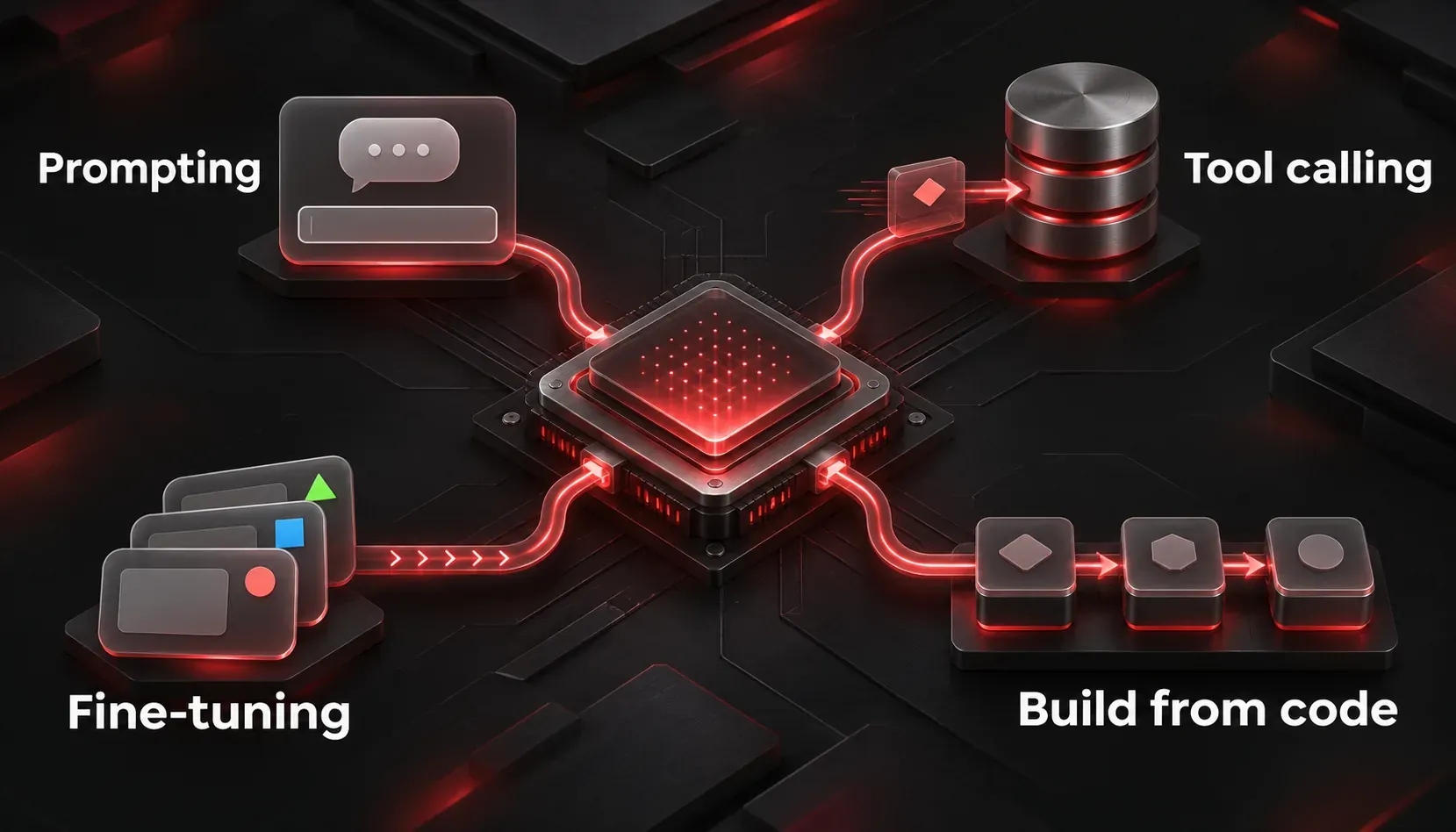
Start with prompting: it is the quickest and cheapest option to try, and foundation models handle many tasks well. Add tool calling when the answer depends on live data, consider fine-tuning when prompting keeps missing a defined style or behaviour and you have enough good labelled examples, and build from code when the workflow needs several coordinated steps or models.
Your team has just been handed a vague mandate: "Use AI to speed up how we work." Three different engineers read that the same way and walk away with three completely different plans. One wants to fine-tune a model on internal docs. One wants to build a custom chat interface from scratch. One just wants to drop a system prompt into the API and ship it by Friday.
All three might be right. Or wrong. It depends entirely on the task. This post walks you through the reasoning framework you need to pick the right approach, with concrete examples drawn from the kind of work IT teams actually do.
What Makes a Model a Foundation Model
Before you can pick an approach, you need to understand what you are starting with. A foundation model is a large model trained on a broad dataset, designed to be adapted to many different downstream tasks. Models like GPT-4, Claude, Gemini, and Llama 3 all fit this definition. They were not trained to do one thing. They were trained to do almost everything, reasonably well, before you do anything to them.
This matters because it changes your starting question. Instead of "how do I build a model?", the question becomes "how much do I need to adapt this existing one?"
The four main options, roughly in order of complexity and cost, are:
- Prompting: Write a good instruction. Ship it.
- Tool use / function calling: Let the model call external systems to get real data.
- Fine-tuning: Retrain a portion of the model on your own labeled examples.
- Building from code: Orchestrate models, tools, and logic yourself in Python or similar.
Scenario 1: Code Refactoring with an Assistant
A developer on your team wants to clean up 200 legacy Python files. The code is inconsistent but not wrong. They want it reformatted, docstrings added, and variable names standardized.
The tempting wrong move is to fine-tune a model on your internal codebase. That sounds thorough, but it is expensive, slow, and almost certainly unnecessary. A foundation model already knows Python exceptionally well.
The right move is to write a strong system prompt and feed files in batches. Something like:
You are a senior Python developer. Refactor the following code to:
- Follow PEP 8 naming conventions
- Add a NumPy-style docstring to every function
- Replace single-letter variable names with descriptive ones
- Do not change the logic or return values

Return only the refactored code. No explanation.
Control the creativity with temperature. This is the parameter that governs how "random" or "creative" the model's outputs are. For refactoring, you want consistent, predictable behavior: set temperature low, around 0.0 to 0.2. For brainstorming or creative content, you might push it to 0.8 or higher. Temperature is not magic, but it is your first dial when output consistency matters.
Scenario 2: Fine-Tuning When a House Style Defines the Output
Your security team writes hundreds of incident reports every year. The format is very specific: approved terminology, a mandated structure, a formal tone that has been baked into policy. A foundation model gives you something that reads like a decent incident report. Your CISO reads it and says "this doesn't sound like us."
This is one of the legitimate cases for fine-tuning vs prompting as a real decision. When you have thousands of approved, labeled examples and the output format is non-negotiable, fine-tuning trains the model to reproduce your style reliably. Prompting alone can get you close. Fine-tuning closes the remaining gap at scale.
Fine-tuning is not always better. It is better when: the task is well-defined, you have enough high-quality examples (typically hundreds to thousands), and the style or format cannot be described concisely in a prompt.
Scenario 3: LLM Text to SQL Against Live Data
A network engineer wants to query your asset database in plain English. "Show me all switches running IOS 15.x that haven't been patched in 90 days." The database has 50,000 rows and changes daily.
You cannot answer this from the model's memory. The model was not trained on your database. The wrong approach is to dump a snapshot of the data into the prompt, which is wasteful, often impossible at scale, and stale by definition.
The right approach is LLM text to SQL: give the model your database schema, let it generate a SQL query, and execute that query against the live database to return a real answer. The model acts as a translator, not an oracle. This is a form of tool use, where the LLM calls a function you define:
def run_query(sql: str) -> list[dict]:
    # Execute against your actual database
    with db.connect() as conn:
        result = conn.execute(sql)
        return result.fetchall()
Provide the schema in the system prompt, include a few examples of good queries, and let the model write SQL it cannot possibly hallucinate because the execution layer catches errors immediately.
Scenario 4: Chaining Models for Multimodal Problems
A support engineer receives a voicemail and a screenshot in the same ticket. The voicemail describes the issue verbally. The screenshot shows an error in a terminal window.
No single model interaction solves this cleanly. The right move is to chain specialized models: a speech-to-text model (like Whisper) transcribes the audio, a vision model (like GPT-4o or Claude 3.5 Sonnet) reads the screenshot, and you merge both outputs into a single prompt for diagnosis. This is "building from code," and it is the right choice when your problem is genuinely multimodal and no single API call can capture all the input.
The Decision Checklist
- Does the foundation model already know this domain? If yes, start with prompting.
- Does the output need to match a strict, non-describable style? Consider fine-tuning with labeled examples.
- Does the task require real, live data? Use tool calling, not memory. LLM text to SQL is the canonical pattern.
- Is the input multimodal? Chain models rather than forcing one to handle everything.
- Is output consistency critical? Lower your temperature before you change anything else.
- Are you tempted to fine-tune because prompting feels "too simple"? Resist. Simple is fast and cheap.
Choosing a generative AI approach: common questions
When should I fine-tune a model instead of prompting it?
Try prompting first, because it is faster and cheaper. Consider fine-tuning when testing shows prompting keeps missing a strict style or behaviour and you have enough representative, high-quality examples, often hundreds to thousands.
What does temperature control?
How random the model's output is. Use a low temperature (around 0.0 to 0.2) for consistent, repeatable work such as refactoring code, and a higher one (0.8 or more) for brainstorming.
Why not paste my database into the prompt?
It is wasteful, often too large to fit, and stale the moment the data changes. Let the model write a query (text to SQL), validate it, and run it through a read-only connection limited to the data the user may see.
What is a foundation model?
A large model trained on a broad dataset so it can be adapted to many tasks, rather than one built for a single job.
When do I need to build from code?
When the job needs several coordinated steps or models, for example transcribing a voicemail and reading a screenshot from the same ticket with separate speech and vision steps, then combining the results for diagnosis.
What's Next
Now that you can match tasks to approaches, the next step is understanding how the model actually processes your input before it generates a word. In the next post, we look at tokenization and context windows: what they are, why they matter for cost and accuracy, and the practical limits you will hit on real projects.