
Dynamic ARP Inspection: Blocking ARP Poisoning
Dynamic ARP Inspection (DAI) is a Layer 2 security feature that prevents ARP poisoning attacks by validating ARP packets against the DHCP snooping binding table. This post explains how DAI works, how to configure it on a Cisco IOS switch, and how to verify the setup with real CLI output.

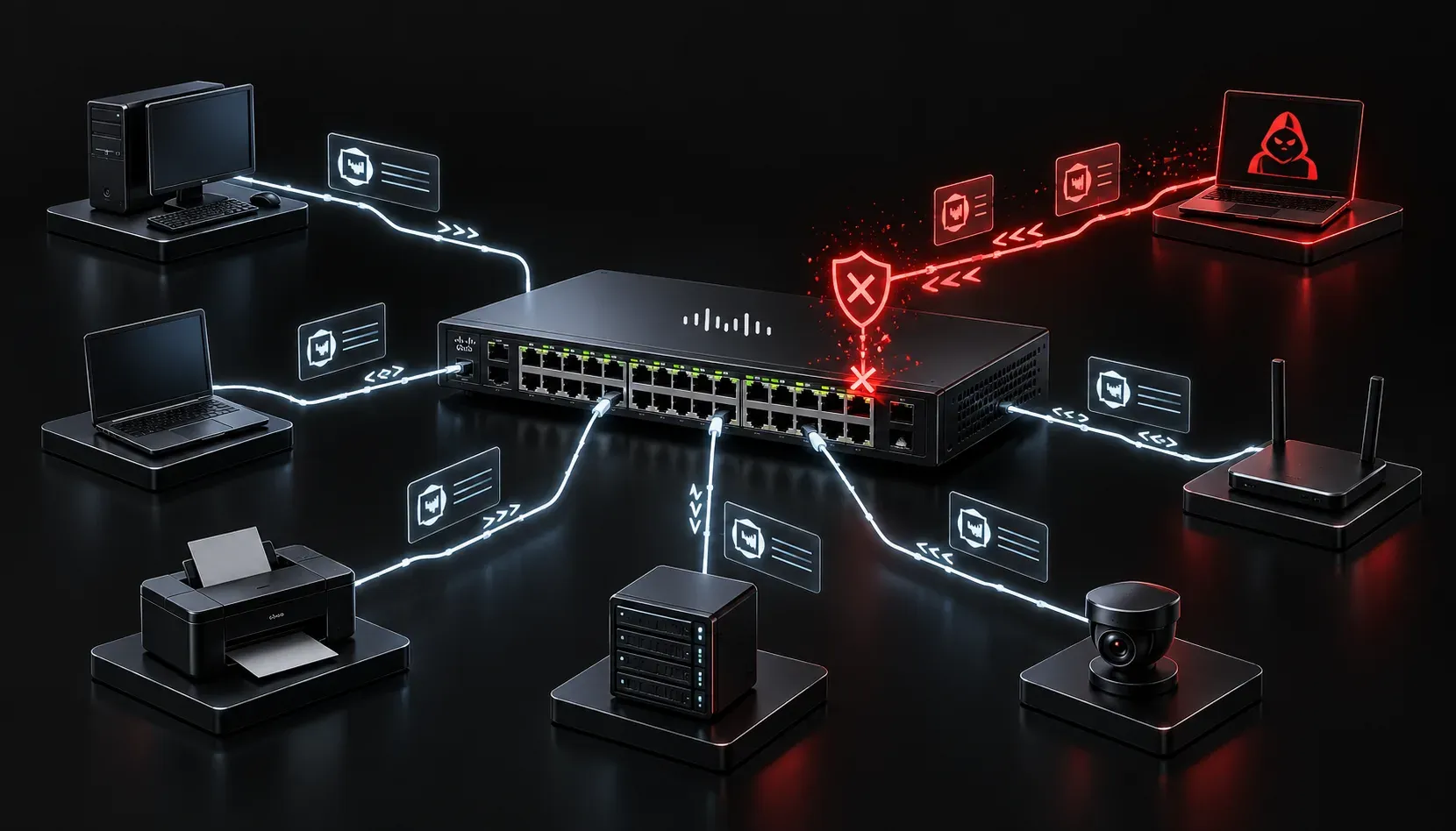
What Problem Does Dynamic ARP Inspection Solve?
Before diving into the solution, it helps to understand the attack. ARP (Address Resolution Protocol) is how devices on a local network map IP addresses to MAC addresses. When your PC wants to talk to the default gateway, it sends an ARP request asking "who has 192.168.1.1?" The gateway replies with its MAC address, and your PC caches that mapping.
Here is the problem: ARP has no authentication. Any device on the network can send a gratuitous ARP reply claiming to be the default gateway. If an attacker sends a forged ARP reply, your PC updates its cache with the attacker's MAC address instead of the real gateway's. Now all your traffic flows through the attacker's machine first. This is called ARP poisoning, and it is a classic man-in-the-middle attack.
Dynamic ARP Inspection (DAI) is a Layer 2 security feature that stops this attack at the switch level, before the forged reply ever reaches a victim host.
How Dynamic ARP Inspection Works
DAI inspects ARP packets as they arrive on switch ports and checks them against a trusted database called the DHCP snooping binding table. This table maps IP addresses to MAC addresses and the port they came in on. If an ARP packet's IP-to-MAC mapping does not match a valid entry in that table, the switch drops it.
This is why DAI and DHCP snooping go hand in hand. DHCP snooping builds the binding table, and DAI uses it to validate ARP traffic. You typically need DHCP snooping running before DAI will be effective.
Trusted vs. Untrusted Ports
Just like DHCP snooping, DAI uses a trusted/untrusted model:
- Untrusted ports: All user-facing access ports. ARP packets are inspected against the binding table.
- Trusted ports: Uplinks to other switches or routers. ARP packets are forwarded without inspection.
By default, all ports are untrusted when DAI is enabled on a VLAN. You only need to explicitly mark uplink ports as trusted.
Configuring Dynamic ARP Inspection
Here is a step-by-step configuration on a Cisco IOS switch. This example assumes DHCP snooping is already enabled for VLAN 10.
First, enable DHCP snooping (required for the binding table):
Switch(config)# ip dhcp snooping
Switch(config)# ip dhcp snooping vlan 10
Next, enable Dynamic ARP Inspection on the same VLAN:
Switch(config)# ip arp inspection vlan 10Then mark the uplink port as trusted so legitimate ARP traffic from upstream devices is not dropped:
Switch(config)# interface GigabitEthernet0/1
Switch(config-if)# ip arp inspection trust
Switch(config-if)# ip dhcp snooping trust
That is the core configuration. All other ports remain untrusted, meaning any ARP packet on those ports must match an entry in the DHCP snooping binding table or it gets dropped.
Verifying the Configuration
Use these commands to confirm everything is working correctly:
Switch# show ip arp inspection vlan 10

Source Mac Validation      : Disabled
Destination Mac Validation : Disabled
IP Address Validation      : Disabled

 Vlan     Configuration    Operation   ACL Match          Static ACL
 ----     -------------    ---------   ---------          ----------
   10     Enabled          Active

 Vlan     ACL Logging      DHCP Logging      Probe Logging
 ----     -----------      ------------      -------------
   10     Deny             Deny              Off
Switch# show ip arp inspection interfaces
Interface Trust State Rate (pps)
--------------- ----------- ----------
Gi0/1 Trusted None
Gi0/2 Untrusted 15
Gi0/3 Untrusted 15Notice the Rate (pps) column. DAI also includes rate limiting to protect the switch CPU from ARP floods. The default is typically 15 packets per second on untrusted ports.
A Quick Note on Static ARP ACLs
If a device uses a static IP address (not DHCP), it will not appear in the DHCP snooping binding table. DAI would drop its ARP packets. You can handle this by creating an ARP access control list and applying it to DAI, but that is a more advanced topic. For the CCNA exam, understand that static IP devices require additional configuration when DAI is in use.
What's Next
Now that you understand Dynamic ARP Inspection as part of the Layer 2 Security Features domain, the natural next step is looking at port security, which controls which MAC addresses are allowed to communicate through a switch port at all. Together, DHCP snooping, DAI, and port security form a solid Layer 2 defense strategy that the CCNA exam expects you to understand. We will break down port security configuration and verification in the next post.
Tools and resources for this topic
- CCNA Official Cert Guide (Wendell Odom) — The definitive CCNA study resource. Both volumes cover the 200-301 exam blueprint in full.
- Wendell Odom CCNA Vol 1 — Covers networking fundamentals, switching, and routing basics.
- Wendell Odom CCNA Vol 2 — Covers wireless LANs, ACLs, security, IP services, network architecture and automation.