
Common Cabling Issues in Networking
This post covers the most common cabling issues that cause network problems, including miswiring, opens and shorts, crosstalk, excessive cable length, and physical damage. It explains symptoms associated with each problem and provides a practical troubleshooting checklist. Both copper and fiber opt

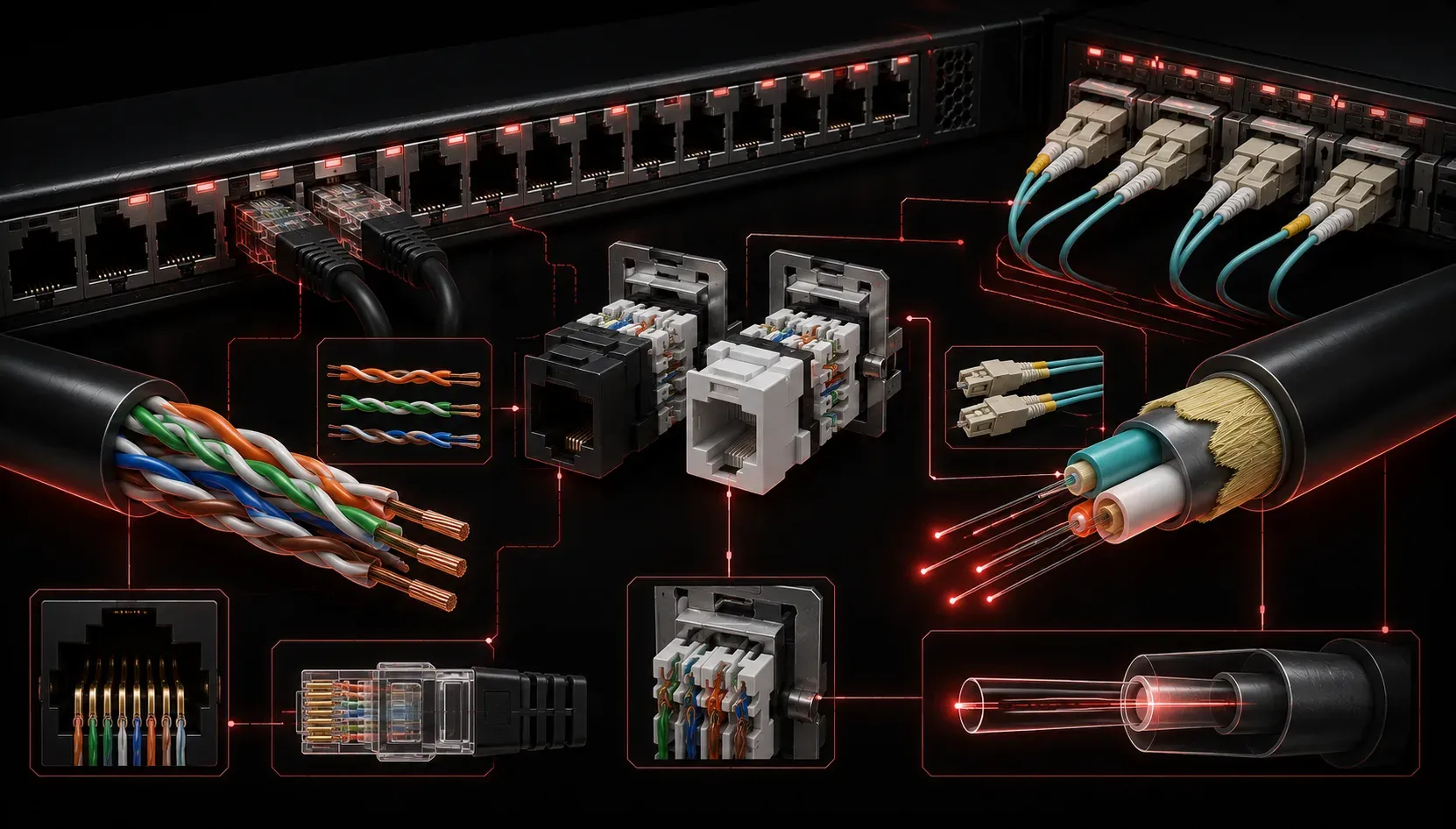
Cabling might seem like the boring part of networking, but it is responsible for a surprising number of real-world outages. Before you start blaming a misconfigured switch or a failed DHCP server, it is worth checking the physical layer first. In networking, we call this approach "bottom-up troubleshooting," and it starts at Layer 1 of the OSI model: the physical layer.
This post covers the most common cabling issues you will encounter as a network technician, what symptoms they cause, and how to start thinking about fixing cables when things go wrong.
Why Cabling Issues Matter
Network cables are the foundation of a wired network. Even a small defect in a cable can cause intermittent connectivity drops, slow speeds, or complete link failures. Because cabling problems are physical, they do not always generate obvious error messages. You might see a device struggling to connect or a switch port cycling up and down, but the root cause is sitting right there in the wall or patch panel.
Most enterprise networks use twisted pair cabling, specifically Cat5e, Cat6, or Cat6a copper cables with RJ-45 connectors. Fiber optic cables are used for longer runs and backbone connections. Each cable type has its own set of failure modes worth understanding.
Common Cabling Problems
Incorrect Pinout or Miswiring
Twisted pair cables must be wired in a specific order to work correctly. The two most common wiring standards are T568A and T568B. When both ends of a cable use the same standard, you have a straight-through cable, used to connect different device types like a PC to a switch. When the ends use different standards, you have a crossover cable, historically used to connect similar device types like switch to switch.
A miswired cable, where individual wire pairs are connected to the wrong pins, is called an incorrect pinout. This causes a complete connection failure or degraded performance. A cable tester can identify this immediately by checking each wire pair's continuity and mapping.
Open and Short Circuits
An open circuit means one or more wires in the cable are broken or not making contact. The signal has nowhere to travel on that wire pair. A short circuit means two wires that should not be touching are making contact with each other, which causes signal interference and link failure. Both of these conditions are detected with a basic cable tester or a Time Domain Reflectometer (TDR), which can even tell you how far along the cable the fault is located.
Crosstalk and Interference
Crosstalk occurs when the signal from one wire pair bleeds into an adjacent pair. This is one reason twisted pair cables are twisted in the first place: the twist helps cancel out electromagnetic interference between pairs. There are two types worth knowing:
- Near-End Crosstalk (NEXT): interference measured at the transmitting end of the cable, usually caused by poor termination or damaged cable jacket near the connector.
- Far-End Crosstalk (FEXT): interference measured at the receiving end, which becomes more noticeable over longer cable runs.
Crosstalk symptoms include slow speeds, packet errors, and CRC errors visible in switch port statistics.
Excessive Cable Length
Every cable type has a maximum distance specification. For Cat5e, Cat6, and Cat6a, the limit for 1 Gbps Ethernet is 100 meters (roughly 328 feet). Beyond that distance, signal attenuation causes the link to become unreliable or fail entirely. If a run needs to be longer, you need a switch, access point, or a fiber optic solution in between.
Bent, Kinked, or Damaged Cables
Physical damage is one of the most overlooked cabling issues. A cable that has been bent too sharply, pinched under furniture, or run through a door frame repeatedly may look fine on the outside but have internal wire breaks. This type of damage causes intermittent connectivity that is maddening to troubleshoot. When in doubt, swap the cable first. It is the cheapest and fastest test available.
Fiber-Specific Issues
Fiber optic cables have their own set of problems. Dirty or scratched connectors are the leading cause of fiber issues. Even fingerprints on a fiber connector face can attenuate the signal enough to drop a link. Always clean fiber connectors with a proper fiber cleaning tool before inserting them. Fiber also suffers from bend radius violations, where the cable is bent too tightly and the light signal escapes the core of the fiber, causing signal loss.
Quick Troubleshooting Checklist
- Check physical cable condition: look for kinks, cuts, or crushed sections.
- Reseat connectors at both ends of the cable.
- Use a cable tester to check for opens, shorts, and correct pinout.
- Verify cable length does not exceed the rated maximum for the cable type.
- Check switch port statistics for CRC errors, which often indicate cable or interference problems.
- For fiber, clean connectors and inspect with a fiber scope if available.
What's Next
Now that you understand how physical cabling issues can disrupt a network, the next step is learning how to use the tools that help you diagnose them more precisely. In the next post, we will look at common network troubleshooting tools, including cable testers, tone generators, and protocol analyzers, and when to use each one. These tools are a core part of the Network+ exam and day-to-day network work.
Tools and resources for this topic
- CompTIA Network+ Study Guide — Comprehensive N10-009 exam preparation covering all five domains.