
Frame Flooding Explained for Beginners
Frame flooding occurs when switches send frames out all ports because they don't know the destination MAC address location. While normal during learning, excessive flooding impacts bandwidth, security, and network performance.

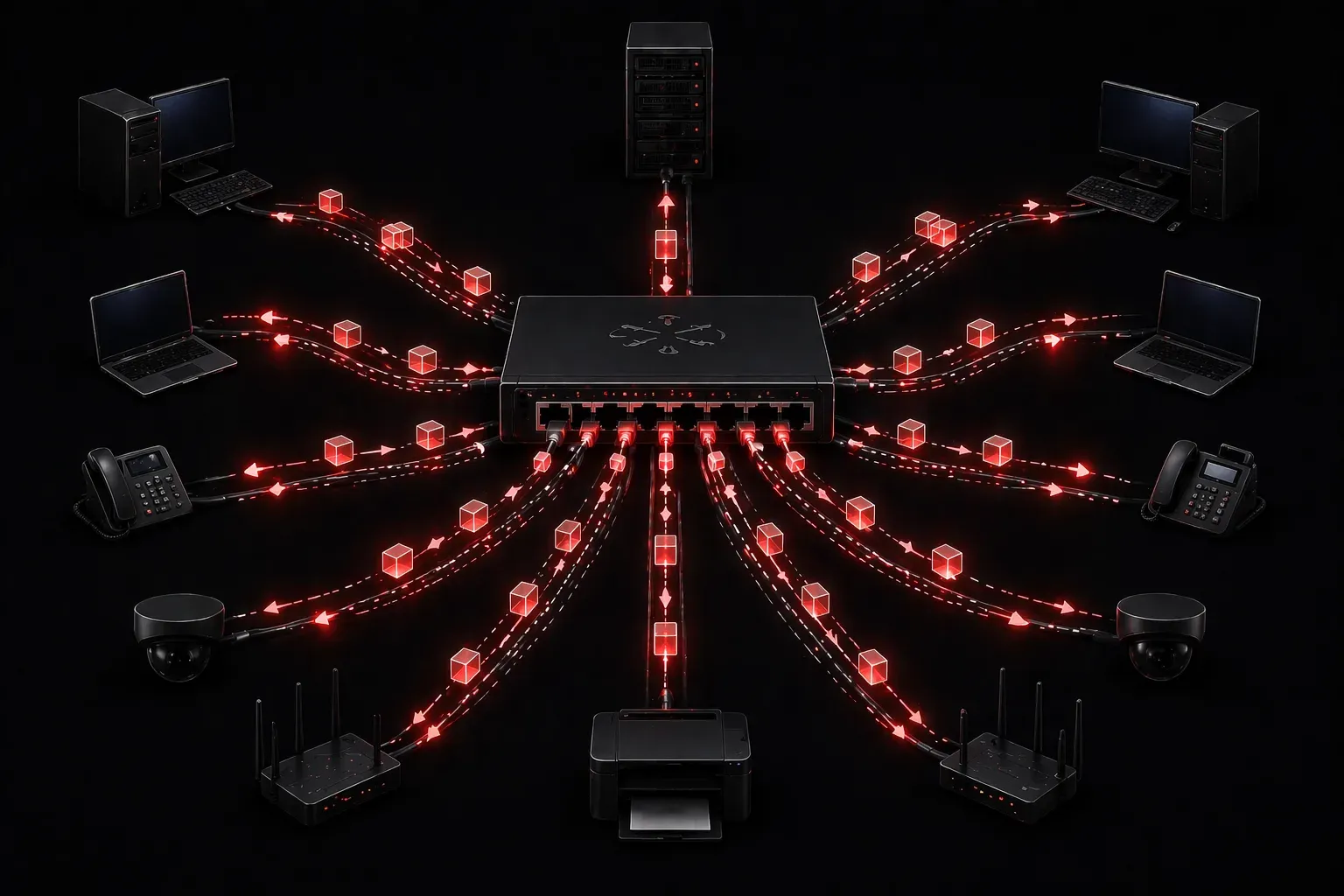
Frame flooding is one of those networking concepts that sounds scary but is actually a normal part of how switches learn and operate. Understanding when and why it happens will help you troubleshoot network performance issues and design better networks.
What is Frame Flooding?
Frame flooding occurs when a switch receives a frame but doesn't know which port leads to the destination MAC address. Instead of dropping the frame, the switch floods it out all ports (except the one it came in on). This ensures the frame reaches its destination, but at the cost of network efficiency.
Think of it like shouting a message in a crowded room when you can't see the person you're trying to reach. You'll get their attention, but you'll also disturb everyone else.
When Does Frame Flooding Happen?
Switches flood frames in several common scenarios:
- Unknown unicast addresses: The switch hasn't learned the destination MAC address yet
- Broadcast frames: Frames destined for
FF:FF:FF:FF:FF:FFare always flooded - Multicast frames: Unless IGMP snooping is configured, multicast traffic floods to all ports
- MAC table overflow: When the MAC address table fills up, the switch may flood frames
The MAC Address Learning Process
To understand flooding, you need to see how switches normally learn MAC addresses:
Switch# show mac address-table dynamic
          Mac Address Table
-------------------------------------------
Vlan    Mac Address       Type        Ports
----    -----------       --------    -----
   1    0050.7966.6800    DYNAMIC     Fa0/1
   1    0050.7966.6801    DYNAMIC     Fa0/2
Total Mac Addresses for this criterion: 2
When a switch receives its first frame from a device, it doesn't know where other devices are located. Here's what happens:
- PC-A sends a frame to PC-B
- Switch learns PC-A's MAC address on the incoming port
- Switch checks its MAC table for PC-B's address
- PC-B's address isn't found, so the switch floods the frame out all other ports
- PC-B receives the frame and responds
- Switch now learns PC-B's MAC address
Future frames between PC-A and PC-B will be switched directly without flooding.
Data Delivery Impact
Frame flooding creates several network impacts you should understand:
Bandwidth Consumption
Flooded frames consume bandwidth on all switch ports. In a 24-port switch, a single flooded frame becomes 23 frame copies. This multiplies your bandwidth usage unnecessarily.
Security Concerns
Flooding can expose sensitive data to unintended recipients. Devices connected to the switch receive copies of frames not meant for them, creating potential security vulnerabilities.
Processing Overhead
Every device on the network must process flooded frames, even if they're not the intended recipient. This wastes CPU cycles and can impact performance on busy networks.
Common Switching Errors That Cause Flooding
Several configuration issues can increase unwanted flooding:
- Short MAC aging timers: If MAC addresses age out too quickly, the switch forgets learned addresses and starts flooding again
- VLAN misconfigurations: Devices on wrong VLANs can cause excessive unknown unicast flooding
- Disabled MAC learning: Some misconfigurations can prevent proper MAC address learning
You can check your MAC aging timer with:
Switch# show mac address-table aging-time
Global Aging Time:  300
Monitoring Frame Flooding
To see if flooding is impacting your network, monitor these statistics:
Switch# show interfaces fastethernet 0/1
FastEthernet0/1 is up, line protocol is up
  Hardware is Fast Ethernet, address is 0019.e86a.6fc1
  ...
  Input queue: 0/75/0/0 (size/max/drops/flushes); Total output drops: 0
  ...
  Last input 00:00:01, output 00:00:01, output hang never
High input/output rates on multiple ports simultaneously often indicate flooding issues.
What's Next
Now that you understand frame flooding, the next logical step is learning about VLANs and how they segment broadcast domains to reduce flooding impact. We'll also cover spanning tree protocol, which prevents the switching loops that can make flooding problems much worse.
Tools and resources for this topic
- CCNA Official Cert Guide (Wendell Odom) — The definitive CCNA study resource. Both volumes cover the 200-301 exam blueprint in full.
- Wendell Odom CCNA Vol 1 — Covers networking fundamentals, switching, and routing basics.
- Wendell Odom CCNA Vol 2 — Covers advanced routing, WAN, infrastructure services, and security.