
How Firewalls Filter Traffic: A Simple Guide
Learn how firewalls filter network traffic using rules that examine source/destination addresses, ports, and protocols. This beginner-friendly guide explains the step-by-step process of traffic filtering with practical examples.

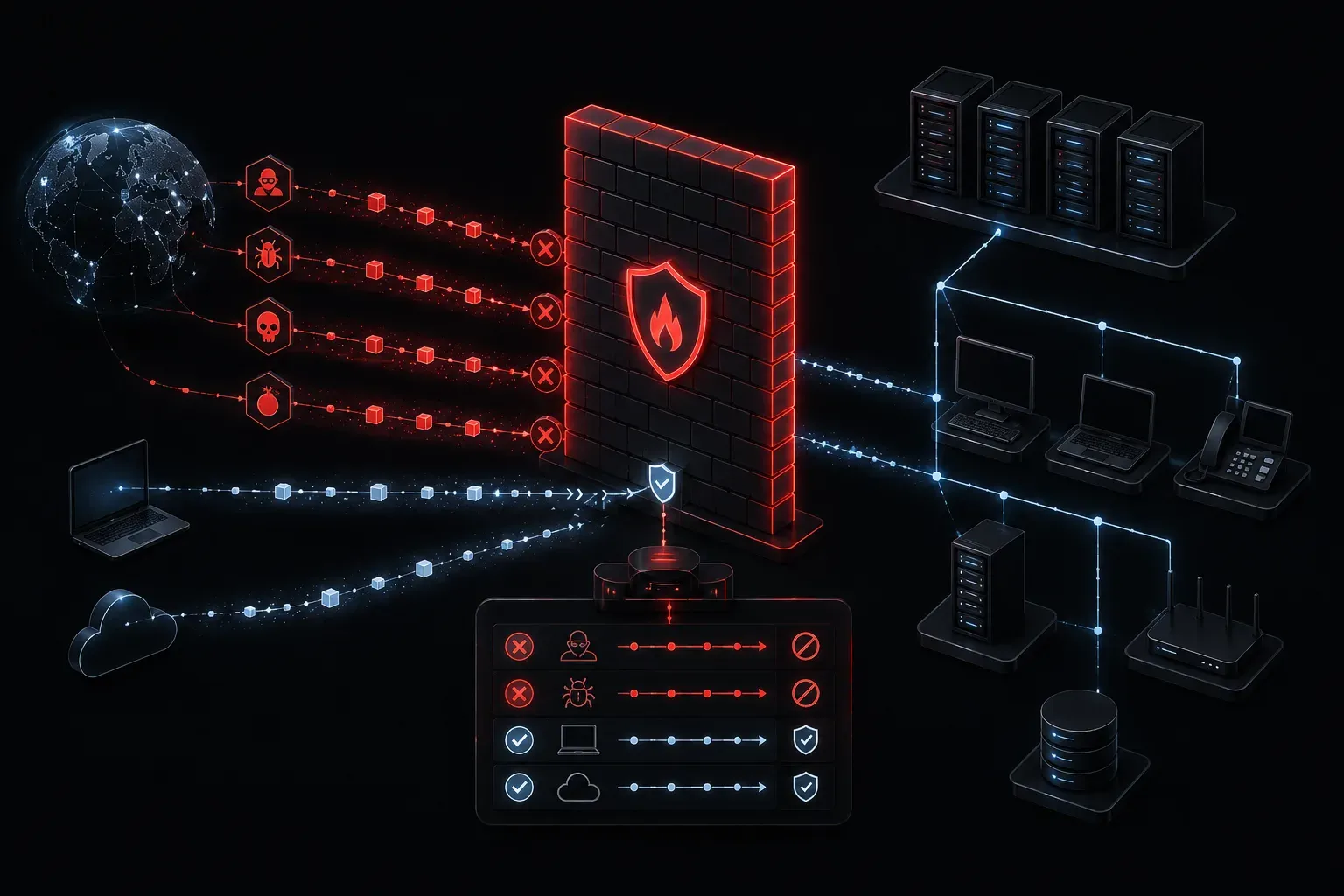
Think of a firewall as a security guard at the entrance of a building. Just like the guard checks IDs and decides who can enter or leave, a firewall examines every piece of data trying to pass through your network and makes decisions based on predefined rules.
What Is Traffic Filtering?
Traffic filtering is the process by which firewalls examine data packets and determine whether to allow, block, or redirect them. Every time you browse the web, send an email, or use any network application, your data travels in small chunks called packets. The firewall inspects these packets against a set of firewall rules to make filtering decisions.
This process happens automatically and continuously, often thousands of times per second, without you even noticing.
How Firewalls Make Filtering Decisions
Firewalls use several criteria to determine whether to allow or block traffic:
Source and Destination IP Addresses
The firewall checks where the data is coming from and where it's going. For example, you might configure a rule like:
ALLOW traffic FROM 192.168.1.0/24 TO any destinationThis rule permits all traffic originating from your internal network (192.168.1.0/24) to go anywhere.
Port Numbers and Protocols
Different applications use specific ports. Web browsing typically uses port 80 (HTTP) or port 443 (HTTPS), while email might use port 25 (SMTP). A typical rule might look like:
ALLOW traffic TO port 443 USING protocol TCPThis allows secure web browsing but blocks other types of traffic.
Stateful Inspection and Connection Tracking
Modern firewalls use stateful inspection to track the state of active connections. This means the firewall remembers established connections and can make intelligent decisions about return traffic. For example, if you initiate a web request, the firewall will automatically allow the response traffic back, even if there's no explicit rule for inbound traffic.
Application-Layer Filtering
Next-generation firewalls can examine application-layer data beyond just IP addresses and ports. These advanced firewalls can identify specific applications, websites, or even content within encrypted traffic, providing more granular control over what passes through your network.
Direction of Traffic
Firewalls distinguish between inbound traffic (coming into your network) and outbound traffic (leaving your network). Many organizations allow most outbound traffic while being very restrictive about inbound connections.
Common Firewall Rule Examples
Here are some practical examples of how firewalls filter traffic:
- Block social media:
DENY traffic TO facebook.com, twitter.com(Note: This domain-based approach may not be effective against encrypted traffic or when users access sites via IP addresses) - Allow web browsing:
ALLOW traffic TO any destination ON ports 80, 443 - Block external access to internal servers:
DENY traffic FROM internet TO 192.168.1.100 - Allow specific remote access:
ALLOW traffic FROM 203.0.113.5 TO 192.168.1.50 ON port 22
The Filtering Process Step-by-Step
When a data packet arrives at a firewall, here's what happens:
- Packet inspection: The firewall examines the packet headers to identify source IP, destination IP, port numbers, and protocol type
- State checking: For stateful firewalls, the system checks if this packet belongs to an existing, established connection
- Rule matching: The firewall compares this information against its rule list, typically checking from top to bottom
- Deep inspection: Advanced firewalls may perform application-layer analysis to identify specific applications or content
- Action execution: Based on the matching rules and connection state, the firewall either allows the packet through, blocks it, or takes another specified action
- Logging: Most firewalls log their decisions for security monitoring and troubleshooting
Default Behaviors
Most firewalls follow a "default deny" principle for network security. This means that if a packet doesn't match any specific allow rule, it gets blocked automatically. This conservative approach ensures that only explicitly permitted traffic can pass through.
However, many basic firewalls also include default rules that allow common traffic patterns, such as permitting established connections to continue and allowing responses to outbound requests.
Why Understanding Traffic Filtering Matters
As you prepare for the CCST Networking exam and build your networking career, understanding how firewalls filter traffic helps you:
- Troubleshoot connectivity issues when applications can't reach their destinations
- Design secure network architectures that protect against unauthorized access
- Implement proper data filtering policies that balance security with usability
- Understand the limitations of different filtering approaches, especially with encrypted traffic
What's Next
Now that you understand the basics of traffic filtering, the next step is learning about different types of firewalls and how stateful inspection works in more detail. We'll explore how modern firewalls track connection states and make more intelligent filtering decisions based on the context of network conversations.