
Parsing XML in Python with ElementTree
This post covers how to parse XML in Python using the built-in ElementTree module. It walks through loading XML from files and strings, extracting element text and attributes, and using key methods like findall(), find(), and iter(). Practical examples use a networking-themed XML dataset to keep th

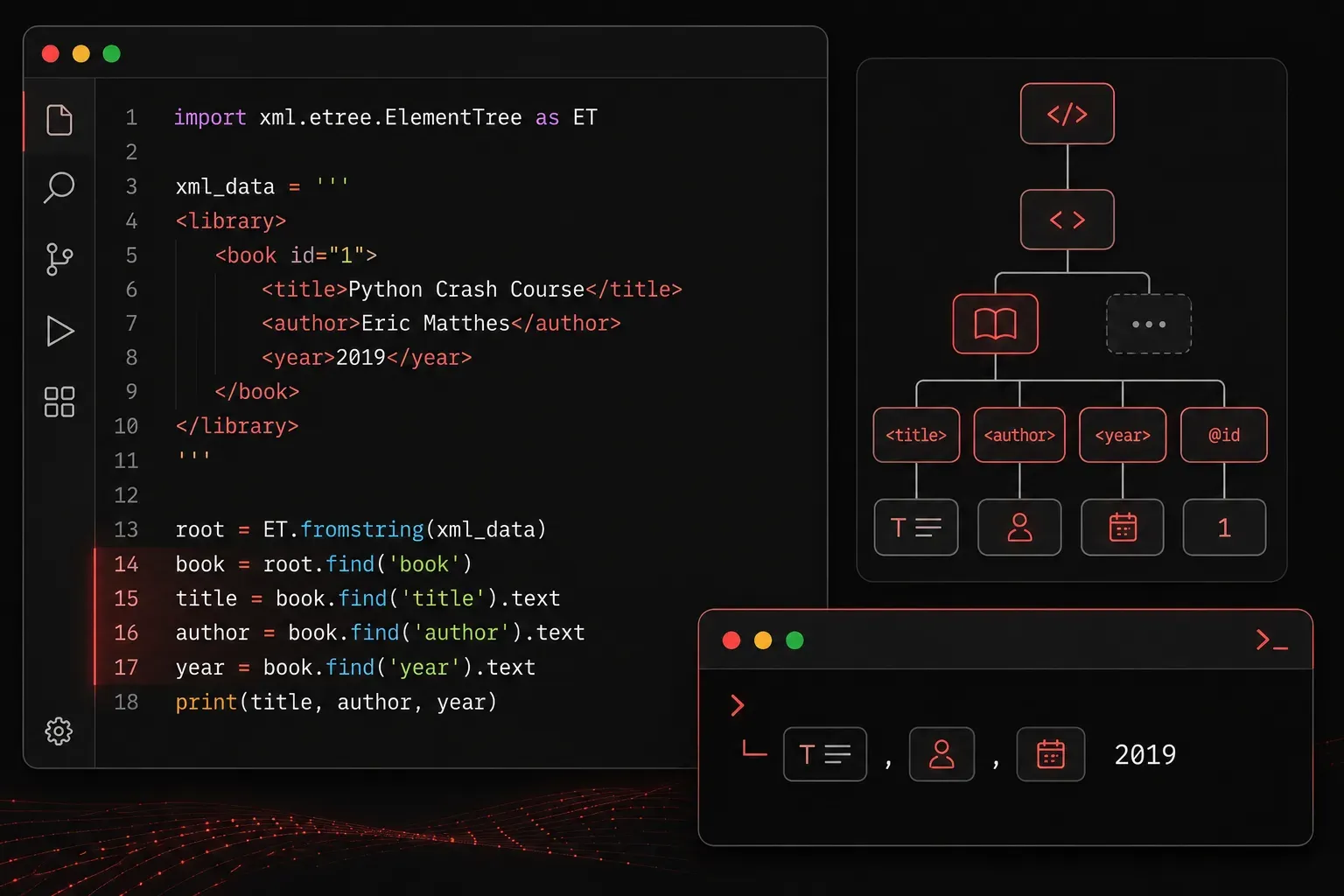
XML (eXtensible Markup Language) is still very much alive in the networking and automation world. Cisco devices, REST APIs, and configuration management tools all use XML to structure data. If you are writing Python scripts to automate network tasks, knowing how to read and extract data from XML is a fundamental skill.
Python ships with a built-in module called xml.etree.ElementTree that makes parsing XML straightforward. No pip install required. Let's walk through how it works.
Understanding the XML Structure
Before writing any code, it helps to understand how XML is organized. XML is a tree of nested elements. Each element has a tag, optional attributes, and optional text content. Here is a simple example we will use throughout this post:
<devices>
    <device type="router">
        <hostname>R1</hostname>
        <ip>10.0.0.1</ip>
        <vendor>Cisco</vendor>
    </device>
    <device type="switch">
        <hostname>SW1</hostname>
        <ip>10.0.0.2</ip>
        <vendor>Cisco</vendor>
    </device>
</devices>
The outermost element <devices> is called the root. Each <device> inside it is a child element, and type is an attribute on that element.
Loading XML with ElementTree
You can load XML from a file or directly from a string. Here are both approaches:
import xml.etree.ElementTree as ET

# Load from a file
tree = ET.parse("devices.xml")
root = tree.getroot()

# Load from a string
xml_string = """<devices>
    <device type="router">
        <hostname>R1</hostname>
        <ip>10.0.0.1</ip>
        <vendor>Cisco</vendor>
    </device>
    <device type="switch">
        <hostname>SW1</hostname>
        <ip>10.0.0.2</ip>
        <vendor>Cisco</vendor>
    </device>
</devices>"""

root = ET.fromstring(xml_string)
Once you have the root element, you can start navigating the tree.
Extracting Data from Elements
The most common operations you will use are iterating over child elements, reading text content, and accessing attributes. Here is how each one works:
# Iterate over each device
for device in root.findall("device"):
    # Read an attribute
    device_type = device.get("type")

    # Read child element text
    hostname = device.find("hostname").text
    ip_address = device.find("ip").text

    print(f"Type: {device_type} | Hostname: {hostname} | IP: {ip_address}")
Running this code produces the following output:
Type: router | Hostname: R1 | IP: 10.0.0.1
Type: switch | Hostname: SW1 | IP: 10.0.0.2
Key Methods to Know
ElementTree gives you several useful methods for navigating and searching the tree:
- root.findall("tag"): returns a list of all direct child elements with that tag
- root.find("tag"): returns the first matching child element, or
Noneif not found - element.get("attribute"): returns the value of an attribute as a string
- element.text: returns the text content between the opening and closing tags
- root.iter("tag"): searches the entire tree recursively, useful for deeply nested XML
The iter() method is especially handy when you do not know how deeply nested an element might be:
# Find all hostname elements anywhere in the tree
for hostname in root.iter("hostname"):
    print(hostname.text)
A Practical Note on Error Handling
Always check that find() does not return None before calling .text on it. If an element is missing, you will get an AttributeError that can be difficult to debug:
ip_element = device.find("ip")
if ip_element is not None:
    print(ip_element.text)
else:
    print("IP address not found")
This small habit will save you a lot of frustration when working with real-world XML data that is not always perfectly consistent.
What's Next
Now that you can read and extract data from XML, the natural next step is learning how to work with JSON in Python. JSON has largely replaced XML in modern REST APIs, and Python's built-in json module makes it just as approachable. In the next post, we will walk through parsing JSON responses and converting between JSON and Python dictionaries.
Resources: The official Python documentation for xml.etree.ElementTree is an excellent reference: docs.python.org/3/library/xml.etree.elementtree.html