
What Are Network Cables and Why Are They Important?
This post introduces network cables as the physical foundation of local area networks, covering why wired connections matter and the three main cable types: twisted pair, fiber optic, and coaxial. It also explains cable categories and the difference between straight-through and crossover cables, gi

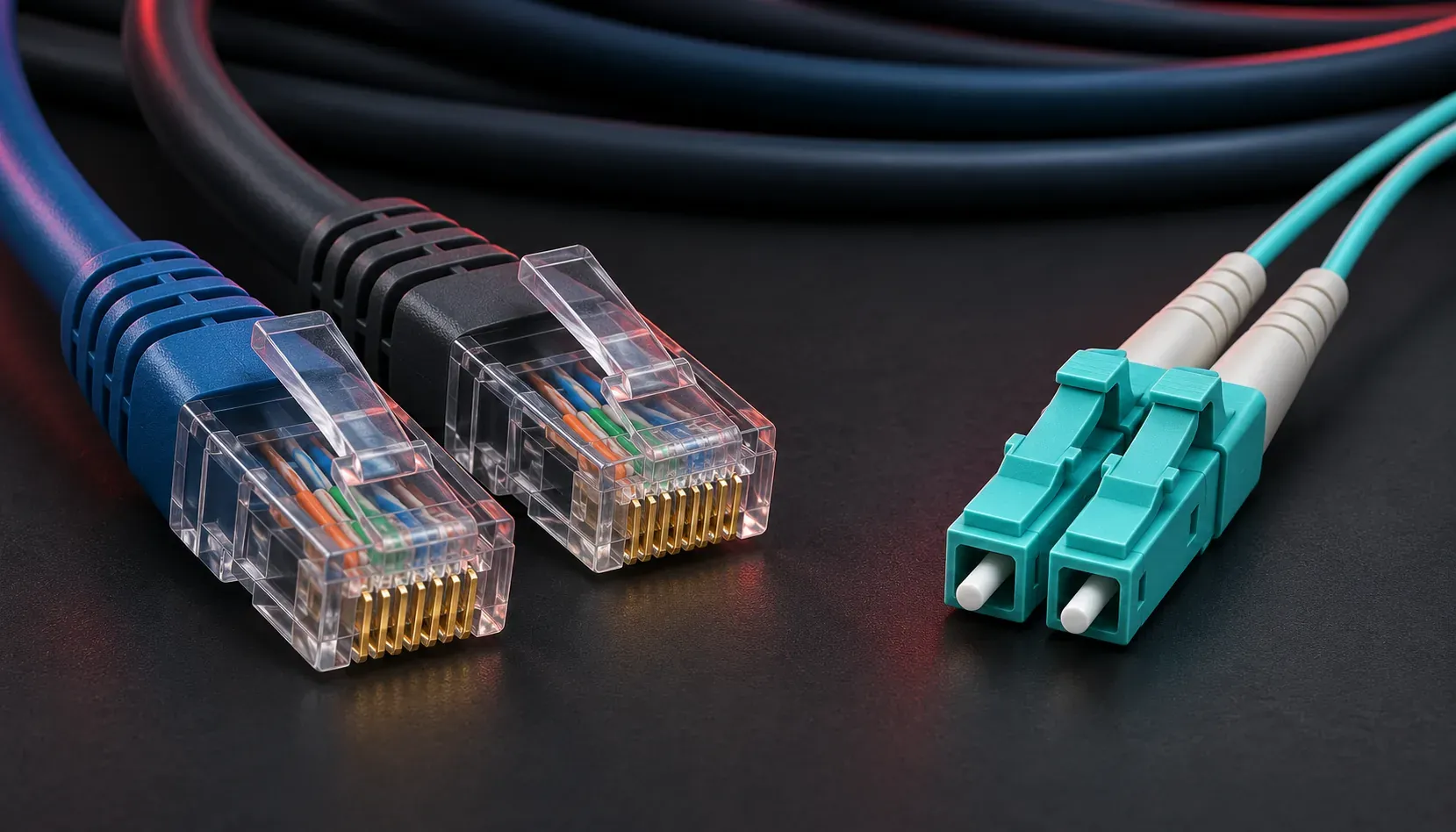
Network cables are the physical media that carry data between devices: copper twisted pair (Ethernet, with RJ-45 connectors), fibre optic (light pulses for longer distances and higher speeds) and coaxial. Wired links usually give more consistent speed and lower latency than Wi-Fi and avoid radio interference, which is why servers, switches and routers are almost always cabled.
When you plug a cable into your computer or router, you are creating a physical network connection that allows data to travel between devices. These cables are the foundation of most local area networks, and understanding them is an essential first step in your networking journey. Whether you are studying for the CCST Networking exam or just getting started in IT, knowing your cables matters.
What Are Network Cables?
Network cables are physical transmission media used to connect devices in a network. They carry electrical signals (or light pulses, depending on the cable type) that represent data moving from one device to another. You will find them connecting computers to switches, switches to routers, routers to modems, and servers to network infrastructure throughout a data center or office.
The most common type you will encounter in everyday environments is the Ethernet cable, also called a LAN cable. These are the familiar cables with the plastic clip at the end that snaps into a port on your computer or network device.
Why Are Network Cables Important?
Wireless networking has grown significantly in recent years, but wired connections using LAN cables still offer important advantages:
- Speed: Wired connections typically deliver faster and more consistent speeds compared to Wi-Fi.
- Reliability: Cables are not affected by Wi-Fi congestion or by walls and furniture, and fibre is completely immune to electrical interference.
- Security: A device must be physically connected to intercept a wired network, making it harder to eavesdrop compared to wireless signals.
- Low latency: Wired connections have predictably low delay, which is critical for applications like VoIP, video conferencing, and online gaming.
In enterprise environments, nearly all critical infrastructure relies on wired network connections. Servers, switches, and routers are almost always connected using cables because reliability cannot be compromised.
Common Types of Network Cables
Not all network cables are created equal. Here are the three main categories you should know:
Twisted Pair (Copper)
This is the most common type found in homes and offices. Ethernet cables like Cat5e, Cat6, and Cat6a fall into this category. The wires inside are twisted together in pairs to reduce electrical interference. These cables use an RJ-45 connector, which is the rectangular plastic plug you see on the end of most LAN cables.
Fiber Optic
Fiber optic cables use pulses of light instead of electrical signals to transmit data. They support much longer distances and much higher speeds than copper cables. You will typically find fiber connecting buildings together or running backbone infrastructure inside large facilities. Common types include single-mode fiber (SMF) and multimode fiber (MMF).
Coaxial
Coaxial cables are older but still relevant, particularly in cable internet service and some legacy network setups. They have a single copper conductor in the center surrounded by insulation and shielding. You may recognize the bayonet-style BNC connector or the threaded F-type connector used for cable TV.
A Quick Look at Cable Categories
Twisted pair Ethernet cables are categorized by their performance specifications. Here is a simplified comparison:
Category   | Max Speed      | Max Distance
-----------|----------------|-------------
Cat5e      | 1 Gbps         | 100 meters
Cat6       | 10 Gbps        | 55 meters
Cat6a      | 10 Gbps        | 100 meters
Cat8       | 40 Gbps        | 30 meters
For most home and small office setups, Cat5e or Cat6 cables are more than sufficient. Enterprise environments often use Cat6a or fiber for higher performance and longer runs.
Straight-Through vs. Crossover Cables
You may also hear about straight-through and crossover cables. A straight-through cable is used to connect different types of devices, such as a computer to a switch. A crossover cable was historically used to connect two similar devices, such as two computers directly together. Modern network equipment uses a feature called Auto-MDIX that automatically detects and adjusts the connection type, so crossover cables are rarely needed today.
Network cables: common questions
What are the three main types of network cable?
Twisted pair copper (the everyday Ethernet cable), fibre optic, which carries light, and coaxial, which is mostly found in cable internet and older networks.
Why are the wires in an Ethernet cable twisted?
Twisting cancels most of the crosstalk between neighbouring pairs and much of the electrical interference (EMI) from outside sources. Shielded twisted pair (STP) adds a foil or braid shield for very noisy environments.
What is the difference between Cat5e, Cat6 and Cat6a?
Cat5e supports 1 Gbps to 100 metres. Cat6 can carry 10 Gbps up to about 55 metres, depending on the installation and interference from neighbouring cables. Cat6a supports 10 Gbps over the full 100 metres.
Do I still need crossover cables?
Rarely. Between compatible Ethernet ports, a straight-through cable works as long as at least one end supports Auto-MDIX, which detects the connection and adjusts automatically. Some older equipment still needs a crossover cable.
When should I use fibre instead of copper?
For long runs and high-speed backbones, such as links between buildings or between floors of a large facility, because fibre carries signals much further and is immune to electrical interference.
What's Next?
Now that you understand what network cables are and why they matter, it is time to look closer at the specific cable types used in modern networks. In the next post, we will dive deeper into twisted pair cabling, explore the differences between Cat5e, Cat6, and Cat6a, and explain when to choose one over the other. Understanding these details will help you make the right decisions when designing or troubleshooting a network.