
What is a LAN and How Does It Work?
This post explains what a Local Area Network (LAN) is, how devices connect and communicate within one, and where LANs are used in everyday life. It covers key components like switches, routers, and access points, with a practical example of how traffic flows inside a LAN. Written for CCST Networkin

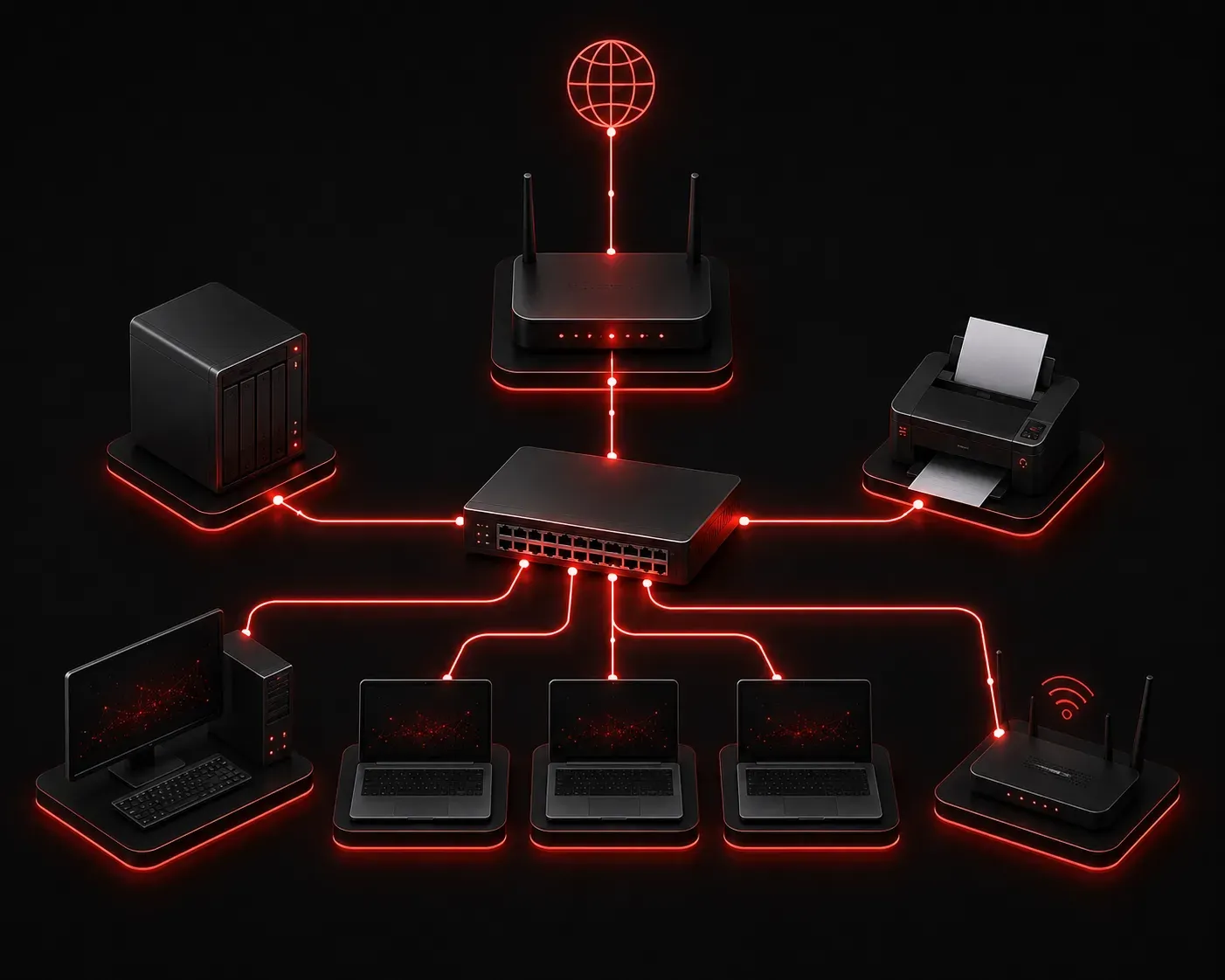
If you've ever connected to Wi-Fi at home or plugged into an Ethernet port at work, you've already used a LAN. Understanding what a local area network is and how it works is one of the most fundamental concepts in networking, and it's a solid starting point for your CCST Networking studies.
What is a LAN?
A LAN, or Local Area Network, is a network that connects devices within a limited geographic area. Think of a single building, a home, a school, or an office floor. All of the devices on that network share a common infrastructure and can communicate directly with each other at high speed.
The key word here is local. A LAN is privately owned and managed, typically by a homeowner, a business, or an IT department. This separates it from a WAN (Wide Area Network), which spans large geographic distances and usually involves a service provider.
What Devices Make Up a LAN?
A typical LAN includes several types of hardware working together:
- End devices: Computers, laptops, printers, smartphones, and IP cameras. These are the devices users actually interact with.
- Network Interface Cards (NICs): Every device needs a NIC to connect to the network, either via a wired Ethernet port or a wireless radio.
- Switches: A switch connects multiple wired devices together and intelligently forwards traffic only to the correct destination device.
- Access Points (APs): These extend the LAN wirelessly, allowing Wi-Fi devices to join the same network.
- Routers: A router connects the LAN to other networks, including the internet. It acts as the gateway out of the local network.
How Does a LAN Work?
Devices on a LAN communicate using a combination of MAC addresses and IP addresses. When your laptop wants to send data to a printer on the same network, it uses the printer's MAC address at the local level. The switch reads that MAC address and forwards the data only to the port where the printer is connected, rather than broadcasting it to every device.
This process is called switching, and it is what makes modern LANs fast and efficient. Each device on the LAN also gets an IP address, usually assigned automatically by a DHCP server (often built into your router), so it can be addressed by other devices and communicate beyond the local network when needed.
A simple LAN in action might look like this:
PC1 (192.168.1.10)
    |
    +--- Switch --- Printer (192.168.1.20)
    |
    +--- Router (192.168.1.1) --- Internet
In this example, PC1 and the Printer share the same network (192.168.1.0/24). They can communicate directly through the switch. Traffic destined for the internet exits through the router at 192.168.1.1.
LAN Examples in the Real World
LANs show up everywhere in daily life. Some common LAN examples include:
- Home networks: Your router connects your TV, laptop, phone, and smart home devices into a single LAN.
- Office networks: Employees share printers, file servers, and internet access through a corporate LAN.
- School networks: Classrooms, labs, and staff areas are all connected through a campus LAN.
- Retail environments: Point-of-sale terminals, inventory scanners, and back-office systems communicate over a store LAN.
Common LAN Uses
Beyond just sharing an internet connection, LANs enable several important functions:
- File and resource sharing: Users can access shared folders, printers, and storage devices.
- Local application hosting: Business applications like databases or ERP systems can run on a local server and be accessed by all LAN users.
- VoIP communications: Internal phone calls can travel over the LAN without needing external carrier infrastructure.
- Network management: Administrators can monitor, configure, and troubleshoot devices from a central location.
What's Next?
Now that you have a clear picture of what a LAN is and how it connects devices locally, the next step is understanding how those devices communicate beyond the local network. In the next post, we'll look at WANs (Wide Area Networks) and how they extend connectivity across cities, countries, and even continents. That comparison will sharpen your understanding of where a LAN ends and the wider world begins.