
JavaScript Arrays: Storing Multiple Values
JavaScript arrays allow you to store multiple values in a single variable, making it easy to manage lists of data. This post covers how to create arrays, access and modify elements, loop through them, and use them in practical examples. It's a foundational concept for anyone learning JavaScript.

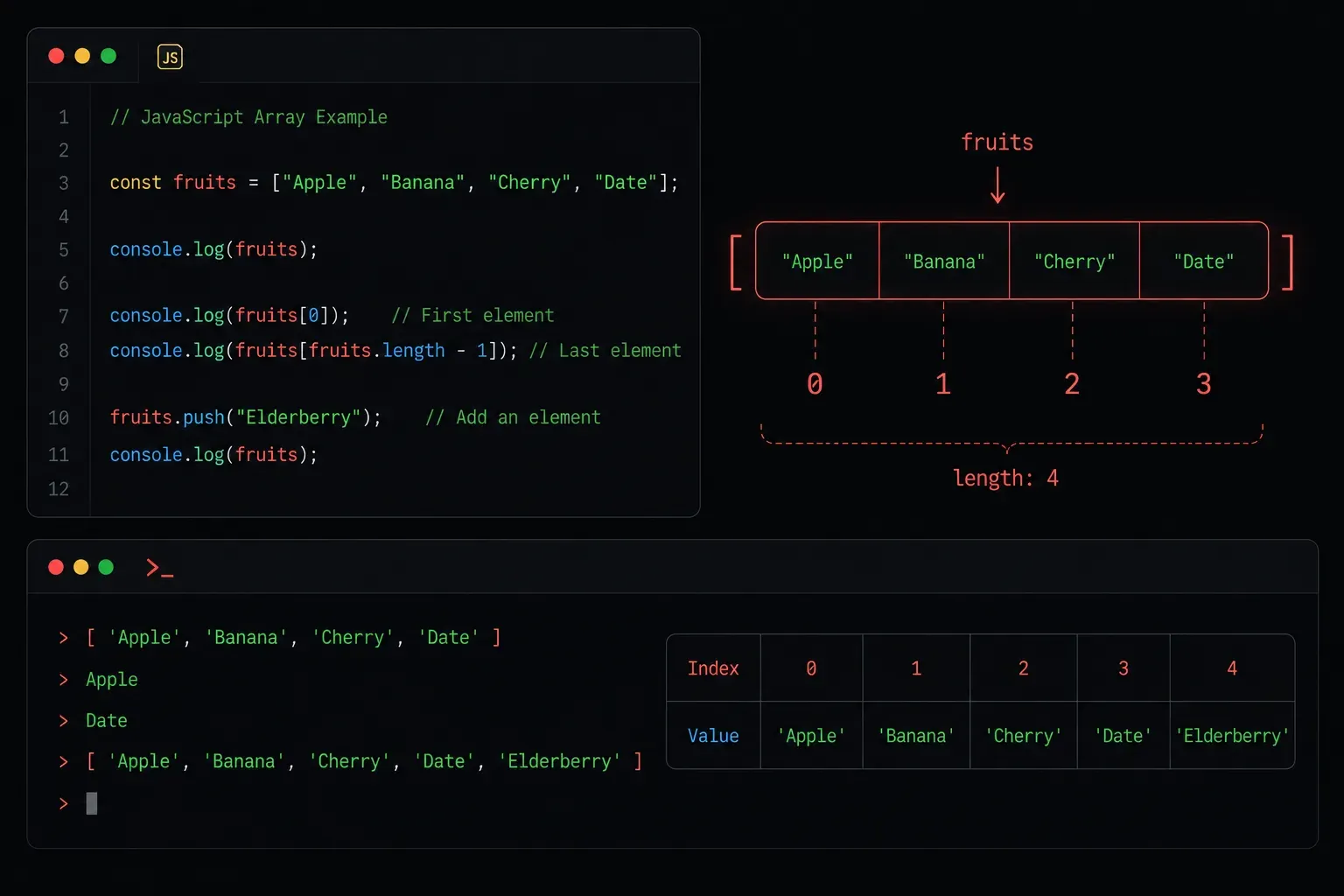
When you're building programs, you'll often need to work with collections of data rather than single values. Imagine storing the names of every device on your network, or tracking a list of IP addresses to scan. Storing each one in a separate variable would be a nightmare. This is exactly the problem that arrays solve.
What Is an Array?
An array is a single variable that can hold multiple values at once. Instead of this:
let device1 = "router";
let device2 = "switch";
let device3 = "firewall";
You can do this:
let devices = ["router", "switch", "firewall"];Much cleaner. The values inside an array are called elements, and they're stored in a specific order. That order matters, and it's how you retrieve individual values.
Accessing Array Elements
Each element in an array has a position called an index. JavaScript arrays are zero-indexed, meaning the first element is at index 0, not 1. This trips up a lot of beginners, so keep it front of mind.
let devices = ["router", "switch", "firewall"];

console.log(devices[0]); // "router"
console.log(devices[1]); // "switch"
console.log(devices[2]); // "firewall"
To find out how many elements are in an array, use the .length property:
console.log(devices.length); // 3Modifying Arrays
Arrays aren't static. You can add, remove, and change elements after the array is created.
Adding Elements
Use .push() to add an element to the end of an array, or .unshift() to add one to the beginning:
devices.push("access point");
console.log(devices); // ["router", "switch", "firewall", "access point"]

devices.unshift("modem");
console.log(devices); // ["modem", "router", "switch", "firewall", "access point"]
Removing Elements
Use .pop() to remove the last element, or .shift() to remove the first:
devices.pop();
console.log(devices); // ["modem", "router", "switch", "firewall"]

devices.shift();
console.log(devices); // ["router", "switch", "firewall"]
Updating an Element
You can update a specific element by targeting its index directly:
devices[1] = "core-switch";
console.log(devices); // ["router", "core-switch", "firewall"]
Looping Through an Array
One of the most powerful things about arrays is being able to process every element automatically. The for loop and the .forEach() method are both great options:
// Using a for loop
for (let i = 0; i < devices.length; i++) {
  console.log(devices[i]);
}

// Using forEach
devices.forEach(function(device) {
  console.log(device);
});
Both approaches print each device name. The .forEach() method is generally considered more readable once you're comfortable with it.
Arrays Can Hold Mixed Types
JavaScript arrays are flexible. They can hold strings, numbers, booleans, or even other arrays. That said, it's good practice to keep your arrays consistent in type to avoid confusing bugs down the road.
let mixed = ["router", 42, true, null];
console.log(mixed[1]); // 42
A Quick Practical Example
Here's a simple script that stores a list of IP addresses and prints each one with a label:
let ipAddresses = ["192.168.1.1", "10.0.0.1", "172.16.0.1"];

ipAddresses.forEach(function(ip, index) {
  console.log("Device " + (index + 1) + ": " + ip);
});

// Output:
// Device 1: 192.168.1.1
// Device 2: 10.0.0.1
// Device 3: 172.16.0.1
Notice that index + 1 is used in the label because the index starts at 0, but we want to display it starting at 1 for readability.
What's Next
Now that you understand how to store and work with collections of data, the next step is learning about JavaScript Objects. Where arrays store ordered lists of values, objects let you store data as key-value pairs, which is perfect for representing structured information like a network device with a name, IP address, and role. That's coming up next in the series.
Resources
- MDN Web Docs: Array: the definitive reference for all array methods
- JavaScript.info: Arrays: a beginner-friendly walkthrough with interactive examples
- freeCodeCamp: JavaScript Algorithms and Data Structures: free, hands-on practice exercises