
Top Advantages of Using Version Control in Projects
Version control systems provide essential advantages including enhanced code security through distributed storage and audit trails, powerful change tracking that enables easy comparison and rollback of modifications, and improved project management through better collaboration and release coordinat

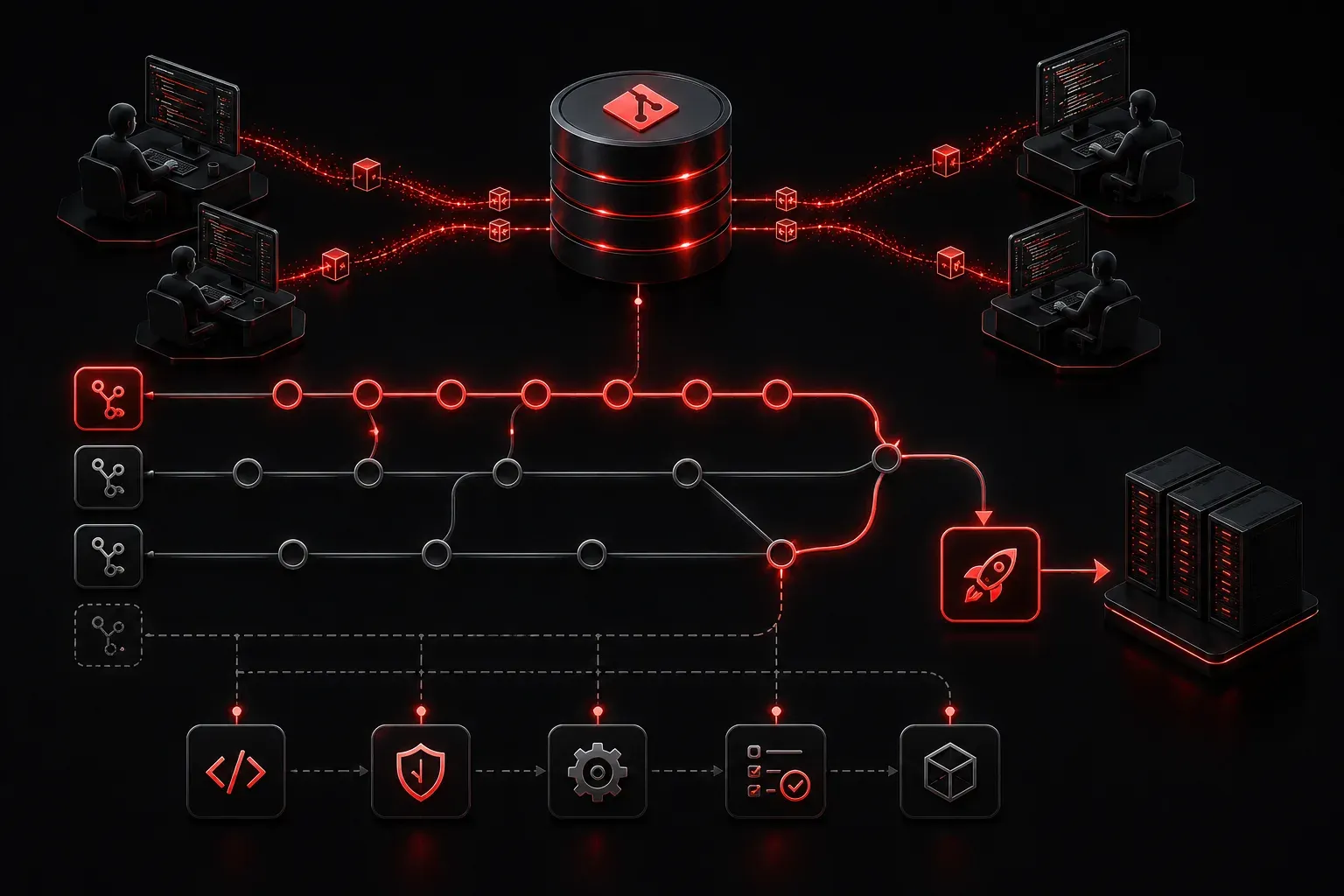
Version control systems are essential tools in modern software development, and understanding their advantages is crucial for anyone entering network automation and programming. Whether you're managing Ansible playbooks, Python scripts for network automation, or configuration files, version control provides a safety net and organizational structure that transforms how you work with code.
What is Version Control?
Version control is a system that tracks changes to files over time, allowing you to recall specific versions later. Think of it as a detailed history book for your code that not only remembers what changed, but also who changed it and why. Popular version control systems include Git, which is widely used in DevNet environments and network automation projects.
Backup and Change Tracking Benefits
One of the primary advantages of version control is the robust backup and change tracking benefits it provides. Your code is stored in multiple locations - locally, on remote repositories, and often in cloud-based services like GitHub or GitLab. This distributed approach means that losing your laptop or experiencing a hard drive failure won't result in lost work.
Version control also maintains detailed logs of who made changes and when. If someone accidentally introduces a bug, you can quickly identify:
- What exactly was changed
- Who made the change
- When the change occurred
- Why the change was made (through commit messages)
This audit trail is particularly valuable in network automation where configuration changes can have significant operational impact. While version control doesn't directly protect against security vulnerabilities or unauthorized access, it provides an essential foundation for accountability and change management.
Powerful Change Tracking and Recovery
The change tracking benefits of version control extend far beyond simple backups. Every modification to your code is captured as a "commit" with a unique identifier. You can:
Compare versions easily: See exactly what lines changed between any two versions of a file. This is invaluable when troubleshooting why a script that worked yesterday is failing today.
Revert problematic changes: If a recent change breaks functionality, you can quickly roll back to a previous working version without manually undoing changes.
Branch and experiment safely: Create separate branches to test new features or approaches without affecting your main codebase. This allows you to experiment freely, knowing you can always return to a stable state.
git log --oneline
a1b2c3d Fix API timeout issue in network discovery script
e4f5g6h Add error handling for device authentication
i7j8k9l Initial commit of network automation toolkit
Improved Project Management
Version control significantly enhances project management capabilities, especially in collaborative environments. Multiple team members can work on the same project simultaneously without overwriting each other's changes. The system intelligently merges modifications and flags conflicts that require manual resolution.
Handling Merge Conflicts: When two developers modify the same lines of code, version control systems detect these conflicts and require manual resolution. Modern tools like Git provide clear indicators of conflicting sections, allowing developers to review both changes and decide how to combine them appropriately. This prevents silent overwrites and ensures all contributions are considered.
Key project management advantages include:
- Release management: Tag specific versions for production releases, making it easy to track what code is deployed where
- Documentation: Commit messages serve as a running log of project evolution and decision-making
- Collaboration coordination: Team members can see what others are working on and coordinate efforts effectively
- Quality assurance: Integration with CI/CD pipelines allows automated testing before changes are merged
CI/CD Pipeline Integration
Version control systems integrate seamlessly with Continuous Integration/Continuous Deployment (CI/CD) pipelines, creating powerful automation workflows. When code is committed to specific branches, automated processes can:
- Run automated tests: Validate that new code doesn't break existing functionality
- Deploy to staging environments: Automatically deploy changes to test environments for further validation
- Trigger production deployments: Deploy approved changes to production systems based on branch merges or tags
- Generate notifications: Alert team members about build successes, failures, or deployment status
This integration ensures that only tested, reviewed code reaches production environments, significantly reducing the risk of deployment issues.
Collaboration and Team Benefits
In network automation projects, teams often need to collaborate on complex playbooks, scripts, and configurations. Version control enables seamless collaboration by:
Allowing multiple developers to work on different features simultaneously, then merge their changes systematically. Code reviews become possible, where team members can examine proposed changes before they're integrated into the main codebase.
Remote repositories ensure everyone has access to the latest version of the code, regardless of their physical location. This is particularly important in modern distributed work environments.
Real-World Application in Network Automation
Consider a scenario in which you're developing Ansible playbooks for configuring network devices. Without version control, you might end up with folders full of files named config_backup_final_v2_really_final.yml. With version control, you have a clean, organized history of changes with meaningful descriptions of what each version accomplishes.
Ansible Integration Example: When managing Ansible playbooks with Git, you can organize your automation projects with proper branching strategies. Development work happens on feature branches, tested configurations are merged to a staging branch, and only validated playbooks reach the production branch. This workflow ensures that network changes are properly tested before affecting production infrastructure.
Network Automation Tools: Beyond Ansible, version control integrates well with other network automation tools, such as Terraform for infrastructure as code, NAPALM for network device automation, and custom Python scripts using libraries like Netmiko or pyATS. Each tool's configuration files and scripts benefit from the same version control advantages.
When a network change causes issues in production, you can quickly identify when the problematic configuration was introduced and revert to a known-good state while you investigate the root cause.
What's Next
Now that you understand the fundamental advantages of version control, the next step is learning how to set up and use Git in your development environment. Our next post will walk through installing Git, creating your first repository, and making your initial commits to help you build good version control habits.