
AI Image Generation for IT Diagram Creation
Learn how AI image generation tools can quickly create IT diagrams from text descriptions, including best practices for prompting and integration with existing workflows. Covers practical applications, limitations, and recommended tools for IT professionals.


Creating clear, professional IT diagrams is crucial for documentation, presentations, and troubleshooting. Traditional diagramming tools like Visio or Lucidchart are powerful but can be time-consuming, especially when you need to iterate quickly or lack design skills. AI image generation tools are emerging as a compelling alternative, offering speed and creativity for IT diagram creation.
Understanding AI Image Generation for IT Diagrams
AI image generation uses machine learning models to create visual content from text descriptions. For IT professionals, this means you can describe your network topology, system architecture, or process flow in plain English and receive a visual representation within seconds.
The key advantage is speed and iteration. Instead of spending 30 minutes placing boxes and drawing connections, you can generate multiple diagram variations in minutes, then refine the one that works best.
Best AI Tools for IT Diagram Creation
Several AI platforms excel at creating technical diagrams:
- DALL-E 3 - Excellent for high-level architecture diagrams and conceptual illustrations
- Midjourney - Strong at creating polished, presentation-ready network diagrams
- Stable Diffusion - Open-source option with fine-tuning capabilities for specific IT iconography
- Claude with canvas - Combines text generation with visual creation for technical documentation
Crafting Effective Prompts for IT Diagrams
The quality of your AI-generated diagram depends heavily on your prompt. Here's a practical approach:
Start with structure: "Create a network diagram showing a three-tier architecture with web servers, application servers, and database servers."
Add specific details: "Include firewalls between each tier, load balancers in front of web servers, and show IP subnets for each network segment."
Specify style: "Use a clean, professional style with labeled components and clear connection lines. Include standard network icons."
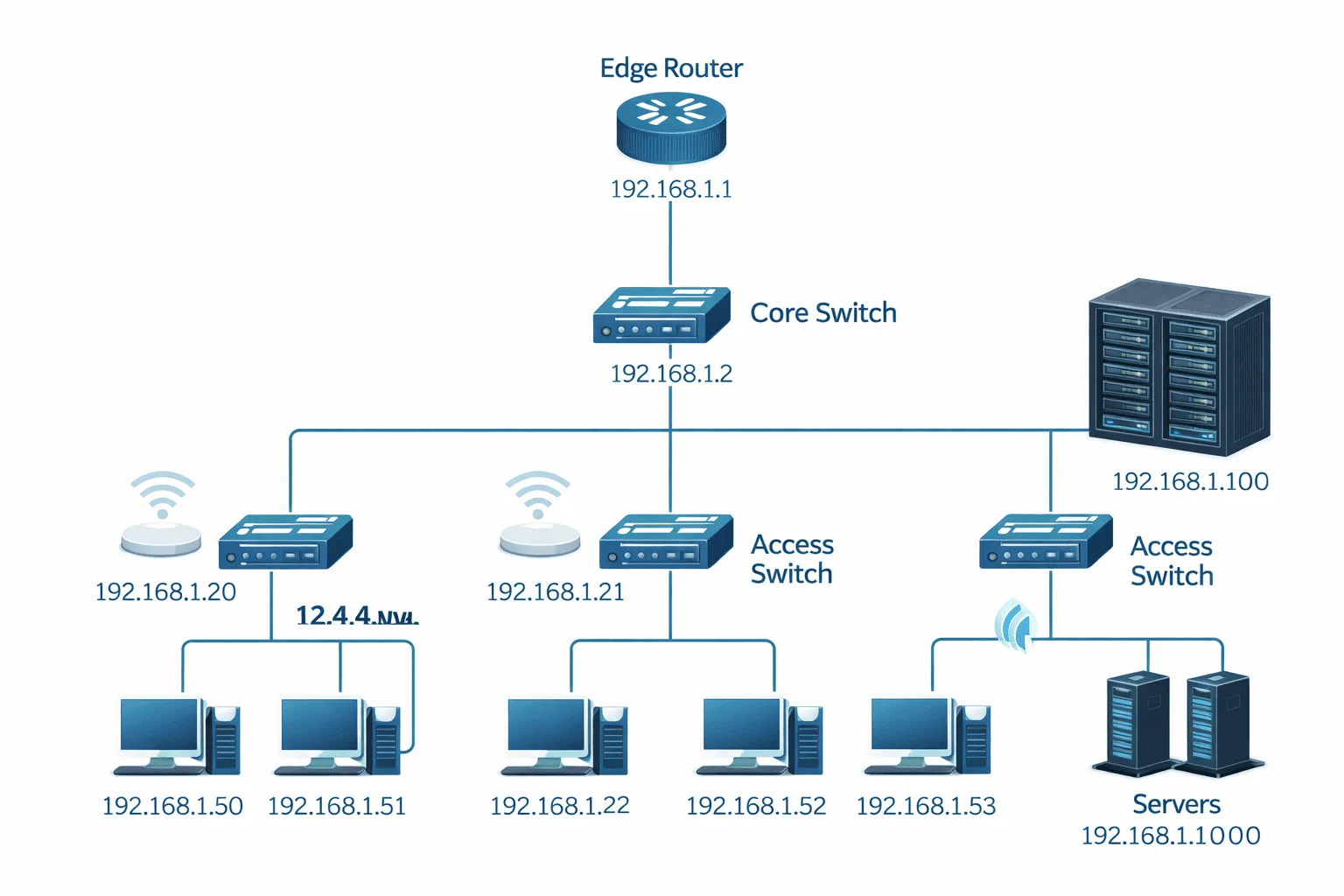
For example, this prompt works well: "Create a professional network topology diagram showing a corporate office network with edge router, core switch, access switches, wireless access points, servers in a data center rack, and workstations. Use standard Cisco-style icons with IP addresses labeled. Clean white background with blue connection lines."
Below is the image generated from DALL-E using the prompt:
Practical Applications and Limitations
AI image generation excels at creating:
- High-level architecture overviews for presentations
- Conceptual diagrams for brainstorming sessions
- Quick visual aids for documentation
- Multiple design variations for client discussions
However, current AI tools have limitations for precise technical work:
- IP addresses and labels may be incorrect or inconsistent
- Complex routing protocols aren't accurately represented
- Detailed configuration specifics aren't reliably generated
- Standard industry symbols may not always be used correctly
Best Practices for IT Diagram Generation
To maximize success with AI-generated diagrams:
Iterate and refine: Generate multiple versions with slight prompt variations to find the best result.
Use as a starting point: Generate the base diagram with AI, then edit labels, IP addresses, and technical details manually.
Combine tools: Use AI for the visual layout, then import into tools like draw.io or Visio for precise technical annotation.
Build a prompt library: Save successful prompts for different diagram types (network topology, data flow, system architecture) to reuse and modify.
Integration with Existing Workflows
AI diagram generation works best when integrated thoughtfully into your existing process. Use it during the initial design phase to quickly visualize concepts, then transition to traditional tools for final, production-ready diagrams that require precise technical accuracy.
Many IT professionals find success using AI generation for client presentations and high-level documentation, while still relying on specialized tools for detailed implementation diagrams.
What's Next
Now that you understand how to leverage AI for diagram creation, the next step is exploring AI-powered documentation tools that can automatically generate technical specifications and system descriptions to accompany your visual diagrams.