
Comparing PortFast, Root Guard, and BPDU Guard in Rapid PVST+
This post compares PortFast, BPDU Guard, and Root Guard in Rapid PVST+, explaining the unique role each feature plays in spanning tree security. Readers learn where to apply each feature, how to configure them with CLI commands, and how they work together to protect the network topology.

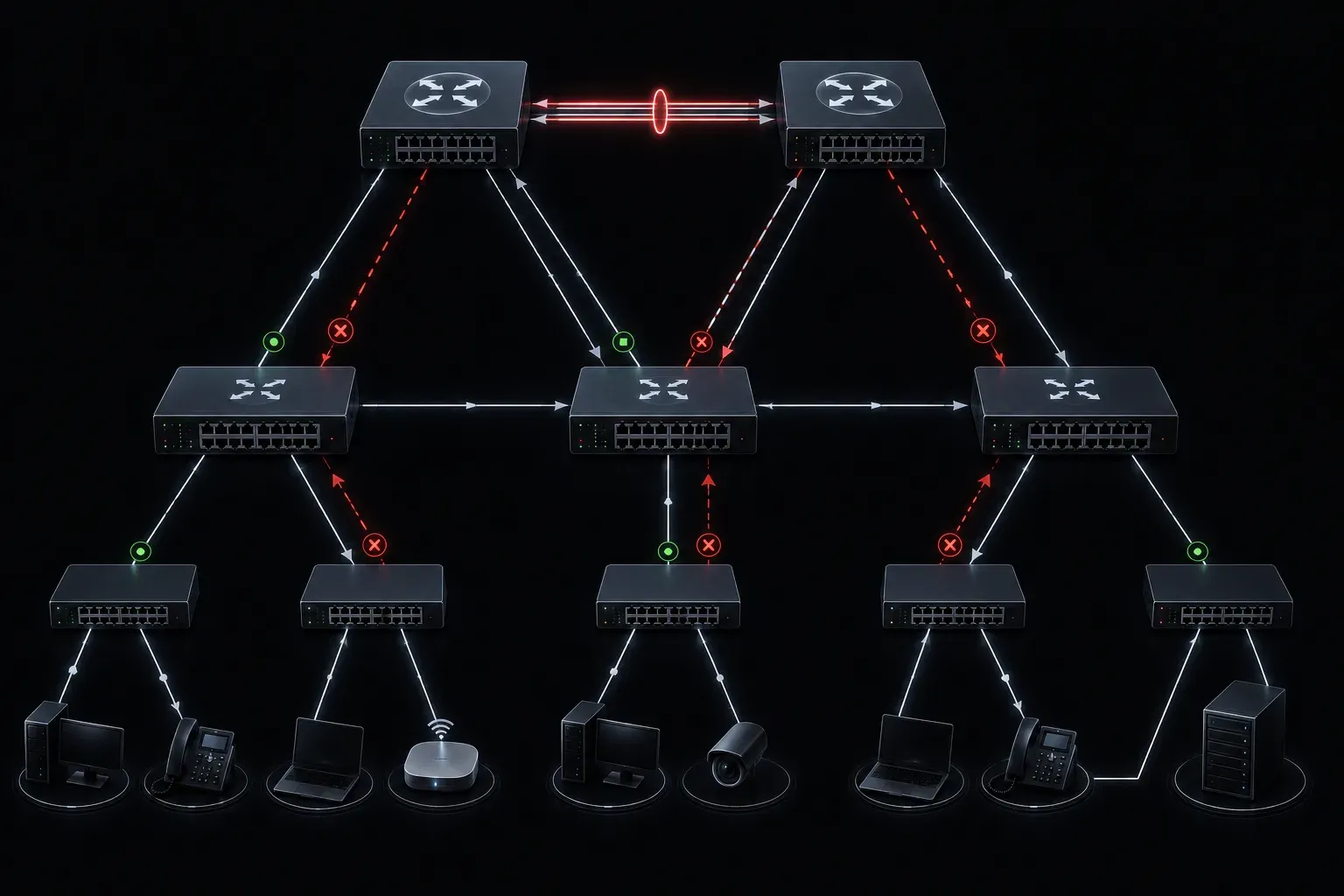
Why Spanning Tree Needs More Than Just Default Settings
Spanning Tree Protocol (STP) does a great job of preventing loops in your network, but the default configuration leaves some gaps. Three features fill those gaps: PortFast, Root Guard, and BPDU Guard. These are frequently tested on the CCNA exam under the Network Access domain, and more importantly, they are features you will actually configure in production networks.
This post breaks down what each feature does, where it belongs, and how it compares to the others. Think of them as a team: each one has a specific job, and they work best together.
PortFast: Skipping the Wait for End Devices
Normally, when a switch port comes up, STP runs through several states before the port starts forwarding traffic: Blocking, Listening, Learning, and then Forwarding. This process takes roughly 30 seconds in classic STP, or a much shorter time in Rapid PVST+. For end devices like PCs, printers, and IP phones, that delay is unnecessary because these devices cannot create loops.
PortFast skips the Listening and Learning states and moves the port directly to Forwarding. This matters for DHCP clients in particular, since a slow port transition can cause a device to miss its DHCP offer.
Enable PortFast on a single interface like this:
Switch(config)# interface GigabitEthernet0/1
Switch(config-if)# spanning-tree portfast
You can also enable it globally for all access ports:
Switch(config)# spanning-tree portfast defaultImportant: Never enable PortFast on a port connected to another switch. Doing so can cause temporary loops during topology changes.
BPDU Guard: Protecting PortFast Ports
Here is the problem with PortFast: if someone plugs a switch into a PortFast-enabled port, that new switch will start sending Bridge Protocol Data Units (BPDUs). A PortFast port should never receive BPDUs because it is supposed to connect only to end devices.
BPDU Guard solves this by shutting down the port the moment it receives a BPDU. The port enters an err-disabled state, preventing any loop from forming.
Enable BPDU Guard on an interface:
Switch(config)# interface GigabitEthernet0/1
Switch(config-if)# spanning-tree bpduguard enable
Or enable it globally for all PortFast-enabled ports:
Switch(config)# spanning-tree portfast bpduguard defaultIn a BPDU Guard comparison with the other features, this one is reactive: it does not prevent the wrong device from being connected, but it immediately shuts down the port when a violation is detected. To recover, an administrator must manually re-enable the port or configure errdisable recovery.
Root Guard: Protecting the Root Bridge Position
Root Guard is a different tool for a different threat. In a well-designed network, you choose your root bridge deliberately. The problem is that STP elects the root bridge automatically based on the lowest Bridge ID. If someone connects a new switch with a lower priority, it could claim the root bridge role and disrupt your entire topology.
Root Guard prevents a port from becoming a root port. If a superior BPDU arrives on a Root Guard-enabled port (meaning the connected device is trying to become the root bridge), the port is placed into a root-inconsistent state and stops forwarding traffic.
Switch(config)# interface GigabitEthernet0/2
Switch(config-if)# spanning-tree guard root
Unlike BPDU Guard, Root Guard recovers automatically once the superior BPDUs stop arriving. Place Root Guard on ports facing downstream switches, not on ports connected to end devices.
Quick Comparison: PortFast vs Root Guard vs BPDU Guard
- PortFast: Speeds up port transitions for end-device ports by skipping STP states
- BPDU Guard: Shuts down a PortFast port if any BPDU is received, protecting against unauthorized switches
- Root Guard: Prevents a connected switch from becoming the root bridge, protecting your intended topology
For spanning tree security, the best practice is to pair PortFast and BPDU Guard on all access ports facing end devices. Use Root Guard on ports facing distribution or access-layer switches where you want to enforce the root bridge placement.
What's Next
Now that you understand these STP enhancement features, the next logical step is understanding how EtherChannel works with STP. Bundling physical links with EtherChannel reduces the number of ports STP needs to manage and gives you redundancy without blocking. We will cover both LACP and PAgP configuration in the next post.
Tools and resources for this topic
- CCNA Official Cert Guide (Wendell Odom) — The definitive CCNA study resource. Both volumes cover the 200-301 exam blueprint in full.
- Wendell Odom CCNA Vol 1 — Covers networking fundamentals, switching, and routing basics.
- Wendell Odom CCNA Vol 2 — Covers advanced routing, WAN, infrastructure services, and security.