
Exploring Port States and Roles in Rapid PVST+
This post explains the three port states (discarding, learning, forwarding) and four port roles (root, designated, alternate, backup) in Rapid PVST+, showing how they work together to prevent loops while enabling rapid network convergence. Includes practical CLI examples demonstrating port state ve

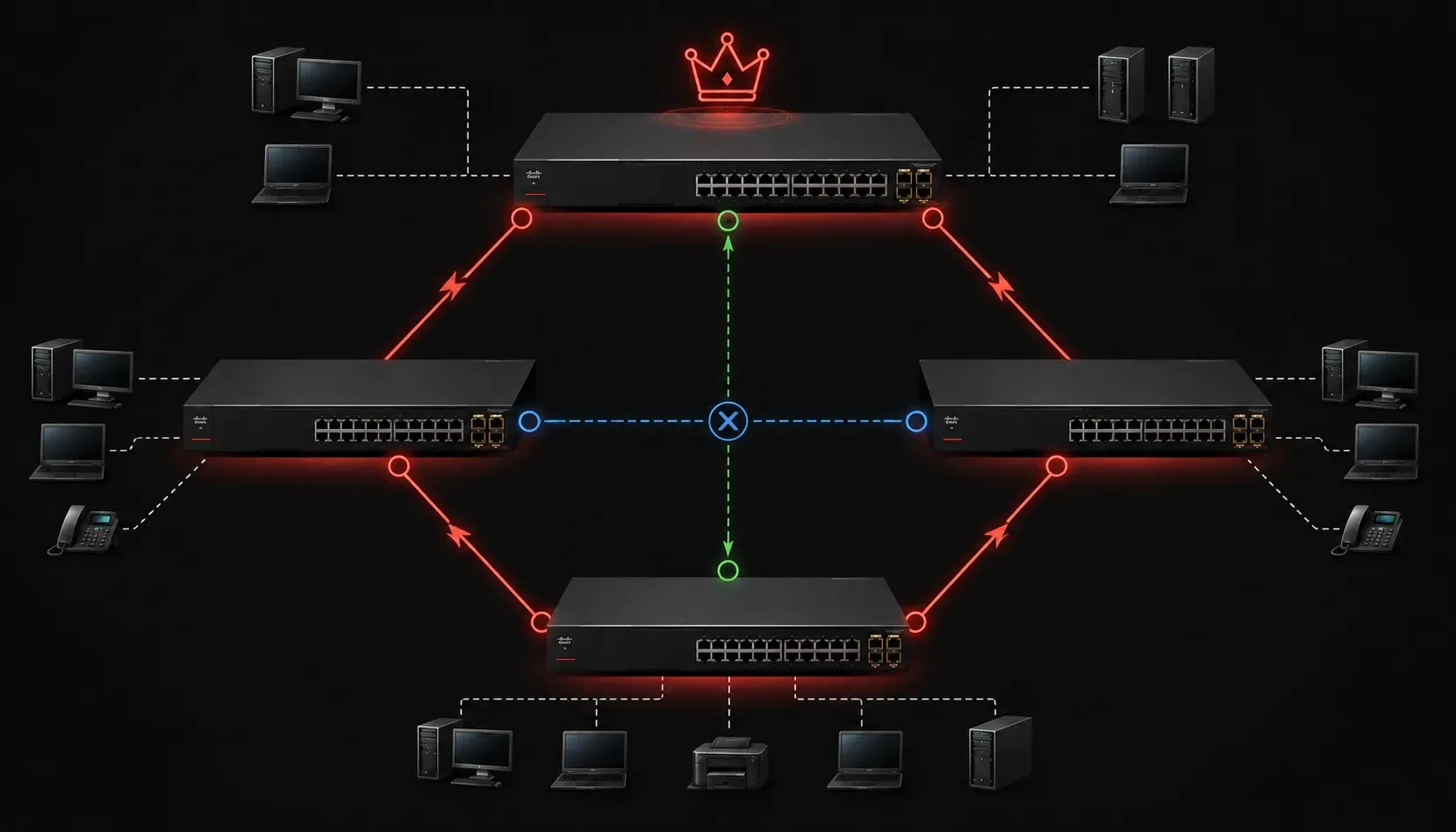
When you're configuring switches in a network, understanding how Rapid Per-VLAN Spanning Tree Plus (Rapid PVST+) manages port states and roles is crucial for maintaining network stability. These mechanisms work together to prevent loops while ensuring your network can adapt quickly to topology changes.
Understanding Rapid PVST+ Port States
Rapid PVST+ uses three primary port states to manage how ports participate in forwarding traffic:
- Discarding: The port doesn't forward frames or learn MAC addresses. It only listens to BPDUs (Bridge Protocol Data Units) to participate in the spanning tree calculation
- Learning: The port learns MAC addresses but doesn't forward frames yet. This prevents temporary loops during topology changes
- Forwarding: The port actively forwards frames and learns MAC addresses. This is the fully operational state
Unlike the original STP with its five states, Rapid PVST+ streamlines the process by combining blocking and listening into the discarding state, significantly reducing convergence time.
Port Roles in Rapid PVST+
Port roles determine each port's function within the spanning tree topology:
Root Port
Each non-root switch has exactly one root port - the port with the lowest cost path to the root bridge. This port always transitions to the forwarding state and serves as the switch's connection to the root bridge.
Designated Port
On each network segment, one port becomes the designated port - responsible for forwarding traffic to and from that segment. These ports also transition to forwarding state and are typically found on the switch closest to the root bridge on each segment.
Alternate Port
An alternate port provides a backup path to the root bridge. It remains in a discarding state but can quickly transition to forwarding if the current root port fails, enhancing network stability through rapid failover.
Backup Port
Less common in modern networks, backup ports exist when a switch has multiple connections to the same segment. They provide redundancy for designated ports.
How Port States and Roles Work Together
Let's examine this with a practical example. Consider checking port states on a Cisco switch:
Switch# show spanning-tree

VLAN0001
  Spanning tree enabled protocol rapid-pvst
  Root ID    Priority    32769
             Address     0050.0f12.3456
             Cost        4
             Port        1 (FastEthernet0/1)
             Hello Time   2 sec  Max Age 20 sec  Forward Delay 15 sec

  Port Name                 Port ID       State  Role
  ---- -------------------- ------------- ------ ------
  Fa0/1                     128.1         FWD    Root
  Fa0/2                     128.2         FWD    Desg
  Fa0/3                     128.3         BLK    Altn
In this output, you can see how each port has both a state and a role. Port Fa0/1 serves as the root port in forwarding state, Fa0/2 is a designated port also forwarding, while Fa0/3 acts as an alternate port in discarding state (shown as "BLK" in the abbreviated output display).
Rapid Convergence Benefits
The combination of streamlined port states and defined roles allows Rapid PVST+ to achieve much faster convergence than traditional STP. When a topology change occurs, alternate ports can transition directly to forwarding state without going through intermediate states, often converging in under two seconds compared to the 30-50 seconds required by original STP.
You can verify rapid convergence by monitoring spanning tree transitions:
Switch# debug spanning-tree events
Switch# show spanning-tree detail
This rapid adaptation is essential for network stability in modern environments where users expect minimal downtime during network changes.
What's Next
Now that you understand how port states and roles maintain network stability in Rapid PVST+, the next step is learning how to configure and optimize these settings. We'll explore spanning tree configuration commands and best practices for different network topologies.
Tools and resources for this topic
- CCNA Official Cert Guide (Wendell Odom) — The definitive CCNA study resource. Both volumes cover the 200-301 exam blueprint in full.
- Wendell Odom CCNA Vol 1 — Covers networking fundamentals, switching, and routing basics.
- Wendell Odom CCNA Vol 2 — Covers advanced routing, WAN, infrastructure services, and security.