
Configuring OSPFv2 and OSPFv3 for Multiple Area Networks
Master OSPFv2 and OSPFv3 multi-area configurations including area design, route summarization, and filtering techniques for enterprise networks. Learn practical implementation strategies for ABRs, area ranges, and LSA control.

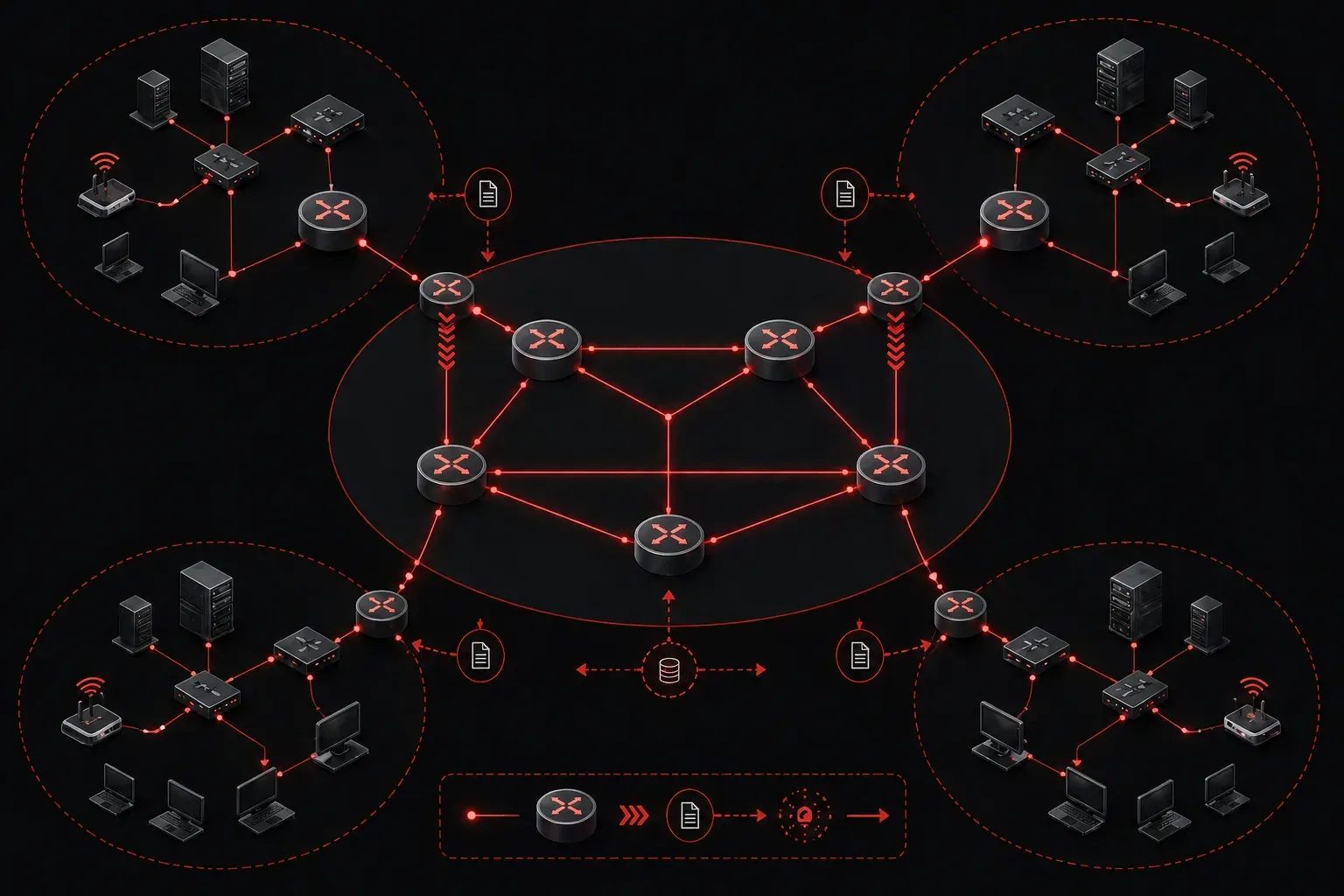
Multi-area OSPF deployments form the backbone of enterprise routing architectures, providing scalability through hierarchical design while maintaining optimal path selection. As networks grow beyond single-area limitations, implementing proper area design with effective summarization and filtering becomes critical for performance and manageability.
Multi-Area OSPF Architecture Fundamentals
In enterprise environments, multi-area OSPF provides several key advantages over single-area designs. Link-state database (LSDB) partitioning reduces memory consumption and CPU overhead on individual routers, while area boundaries create natural points for route summarization and filtering. The Area Border Router (ABR) serves as the control point between areas, making summarization and filtering decisions that directly impact network efficiency.
Area 0 remains the backbone area, with all other areas connecting through ABRs. This design ensures optimal routing while preventing routing loops through the area hierarchy. Understanding LSA types becomes crucial when implementing filtering, as Type 1 and Type 2 LSAs remain within areas, while Type 3 summary LSAs cross area boundaries.
Key Differences Between OSPFv2 and OSPFv3
Before diving into configuration, it's essential to understand the fundamental differences between OSPFv2 and OSPFv3:
- Network Assignment: OSPFv2 uses network statements under the router process, while OSPFv3 assigns areas directly on interfaces
- LSA Types: OSPFv3 introduces new LSA types (Link-LSA, Intra-Area-Prefix-LSA) while maintaining similar functionality to OSPFv2's Type 1-5 LSAs
- Authentication: OSPFv2 supports area-based authentication, while OSPFv3 relies on IPsec for authentication and encryption
- Address Families: OSPFv2 operates on IPv4 only, while OSPFv3 was designed for IPv6 (though later extended to support IPv4)
OSPFv2 Multi-Area Configuration
Configure OSPFv2 across multiple areas using the network command with area specifications. Here's a practical enterprise scenario with Area 0, Area 1, and Area 2:
! ABR connecting Area 0 and Area 1
router ospf 1
 router-id 10.1.1.1
 network 10.0.0.0 0.0.0.3 area 0
 network 10.1.0.0 0.0.255.255 area 1
 area 1 range 10.1.0.0 255.255.0.0
The area range command performs inter-area summarization at the ABR, advertising a single summary route instead of individual subnets. This significantly reduces the size of routing tables in other areas.
For more granular control, implement area-based filtering using distribute lists:
! Filter specific networks from being advertised into Area 1
router ospf 1
 area 1 filter-list prefix FILTER_AREA1 in
 area 1 filter-list prefix FILTER_AREA1 out
!
ip prefix-list FILTER_AREA1 deny 10.5.0.0/16
ip prefix-list FILTER_AREA1 permit 0.0.0.0/0 le 32
OSPFv3 Multi-Area Implementation
OSPFv3 configuration differs significantly from OSPFv2, using interface-based assignment rather than network statements. Configure OSPFv3 across multiple areas:
! Enable IPv6 routing and OSPFv3
ipv6 unicast-routing
!
! Interface configuration for Area 0
interface GigabitEthernet0/0
 ipv6 address 2001:db8:0:1::1/64
 ipv6 ospf 1 area 0
!
! Interface configuration for Area 1
interface GigabitEthernet0/1
 ipv6 address 2001:db8:1:1::1/64
 ipv6 ospf 1 area 1
!
! OSPFv3 process configuration
ipv6 router ospf 1
 router-id 10.1.1.1
 area 1 range 2001:db8:1::/48
OSPFv3 summarization uses the same area range syntax but applies to IPv6 prefixes. The summarization occurs automatically when subnets within the specified range are present in the area.
Advanced Summarization Techniques
Effective network summarization requires careful subnet planning and understanding of summarization behavior. Manual summarization provides precise control over advertised routes:
! Configure manual summarization with cost control
router ospf 1
 area 1 range 10.1.0.0 255.255.0.0 cost 100
The cost parameter sets the metric for the summary route. To suppress route advertisement while maintaining internal area connectivity, use the no-advertise parameter with external route redistribution or consider stub area configurations instead.
For OSPFv3, implement similar summarization with IPv6 considerations:
ipv6 router ospf 1
 area 1 range 2001:db8:1::/48 cost 150
OSPF Filtering Implementation
OSPF filtering operates at multiple points in the routing process. Area filtering affects LSA propagation between areas, while distribute lists control route installation into the routing table:
! Implement comprehensive OSPF filtering
router ospf 1
 distribute-list prefix OSPF_FILTER_IN in
 distribute-list prefix OSPF_FILTER_OUT out
!
ip prefix-list OSPF_FILTER_IN permit 10.0.0.0/8 le 24
ip prefix-list OSPF_FILTER_IN deny 0.0.0.0/0 le 32
!
ip prefix-list OSPF_FILTER_OUT permit 10.1.0.0/16
ip prefix-list OSPF_FILTER_OUT deny 0.0.0.0/0 le 32
The le (less than or equal) parameter provides flexible prefix matching, allowing control over subnet advertisement based on prefix length.
Common Configuration Errors and Solutions
Understanding common OSPF configuration mistakes helps prevent deployment issues:
- Area Mismatch: Interfaces on the same network segment must be in the same area. Verify with
show ip ospf interface - Router ID Conflicts: Duplicate router IDs cause neighbor relationship failures. Explicitly configure unique router IDs
- Network Type Mismatches: Ethernet interfaces default to broadcast, while serial interfaces may default to point-to-point. Use
ip ospf networkto override - Authentication Configuration: All routers in an area must use the same authentication type and keys
- Summarization Overlap: Overlapping summary ranges can cause suboptimal routing. Plan address schemes carefully
! Example: Fix network type mismatch
interface Serial0/0
 ip ospf network point-to-point
!
! Example: Configure area authentication
router ospf 1
 area 1 authentication message-digest
!
interface GigabitEthernet0/1
 ip ospf message-digest-key 1 md5 MySecretKey
Verification and Troubleshooting
Verify multi-area OSPF operation using targeted show commands:
! Verify area configuration and ABR status
show ip ospf
show ip ospf database
show ip ospf database summary
!
! Check summarization effectiveness
show ip route ospf
show ip ospf database external
!
! For OSPFv3
show ipv6 ospf
show ipv6 ospf database
show ipv6 route ospf
Monitor LSA propagation between areas to ensure filtering operates correctly. Type 3 summary LSAs should reflect your summarization configuration, while filtered networks should not appear in remote area LSDBs.
Common troubleshooting points include incorrect area assignments, misconfigured summarization ranges, and filtering conflicts. Use show ip ospf database summary to verify summary LSA generation and propagation. For neighbor relationship issues, check show ip ospf neighbor detail and verify area assignments, authentication, and network types match between neighbors.
What's Next
With multi-area OSPF configuration mastered, the next critical topic is implementing OSPF stub areas and NSSAs (Not-So-Stubby Areas). These special area types provide additional scalability benefits by controlling external route advertisement, further optimizing your enterprise OSPF deployment for specific network segments and WAN connections.
Tools and resources for this topic
- CCNP ENCOR 350-401 Official Cert Guide — The definitive ENCOR study resource by Brad Edgeworth. Covers enterprise infrastructure, virtualisation, and automation.