
Connecting RAG with Vector Databases and Embeddings
This post explains how RAG, vector databases, and embeddings work together as an integrated system to enhance AI models. It covers the complete workflow from data preparation to response generation, showing how these technologies solve key problems in AI systems through intelligent data retrieval r

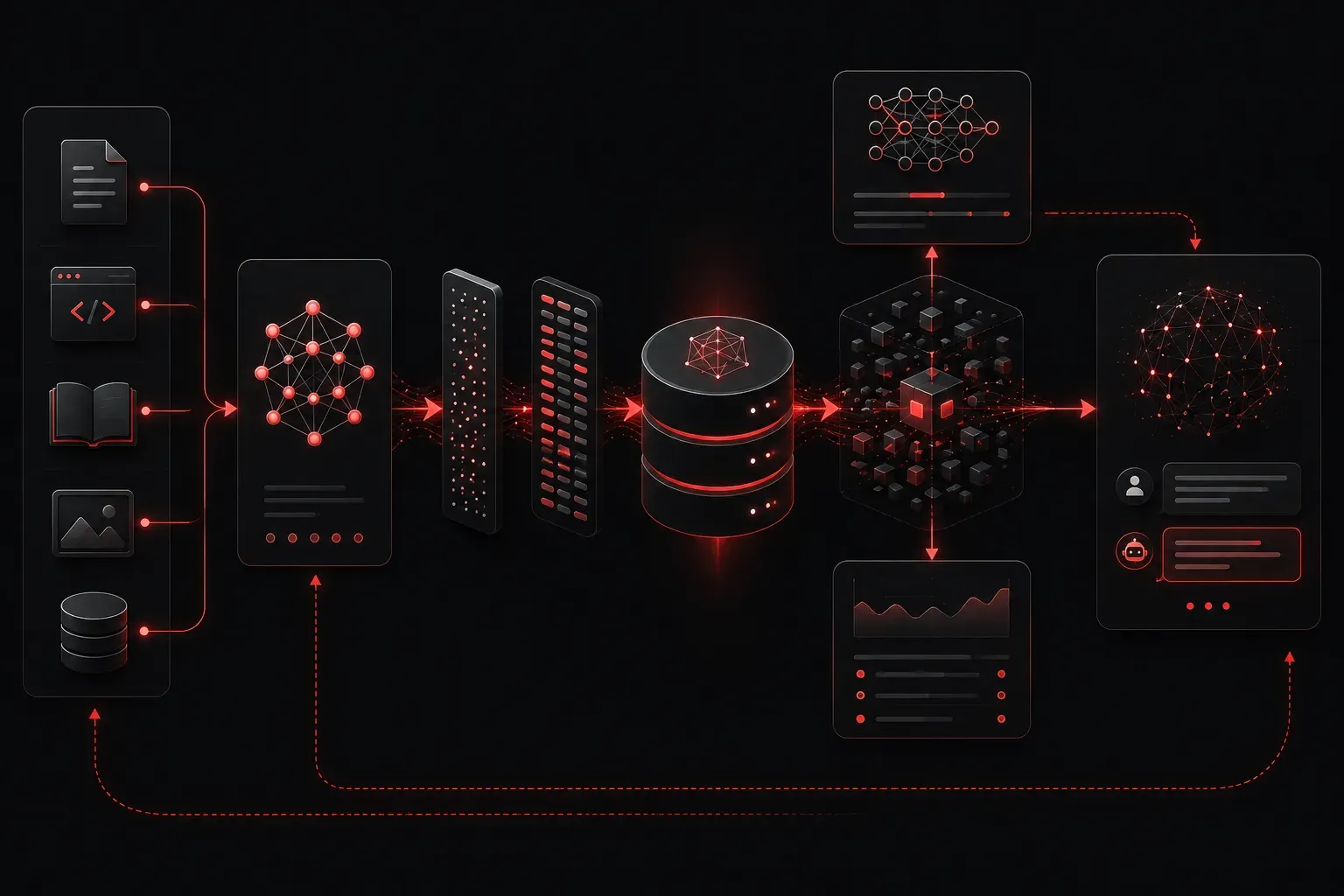
When working with modern AI systems, you'll often hear about RAG, vector databases, and embeddings as separate concepts. But here's the thing: they're not standalone technologies. They work together as an integrated system that dramatically improves how AI models access and use information. Let's break down how these three components connect and why their relationship matters for your AI projects.
Understanding the Foundation: Embeddings
Think of embeddings as the translation layer that converts human-readable text into a language that computers can understand and compare. When you feed text into an embedding model, it returns a vector; essentially a list of numbers that represents the meaning and context of that text.
For example, the sentences "The server crashed" and "The system went down" would have similar embedding vectors because they convey related meanings, even though they use different words. This numerical representation enables machines to understand semantic relationships between pieces of information.
# Example: Creating embeddings with OpenAI
import openai

text = "How do I configure OSPF routing?"
response = openai.Embedding.create(
    model="text-embedding-ada-002",
    input=text
)
embedding_vector = response['data'][0]['embedding']
print(f"Embedding dimensions: {len(embedding_vector)}")
# Output: Embedding dimensions: 1536
Vector Databases: The Storage Engine
Once you have embeddings, you need somewhere to store them efficiently. Traditional databases aren't optimized for similarity searches across high-dimensional vectors. This is where vector databases like Pinecone, Weaviate, or specialized vector search platforms come in.
Vector databases excel at storing embeddings and performing similarity searches. When you query them with a new embedding vector, they can quickly find the most similar stored vectors using mathematical operations like cosine similarity or euclidean distance.
Here's what makes vector databases special for AI integration:
- Fast similarity search: They can search through millions of vectors in milliseconds
- Scalability: Handle massive datasets without performance degradation
- Metadata support: Store additional information alongside vectors for filtering
- Real-time updates: Add new embeddings without rebuilding the entire index
Note on ChromaDB: ChromaDB is an open-source embedding database that serves as an excellent choice for development and smaller-scale deployments. While it may not have the same enterprise-level recognition as Pinecone or Weaviate, it provides a lightweight, easy-to-use solution for RAG implementations, particularly in prototyping and educational contexts.
RAG: Bringing It All Together
Retrieval Augmented Generation (RAG) is the orchestration layer that connects embeddings and vector databases with large language models. Here's how the complete workflow operates:
Step 1: Data Preparation
Your documents get chunked into smaller pieces, converted to embeddings, and stored in a vector database along with the original text.
Step 2: Query Processing
When a user asks a question, that question gets converted to an embedding using the same model used for your documents.
Step 3: Similarity Search
The vector database finds the most relevant document chunks by comparing the query embedding with stored embeddings.
Step 4: Context Enhancement
The retrieved text chunks get combined with the original user question and sent to the language model as context.
Step 5: Generation
The LLM generates a response based on both the user's question and the retrieved relevant information.
Why This Integration Matters for Model Enhancement
The combination of RAG, vector databases, and embeddings solves several critical problems in AI systems:
Knowledge Freshness: Instead of retraining models with new information, you simply add new embeddings to your vector database. The RAG system automatically incorporates this fresh data into responses.
Reduced Hallucination: By grounding responses in retrieved documents, the system is less likely to generate false information since it's working with actual source material.
Cost Efficiency: Rather than fine-tuning expensive language models, you can enhance their capabilities through intelligent data retrieval, making this approach much more economical.
Domain Specialization: You can create domain-specific AI systems by populating vector databases with specialized knowledge, effectively turning general-purpose models into expert systems.
Practical Applications for Network and Infrastructure Teams
For technical practitioners, especially those working with networking and infrastructure, RAG systems offer powerful solutions:
Network Troubleshooting Assistant: Build a RAG system using your organization's network documentation, configuration guides, and incident reports. When technicians encounter issues, the system can retrieve relevant troubleshooting steps and configuration examples.
Cisco Configuration Helper: Create a knowledge base from Cisco documentation, best practices, and your organization's standard configurations. Engineers can query complex routing scenarios and receive contextually relevant configuration snippets and explanations.
Infrastructure Documentation Search: Convert your technical documentation, runbooks, and standard operating procedures into a searchable RAG system that provides precise, context-aware answers to operational questions.
Implementation Considerations
When implementing this integrated approach, consider these key factors:
Choose embedding models that align with your data type and domain. Different models excel at different tasks, some are better for code, others for general text, and others for specific languages.
Chunk size matters significantly. Too small, and you lose context. Too large, and your retrieval becomes less precise. Most implementations work well with 200-500 token chunks with some overlap.
Vector database selection depends on your scale and requirements. Start with simpler solutions like ChromaDB for prototypes and development environments, then consider managed services like Pinecone or self-hosted solutions like Weaviate for production workloads.
What's Next
Now that you understand how RAG, vector databases, and embeddings work together, the next step is exploring specific implementation strategies. In our upcoming post, we'll dive into choosing the right embedding models for different use cases and optimizing chunk sizes for maximum retrieval accuracy.