
Why Disaster Recovery Planning is Crucial for Networks
Disaster Recovery planning is essential for maintaining network uptime and protecting data. Without a DR plan, organizations face extended downtime, data loss, financial impact, and reputation damage during network failures.

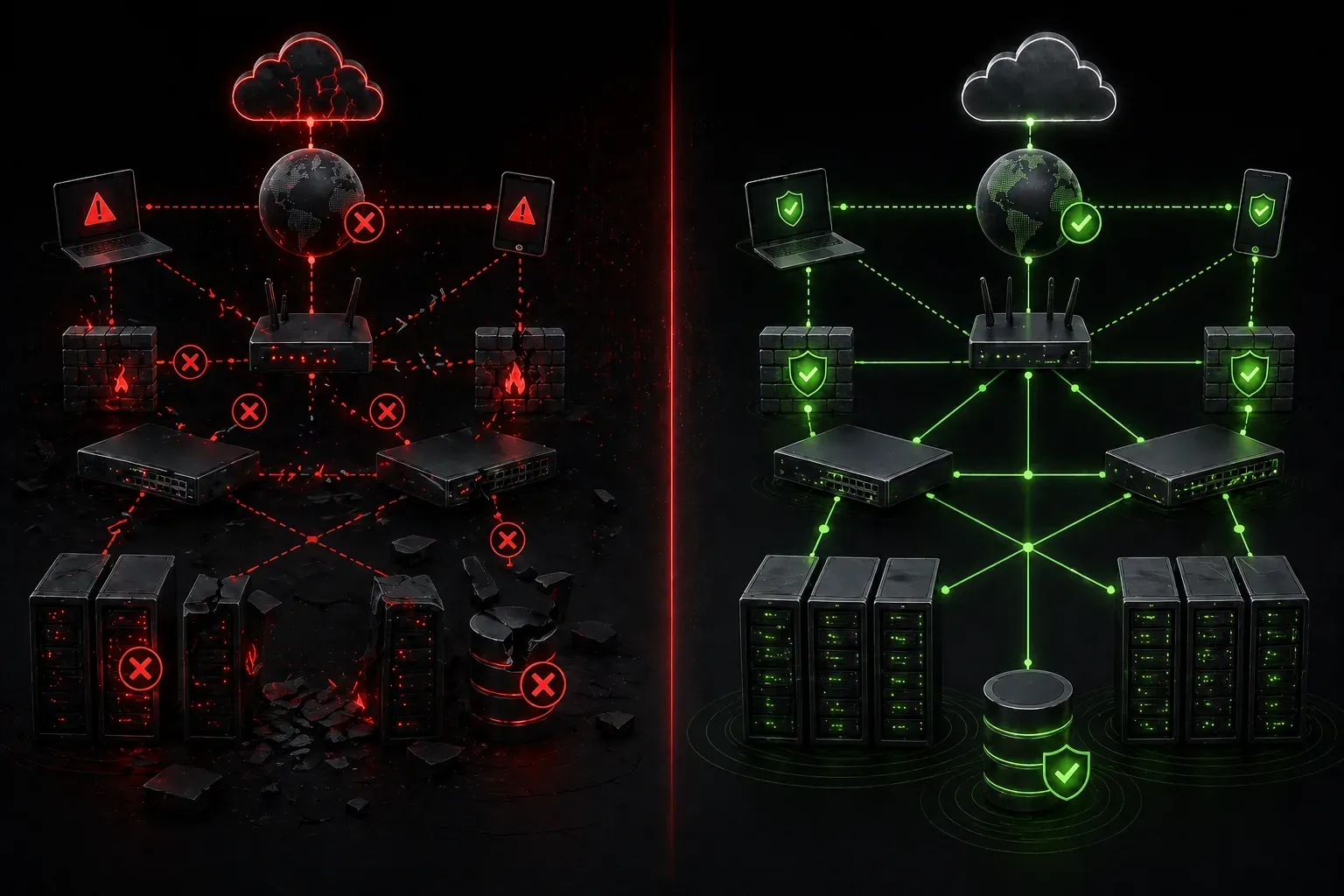
When networks fail, businesses stop. It's that simple. Whether it's a power outage, hardware failure, cyberattack, or natural disaster, network downtime can cost organizations thousands of dollars per minute in lost productivity and revenue. This is why understanding the importance of DR planning (Disaster Recovery planning) is fundamental for anyone working with networks.
What is Disaster Recovery Planning?
Disaster Recovery (DR) planning is the process of creating documented procedures and strategies to restore network services and data after a disruptive event. Think of it as your network's emergency playbook, a step-by-step guide to getting systems back online as quickly and safely as possible.
A comprehensive DR plan includes backup procedures, recovery time objectives, alternate site locations, and clearly defined roles and responsibilities for your IT team during an emergency.
The Critical Benefits of DR Planning
Minimized Downtime and Improved Network Uptime
The primary goal of any DR plan is to minimize network downtime. Without a plan, your team will waste precious time figuring out what to do while systems remain offline. A well-documented DR plan provides immediate action steps, reducing recovery time from hours or days to minutes or hours.
For example, if your primary internet connection fails, a DR plan might specify switching to a backup ISP connection using a specific ip route command sequence that's already tested and documented.
Enhanced Data Protection
Data protection goes beyond just having backups; it's about ensuring data integrity and availability when you need it most. DR planning establishes regular backup schedules, tests restore procedures, and defines recovery point objectives (RPO) that determine how much data loss is acceptable.
Consider this scenario: Your file server crashes at 2 PM on a Tuesday. With a DR plan, you know exactly where your most recent backup is stored, how long the restore will take, and which systems to prioritize first.
Regulatory Compliance
Many industries require organizations to maintain DR plans for compliance purposes. Healthcare organizations must comply with HIPAA requirements, while financial institutions must comply with regulations such as SOX. Having a documented DR plan helps meet these legal obligations and protects against potential fines.
The Risks of Not Having a DR Plan
Extended Downtime
Without a DR plan, what should be a 30-minute recovery becomes a multi-hour crisis. Teams scramble to locate backup media, remember passwords, and figure out configuration details. This chaos multiplies downtime exponentially.
Data Loss
Unplanned recovery attempts often result in permanent data loss. Technicians might accidentally overwrite good data with corrupted backups or discover that backup procedures weren't working properly for months.
Financial Impact
According to industry studies, network downtime can cost small businesses $8,000 per hour and large enterprises over $300,000 per hour. These costs include lost sales, idle employees, and customer dissatisfaction, all of which can have long-term business impacts.
Reputation Damage
Customers lose trust in organizations that experience frequent or prolonged outages. In our connected world, news of network failures spreads quickly through social media, potentially causing lasting reputation damage that affects future business opportunities.
Common Network Disaster Scenarios
Understanding specific disaster scenarios helps in creating targeted recovery procedures:
- Switch or router failure: Hardware malfunction in core networking equipment requiring failover to redundant devices or emergency replacement
- Fiber cut: Physical damage to network cables from construction, weather, or accidents, disrupting connectivity between sites
- Power grid failure: Extended outages that exceed UPS capacity, requiring generator power or alternate site operations
- Distributed Denial of Service (DDoS) attacks: Overwhelming network traffic that requires traffic filtering, ISP coordination, or emergency rerouting
- Network security breaches: Compromised systems requiring immediate isolation, forensic analysis, and clean recovery procedures
- Data center flooding or fire: Physical disasters requiring activation of alternate sites and restoration from offsite backups
Key Components Every DR Plan Needs
An effective DR plan should include:
- Recovery Time Objectives (RTO): How quickly systems must be restored (e.g., email services restored within 2 hours, file servers within 4 hours)
- Recovery Point Objectives (RPO): Maximum acceptable data loss (e.g., no more than 15 minutes of transaction data lost, daily backups acceptable for archive data)
- Contact information: Key personnel, vendors, and emergency services
- Asset inventory: Critical systems, applications, and data locations
- Step-by-step procedures: Specific recovery instructions for different scenarios
- Testing schedule: Regular drills to validate that the plan works
Understanding RTO vs RPO
These two metrics are fundamental to DR planning but serve different purposes:
Recovery Time Objective (RTO) measures how quickly you need systems back online. For example, if your organization can tolerate email being down for 4 hours but requires the payment system to be restored within 30 minutes, these different RTOs drive different recovery strategies and resource investments.
Recovery Point Objective (RPO) measures the maximum acceptable data loss. A financial trading system might have an RPO of zero (no data loss acceptable), requiring real-time replication, while a company newsletter archive might have an RPO of 24 hours, making daily backups sufficient.
Making DR Planning Actionable
Start small. Identify your most critical network services and document basic recovery procedures for common failure scenarios. Test these procedures during maintenance windows to ensure they work. As you gain confidence, expand your plan to cover more complex disaster scenarios.
Remember, a simple DR plan that's tested and understood is infinitely better than a complex plan that sits unused on a shelf.
What's Next
Now that you understand why DR planning is crucial, the next step is learning about the specific types of disasters that can affect networks and how to assess your organization's risk profile. In our next post, we'll explore common network disaster scenarios and help you prioritize which threats to plan for first.
Tools and resources for this topic
- CompTIA Network+ Study Guide — Comprehensive N10-009 exam preparation covering all five domains.