
Understanding Network Technologies for Beginners
This post provides an entry-level overview of key network technologies, devices, and concepts for those new to IT and cybersecurity. It covers switches, routers, firewalls, access points, servers, and network types using simple analogies. It also explains how data travels as packets and why underst

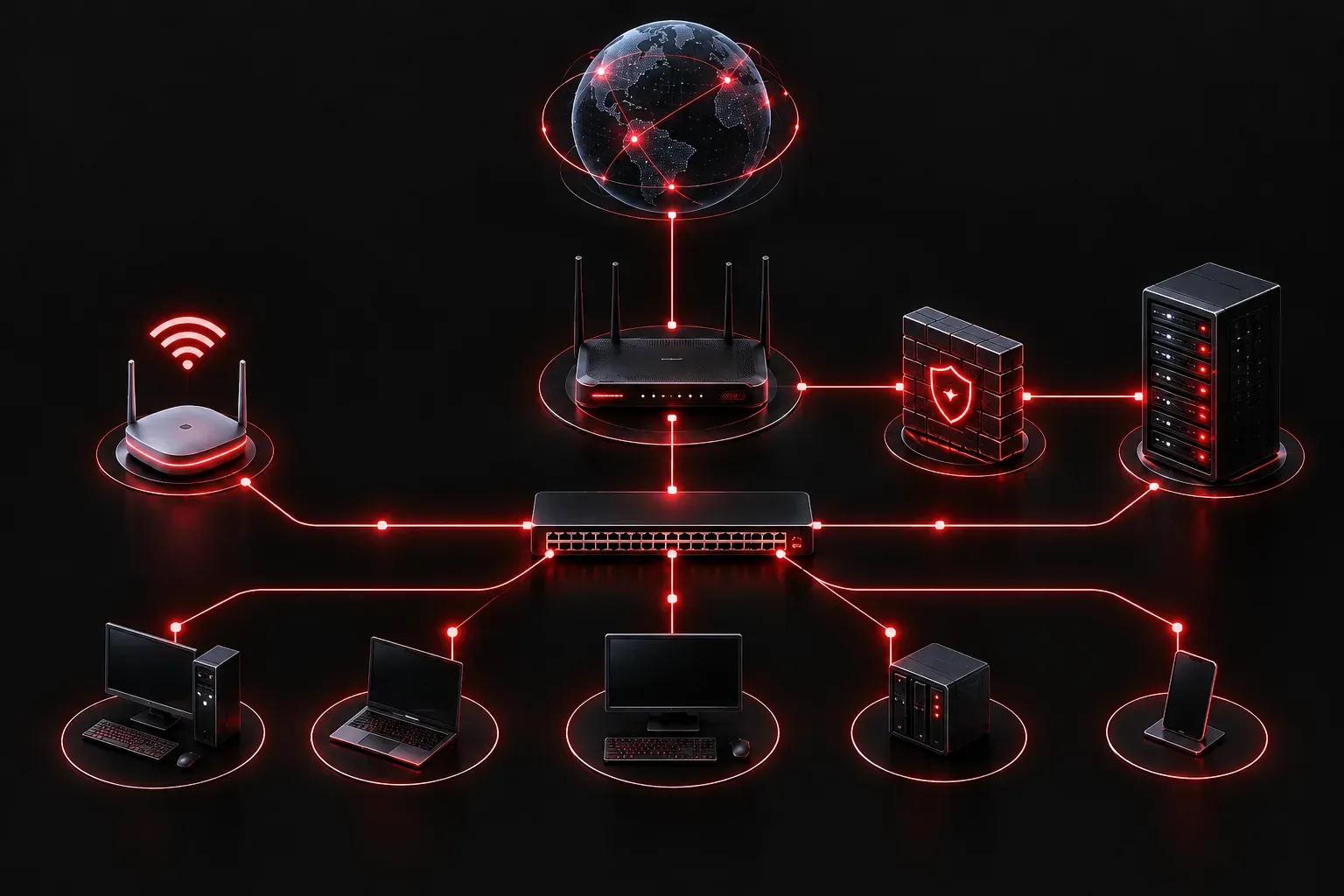
When you're starting out in cybersecurity, you quickly realize that you need to understand the network before you can protect it. Think of it like being a security guard: you need to know the layout of the building before you can spot something out of place. This post gives you a solid network technologies overview to build that mental map.
What Is a Network, Really?
A network is simply a group of devices that can communicate with each other. That communication might happen over a cable plugged into the wall, a Wi-Fi signal through the air, or fiber optic cables running under the ocean. The scale ranges from two computers sharing files in a bedroom to billions of devices connected through the internet.
Understanding the technology basics behind how devices connect and talk to each other is foundational to everything you will do in cybersecurity.
Key Network Devices You Need to Know
Before diving into protocols and internet technology, let's identify the main players. These are the physical (and virtual) devices that make networks function.
Switch
A switch connects devices within the same local network, like computers and printers in an office. Think of it as the hallways in a building: it directs traffic from one room to another efficiently. Switches operate at Layer 2 of the OSI model and use MAC addresses to forward data to the correct device.
Router
A router connects different networks together. If the switch is the hallway inside a building, the router is the front door that connects your building to the street outside. Your home router connects your local network to your Internet Service Provider (ISP). Routers use IP addresses to make forwarding decisions.
Firewall
A firewall is a security device (hardware or software) that monitors and controls traffic entering and leaving a network based on rules. A simple analogy: it is the security checkpoint at the front of the building, deciding who gets in and who gets turned away.
Access Point (AP)
A wireless access point extends a wired network into the air, allowing Wi-Fi devices to connect. Most home routers include a built-in access point, but in enterprise environments, you will see dedicated APs spread across a building to provide coverage.
Server
A server is a device that provides resources or services to other devices (called clients). Web servers host websites, file servers store shared documents, and DNS servers translate domain names into IP addresses. The client-server model is at the heart of how internet technology works.
Common Network Types
Networks are also categorized by their size and reach:
- LAN (Local Area Network): A network within a single location, like a home or office.
- WAN (Wide Area Network): A network that spans large geographic areas, connecting multiple LANs. The internet itself is the largest WAN in existence.
- WLAN (Wireless LAN): A LAN that uses Wi-Fi instead of physical cables.
- VPN (Virtual Private Network): An encrypted tunnel that allows remote users to connect securely to a private network over the internet.
How Data Actually Travels
Data does not travel as one big chunk. It gets broken into smaller pieces called packets. Each packet contains the destination IP address, the source IP address, and a portion of the actual data. Routers read those addresses and forward packets along the best available path until they reach the destination, where they are reassembled.
This is why a large file download does not need a dedicated private lane on the internet. Thousands of packets from different sources share the same links, and everything arrives and gets reassembled at the other end.
Why This Matters for Cybersecurity
Attackers exploit weaknesses in exactly these technologies. They might target misconfigured routers, exploit unpatched software on servers, intercept unencrypted packets, or bypass firewall rules. Knowing the function of each device gives you the context to understand why a threat is dangerous and where a defense needs to be placed.
What's Next
Now that you have a network technologies overview and understand the basic devices involved, the next step is understanding how those devices communicate using protocols. In the next post, we will explore the TCP/IP model and how common protocols like HTTP, DNS, and DHCP operate. Understanding protocols is the bridge between knowing what a network looks like and knowing how it behaves, which is exactly what you need to start identifying abnormal activity.