
Understanding Network Topologies for Beginners
An introduction to fundamental network topologies including star, mesh, and bus configurations. Explains the structure, advantages, and real-world applications of each topology type for networking beginners.

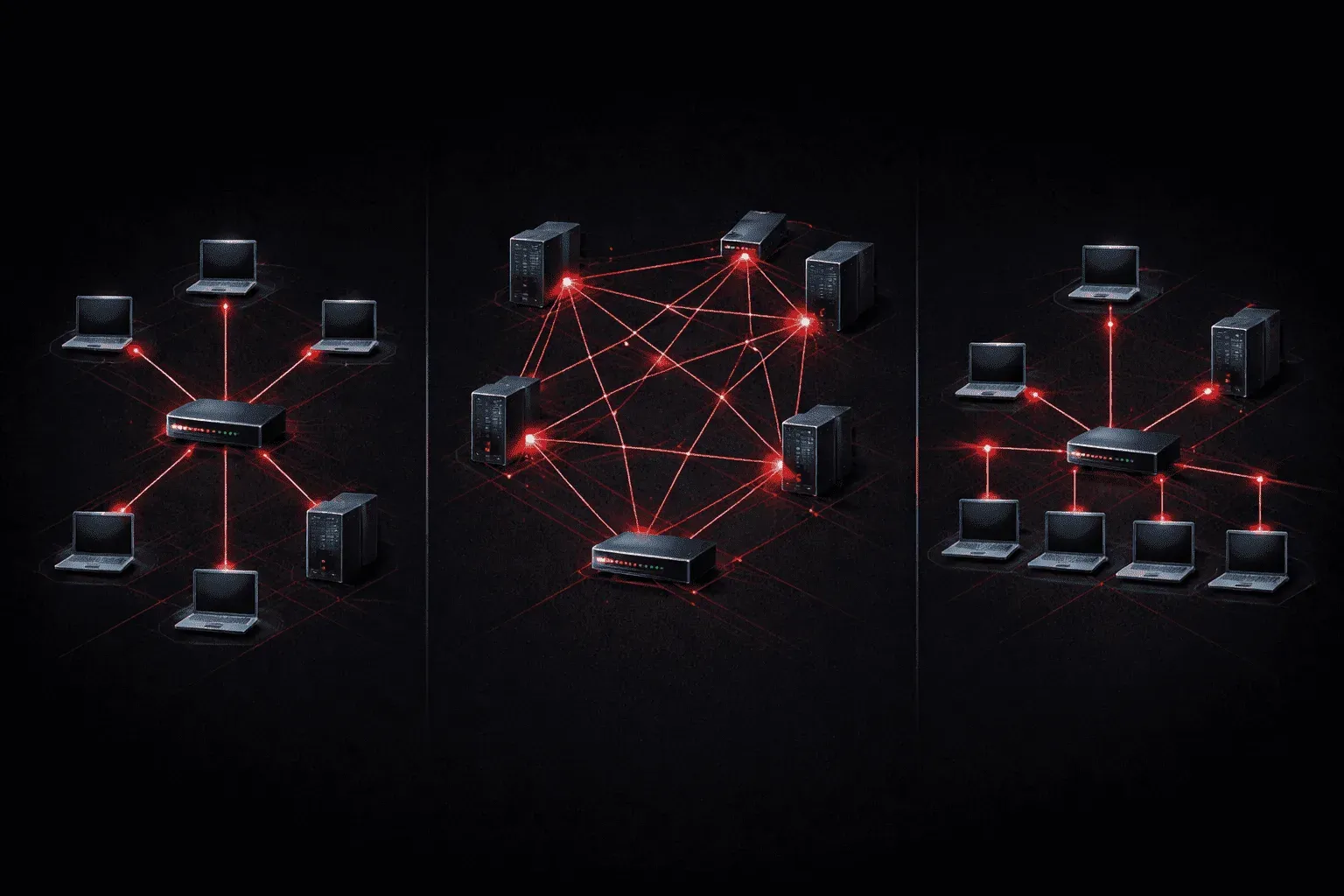
When you're starting your networking journey, understanding network topologies is like learning the blueprints of how devices connect and communicate. A network topology describes the physical or logical arrangement of devices in a network, think of it as the "shape" your network takes.
Let's explore the three fundamental topologies you'll encounter most often in real-world networking.
Star Topology: The Most Popular Choice
The star topology is everywhere, from your home network to most office environments. In this setup, all devices connect to a central hub, switch, or router. Picture a bicycle wheel: the center hub represents your switch, and each spoke represents a cable connecting to a device.
Key characteristics of star topology:
- Single point of connection for all devices
- Each device has its own dedicated connection
- Central device manages all network traffic
The biggest advantage? If one cable fails, only that specific device loses connectivity; the rest of the network keeps running. However, if your central switch fails, the entire network goes down. This single point of failure is the main drawback.
In a typical office setup, you might see this in action:
Switch (Center)
├── Computer 1
├── Computer 2
├── Printer
├── Server
└── Wireless Access Point
Bus Topology: The Original Ethernet
The bus topology was the foundation of early Ethernet networks. Imagine a single backbone cable (the "bus") running through your office, with devices tapping into it along the way, like stations along a subway line.
In traditional bus networks, all devices shared the same communication medium. When one device transmitted data, every other device on the network could "hear" it, but only the intended recipient would process the message.
Characteristics of bus topology:
- Single shared communication path
- Devices connect via taps or T-connectors
- Requires terminators at both ends to prevent signal reflection
While you won't see pure bus topologies in modern networks, understanding this concept helps you grasp shared media networks and collision domains, topics crucial for Network+ success.
Mesh Network: Maximum Redundancy
A mesh network takes redundancy to the extreme. In a full mesh topology, every device connects directly to every other device. It's like having a direct phone line between every person in your office.
There are two types:
- Full mesh: Every device connects to every other device
- Partial mesh: Some devices have multiple connections, but not all are interconnected
The formula for connections in a full mesh is: n(n-1)/2, where n is the number of devices. So five devices would need 10 connections! { 5 ( 5 - 1 ) / 2 }
Mesh advantages:
- Excellent fault tolerance, multiple paths between devices
- No single point of failure
- High performance due to dedicated connections
The downside? Cost and complexity. You'll typically see mesh topologies in critical infrastructure like internet backbone connections, where redundancy justifies the expense.
Hybrid Topologies in the Real World
Most modern networks combine multiple topologies, and these hybrid designs are by far the most common arrangement you will encounter in real environments.
A typical enterprise network is a good example. Each floor or department uses a star topology, with all workstations connected to a local access layer switch. Those access switches then connect upward to distribution switches using redundant links, forming a partial mesh at the distribution layer. The distribution switches connect to core switches in a similar fashion, creating a layered hierarchy that combines star and mesh characteristics at different levels.
Campus wireless networks follow a similar pattern. Individual access points create small star topologies for connected devices, while the access points themselves connect back to wireless LAN controllers through the wired star infrastructure. Your home network works the same way: a star topology inside your house, connecting outward to your ISP's regional mesh infrastructure.
Modern networks increasingly use Software-Defined Networking (SDN) to manage these hybrid topologies more flexibly. SDN separates the control plane (the logic that decides where traffic goes) from the data plane (the hardware that actually forwards it), allowing administrators to define and adjust network topology behaviour through software rather than configuring individual devices manually. While SDN does not change the underlying physical topology, it makes managing complex hybrid designs significantly more practical at scale.
Understanding these basic building blocks helps you visualize how data flows through networks and troubleshoot connectivity issues more effectively.
What's Next
Now that you understand the physical arrangement of devices, we'll explore how these topologies handle network access methods and collision domains, key concepts that determine how efficiently your network operates.
Network+ study resources
- CompTIA Network+ Study Guide - Full N10-009 exam coverage across all five domains. Essential exam preparation.