
What is EtherChannel and How Does It Work?
EtherChannel combines multiple physical network links into one logical connection to increase bandwidth and provide redundancy. This guide covers the basics of how EtherChannel works, its negotiation protocols (LACP and PAgP), and essential configuration commands.

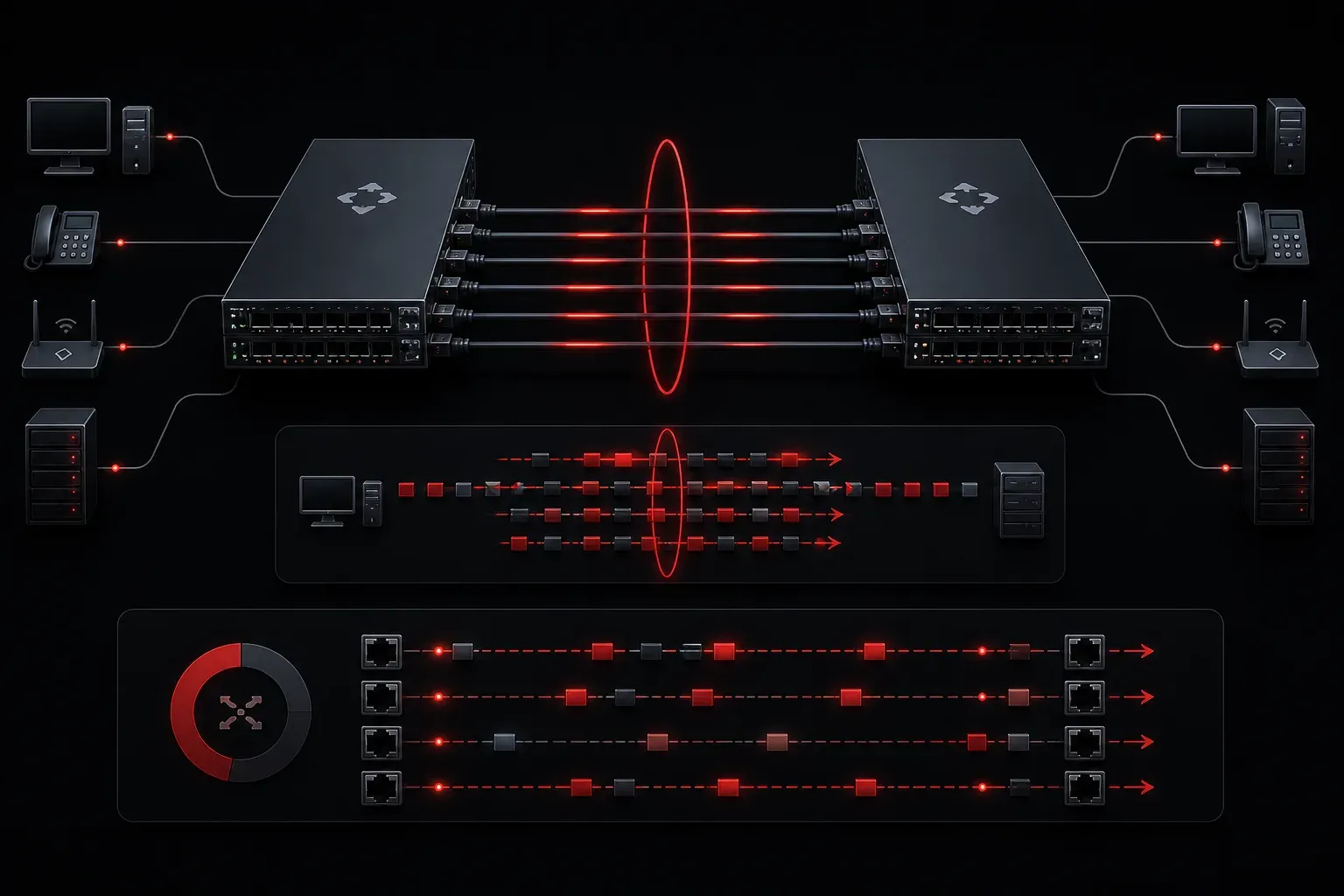
EtherChannel is a technology that bundles multiple physical network links into a single logical connection. Think of it as combining multiple lanes of traffic into a single superhighway; you get more capacity and backup routes if a lane closes. This network link aggregation technique is essential for modern networks that need both higher bandwidth and built-in redundancy.
Why EtherChannel Matters
Imagine your network switch has four 1 Gbps ports connected to another switch, but you're only using one link at a time because Spanning Tree Protocol (STP) blocks the others to prevent loops. EtherChannel solves this problem by treating all four links as a single logical connection, allowing you to use the full 4 Gbps of combined bandwidth while maintaining loop prevention.
The benefits are compelling:
- Increased bandwidth: Combine multiple 1 Gbps links into 2, 4, or 8 Gbps of total throughput
- Automatic redundancy: If one physical link fails, traffic continues flowing through the remaining links
- Load balancing: Traffic is distributed across all active links in the bundle
- No STP blocking: All bundled links stay active instead of being blocked
How EtherChannel Works
EtherChannel creates a virtual interface called a Port Channel (Po) that represents the entire bundle. When you configure multiple physical ports into an EtherChannel, the switch treats them as one logical port with combined capabilities.
Here's a basic EtherChannel configuration example:
Switch(config)# interface range gigabitethernet 0/1-2
Switch(config-if-range)# channel-group 1 mode active
Switch(config-if-range)# exit
Switch(config)# interface port-channel 1
Switch(config-if)# switchport mode trunk
This configuration bundles ports Gi0/1 and Gi0/2 into Port Channel 1, effectively doubling the bandwidth between switches.
EtherChannel Configuration Methods
EtherChannel can be configured in three ways: using automatic negotiation protocols or static configuration. For automatic negotiation, EtherChannel uses two main protocols:
LACP (Link Aggregation Control Protocol)
LACP is the IEEE 802.3ad standard and the preferred method. It dynamically manages the EtherChannel by exchanging control packets between switches. LACP modes include:
active- Actively negotiates LACPpassive- Responds to LACP negotiation
PAgP (Port Aggregation Protocol)
PAgP is Cisco's proprietary protocol. Its modes include:
desirable- Actively negotiates PAgPauto- Responds to PAgP negotiation
Static Configuration (Mode On)
You can also use mode on to force EtherChannel without any negotiation protocol. However, this approach is not recommended for production networks because it lacks the error detection and recovery capabilities that LACP and PAgP provide. Without negotiation protocols, misconfigurations or cable issues may not be detected automatically, potentially leading to network loops or connectivity problems.
Load Balancing Methods
EtherChannel doesn't simply round-robin packets across links. Instead, it uses hash algorithms to ensure packets from the same flow stay in order. Common load-balancing methods include:
- Source MAC: Based on source MAC address
- Destination MAC: Based on destination MAC address
- Source and Destination IP: Based on both source and destination IP addresses
- Source and Destination Port: Based on TCP/UDP port numbers
The choice of load-balancing method significantly impacts network performance. For example, using the source MAC in environments with few source devices may result in uneven distribution, whereas using the source and destination IP addresses provides better distribution for diverse traffic patterns. Choose the method that best matches your network's traffic characteristics.
You can verify the load-balancing method with:
Switch# show etherchannel load-balanceVerification and Troubleshooting
Several commands help you monitor EtherChannel status:
Switch# show etherchannel summary
Switch# show etherchannel port-channel
Switch# show interfaces port-channel 1
The summary command shows all EtherChannels with their status; look for "SU" (Standalone, Up), which indicates a properly functioning channel.
Common Requirements and Limitations
For EtherChannel to work properly, all bundled ports must have identical configurations:
- Same speed and duplex settings
- Same VLAN configuration
- Same spanning tree settings
- Maximum of 8 ports per EtherChannel
Mismatched configurations will prevent the EtherChannel from forming or cause it to fail.
What's Next
Now that you understand EtherChannel basics, you're ready to dive deeper into advanced EtherChannel configurations and explore how it integrates with VLANs and trunking. In the next post, we'll cover EtherChannel troubleshooting scenarios and best practices for production deployments.
Tools and resources for this topic
- CCNA Official Cert Guide (Wendell Odom) — The definitive CCNA study resource. Both volumes cover the 200-301 exam blueprint in full.
- Wendell Odom CCNA Vol 1 — Covers networking fundamentals, switching, and routing basics.
- Wendell Odom CCNA Vol 2 — Covers advanced routing, WAN, infrastructure services, and security.