
What is Server Virtualization and How Does it Work?
Server virtualization allows multiple virtual machines to run on a single physical server using hypervisors for hardware abstraction. This technology reduces costs, improves efficiency, and enables better resource utilization in modern IT environments.

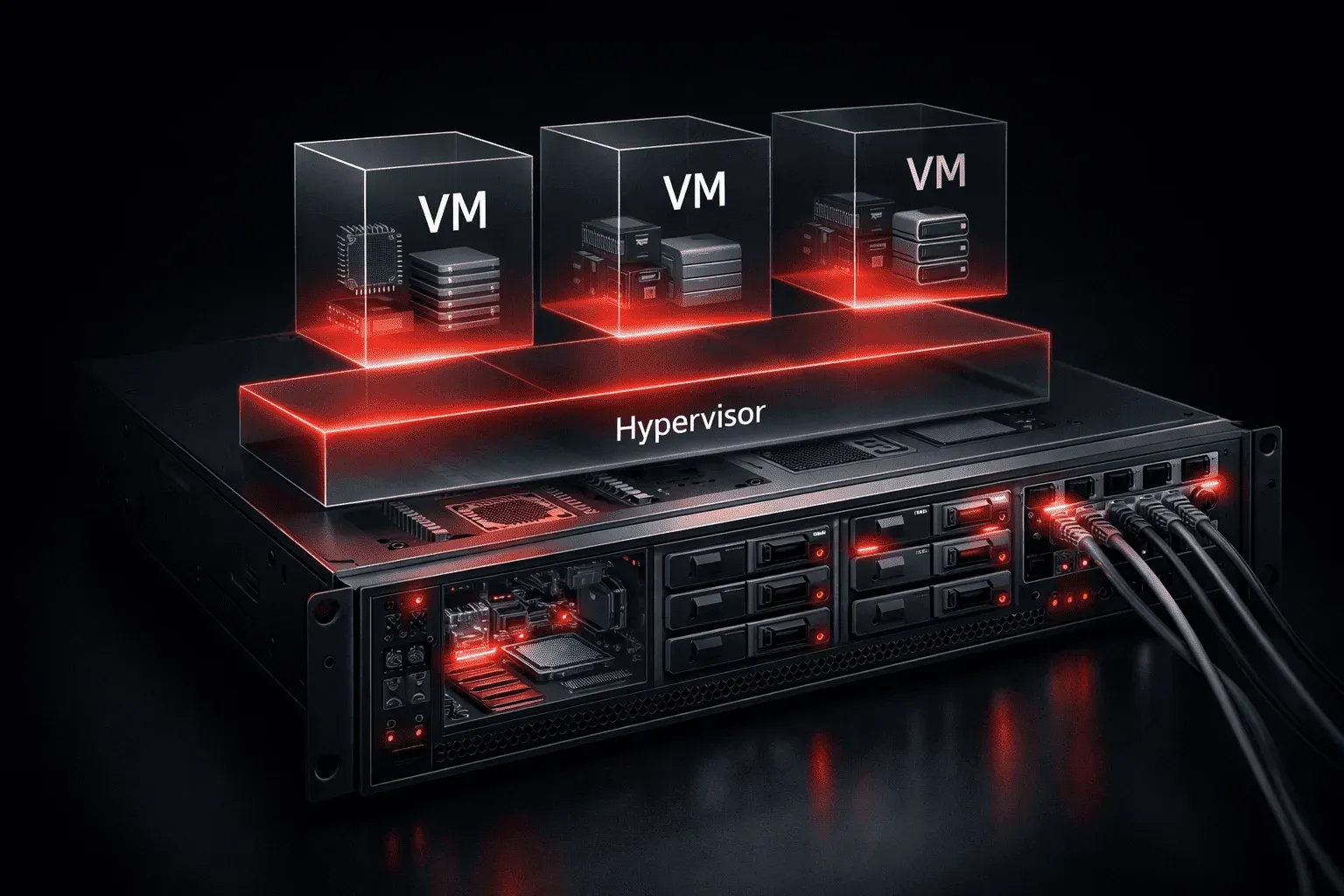
Imagine you have one powerful computer, but you want to run multiple operating systems on it simultaneously. Maybe you need Windows for some applications, Linux for web servers, and another Windows instance for testing. In the traditional world, you'd need three separate physical computers. But with server virtualization, you can run all three on a single piece of hardware.
What is Server Virtualization?
Server virtualization is a technology that allows you to create multiple virtual machines (VMs) on a single physical server. Think of it like dividing a large apartment into smaller units. Each unit operates independently with its own resources, but they all share the same building infrastructure.
The key concept here is hardware abstraction. Instead of your operating system talking directly to the physical hardware, it communicates with a virtual layer that presents standardized virtual hardware. This abstraction layer handles the complex task of sharing the real CPU, memory, storage, and network resources among all the virtual machines.
How Hypervisors Make It Work
The magic happens through software called a hypervisor (also known as a Virtual Machine Monitor or VMM). The hypervisor acts like a traffic controller at a busy intersection, managing how each virtual machine accesses the physical hardware resources.
There are two main types of hypervisors:
- Type 1 (Bare Metal): Runs directly on the physical hardware. Examples include VMware ESXi and Microsoft Hyper-V Server.
- Type 2 (Hosted): Runs on top of an existing operating system, like VMware Workstation or VirtualBox on your desktop.
In enterprise environments, Type 1 hypervisors are preferred because they provide better performance and security by eliminating the underlying operating system layer.
The Virtualization Process
Here's how server virtualization works step by step:
- Hardware Abstraction: The hypervisor creates a virtual hardware layer that presents standardized components (virtual CPU, virtual RAM, virtual network cards) to each VM.
- Resource Allocation: You assign specific amounts of CPU, memory, storage, and network bandwidth to each virtual machine.
- Isolation: Each VM operates independently. If one crashes, the others continue running normally.
- Hardware Sharing: The hypervisor schedules and manages how VMs share the physical resources, similar to how an operating system manages processes.
Real-World Benefits
Server virtualization delivers several compelling advantages:
Cost Reduction: Instead of buying five physical servers, you might need only one powerful server to run five virtual machines. This reduces hardware costs, power consumption, and cooling requirements.
Improved Efficiency: Most physical servers run at only 10-15% capacity. Virtualization allows you to consolidate workloads and achieve 70-80% utilization rates.
Disaster Recovery: Virtual machines are essentially files on disk. You can easily back them up, move them between physical servers, or restore them quickly after hardware failures.
Testing and Development: Need to test software on different operating systems? Create virtual machines instead of maintaining separate physical computers.
A Simple Example
Let's say you have a physical server with 32GB of RAM, 8 CPU cores, and 1TB of storage. You could create:
- VM1: Web server (4GB RAM, 2 cores, 100GB storage)
- VM2: Database server (16GB RAM, 4 cores, 500GB storage)
- VM3: Email server (8GB RAM, 2 cores, 200GB storage)
- Remaining resources reserved for the hypervisor and future expansion
Each virtual machine would see its allocated resources as dedicated hardware, even though they're sharing the same physical components.
What's Next
Now that you understand server virtualization fundamentals, the next logical step is exploring network virtualization concepts like VLANs and how virtual networks connect these virtual machines together. We'll also dive into cloud computing basics, which heavily relies on virtualization technologies to deliver scalable services.
CCNA study resources
- CCNA Official Cert Guide Library (Wendell Odom) — Both volumes covering the full 200-301 exam blueprint. The definitive CCNA study resource.
- Wendell Odom CCNA Vol 1 — Networking fundamentals, switching, VLANs, STP, and IPv4 routing.
- Wendell Odom CCNA Vol 2 — Advanced routing, WAN, security, automation, and network management.