
What is Telnet and How Does it Work?
Telnet is a fundamental network protocol that enables remote command-line access to network devices over TCP port 23. While useful for device management, it transmits data in plain text, making it unsuitable for secure environments.

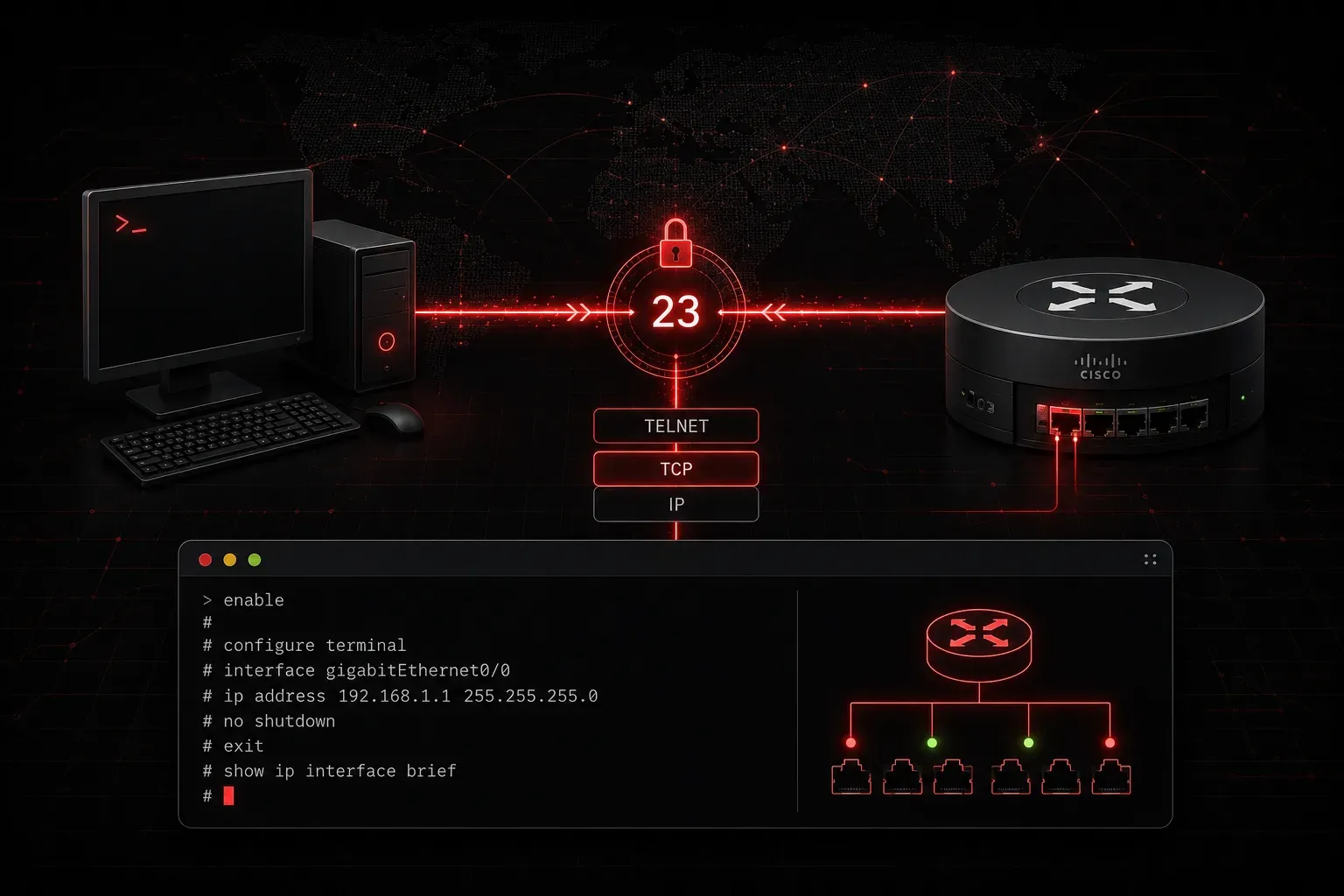
When you're managing network devices like routers and switches, you need a way to access them remotely. Telnet is one of the oldest and most fundamental protocols that enables this remote access. Understanding what Telnet is and how it works is essential for any network professional, though it's important to note that modern networks have largely moved to more secure alternatives like SSH due to Telnet's significant security vulnerabilities.
What is Telnet?
Telnet (Terminal Network) is a network protocol that provides a command-line interface for communicating with remote devices over a network. Developed in 1969, Telnet allows you to establish a virtual terminal session with network devices like routers, switches, and servers from anywhere on the network.
Think of Telnet as creating a "window" into another device's command line. When you use Telnet to connect to a router, you're essentially sitting at that router's console, able to execute commands as if you were physically present.
How Telnet Works
Telnet operates using a simple client-server model over TCP port 23. Here's the basic process:
- Connection Establishment: The Telnet client initiates a TCP connection to the target device on port 23
- Authentication: The remote device prompts for credentials (username and password)
- Session Creation: Once authenticated, a virtual terminal session is established
- Command Exchange: Commands typed on the client are sent to the server and executed remotely
The protocol translates your local keystrokes into network data that the remote device can understand, then sends the command output back to your terminal.
Telnet in Cisco Environments
While Telnet was historically used for remote device management in Cisco environments, it is no longer recommended for production networks due to its serious security vulnerabilities. However, understanding Telnet remains important for educational purposes and legacy system support. Here's how it works:
Connecting to a Cisco router via Telnet:
C:\>telnet 192.168.1.1
Trying 192.168.1.1...
Connected to 192.168.1.1.

User Access Verification

Username: admin
Password:

Router>
Once connected, you can execute standard Cisco IOS commands just as if you were connected via console cable:
Router>enable
Password:
Router#show ip interface brief
Router#configure terminal
Router(config)#
Configuring Telnet Access on Cisco Devices
To enable Telnet access on a Cisco router or switch, you need several configuration elements:
Router(config)#line vty 0 4
Router(config-line)#password cisco123
Router(config-line)#login
Router(config-line)#transport input telnet
Router(config-line)#exit
Router(config)#enable password enablepass
This configuration:
- Configures virtual terminal lines (vty 0-4) for remote access
- Sets a password for Telnet sessions
- Enables login authentication
- Allows Telnet as an input protocol
- Sets the enable password for privileged mode access
Telnet's Major Limitation: Security
The biggest drawback of Telnet is that it transmits all data, including passwords, in plain text. This means anyone monitoring network traffic can easily capture login credentials and see all commands being executed. This critical security vulnerability makes Telnet completely unsuitable for production networks, especially those connected to the internet or any untrusted network.
For this reason, modern networks have largely deprecated Telnet in favor of SSH (Secure Shell) for remote access. SSH provides the same functionality but encrypts all communication between client and server, protecting sensitive information from interception.
When You Might Still Encounter Telnet
Despite its security limitations, you'll still encounter Telnet in several specific scenarios:
- Lab environments: Perfect for learning and testing without security concerns in isolated networks
- Legacy systems: Older devices that don't support SSH and cannot be upgraded
- Highly isolated internal networks: Networks with absolutely no external connectivity and strict physical access controls
- Network troubleshooting: Testing basic connectivity to specific ports (though not for actual device management)
Important: Even in these scenarios, SSH should be preferred whenever possible. Telnet should only be used when SSH is absolutely not available, and the network environment is completely trusted and isolated.
What's Next
Now that you understand Telnet basics and its role in network access history, the next logical step is learning about SSH (Secure Shell). SSH provides the same remote access capabilities as Telnet but with robust encryption and security features that make it the standard for production networks. Understanding both protocols, their differences, and knowing when each might be appropriate is crucial for the CCNA exam and real-world networking.
Tools and resources for this topic
- CCNA Official Cert Guide (Wendell Odom) — The definitive CCNA study resource. Both volumes cover the 200-301 exam blueprint in full.
- Wendell Odom CCNA Vol 1 — Covers networking fundamentals, switching, and routing basics.
- Wendell Odom CCNA Vol 2 — Covers advanced routing, WAN, infrastructure services, and security.