
Wireless Principles: A Beginner's Guide
This beginner's guide covers essential wireless networking principles including RF fundamentals, channel management, SSIDs, and basic security concepts. Perfect foundation for CCNA wireless topics.

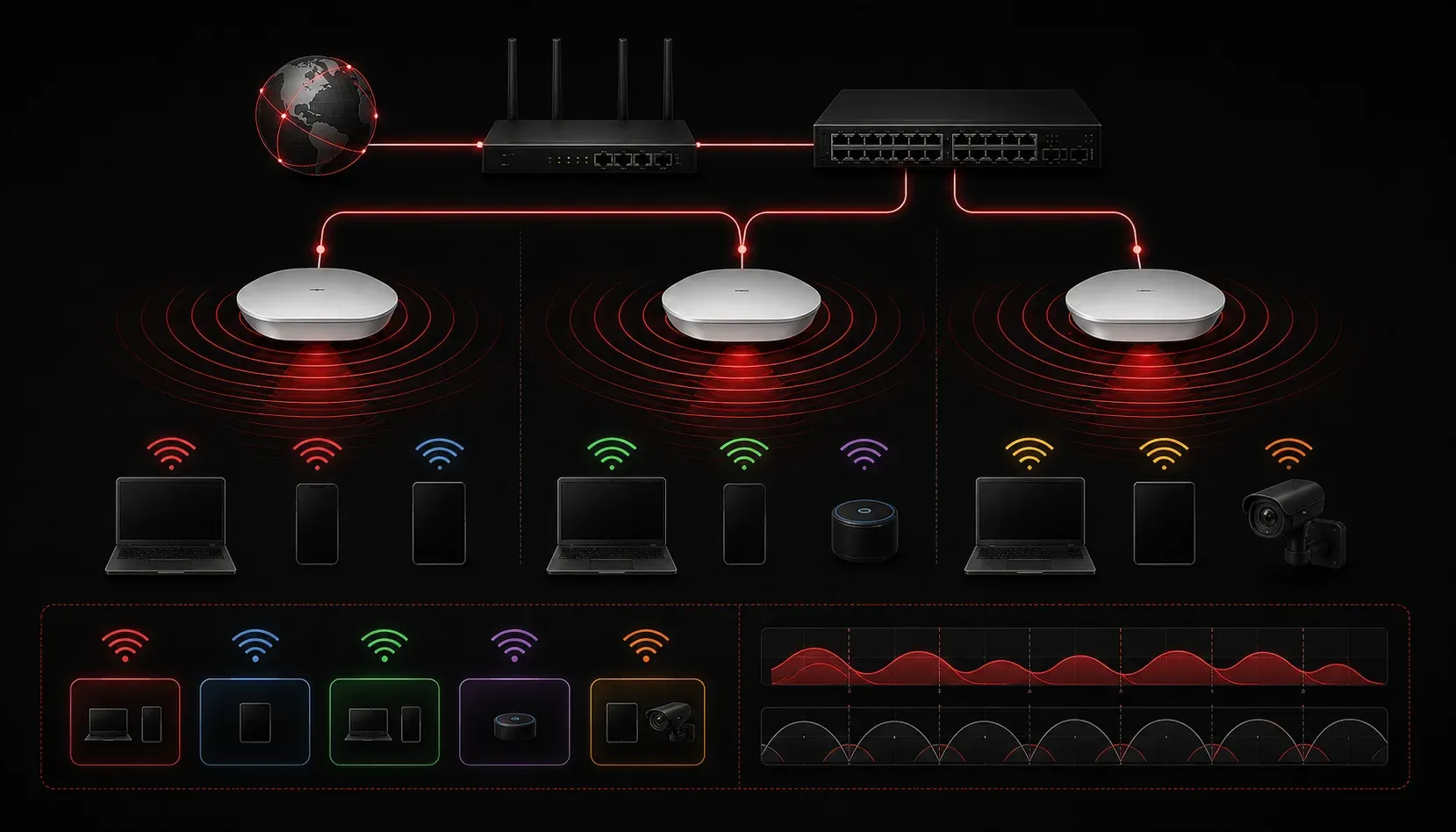
Wireless networking has become the backbone of modern connectivity, but understanding the fundamental principles behind Wi-Fi can seem daunting. Whether you're studying for your CCNA or just want to understand how your home network operates, grasping these core concepts will give you a solid foundation for troubleshooting and configuring wireless networks.
Radio Frequency (RF) Fundamentals
At its core, wireless networking relies on radio frequency signals to transmit data through the air. RF in networking operates in unlicensed frequency bands, primarily 2.4 GHz and 5 GHz, which means anyone can use these frequencies without special licensing.
The 2.4 GHz band offers better range and wall penetration but has limited non-overlapping channels (typically three channels - 1, 6, and 11 in North America, though this varies by regulatory domain). The 5 GHz band provides more channels and traditionally less congestion, but with shorter range. However, in dense environments like apartment buildings or office complexes, the 5 GHz band can also experience significant congestion due to the proliferation of modern devices using this frequency. Understanding these trade-offs helps explain why modern networks often use both bands simultaneously.
Signal strength decreases with distance and obstacles. A concrete wall might reduce signal strength by 10-15 dB, while interference from microwaves or Bluetooth devices can disrupt 2.4 GHz communications entirely.
Channels and Frequency Management
Wireless channels are like lanes on a highway; they prevent different networks from interfering with each other. The availability of specific channels depends on your regulatory domain. In North America, the 2.4 GHz band typically uses channels 1, 6, and 11 as non-overlapping options, while European and other regions may have different channel plans and power restrictions.
The 5 GHz band offers many more non-overlapping channels across different regulatory domains, which traditionally made it less congested. However, channel availability varies significantly by region. Some channels may be restricted or require Dynamic Frequency Selection (DFS) to avoid radar interference. Modern access points can automatically select the best channel based on interference levels, but understanding manual channel selection helps when troubleshooting performance issues.
SSIDs and Network Identification
The Service Set Identifier, or SSID, is simply your wireless network's name - what you see when scanning for available networks. An SSID overview reveals it's broadcast in beacon frames every 100 milliseconds by default, announcing the network's presence to nearby devices.
You can configure multiple SSIDs on a single access point, creating separate networks for guests, employees, or IoT devices. Each SSID can have different security settings and access policies. However, it's important to note that each additional SSID consumes airtime for beacon frames and management overhead, which can impact overall network performance, especially when broadcasting many SSIDs simultaneously. Hidden SSIDs (where the name isn't broadcast) provide only minimal security, since the SSID is still transmitted in other frame types.
Basic Security Mechanisms
Wireless security has evolved significantly from the early days of WEP (Wired Equivalent Privacy), which is now completely broken and should never be used. Modern networks primarily use WPA2 or WPA3 encryption protocols.
WPA2-PSK (Pre-Shared Key) uses a shared password for all devices to connect to the network. The actual encryption keys are derived from this password and change for each session. WPA2-Enterprise uses individual usernames and passwords, typically authenticated against a RADIUS server.
WPA3, the newest standard, provides stronger encryption and protection against offline dictionary attacks. It also introduces Enhanced Open for public networks, providing encryption even without a password.
Access Points vs. Wireless Controllers
In small networks, standalone access points handle all wireless functions independently. Each AP manages its own configuration, security policies, and client connections.
Enterprise networks often use wireless LAN controllers (WLCs) that centrally manage multiple access points. The access points become "lightweight," handling only the radio functions while the controller manages authentication, roaming decisions, and policy enforcement. This architecture simplifies management and provides seamless roaming between access points.
Basic Troubleshooting Concepts
Understanding Wi-Fi basics includes knowing common issues and their symptoms. Weak signal strength causes slow speeds and frequent disconnections. Channel interference creates intermittent connectivity problems. Authentication failures might indicate incorrect passwords or certificate issues in enterprise environments.
The show interfaces dot11Radio command on Cisco access points displays useful information about signal levels, channel utilization, and error rates. Client devices often show signal strength in dBm, values closer to zero indicate stronger signals.
What's Next
Now that you understand these fundamental wireless networking principles, you're ready to dive deeper into specific wireless technologies and standards. The next logical step is to explore the IEEE 802.11 standards in detail, including the differences among 802.11n, 802.11ac, and 802.11ax, and how each advancement improves network performance and reliability.
Tools and resources for this topic
- CCNA Official Cert Guide (Wendell Odom) — The definitive CCNA study resource. Both volumes cover the 200-301 exam blueprint in full.
- Wendell Odom CCNA Vol 2 — Covers advanced routing, WAN, infrastructure services, and security.