
Auto-Summarization Challenges in EIGRP
EIGRP's auto-summarization feature creates significant routing challenges including black holes, loops, and connectivity issues in modern networks. This guide covers identification, troubleshooting methodology, and resolution strategies including manual summarization and leak-maps.

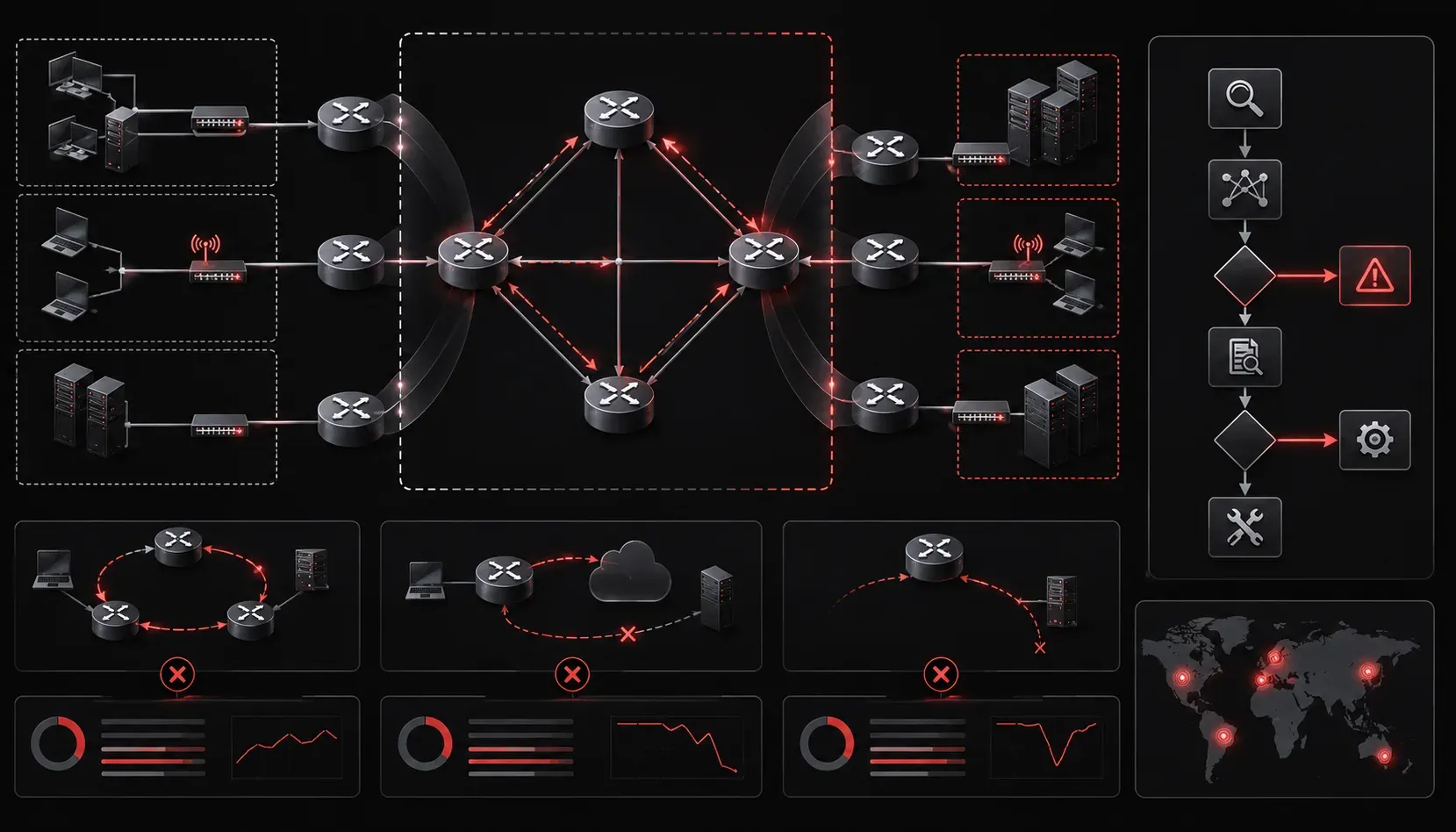
EIGRP's automatic summarization feature, while historically useful for reducing routing table size, creates significant challenges in modern enterprise networks. Understanding these challenges and their solutions is crucial for CCNP ENARSI candidates and network engineers managing complex routing domains.
The Auto-Summarization Problem
Auto-summarization in EIGRP automatically creates classful summary routes at major network boundaries. This behavior is based on classful addressing concepts (Class A, B, and C networks) which are largely obsolete in modern networks that use CIDR and VLSM. As a result, this legacy feature often leads to suboptimal routing, black holes, and connectivity issues in networks with discontiguous subnets or VLSM implementations.
The primary challenge occurs when EIGRP advertises summarized routes that don't accurately represent the network topology. Consider a scenario where multiple sites have overlapping summarized routes - EIGRP will select one path based on its metric calculation, potentially creating unreachable destinations.
Note: The default behavior of auto-summarization varies depending on router models and IOS versions. In many modern EIGRP implementations, auto-summarization is disabled by default, but it's important to verify this configuration explicitly in your environment.
Common Manifestations
When troubleshooting EIGRP auto-summarization challenges, you'll typically encounter:
- Routing loops between summarized and specific routes
- Connectivity failures to specific subnets within summarized ranges
- Asymmetric routing patterns causing application timeouts
- Load balancing issues across unequal paths
Identification and Verification
Begin troubleshooting by examining the EIGRP topology table and routing table simultaneously. Use show ip eigrp topology to identify automatically summarized routes:
Router# show ip eigrp topology
EIGRP-IPv4 Topology Table for AS(100)/ID(192.168.1.1)
P 10.0.0.0/8, 1 successors, FD is 409600
        via Summary (409600/0), Null0
P 192.168.0.0/16, 1 successors, FD is 409600
        via Summary (409600/0), Null0
The via Summary entries pointing to Null0 indicate auto-summarization is active. These summary routes can mask more specific routes, creating connectivity issues.
Verify current auto-summarization status with:
Router# show ip protocols
*** IP Routing is NSF aware ***

Routing Protocol is "eigrp 100"
  Outgoing update filter list for all interfaces is not set
  Incoming update filter list for all interfaces is not set
  Default networks flagged in outgoing updates
  Default networks accepted from incoming updates
  EIGRP-IPv4 Protocol for AS(100)
    Metric weight K1=1, K2=0, K3=1, K4=0, K5=0
    NSF-aware route hold timer is 240
    Router-ID: 192.168.1.1
    Automatic Summarization: enabled
Analyzing Route Advertisement Issues
Use show ip eigrp topology all-links to see all possible paths, including those suppressed by summarization:
Router# show ip eigrp topology all-links
EIGRP-IPv4 Topology Table for AS(100)/ID(192.168.1.1)
P 10.1.1.0/24, 1 successors, FD is 409600, serno 45
        via 192.168.1.2 (409600/128256), GigabitEthernet0/0
P 10.0.0.0/8, 1 successors, FD is 409600, serno 46
        via Summary (409600/0), Null0
        via 192.168.1.2 (409600/128256), GigabitEthernet0/0, [suppressed]
The [suppressed] tag indicates routes hidden by auto-summarization, often the root cause of connectivity issues.
Resolution Strategies
Disabling Auto-Summarization
The most straightforward solution is disabling auto-summarization globally:
Router(config)# router eigrp 100
Router(config-router)# no auto-summary
After disabling auto-summarization, verify the change takes effect:
Router# show ip eigrp topology
EIGRP-IPv4 Topology Table for AS(100)/ID(192.168.1.1)
P 10.1.1.0/24, 1 successors, FD is 409600
        via 192.168.1.2 (409600/128256), GigabitEthernet0/0
P 10.1.2.0/24, 1 successors, FD is 435200
        via 192.168.1.3 (435200/153600), GigabitEthernet0/1
Notice the summary routes to Null0 are gone, and specific subnets now appear with their actual next-hops.
Implementing Manual Summarization
When you need summarization for route table efficiency, implement manual summarization with precise control:
Router(config)# interface gigabitethernet0/0
Router(config-if)# ip summary-address eigrp 100 10.1.0.0 255.255.252.0
Manual summarization provides granular control over which routes are summarized and where, eliminating the unpredictable behavior of auto-summarization.
Leak-Map Configuration
In scenarios where you need both summary and specific routes, configure a leak-map:
Router(config)# access-list 10 permit 10.1.1.0 0.0.0.255
Router(config)# route-map LEAK_SPECIFIC permit 10
Router(config-route-map)# match ip address 10
Router(config)# interface gigabitethernet0/0
Router(config-if)# ip summary-address eigrp 100 10.1.0.0 255.255.252.0 leak-map LEAK_SPECIFIC
Advanced Troubleshooting Scenarios
Discontiguous Networks
Auto-summarization creates severe issues in discontiguous network designs. When network 192.168.1.0/24 exists at multiple sites separated by different address space, EIGRP's auto-summarization can create routing loops.
Use show ip route eigrp to identify potentially problematic summarized routes:
Router# show ip route eigrp
D     192.168.0.0/16 [90/409600] via 10.0.1.1, 00:05:23, GigabitEthernet0/0
                     [90/435200] via 10.0.2.1, 00:03:45, GigabitEthernet0/1
Multiple equal-cost paths to a summarized network often indicate auto-summarization issues requiring immediate attention.
Metric Inconsistencies
Auto-summarization can mask metric inconsistencies that affect path selection. Use show ip eigrp topology 10.0.0.0 255.0.0.0 to examine specific summary route metrics:
Router# show ip eigrp topology 10.0.0.0 255.0.0.0
EIGRP-IPv4 Topology Entry for 10.0.0.0/8 for AS(100)/ID(192.168.1.1)
  State is Passive, Query origin flag is 1, 1 Successor(s), FD is 409600
  Descriptor Blocks:
  0.0.0.0 (Null0), from 0.0.0.0, Send flag is 0x0
      Composite metric is (409600/0), route is Internal
      Vector metric:
        Minimum bandwidth is 1000000 Kbit
        Total delay is 1600 microseconds
        Reliability is 255/255
        Load is 1/255
        Minimum MTU is 1500
        Hop count is 0
Prevention and Best Practices
Modern EIGRP deployments should disable auto-summarization during initial configuration, regardless of the default setting. This prevents issues before they manifest and provides predictable routing behavior in contemporary networks that rely on CIDR and VLSM.
When implementing summarization, always use manual summarization at well-defined network boundaries. Document summarization points in your network diagrams and ensure all team members understand the summarization strategy.
Regular monitoring of EIGRP topology changes helps identify when auto-summarization might reactivate due to configuration changes or software updates.
What's Next
Understanding EIGRP auto-summarization challenges prepares you for more complex routing optimization scenarios. The next logical step is mastering EIGRP stub routing configurations. EIGRP stub routing is a feature that allows a router to announce to its neighbors that it is a stub router, meaning it should not be used as a transit path for reaching other networks. This configuration provides another method for controlling route advertisement while maintaining network stability and reducing convergence times, particularly useful in hub-and-spoke topologies where spoke routers should not forward traffic between sites.
Tools and resources for this topic
- CCNP ENARSI 300-410 Official Cert Guide — The definitive ENARSI study resource by Raymond Lacoste. Covers advanced routing, services, and troubleshooting.