
BFD Configuration Best Practices for CCNP ENARSI
This post covers enterprise BFD configuration best practices for CCNP ENARSI exam objective 1.8, including timer tuning, hardware vs. software BFD, routing protocol integration, and a practical verification workflow. Engineers learn how to optimize BFD settings for reliability without sacrificing s

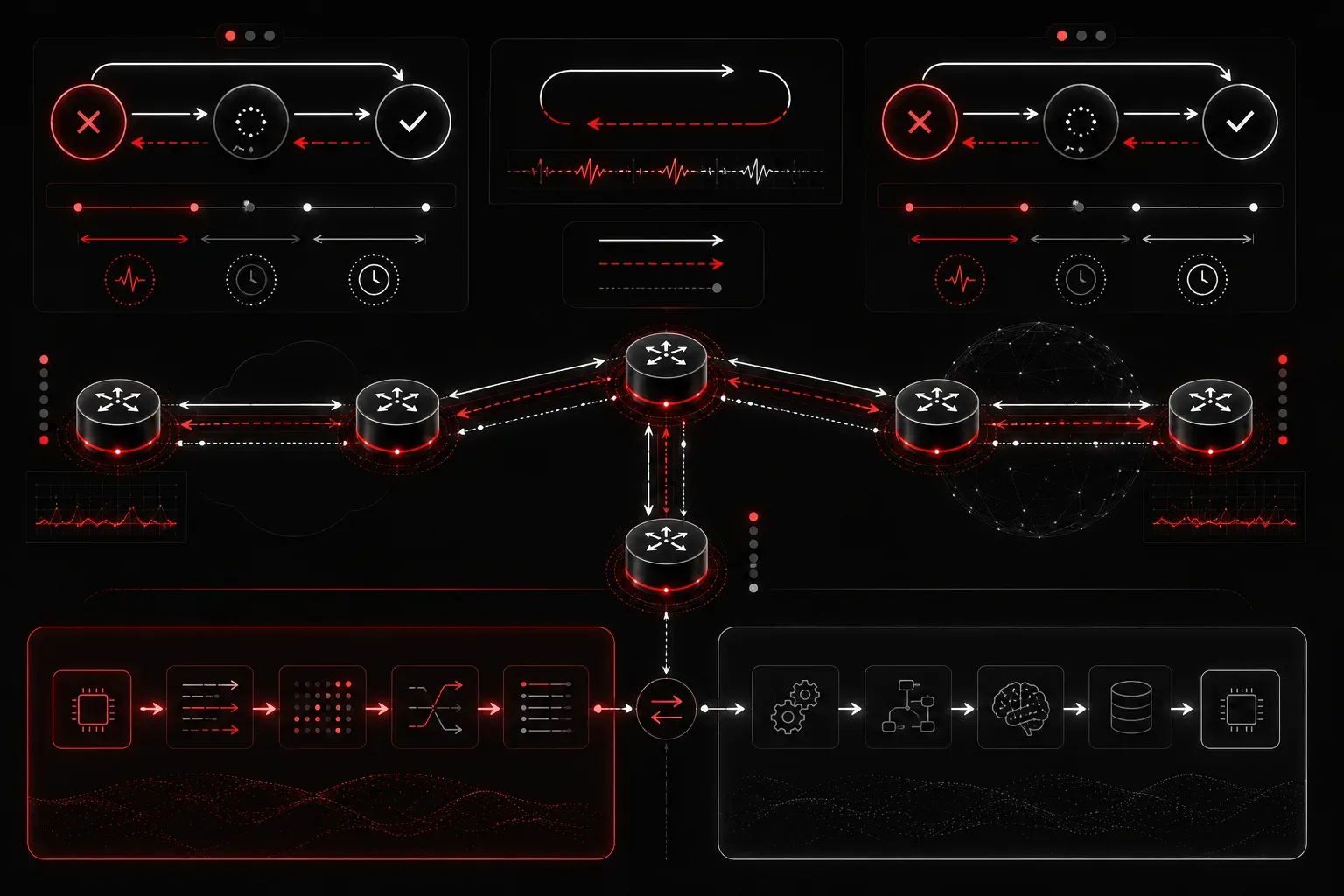
Bidirectional Forwarding Detection is one of those technologies that looks deceptively simple on paper but has real consequences when misconfigured in production. A poorly tuned BFD session can generate false failures under load, trigger unnecessary routing reconvergence, or fail to detect a link failure fast enough to matter. Getting BFD configuration right requires understanding how the timers interact, how BFD integrates with each routing protocol, and where the hardware and software limits of your platform actually sit.
BFD Timer Fundamentals: What the Numbers Actually Mean
BFD operates with three configurable parameters: interval (how often you transmit BFD control packets), min_rx (the minimum receive interval you're willing to accept), and multiplier (how many consecutive missed packets trigger a session failure).
The negotiated transmit interval between two peers is always the maximum of the local interval and the remote min_rx. The failure detection time is then: negotiated_tx_interval x multiplier. This means your detection time is not purely a local decision. If your peer advertises a higher min_rx than your local interval, the negotiated rate slows down to accommodate the peer's capability.
On Cisco IOS/IOS-XE, the global BFD interval command looks like this:
bfd interval 150 min_rx 150 multiplier 3This gives you a detection time of 450ms (150ms x 3). For most enterprise WAN links, this is a reasonable starting point. Pushing below 100ms intervals requires hardware BFD support; software BFD at sub-100ms rates is a fast path to CPU exhaustion during periods of high link utilization or route churn.
Hardware vs. Software BFD: Know Your Platform Limits
Before tuning timers, verify whether your platform supports hardware-offloaded BFD. On Cisco ASR 1000 series routers with an ESP (Embedded Services Processor), BFD can be offloaded to the forwarding plane, allowing sub-100ms intervals without punting packets to the RP. On ISR 4000 series or older 3945 hardware, BFD runs in software on the RP, and aggressive timers will impact overall router performance.
Verify your BFD session mode with:
show bfd neighbors detailLook for the Session state and the Registered protocols fields. Also check Session type; you want to see SW (software) versus HW (hardware) to confirm where BFD is being processed. On ASR 1000:
show platform hardware qfp active feature bfd datapath sessionThis confirms ESP-level BFD offload. If sessions aren't appearing here, they're running on the RP, and you need to back off your timer aggressiveness accordingly.
BFD Integration with Routing Protocols
BFD is useless in isolation. Its value is entirely in how quickly it can signal a failure to the routing protocol. Each protocol integrates differently.
OSPF
interface GigabitEthernet0/0
 ip ospf bfd
Or enable it globally under the OSPF process:
router ospf 1
 bfd all-interfaces
When BFD detects a failure, OSPF treats the neighbor as down immediately without waiting for the dead interval timer. This is the key value proposition: you're decoupling failure detection from the hello/dead mechanism.
EIGRP
router eigrp 100
 bfd all-interfaces
Or per-interface:
interface GigabitEthernet0/1
 ip eigrp 100 bfd
BGP
BGP BFD integration requires per-neighbor configuration and is critical for enterprise BFD deployments on WAN-facing interfaces:
router bgp 65000
 neighbor 10.0.0.2 fall-over bfd
BGP with BFD is particularly important on multi-hop scenarios where the physical link itself won't go down but the forwarding path fails. For multi-hop BFD, use:
bfd-template multi-hop MHBFD
 interval min-tx 300 min-rx 300 multiplier 3
!
router bgp 65000
 neighbor 192.168.100.2 fall-over bfd multi-hop
BFD Optimization: Tuning for Stability Over Speed
The most common BFD misconfiguration in enterprise networks is setting intervals too aggressively in pursuit of sub-second convergence, then watching BFD sessions flap repeatedly under normal traffic load. BFD optimization is not about making timers as small as possible. It's about finding the right balance for your specific environment.
Follow these practices for enterprise BFD stability:
- Start conservative, then tune down: Begin with 300ms/300ms/3 (900ms detection), validate session stability under normal load, then reduce incrementally. Document what works before pushing further.
- Match timer capabilities between peers: If you have an asymmetric environment (ASR on one end, ISR on the other), set timers based on the lower-capability platform. The ASR can handle 100ms; the ISR may not.
- Avoid BFD on high-jitter links: Satellite, certain LTE backhaul, and some MPLS paths with high QoS variation can cause sporadic BFD packet loss. In these cases, BFD may cause more instability than the problem it's solving. Consider raising the multiplier to 5 or 6 rather than tightening the interval.
- Use BFD echo mode carefully: BFD echo mode allows one peer to loop test packets back through the other, achieving faster detection without requiring the remote peer to send BFD packets at the same rate. Enable with
bfd echounder the interface, but disable it if the peer is a non-Cisco device or doesn't support echo mode. - Apply BFD selectively: Not every interface needs BFD. Focus on uplinks, transit links, and peer-facing interfaces where fast convergence delivers real traffic engineering value. Enabling BFD everywhere on a large router increases session state overhead unnecessarily.
Verification and Troubleshooting BFD Sessions
A solid BFD verification workflow starts with confirming the session is up and negotiated to the expected parameters:
show bfd neighbors detail

OurAddress: 10.0.0.1
NeighAddr  LD/RD         RH/RS     State     Int
10.0.0.2   4097/4097     Up        Up        Gi0/0

Session state is UP and using echo function with 150 ms interval.
Session Host: Software
Handle: 1
Local Diag: 0, Demand mode: 0, Poll bit: 0
MinTxInt: 150000, MinRxInt: 150000, Multiplier: 3
Received MinRxInt: 150000, Received Multiplier: 3
Holddown (hits): 0(0), Hello (hits): 450(12543)
Rx Count: 12543, Rx Interval (ms) min/max/avg: 145/157/150
Tx Count: 12543, Tx Interval (ms) min/max/avg: 148/155/150
Registered protocols: OSPF
Pay close attention to the Rx Interval min/max/avg spread. A wide variance (e.g., min 90ms, max 280ms) on a 150ms target indicates jitter that will eventually cause a false failure. If you see this pattern, increase your multiplier or intervals before the session actually drops in production.
To check which protocols have registered with BFD and will receive failure notifications:
show bfd neighbors client ospfFor active troubleshooting of session establishment failures:
debug bfd event
debug bfd packet
Use debug bfd event sparingly in production. It will log every state transition, which is useful during initial bring-up but noisy once sessions are stable.
What's Next
With BFD configuration and optimization covered, the next logical area to address is IP SLA. IP SLA complements BFD in enterprise deployments by providing synthetic traffic monitoring for paths where BFD isn't supported or practical. Understanding how IP SLA tracks are used with static routes and policy-based routing will round out your Layer 3 reliability toolkit for both the ENARSI exam and production networks.
For deeper coverage of BFD alongside the full ENARSI Layer 3 domain, the Cisco Press CCNP Enterprise Advanced Routing ENARSI 300-410 Official Cert Guide by Raymond Lacoste provides the exam-aligned reference material you'll need to reinforce these concepts.
Tools and resources for this topic
- CCNP ENARSI 300-410 Official Cert Guide — The definitive ENARSI study resource by Raymond Lacoste. Covers advanced routing, services, and troubleshooting.