
Configuring BGP Address Families for IPv4 and IPv6
Learn proper BGP address families configuration for IPv4 and IPv6, including common pitfalls like missing neighbor activation commands and misplaced network statements. Covers dual-stack deployment best practices and troubleshooting methodology for enterprise BGP environments.

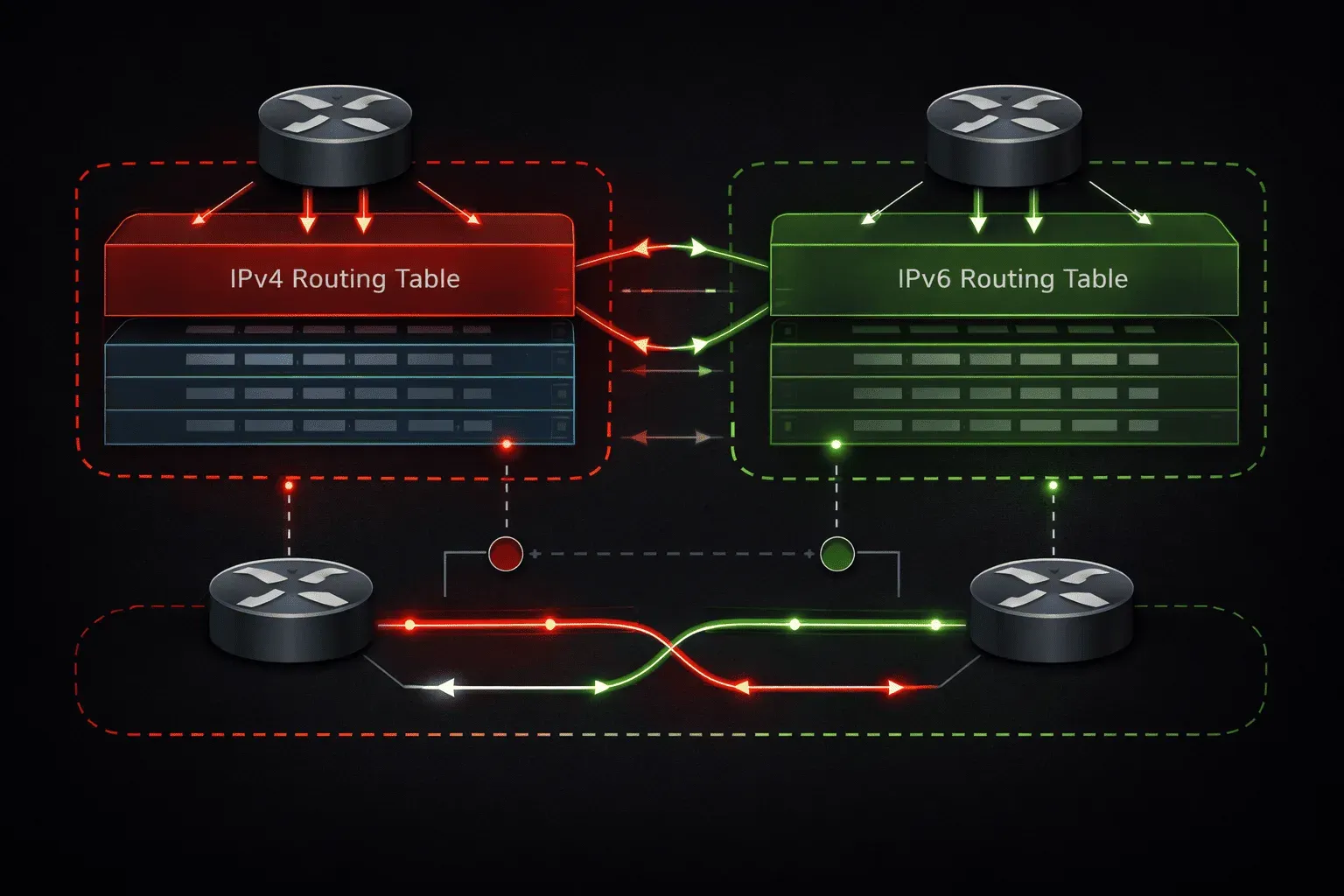
BGP address families are among the most critical yet frequently misconfigured aspects of modern BGP deployments. When engineers transition from traditional IPv4-only BGP to dual-stack environments, the address-family configuration can often lead to persistent connectivity issues and routing loops. Understanding the proper configuration methodology and common pitfalls is essential for maintaining stable enterprise BGP deployments.
Understanding BGP Address Family Architecture
BGP address families enable a single BGP session to carry routing information for multiple protocol types. The most common deployment involves IPv4 unicast and IPv6 unicast address families, but the architecture supports MPLS VPN, multicast, and other specialized routing tables. The key principle is that address family activation is explicit; simply establishing a BGP neighbor relationship does not automatically enable route exchange for any address family.
In Cisco IOS, address-family configuration occurs within BGP router configuration mode using the address-family command. Each address family maintains its own routing table, neighbor relationships, and policy configurations independently of other address families on the same BGP session.
IPv4 Address Family Configuration
IPv4 unicast address family configuration requires explicit activation, even though it was historically assumed otherwise. Modern IOS versions require deliberate address family activation to prevent configuration ambiguity:
router bgp 65001
 bgp router-id 10.1.1.1
 neighbor 10.1.1.2 remote-as 65002
 neighbor 10.1.1.2 update-source loopback0

 address-family ipv4 unicast
  neighbor 10.1.1.2 activate
  neighbor 10.1.1.2 next-hop-self
  network 192.168.1.0 mask 255.255.255.0
  redistribute connected
 exit-address-family
The neighbor activate command within the address family is critical. Without this command, the neighbor relationship is established, but no IPv4 route exchange. This explicit activation model prevents accidental route leakage and provides granular control over which neighbors participate in each address family.
IPv6 Address Family Configuration
IPv6 address family configuration follows similar principles but requires additional considerations for neighbor addressing. IPv6 BGP can use link-local addresses for neighbor relationships while advertising global unicast prefixes:
router bgp 65001
 bgp router-id 10.1.1.1
 neighbor 2001:DB8::2 remote-as 65002
 neighbor 2001:DB8::2 update-source loopback0

 address-family ipv6 unicast
  neighbor 2001:DB8::2 activate
  neighbor 2001:DB8::2 next-hop-self
  network 2001:DB8:100::/48
  redistribute connected
 exit-address-family
For IPv6, the no bgp default ipv4-unicast command becomes particularly important in mixed environments. This command disables automatic IPv4 unicast address family activation for new neighbors, forcing explicit address family configuration and preventing IPv4 route advertisement when only IPv6 connectivity is intended.
Dual-Stack Configuration Best Practices
Dual-stack BGP configurations require careful attention to address family independence. A common enterprise deployment uses IPv4 addresses for BGP session establishment while exchanging both IPv4 and IPv6 routes:
router bgp 65001
 bgp router-id 10.1.1.1
 no bgp default ipv4-unicast
 neighbor 10.1.1.2 remote-as 65002
 neighbor 10.1.1.2 update-source loopback0

 address-family ipv4 unicast
  neighbor 10.1.1.2 activate
  neighbor 10.1.1.2 route-map IPV4-IN in
  neighbor 10.1.1.2 route-map IPV4-OUT out
  network 192.168.1.0 mask 255.255.255.0
 exit-address-family

 address-family ipv6 unicast
  neighbor 10.1.1.2 activate
  neighbor 10.1.1.2 route-map IPV6-IN in
  neighbor 10.1.1.2 route-map IPV6-OUT out
  network 2001:DB8:100::/48
 exit-address-family
This configuration demonstrates address-family independence: the same IPv4 BGP session carries both address families, but each maintains separate routing policies through distinct route maps.
Common Configuration Pitfalls and Troubleshooting
The most frequent issue in address family configuration is forgetting the neighbor activate command within each address family. The BGP session is established successfully, but route exchange fails silently. Use show bgp all neighbors to verify address family activation status.
Another common problem occurs when administrators configure networks or redistribution at the global BGP level instead of within specific address families. This configuration method is deprecated and can cause unexpected behavior:
# INCORRECT - Avoid this approach
router bgp 65001
 neighbor 10.1.1.2 remote-as 65002
 network 192.168.1.0 mask 255.255.255.0  # Wrong location

# CORRECT - Address family specific
router bgp 65001
 neighbor 10.1.1.2 remote-as 65002
 address-family ipv4 unicast
  neighbor 10.1.1.2 activate
  network 192.168.1.0 mask 255.255.255.0  # Correct location
When troubleshooting address family issues, verify the BGP table for each address family separately using show bgp ipv4 unicast and show bgp ipv6 unicast. These commands reveal whether routes are present in the specific address family table, helping isolate configuration versus propagation issues.
Verification and Monitoring
Proper verification of the address family configuration requires checking multiple command outputs. Use show bgp all summary to see neighbor status across all configured address families. For detailed neighbor information, show bgp all neighbors [address] displays address family activation status and capabilities exchanged during session establishment.
The show running-config | section router bgp command reveals the complete BGP configuration structure, making it easy to identify missing address family activations or misplaced configuration statements.
What's Next
With address family fundamentals established, the next critical topic is BGP route filtering and manipulation using prefix lists, route maps, and AS path filters. These tools provide the granular control necessary for enterprise BGP policy implementation across multiple address families.
CCNP ENARSI study resources
- CCNP Enterprise Core ENCOR 350-401 and Advanced Routing ENARSI 300-410 Official Cert Guide Library — Both ENCOR and ENARSI books bundled together. The best value for CCNP Enterprise candidates.
- CCNP Enterprise Advanced Routing ENARSI 300-410 Official Cert Guide — The only Cisco-approved study guide for the ENARSI 300-410 exam. Covers advanced routing, VPNs, and infrastructure security.