
Cabling Types and Their Uses Explained
This post breaks down the three main cabling types used in networking: twisted pair, coaxial, and fiber optic. It explains cable categories, connector types, and how to match the right cable to the right job, making it ideal for Network+ beginners.

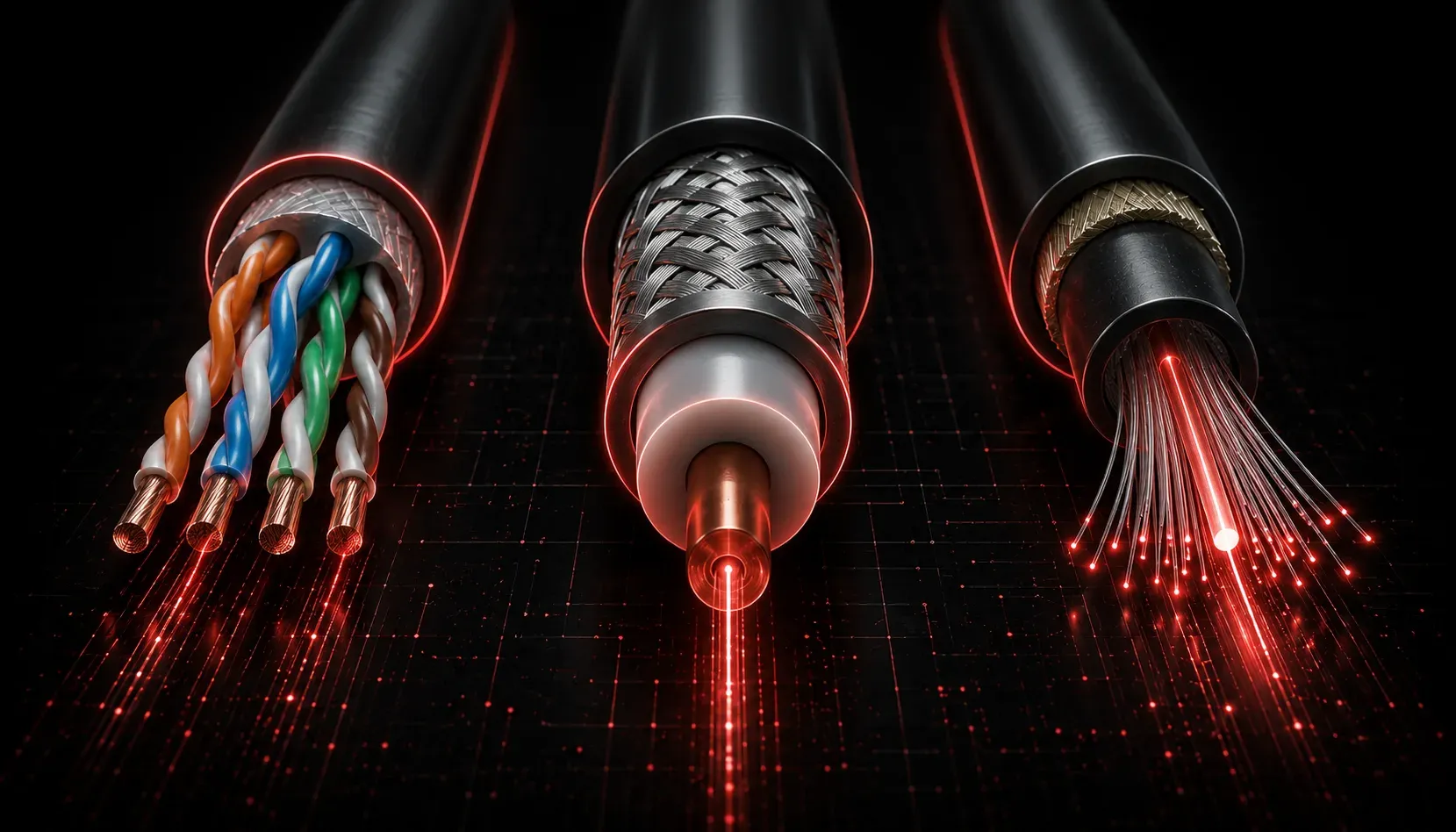
When you first look inside a network rack or follow a cable run through a server room, it can feel overwhelming. Cables everywhere, different colors, different connectors, different thicknesses. But here is the good news: once you understand the cabling types and what each one is designed to do, the chaos starts to make a lot of sense.
Think of network cables like roads. Some are narrow country lanes suited for light, slow traffic. Others are multi-lane highways built for speed and volume. The right cable for the job depends on distance, speed, and environment.
The Main Categories of Network Cables
Network cables generally fall into three families: twisted pair, coaxial, and fiber optic. Each has distinct characteristics that make it suitable for different situations.
Twisted Pair Cables
Twisted pair is by far the most common cable type you will encounter in modern office and home networks. It consists of pairs of copper wires twisted together to reduce electromagnetic interference (EMI). There are two main types:
- UTP (Unshielded Twisted Pair): The standard cable used in most Ethernet installations. It is affordable, flexible, and easy to terminate. You will see this labeled as
Cat5e,Cat6, orCat6a. - STP (Shielded Twisted Pair): Has an additional metallic shield around the wire pairs, offering better protection in environments with high interference, such as factory floors or areas near heavy machinery.
The cable categories within twisted pair tell you the performance rating:
- Cat5e: Supports up to 1 Gbps at 100 meters. Still found in many existing installations.
- Cat6: Supports up to 1 Gbps at 100 meters and 10 Gbps at up to 55 meters. The current standard for new installations.
- Cat6a: Supports 10 Gbps at the full 100-meter distance. Used in data centers and high-performance environments.
All of these use an RJ-45 connector, which looks like a wider version of a telephone jack.
Coaxial Cables
Coaxial cable, or "coax," has a single copper conductor at the center, surrounded by insulation, a metallic shield, and an outer jacket. Think of it like a well-protected garden hose. It was historically used for early Ethernet networks but today you are more likely to encounter it in cable TV and broadband internet connections from your ISP.
Common connector types include BNC and F-type. For the Network+ exam, understand where coax fits historically and in modern ISP infrastructure.
Fiber Optic Cables
Fiber optic cables transmit data as light pulses rather than electrical signals. This gives them two major advantages: they are immune to EMI, and they can carry data over much longer distances at much higher speeds.
- Single-Mode Fiber (SMF): Has a very narrow core and uses a laser light source. It supports extremely long distances, sometimes many kilometers, making it the choice for WAN links and backbone connections.
- Multi-Mode Fiber (MMF): Has a wider core and uses an LED light source. It is less expensive but limited to shorter distances, typically under 500 meters. Used for connections within buildings or between nearby buildings.
Common fiber connectors include LC, SC, and ST. Fiber is more expensive and more delicate to terminate than copper, but when you need speed, distance, or EMI immunity, it is the right tool.
Matching the Cable to the Job
Understanding the uses of cables is just as important as knowing the cable types themselves. Here is a practical summary:
- Desktop workstations and office connections: Cat6 UTP with RJ-45 connectors.
- High-interference industrial environments: Cat6 or Cat6a STP.
- ISP or cable modem connections: Coaxial with F-type connectors.
- High-speed data center runs: Cat6a or multi-mode fiber.
- Long-distance building-to-building or campus links: Single-mode fiber.
What's Next
Now that you have a solid foundation in cabling types and their uses, the next step is understanding how to troubleshoot cabling issues. Knowing the right cable matters, but knowing how to test and identify problems when things go wrong is what separates a good network technician from a great one. The next post will cover common cabling faults, the tools used to diagnose them, and how to interpret the results.
Tools and resources for this topic
- CompTIA Network+ Study Guide — Comprehensive N10-009 exam preparation covering all five domains.