
Configuring Cisco Catalyst SD-WAN: A Step-by-Step Guide
Comprehensive step-by-step guide for configuring Cisco Catalyst SD-WAN, covering controller deployment, device authentication, WAN Edge configuration, and centralized policy implementation. Includes practical CLI examples and troubleshooting commands for enterprise deployments.

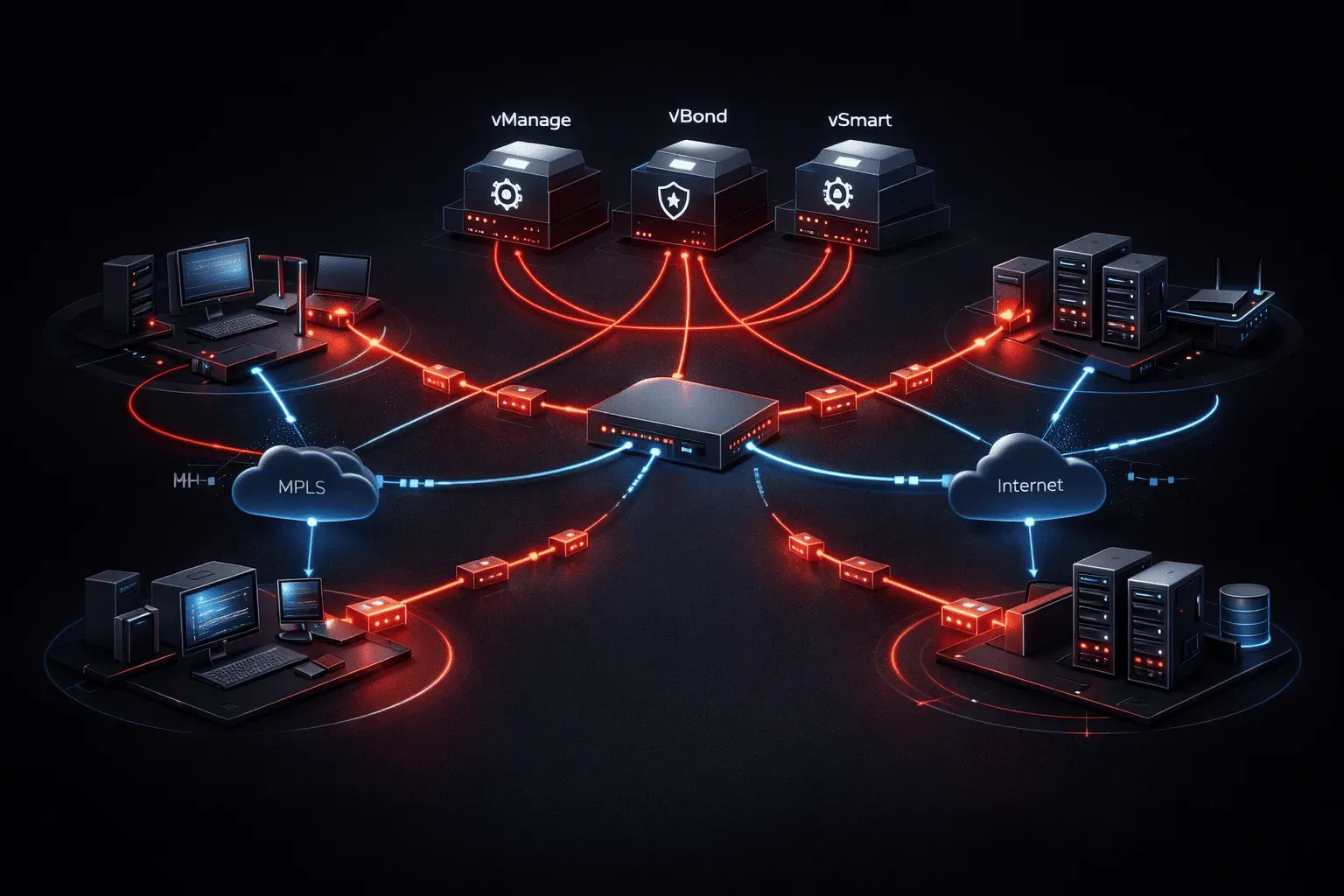
Cisco Catalyst SD-WAN represents a significant evolution from traditional hub-and-spoke WAN architectures, delivering centralized policy management, application-aware routing, and simplified branch connectivity. As CCNP ENCOR candidates, you need to understand not just the concepts, but the actual configuration mechanics that make SD-WAN deployments successful in enterprise environments.
This guide covers the essential configuration steps for implementing Catalyst SD-WAN, from initial controller deployment through policy creation and device onboarding.
SD-WAN Architecture Components
Before diving into configuration, let's establish the key components you'll be configuring. The Catalyst SD-WAN solution consists of four primary elements:
- vManage: Centralized network management and policy orchestration platform
- vSmart: Control plane component that distributes routing and policy information
- vBond: Orchestrator that facilitates initial device authentication and discovery
- WAN Edge devices: Physical or virtual routers (ISR, ASR, vEdge, or CSR) at branch locations
The control plane operates over secure DTLS connections, while data plane traffic uses IPSec tunnels between WAN Edge devices.
Initial Controller Setup
Your SD-WAN implementation begins with deploying and configuring the controller components. Start with vBond orchestrator configuration:
! Basic vBond configuration
system
 host-name vbond-01
 system-ip 172.16.255.1
 site-id 1000
 organization-name "AOIP"
 vbond 192.0.2.10
!
vpn 0
 interface ge0/0
  ip address 192.0.2.10/24
  tunnel-interface
  no shutdown
 !
 ip route 0.0.0.0/0 192.0.2.1
!
vpn 512
 interface eth0
  ip address 10.1.1.10/24
  no shutdown
Next, configure the vSmart controller with similar system parameters:
! vSmart controller configuration
system
 host-name vsmart-01
 system-ip 172.16.255.2
 site-id 1000
 organization-name "AOIP"
 vbond 192.0.2.10
!
vpn 0
 interface ge0/0
  ip address 192.0.2.20/24
  no shutdown
 !
 ip route 0.0.0.0/0 192.0.2.1
The organization-name must match across all devices in your SD-WAN fabric. This acts as the primary authentication mechanism during the initial handshake process.
Certificate Management and Device Authentication
SD-WAN security relies heavily on certificate-based authentication. Generate and install certificates for each controller:
# Generate certificate signing request on vBond
request platform software sdwan certificate install /bootflash/vbond.crt

# Verify certificate installation
show certificate installed
In production environments, you'll integrate with your enterprise PKI infrastructure. For lab scenarios, Cisco provides a certificate authority service that simplifies this process.
WAN Edge Device Configuration
WAN Edge configuration requires careful attention to transport interfaces and service-side VPNs. Here's a comprehensive configuration for a typical branch router:
! WAN Edge device configuration
system
 host-name branch-01-csr
 system-ip 172.16.1.1
 site-id 100
 organization-name "AOIP"
 vbond 192.0.2.10
!
! Transport side (Internet and MPLS)
vpn 0
 interface GigabitEthernet1
  ip address 203.0.113.10/24
  tunnel-interface
   encapsulation ipsec
   color internet
   max-control-connections 2
   no allow-service bgp
   allow-service dhcp
   allow-service dns
   allow-service icmp
   allow-service sshd
   no allow-service netconf
   no allow-service ntp
   no allow-service ospf
   no allow-service stun
  !
  no shutdown
 !
 interface GigabitEthernet2
  ip address 192.168.100.10/24
  tunnel-interface
   encapsulation ipsec
   color mpls
   max-control-connections 2
  !
  no shutdown
 !
 ip route 0.0.0.0/0 203.0.113.1
 ip route 0.0.0.0/0 192.168.100.1
!
! Service side (LAN)
vpn 1
 interface GigabitEthernet3
  ip address 10.100.1.1/24
  no shutdown
 !
 ip route 10.100.0.0/16 null0
The color attribute is crucial for SD-WAN policy application. Standard colors include internet, mpls, metro-ethernet, and custom colors for specific transport types.
Centralized Policy Configuration
With devices authenticated and connected, configure centralized policies through vManage. Application-aware routing policies define how traffic flows across available transports:
# CLI template for application-aware routing
policy
 app-route
  vpn-list BRANCH_VPNS
  app-list CRITICAL_APPS
   backups
    transport internet
   !
   primary
    transport mpls
   !
  !
  app-list BULK_APPS
   primary
    transport internet
   !
  !
 !
!
Create corresponding lists to define VPNs and applications:
lists
 vpn-list BRANCH_VPNS
  vpn 1
 !
 app-list CRITICAL_APPS
  app voice
  app video
 !
 app-list BULK_APPS
  app backup
  app file-transfer
 !
!
Device Onboarding and Verification
The onboarding process involves several verification steps. Monitor control connections:
show sdwan control connections
show sdwan control local-properties
show sdwan bfd sessions
show sdwan ipsec inbound-connections
show sdwan ipsec outbound-connections
Verify policy installation and application recognition:
show sdwan policy applied
show sdwan app-route stats
show app-visibility flows
These commands provide insight into whether your SD-WAN fabric is operating correctly and policies are being enforced as intended.
Troubleshooting Common Configuration Issues
Several common issues can prevent successful SD-WAN deployment. Certificate mismatches often cause authentication failures:
show certificate validity
show certificate installed
NAT traversal problems frequently affect sites behind firewalls. Verify STUN functionality:
show sdwan control connections-history
show sdwan tunnel statistics
Control plane connectivity issues typically manifest in the orchestrator connections. Check vBond reachability and authentication status systematically.
What's Next
With your basic Catalyst SD-WAN implementation complete, the next critical step is implementing advanced security policies including zone-based firewall rules and unified threat management features. We'll cover these security implementations and how they integrate with your centralized policy framework in the next post.