
How Firewalls Protect Your Network
Firewalls protect networks by examining and filtering traffic based on security rules, providing essential network access control through packet filtering, stateful inspection, and application layer analysis. They serve as the first line of defense against unauthorized network access.

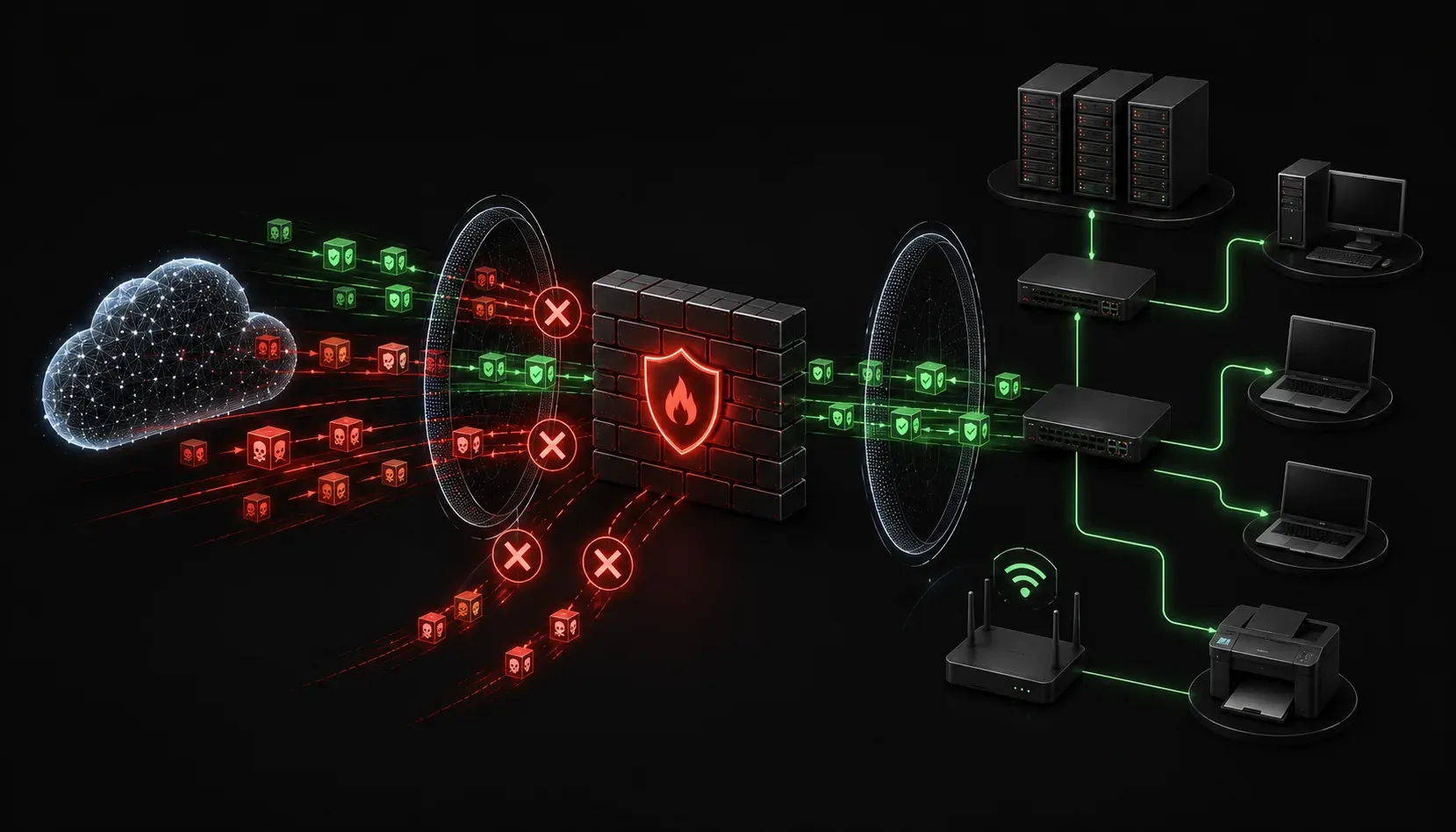
Firewalls are your network's first line of defense, acting like digital security guards that monitor and control traffic flowing in and out of your network. Understanding how firewalls provide network protection is essential for anyone working with network security, whether you're studying for Network+ or managing real-world systems.
What Is a Firewall?
A firewall is a network security device that examines incoming and outgoing network traffic and decides whether to allow or block specific communications. Think of it as a checkpoint at a border crossing; every packet of data must pass inspection before being allowed through.
Firewalls operate based on predetermined security rules that define what traffic is acceptable. These rules consider factors like source and destination IP addresses, ports, protocols, and even the content of the data itself.
How Firewalls Provide Network Protection
Packet Filtering
The most basic form of firewall security involves packet filtering. The firewall examines each packet's header information and compares it against its rule set. For example, a rule might state:
ALLOW TCP traffic from 192.168.1.0/24 to any destination on port 80
DENY all traffic from 10.0.0.100 to any destination
This creates network access control by permitting web traffic from your internal network while blocking a specific suspicious IP address.
Stateful Inspection
Modern firewalls perform stateful inspection, which means they track the state of active connections. When you initiate a connection to a web server, the firewall remembers this outbound connection and automatically allows the return traffic. This prevents unauthorized inbound connections while permitting legitimate responses.
Application Layer Filtering
Advanced firewalls can inspect the actual content of network communications, not just the headers. This deep packet inspection allows the firewall to block specific applications, websites, or even malicious content within otherwise legitimate traffic.
Types of Firewall Deployments
Network-Based Firewalls
These hardware appliances sit at network perimeters, typically between your internal network and the internet. They protect entire network segments and can handle high-volume traffic. Common placement includes:
- Between the internet and your DMZ (demilitarized zone)
- Between different network segments for internal security
- At remote office connections
Host-Based Firewalls
These software firewalls run on individual computers and servers, providing protection specific to that host. Windows Defender Firewall and iptables on Linux are common examples. They complement network firewalls by providing an additional layer of defense.
Firewall Rules and Policies
Effective firewall security depends on well-configured rules. A typical rule structure includes:
Rule: Allow HTTP Traffic
Source: Internal Network (192.168.1.0/24)
Destination: Any
Service: HTTP (Port 80)
Action: Allow
Firewalls process rules in order, so placement matters. Most firewalls follow a "default deny" policy; if traffic doesn't match any allow rule, it's automatically blocked. This approach ensures maximum security by requiring explicit permission for all communications.
Common Firewall Features
Modern firewalls offer additional security features beyond basic packet filtering:
- Network Address Translation (NAT): Hides internal network structure
- VPN Support: Enables secure remote connections
- Intrusion Detection: Identifies suspicious activity patterns
- Web Content Filtering: Blocks access to inappropriate websites
- Bandwidth Management: Controls network resource usage
Firewall Limitations
While firewalls provide essential network access control, they have limitations. They cannot protect against:
- Attacks from inside the network (malicious insiders)
- Social engineering attacks
- Malware in encrypted traffic they cannot inspect
- Physical security breaches
This is why firewalls work best as part of a layered security strategy, combined with antivirus software, intrusion detection systems, and user education.
What's Next
Now that you understand how firewalls protect networks through filtering and access control, the next step is learning about intrusion detection and prevention systems (IDS/IPS). These systems work alongside firewalls to identify and respond to suspicious network activity, providing another crucial layer in your network security defense strategy.
Tools and resources for this topic
- CompTIA Network+ Study Guide — Comprehensive N10-009 exam preparation covering all five domains.